
Utility templates | Developer Documentation
Create a utility WhatsApp template with ChatArchitect
Choose Utility for a non-promotional update tied to a customer's action, request, order or account. Examples include an order confirmation, delivery update or appointment reminder. Create the template in wtargeted.com for your ChatArchitect integration, then use it from a connected sending tool after approval. Meta's utility overview describes the category.
Write the update
Keep the message about the specific transaction. For example:
Your order {{1}} is confirmed. Expected delivery: {{2}}.
Use numbered placeholders for values that change by recipient. Supply a realistic sample for each placeholder when submitting the template. Avoid discounts, product suggestions or other promotional content in a utility update: Meta may assign such a message to Marketing. See the category guide.
Submit and check the result
- Follow the ChatArchitect template guide to sign in to wtargeted.com with your integration's App key and Secret. Open Submit template and choose the language and Utility category.
- Enter the message text, numbered variables, sample values and any useful buttons available in your account. Submit the template for review.
- Refresh Approved templates after review. Check the final category and text before selecting the template in your connected sending tool. If Meta assigned Marketing, review the entire message before resubmitting.
- Send a test through the intended integration. Check substituted values, any buttons and the final delivery status. If the template is absent or rejected, use the review guide.
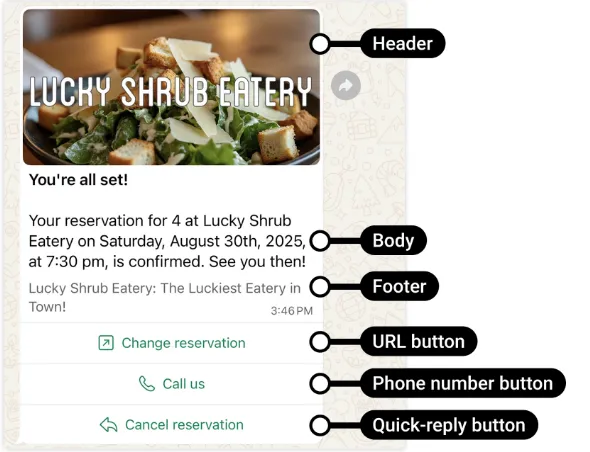
The confirmed Submit template controls cover text, variables and buttons. Meta documents additional headers, footers and media, but their availability in ChatArchitect has not been confirmed; ask support before planning a message that depends on them. For costs, check your ChatArchitect plan and cost guide. Do not assume that a utility template is free merely because a customer service window is open.
No comments to display
No comments to display