
Send WhatsApp Call Button Messages and Deep Links | Developer Documentation
Send WhatsApp Call Button Messages and Deep Links
Updated: Feb 25, 2026
Overview
After you adopt Cloud API Calling features, you can raise awareness with your customers in two core ways:
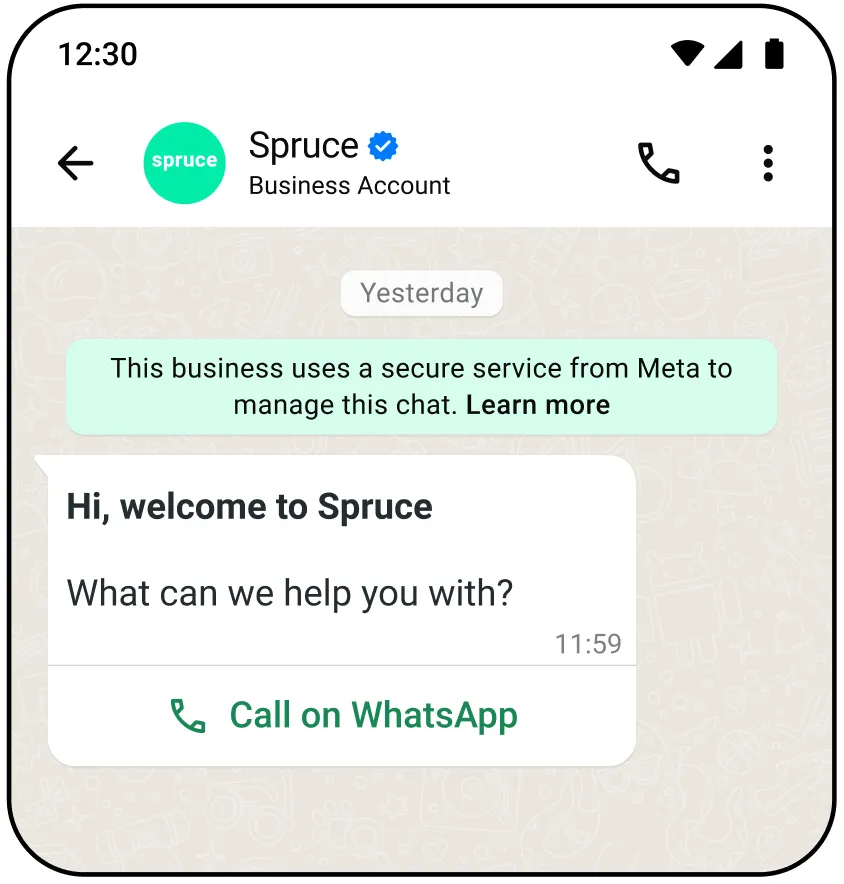
Send interactive message with a WhatsApp call button
Use this endpoint to send a free-form interactive message with a WhatsApp call button during a customer service window or an open conversation window.
When a WhatsApp user clicks the call button, it initiates a WhatsApp call to the business number that sent the message.
A standard message status webhook will be sent in response to this message send.
Body parameters
| Parameter | Description | Sample Value |
|---|---|---|
toInteger |
Required
The phone number of the WhatsApp user you are messaging. |
"17863476655" |
typeString |
Required
The type of interactive message you are sending. In this case, you are sending a
voice_call. |
"voice_call" |
actionString |
Required
The action of your interactive message. Must be voice_call. |
"voice_call" |
parametersJSON Object |
Optional
Optional parameters for the WhatsApp calling button sent to the user.
Contains three values:
display_text, ttl_minutes, and payloaddisplay_text — (String) OptionalThe display text on the WhatsApp calling button sent to the user.
Default is “Call Now”
Max length: 20 characters
ttl_minutes — (Integer) OptionalTime to live for the call-to-action (CTA) button in minutes.
Must be between 1 and 43200 (30 days)
Default value is 10080 (7 days)
payload — (String) OptionalAn arbitrary string, useful for tracking.
Any app subscribed to the
calls webhook field on the WhatsApp Business Account can get this string, as it is included in the connect and terminate webhook payloads under the cta_payload field.Cloud API does not process this field, it just returns it as part of the webhooks.
Maximum 512 characters.
Payload is only available to WhatsApp client starting on version 2.25.27. |
|
Success response
Error response
Possible errors that can occur:
Sending this message to users on older app versions results in an error webhook with error code
131026.Create and send WhatsApp call button template message
Use these endpoints to create and send a WhatsApp call button template message.
Once your call button template message is created, you can send a message to a WhatsApp user, inviting them to call your business.
Use this endpoint to create a call button message template.
Body parameters
You can create and manage template messages through both Cloud API and the WhatsApp Business Manager interface.
When creating your call button template, ensure you configure
type as voice_call.| Parameter | Description | Sample Value |
|---|---|---|
typeString |
Required
The type of template message you are creating. In this case, you are creating a voice_call. |
"voice_call" |
textString |
Optional
The display text on the WhatsApp calling button sent to the user. Default is “Call Now”
Max length: 20 characters |
"Call Now" |
ttl_minutesInteger |
Optional
Time to live for the CTA button in minutes. Must be between 1440 (1 day) and 43200 (30 days).
You can override this value when sending the message. |
1440 |
Success response
Error response
Possible errors that can occur:
whatsapp-business-account-idPermissions/Authorization errorsTemplate structure/component validation alerts
Calling deep links
Calling deep links are hyperlinks that route WhatsApp users to call your business.
The process to create a calling deep link is similar to a chat deep link, except the format for the call deep link is
wa.me/call/<BUSINESS_PHONE_NUMBER>Note that deep links are not supported on WhatsApp desktop clients.
Embed calling deep links
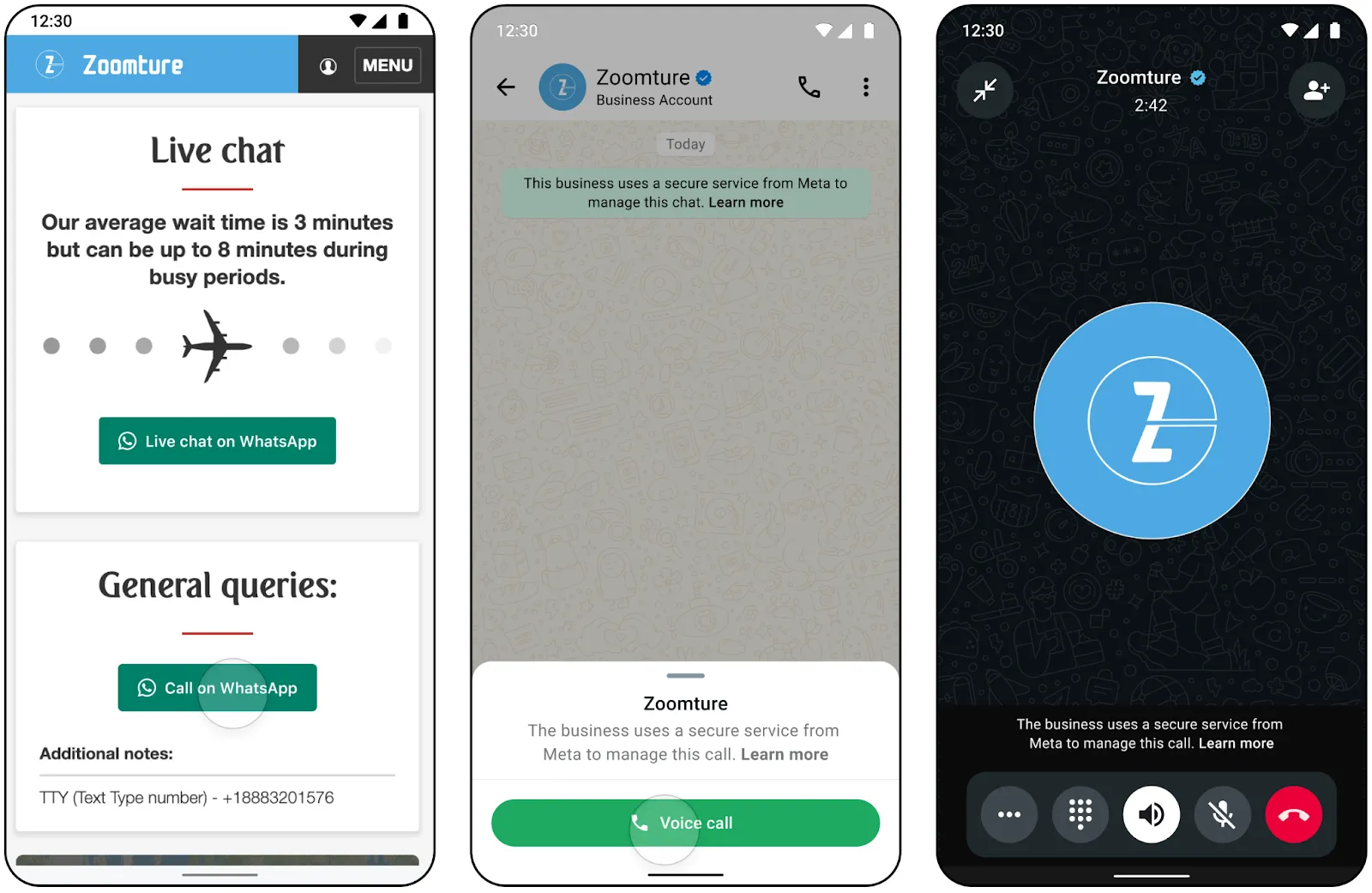
You can use calling deep links to advertise WhatsApp calling for your business.
Use these links anywhere where calling can be useful, like your website, primary application, or even as a QR code to be shared.
Send calling deep links
You can also send messages to WhatsApp users with a calling deep link.
Since deep links can be made per business phone number, you can use calling deep links to prompt WhatsApp users to contact a different phone number with voice enabled.
The
wa.me/call/<BUSINESS_PHONE_NUMBER> format is easy to copy, paste, and send, and does not require you to make a template in Business Manager.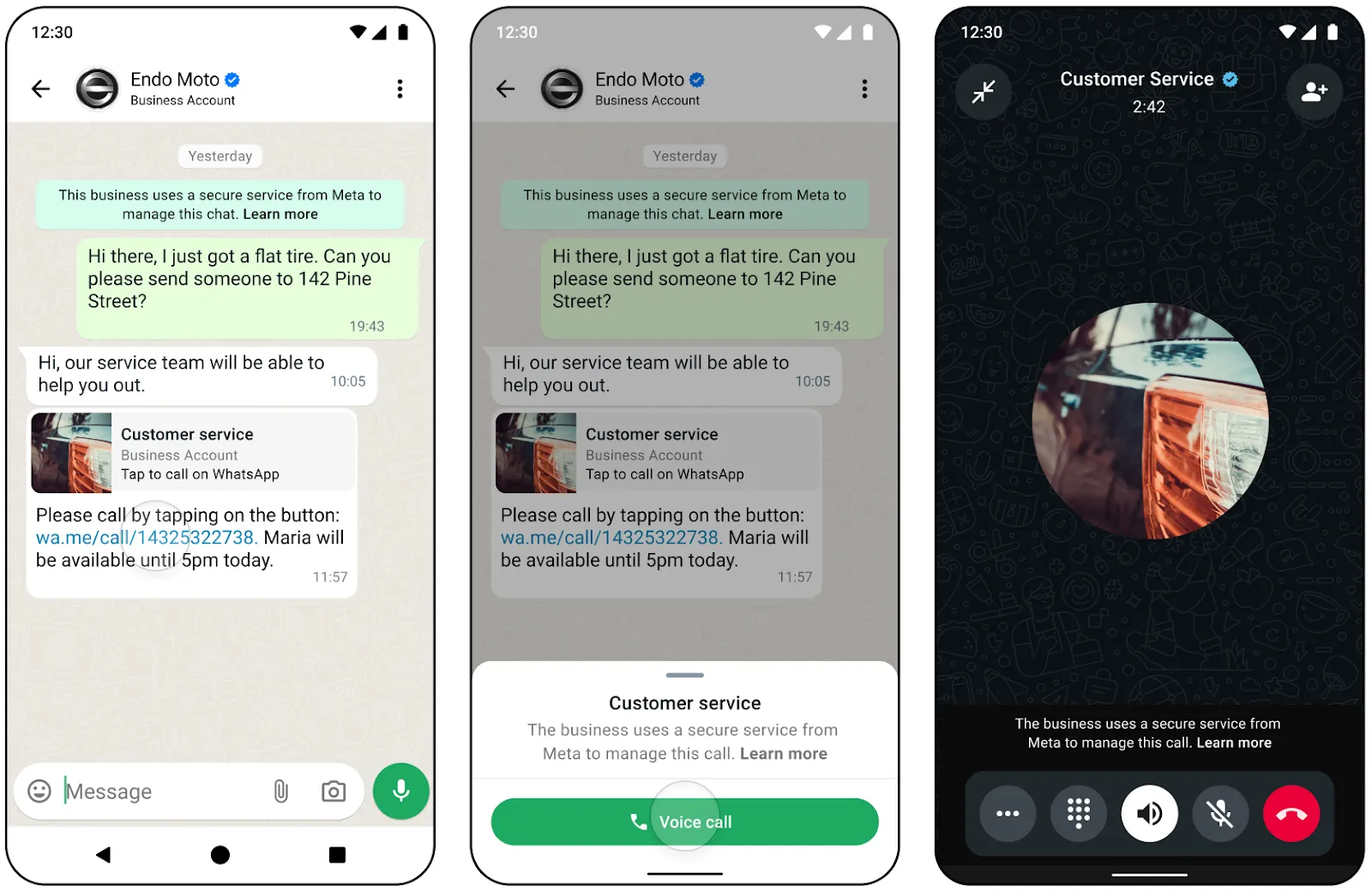
Send payload data in call deep link
You can also send a payload with the deep link. You can use the
biz_payload query string when sending the call deep link to any user (wa.me/call/<BUSINESS_PHONE_NUMBER>?biz_payload=payload).When a user calls using the provided deep link with the
biz_payload any app subscribed to the calls webhook field on the WhatsApp Business Account can get this string, as it is included in the connect and terminate webhook payloads under the deeplink_payload field.Payload in call deep link is only available to WhatsApp client starting on version 2.25.27.
No comments to display
No comments to display