
Groups API | Developer Documentation
Groups API
Updated: Nov 14, 2025
Eligibility for Groups API
The Groups API is now open to all businesses with an Official Business Account (OBA)
The Groups API enables you to programmatically create groups for messaging and collaboration.
How it works
Groups are an invite-only experience where participants join using a group invite link you send them. This invite link provides context about the group, helping the user decide whether they want to join.
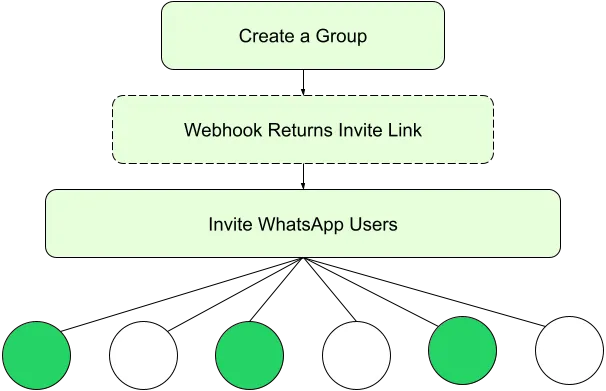
Get Started
When you are ready to start using the Groups API, head on over to our “Get Started” guide for more information:
Quick Facts
Analytics
Performance metrics are not available for message templates used in Groups.
Please create new templates specifically for Groups use instead of repurposing templates used for one-to-one messaging.
Limits
Eligibility for Groups API
To qualify for groups features, your business must be an Official Business Account (OBA)
Groups are not available for Coexistence users and phone numbers onboarded to Multi-solution Conversations.
The Calling API is not supported in groups.
Non-supported actions:
Pricing
The Groups API uses per-message pricing.
No comments to display
No comments to display