
Mark messages as read | Developer Documentation
Check what a WhatsApp read indicator means
Before relying on a read indicator in a conversation handled through ChatArchitect, identify the message direction and where you saw the status. A CRM's unread badge, a receipt for a customer's incoming message and a delivery status for your outgoing reply describe different events.
Identify the signal
| Signal | What to check |
|---|---|
| An unread badge or closed ticket in the CRM/help desk. | Check the tool's local workflow. Opening or closing the record does not by itself establish which WhatsApp receipt the integration sends. |
| A read receipt for the customer's message to your business. | Check how your integration acknowledges that incoming message and what the customer sees in WhatsApp. |
A read delivery result for a message your business sent. | Check the result against that outgoing message's reference. This is a separate direction from acknowledging the customer's message. |
The ChatArchitect partner API guide describes outgoing delivery events including sent, delivered, read and failed. Check which of those results your connected tool actually displays; a submitted or queued attempt is not evidence that the recipient read it.
Check how incoming messages are acknowledged
Read handling depends on the connected tool's behavior. Check its documentation, settings or available message action, and ask ChatArchitect support if the WhatsApp effect is unclear. Do not assume that marking a ticket resolved or removing a local unread badge sends a receipt to the customer.
- Use a permitted test contact to send a new message to your connected WhatsApp business number.
- Record the test message and time with time zone, the incoming item in the tool, and the indicator on the customer's WhatsApp client before the team opens the item.
- Open the message in the connected tool. If the tool documents a separate read action, test that action as a separate step.
- Compare the customer's visible receipt after each step with the local tool state. Record the observed trigger rather than assuming that every integration behaves the same way.
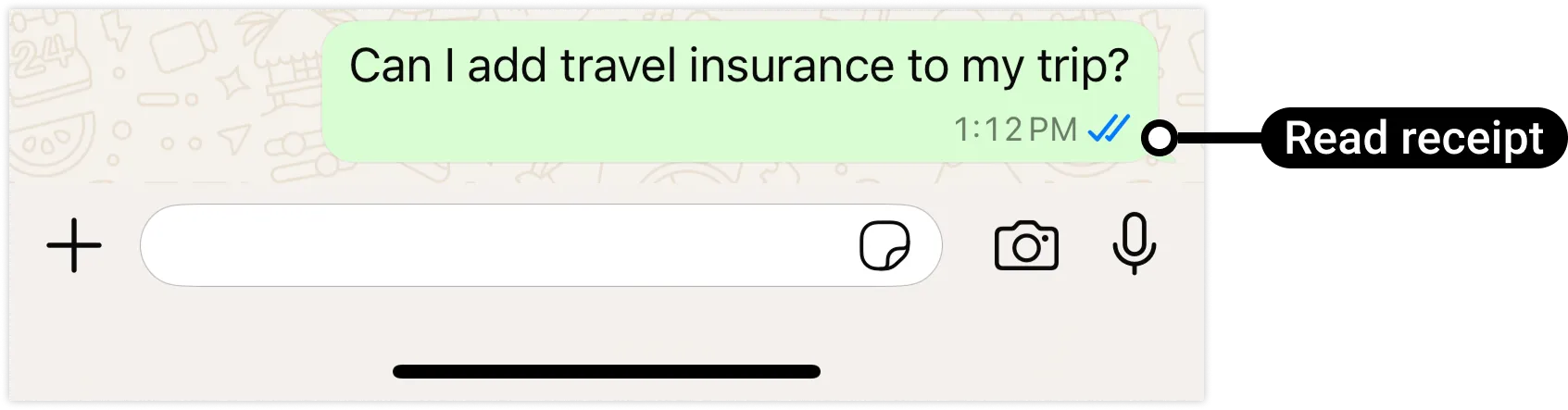
Meta's mark-as-read reference describes an acknowledgement of a received message and notes that acknowledging one message also marks earlier messages in that conversation as read. This is useful when comparing a test thread; it is not a promise that ChatArchitect exposes a separate button for each message.
Use the result in your team workflow
Keep the message reference, direction, observed result and any support-case state together. A read result does not establish that a question has been answered or that a support case can be closed. Choose that next step from the actual conversation.
Sending a read acknowledgement does not reopen the customer service window. Follow the text reply guide for ordinary replies and the approved template workflow when the window is closed.
If the expected indicator is missing
Check that you are comparing the same message and direction, and distinguish an absent WhatsApp receipt from a tool display that has not changed. For support, provide the tool, connected number, test time with time zone, exact action and observed result, and message reference if available. Keep connection secrets out of the report.
ChatArchitect customers use their connected tool and ChatArchitect credentials. The Meta reference is background on receipt behavior; copying a Meta access token or message ID into an unrelated CRM field is not a customer troubleshooting step.
No comments to display
No comments to display