
Multi-product message templates | Developer Documentation
Multi-product message templates
Updated: Mar 3, 2026
This document describes multi-product message (“MPM”) templates, their uses, and how to use them.
MPM templates are marketing templates that allow you to showcase up to 30 products from your ecommerce catalog, organized in up to 10 sections, in a single message.
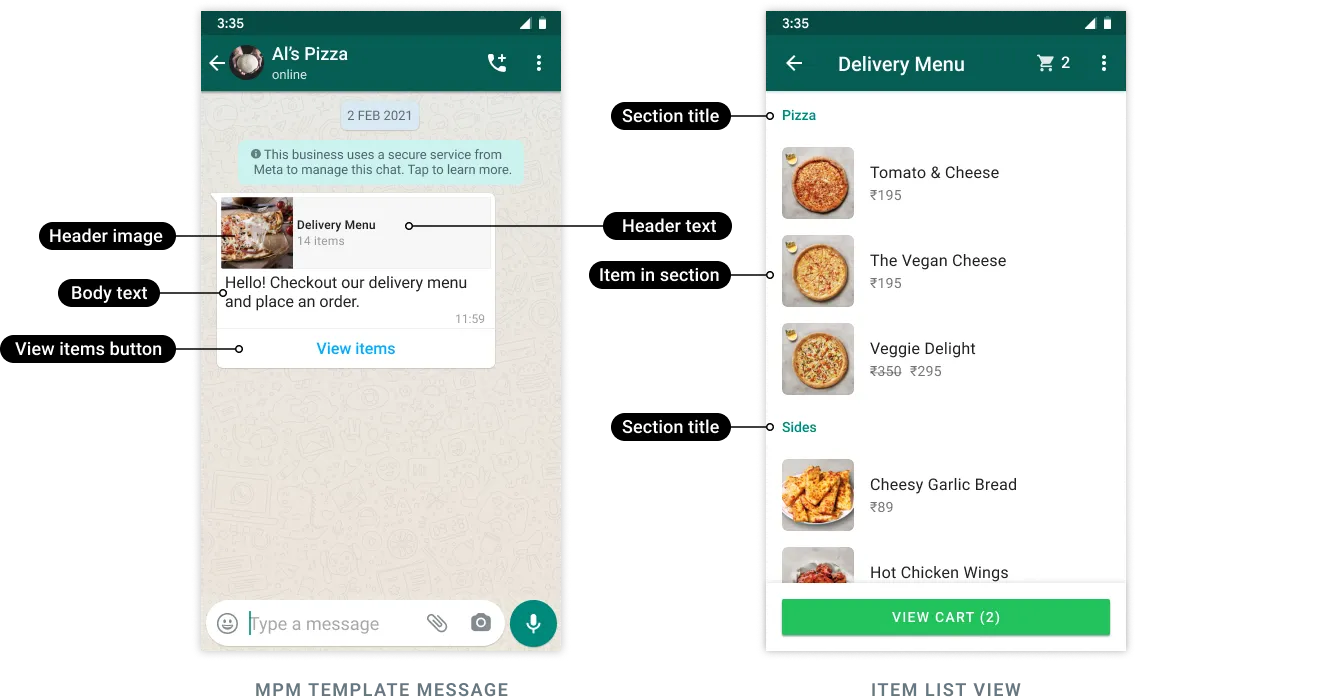
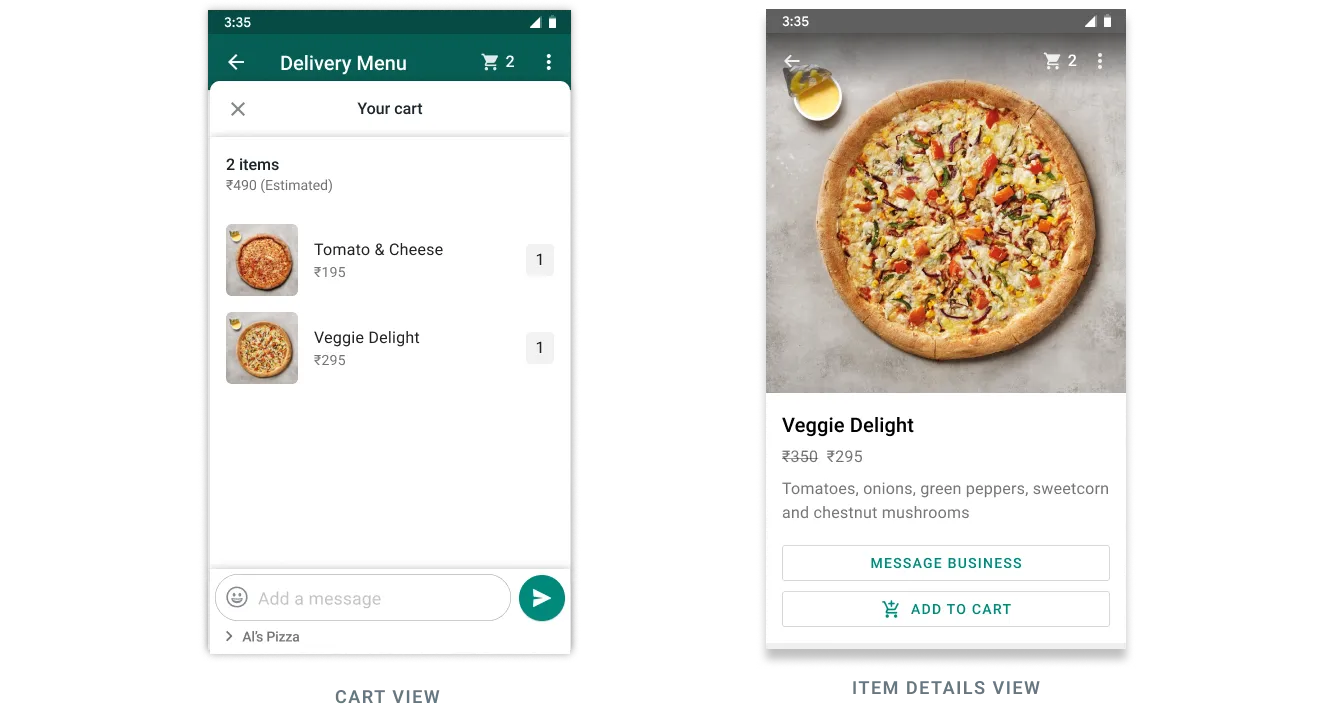
Customers can browse products and sections within the message, view details for each product, add and remove products from their cart, and submit their cart to place an order. Orders are then sent to you via a webhook.
See our help center article About Multi-product message templates on WhatsApp for common use cases and tips on how to make the most of MPM templates.
Requirements
In order to create and use MPM templates you must have an ecommerce product catalog, with inventory, connected to your WhatsApp Business Account. See the Cloud API Commerce guide.
No comments to display
No comments to display