
Location request messages | Developer Documentation
Location-request buttons and ChatArchitect
ChatArchitect does not support the special WhatsApp message with a button that asks the customer to share a location. This request format is separate from sending a map point: outgoing location messages are supported by the ChatArchitect API, while few ready integrations expose that type.
Ask for the information you actually need
In an appropriate conversation, use a regular text reply to ask for the address or directions needed for the customer's request. State which details are useful, such as an entrance, building number or collection point. Asking for an address in text does not create a location-request button or require the customer to send GPS coordinates.
For example: “Please send the delivery address, including the building and entrance if needed.” Adjust the wording to the actual task. Avoid requesting a live location or extra personal details when a written address is sufficient.
Check how information reaches your tool
A customer can choose how to respond using their own WhatsApp controls. Do not assume that a map item will be displayed or converted into address fields by every ChatArchitect integration. Check the incoming item in the CRM or application before using it for a delivery or appointment; the exact incoming format and automatic CRM handling still require confirmation.
If the location or address is missing or unclear, ask the customer to clarify the point or provide it in text. Do not treat the absence of an expected callback as confirmation of a location.
Sending your own map point
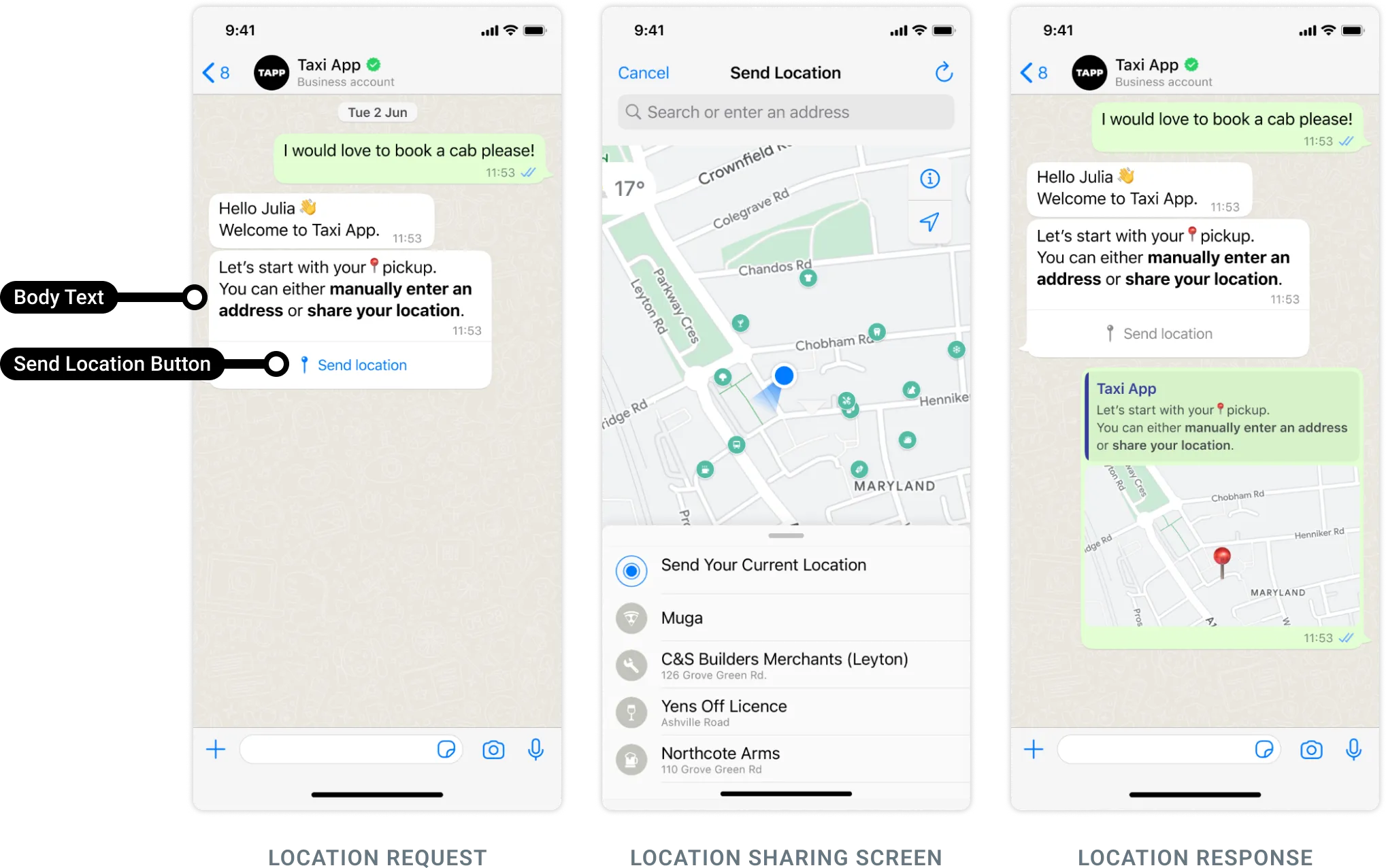
Imported request illustration
The screenshot below illustrates a separate Meta location-request workflow that is not available through ChatArchitect. It does not establish CRM controls or customer webhook fields.
No comments to display
No comments to display