
Migrate an existing WhatsApp Number to a Business Account | Developer Documentation
Prepare an existing WhatsApp number for ChatArchitect
Before changing a working number, identify how it is used today and what should continue after connecting ChatArchitect. The route for the WhatsApp Business app is different from a move from another provider or an ordinary WhatsApp Messenger account.
Choose the case that matches your number
| Current use | What to confirm first |
|---|---|
| WhatsApp Business app | ChatArchitect supports coexistence: the Business app continues to work on the connected number. Ask for the supported route for your account; follow the Business app coexistence guide. |
| A CRM or API through another provider | Agree on the move and recovery plan with the responsible teams. Record the existing tool, receiving route and scheduled work before changing the connection. |
| Ordinary WhatsApp Messenger | Ask support to confirm a suitable connection route for that number. Business app coexistence does not establish the same capability for Messenger. |
| A number not registered in WhatsApp | Use the new number connection guide and confirm that you control the number and can receive the verification SMS or call. |
If you want to keep the Business app
Tell support that keeping the Business app active on the same number is part of the requirement. Confirm the available entry route before changing its registration. Do not delete the Business app account to begin coexistence setup.
Check what your particular CRM or help desk receives from that connection. Support for coexistence does not establish that all old chats, contacts or app actions will appear in every integration.
Prepare the acceptance checks
- The expected business number and account are connected.
- An agreed incoming message reaches the intended CRM conversation or application.
- An agreed outgoing message and its result are visible in the chosen tool.
- The Business app remains usable when coexistence was part of the agreed setup.
- The previous provider's workflows are handled according to the move plan.
Use the number-change acceptance checklist to record the outcome. A completed registration screen or a Meta migration status alone does not show that the new message route works.
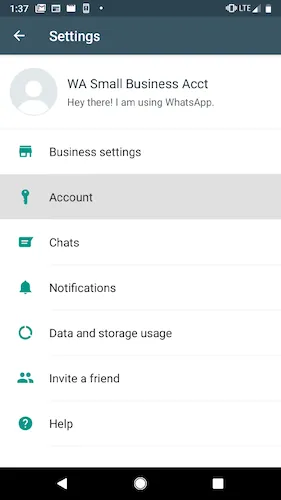
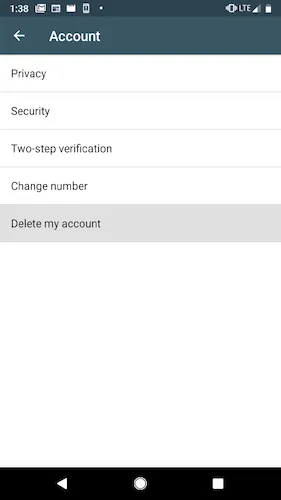
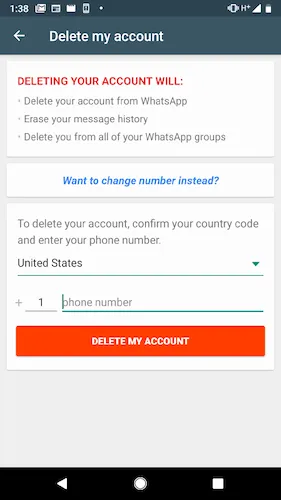
Historical account deletion screenshots
These historical screenshots show account deletion; they do not establish the appropriate route for your number. Confirm the route with support before changing registration. Do not follow these steps to connect through Business app coexistence.
No comments to display
No comments to display