
Get started as a Solution Partner | Developer Documentation
Agree on responsibilities when another company helps connect WhatsApp
A consultant or integration company may help configure your CRM or application for ChatArchitect. Agree on its work before starting: connecting a customer's tool is different from building an independent Meta Solution Partner service.
Record the connection you are handing over
- The business name, intended WhatsApp number and business portfolio.
- The CRM/help desk workspace or custom application that should handle messages.
- The person who can authorize the business assets in the supplied connection flow.
- The person who configures the sending tool and checks its results.
- The person who will maintain the connection after the initial setup.
Use the account checklist to identify the actual assets and the customer and provider role guide to separate account setup from application setup.
Give each participant the right task
| Work | What to agree |
|---|---|
| Business authorization | The responsible business user selects the intended assets in the supplied Meta flow and reviews the access requested. |
| CRM or help desk configuration | The implementer follows that integration's instructions, then identifies the workspace and conversation receiving the test message. |
| Custom application | The developer follows the ChatArchitect API Quick Start with the issued App key/App ID and Secret. |
| Commercial conditions | Confirm the agreed ChatArchitect service conditions and any separate work charged by the implementer. |
Check the handover before accepting it
Use an agreed test recipient to check an outgoing message, an incoming reply and the result visible in the chosen tool. Record who owns unresolved issues and how the business will request changes after handover. A provider contract or an account screen does not substitute for these checks.
If the company proposes a separate Meta provider arrangement, ask which company, application and account it concerns. Establish the responsibilities for that arrangement before creating additional assets or signing its contracts. This guide does not define a ChatArchitect reseller programme or promise that every Meta partner feature is available in your connection.
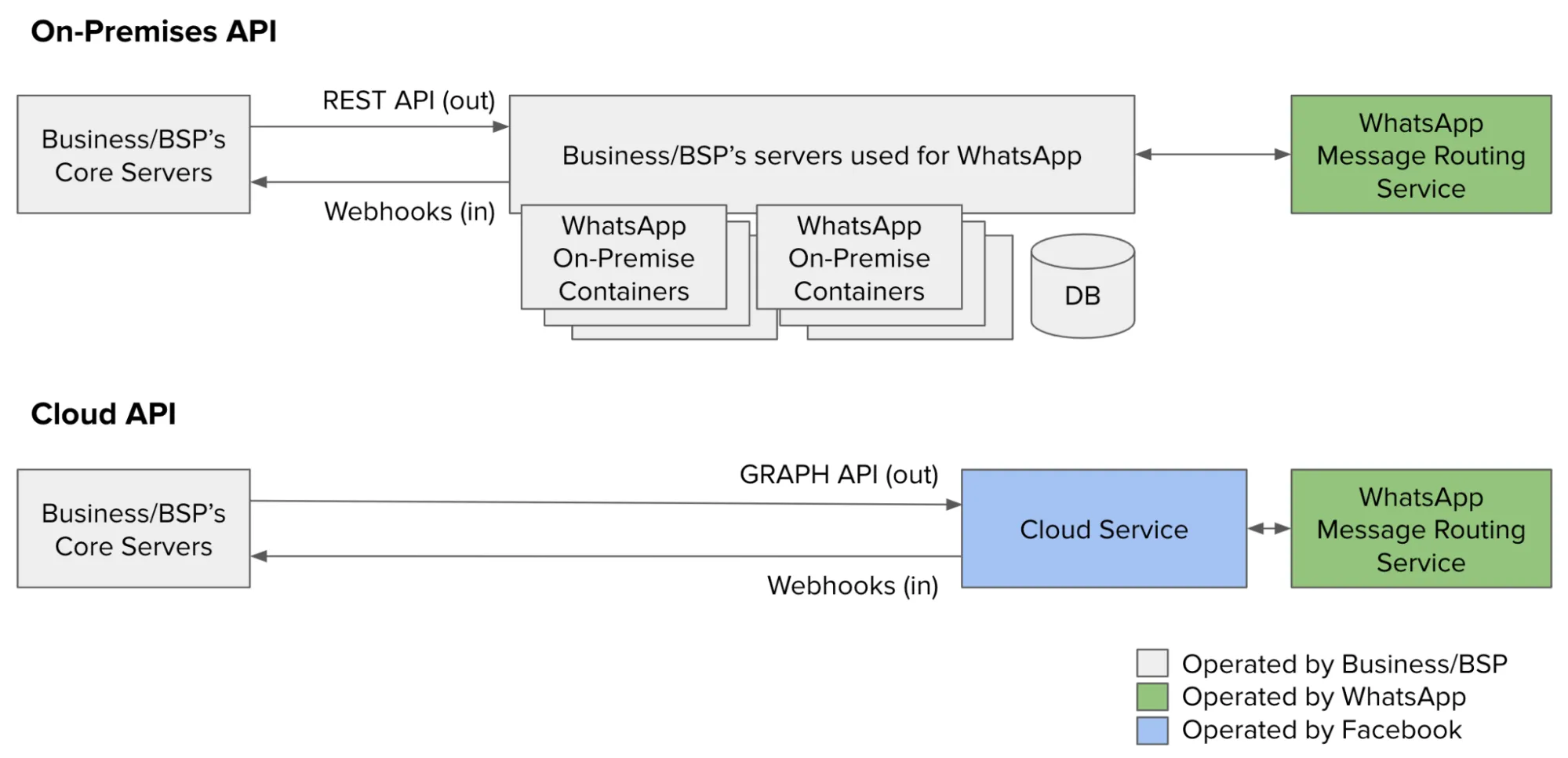
Original Meta developer illustrations
These illustrations belong to a separate Meta provider or app-review workflow. They are not steps in the ordinary ChatArchitect customer connection.

No comments to display
No comments to display