
Contacts messages | Developer Documentation
Send and verify a WhatsApp contact card with ChatArchitect
ChatArchitect supports contact-card messages through its API. Few ready-made CRM and help desk integrations expose this message type. Check your particular connector for a contact-card action before planning to send one from its interface.
A contact card can give the recipient a person's or team's name and contact details in WhatsApp. Use it for a business contact the recipient needs, such as a service desk or pickup contact, and check the received details before using the workflow with customers.
Choose your sending route
| Your route | What to check |
|---|---|
| Custom integration using the ChatArchitect API | Follow the API quick start for credentials, connection testing and status handling. Obtain the current contact-card request format for ChatArchitect from support before implementing this message type. |
| Ready-made CRM or help desk connector | Check whether the connector offers a WhatsApp contact-card action and which details it can send. A contact stored in the CRM can have a different role from a card shared into a WhatsApp conversation. |
| Your connector has no contact-card action | In an open customer service window, send the necessary name and contact details as a plain-text reply, or discuss a custom API integration with ChatArchitect support. |
The API quick start currently demonstrates text and template requests. It does not contain a contact-card payload example. Use the current ChatArchitect contract for the message type; Meta's reference explains the platform data and recipient behavior.
Prepare the contact details
| Value to prepare | Reader check |
|---|---|
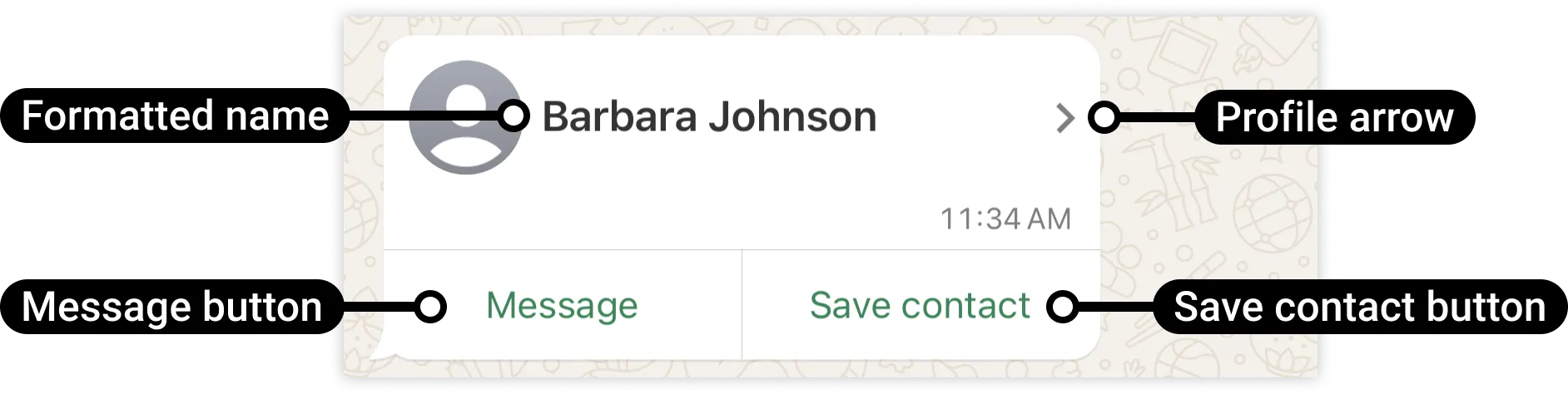
| Display name | Use a clear name identifying the person or business team. Meta requires a formatted name; confirm how your ChatArchitect request or connector supplies it. |
| Phone number | Use the intended contact's current number in international form with its country code. Check it separately from the number receiving the message. |
| Email or website | Add the relevant published business details when the sending route supports them. |
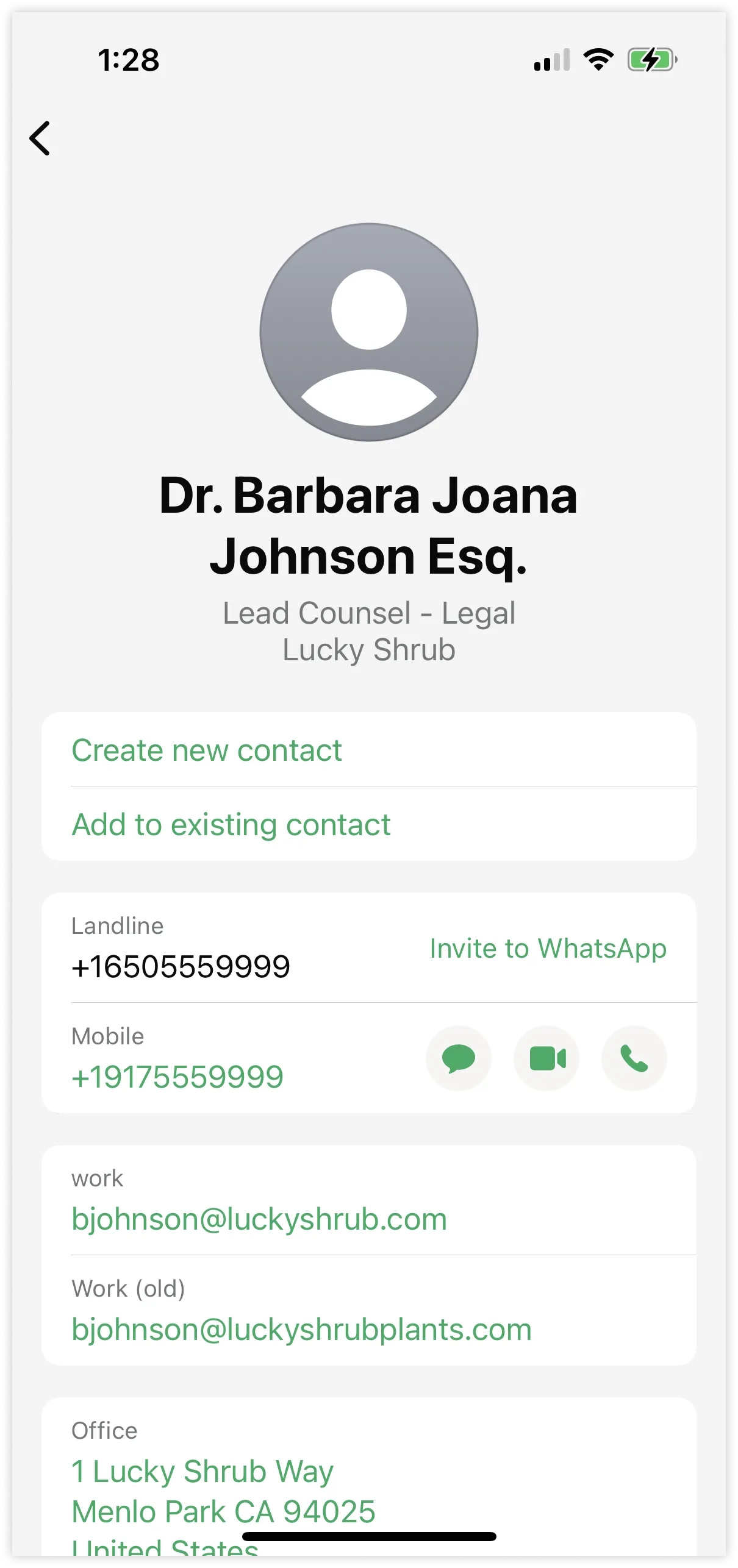
| Address, organization or job details | Include useful details that your route can send, then check which appear on the recipient's device. |
This table lists information to prepare. Exact field names and validation belong to the current ChatArchitect API contract or the connector's controls. Begin with one contact and the few details needed for the conversation.
Send one test and inspect the received card
- Follow the first-message guide to confirm the intended ChatArchitect connection.
- Send a message from a separate personal WhatsApp account to the business number and use that conversation for a test within the 24-hour customer service window.
- Use the supported contact-card request in your API integration, or the confirmed contact-card action in your CRM. Check the recipient and prepared details before sending one card.
- Record the test time with time zone and the result available from your sending system. Follow the delivery-status guide for later results.
- Open the card in the personal WhatsApp account. Compare the displayed name and phone number with the intended contact, open the details and check the email, website or address you supplied.
Some optional metadata can be missing on a recipient's device. If your workflow depends on those fields, test the relevant phone and linked desktop app. Include essential details in a text reply when the card does not show them.
For customer conversations, check their agreement to receive messages. Outside the service window, follow the template workflow and wait for a customer reply before sending an ordinary contact card in the reopened window.
Check contact actions in WhatsApp
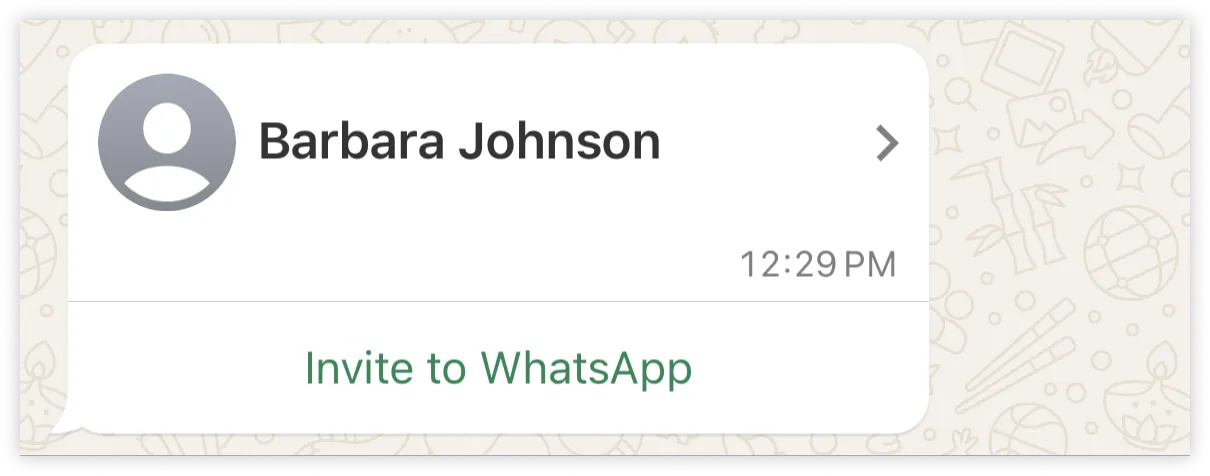
Meta describes contact cards with Message and Save contact actions, or an Invite to WhatsApp action, depending on the WhatsApp identification data supplied for the contact. Verify the actions shown in the received card and confirm with your developer or support which contact data your sending route includes.
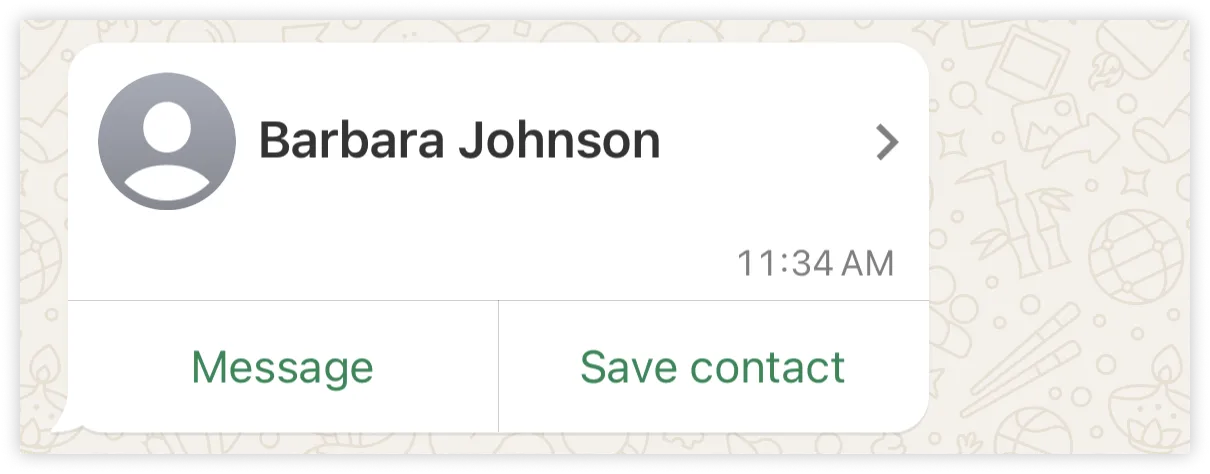
Use a permitted test contact if you need to check the contact action itself. A delivery result confirms the message's delivery state; the recipient's check establishes which details and actions are usable.
If the result is wrong
| Observed result | Next check |
|---|---|
| No contact-card action in the CRM | Ask whether that connector supports the type. Use the text fallback or plan a custom ChatArchitect API workflow. |
| Request rejected | Check the exact error against the current ChatArchitect request format, required values, credentials and customer service window. |
| Wrong name or phone number | Compare the source record with the outgoing card data and the received card. Correct the record used for sending. |
| Optional details missing | Check which fields the sender included and how they appear on the recipient's phone and linked app. Put necessary details in a text reply. |
| Unexpected invitation or contact action | Check the intended contact number and the WhatsApp identification data supplied by the sending route with your developer or support. |
Give support the sending route, connector or application version, business number, test time with time zone, available attempt reference and exact error or mismatched field. Share only the contact details needed to explain the issue. See the data-handling guide for the connected systems.
For a map point, use the location guide. Meta's platform details are in the contact-message reference.
No comments to display
No comments to display