
Audio messages | Developer Documentation
Check WhatsApp audio and voice messages in ChatArchitect
Use this checklist when your connected CRM, help desk or other sending tool offers audio attachments. Check the audio formats and voice-message options available in your particular ChatArchitect integration before preparing a recording. Audio files and voice notes can have separate controls and requirements.
Availability depends on both the ChatArchitect integration and the sending system's own features. Check your particular Kommo/amoCRM, RetailCRM, Bitrix, Slack or MS Teams connection; other integrations can also differ. Voice-note sending is available only where the connected system and integration support it.
Prepare a small test
- Follow the first-message guide to check that the intended business number and sending tool are connected.
- From a separate personal WhatsApp account, send a message to the business number. Use that conversation to test a reply within the 24-hour customer service window.
- Choose a short recording you can play locally. Check its size, actual format and sound before uploading it.
- Check whether your tool offers an audio file attachment, a voice-note option, or both. If the option is missing, give ChatArchitect support the integration name and version, business number and the type of recording you want to send.
For a customer conversation, check that the customer has agreed to receive your messages. Outside the customer service window, follow the template guide; wait for a customer reply before sending an ordinary audio attachment in the reopened window.
Choose the intended audio presentation
A voice note and a basic audio attachment can appear differently in WhatsApp. If your integration provides a voice-message mode, check the received result using that mode. Uploading an audio file alone does not establish which presentation your sending tool will use.
Meta's voice-message format requires an Ogg file encoded with Opus. For Ogg audio, Meta lists mono input. Export or convert the recording to the required format; changing the file extension leaves its encoding unchanged.
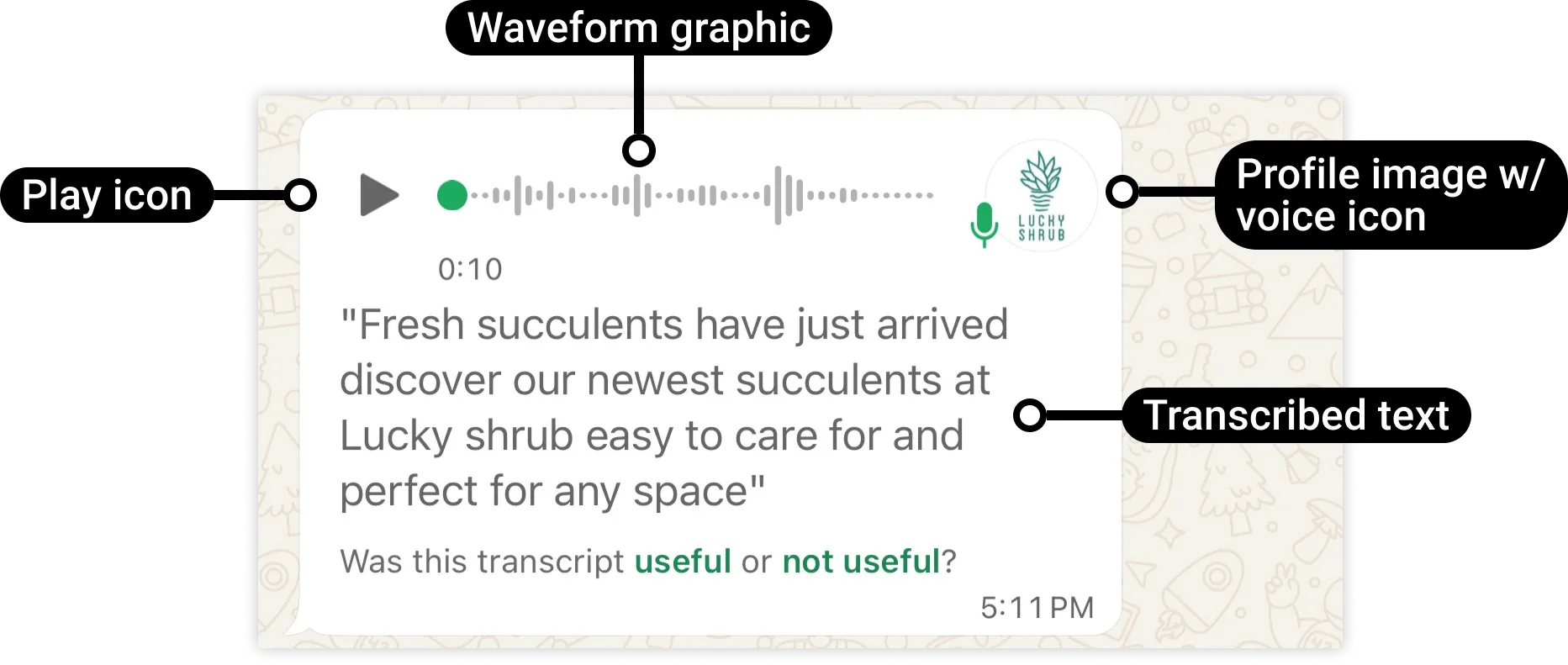
Check a basic audio attachment
If your tool supports an audio attachment, select a supported file and check that the recipient can download and play it. WhatsApp can show a download, music or microphone icon depending on the file, message type and recipient's download settings. Compare the received behavior with your intended result.

Check the file format and size
Meta currently lists the following audio formats, with a maximum of 16 MB per file. Your sending tool or integration can accept a smaller file or fewer formats; check its own limit before uploading.
| Format | Extension | MIME type | Meta maximum |
|---|---|---|---|
| AAC | .aac | audio/aac | 16 MB |
| AMR | .amr | audio/amr | 16 MB |
| MP3 | .mp3 | audio/mpeg | 16 MB |
| MP4 audio | .m4a | audio/mp4 | 16 MB |
| Ogg with Opus, mono | .ogg | audio/ogg | 16 MB |
Check that the real format, extension and MIME type agree. When reducing size, export a new copy with suitable quality and replay it before sending.
Send once and check the recipient's playback
- Attach the test recording using the controls available in your connected tool. Check the selected conversation and business number.
- Send one test and record its time with time zone and the result shown by the tool.
- On the personal WhatsApp account, open the received message and play the entire recording. Check the correct recording, clear sound and complete duration.
- If you intended a voice note, check its presentation. If a transcript is expected, check the recipient's transcript settings and whether it is available for that recording.
A delivery or read status alone does not prove that the recipient listened to the recording. Use the delivery-status guide to interpret the result exposed by your tool, and confirm playback separately.
If the test fails
| Observed result | Next check |
|---|---|
| No audio or voice-note control | Ask support which types your specific integration supports and how to select them. |
| Upload rejected | Check the tool's size limit, actual file format and MIME type. For Ogg, check Opus encoding and mono input. |
| Send rejected after upload | Record the exact error and verify the connected number, recipient and customer service window. |
| Unexpected audio presentation | Check which message mode the integration used and the recipient's download settings. Test a supported short file in the intended mode. |
| Received file is silent, incomplete or cannot play | Replay the source locally, export a compatible copy and compare its duration and sound. Retry once after correcting the file. |
| Transcript missing | Check the recording's encoding and the recipient's transcript settings; ask support if the sending mode is unclear. |
For support, include the integration name and version, business number, file extension and size, test time with time zone, visible result and exact error. Share the file only when appropriate for its content. Follow the data-handling guide for your connected systems; ChatArchitect does not store customer message texts or attachments.
For other attachments, see the video checklist, document checklist and image checklist. Meta's platform details are in the audio reference.
No comments to display
No comments to display