
Set commerce settings | Developer Documentation
Set commerce settings
Updated: Mar 3, 2026
You can enable or disable the shopping cart and the product catalog on a per-business phone number basis. By default, the shopping cart is enabled and the storefront icon is hidden for all business phone numbers associated with a WhatsApp Business Account.
Get business phone numbers
Use the WhatsApp Business Account > Phone Numbers endpoint to get a list of all business phone numbers associated with a WhatsApp Business Account.
Enable or disable cart
Use the Business Phone Number > WhatsApp Commerce Settings endpoint to enable or disable the shopping cart for a specific business phone number.
When enabled, cart-related buttons appear in the chat, catalog, and product details views:
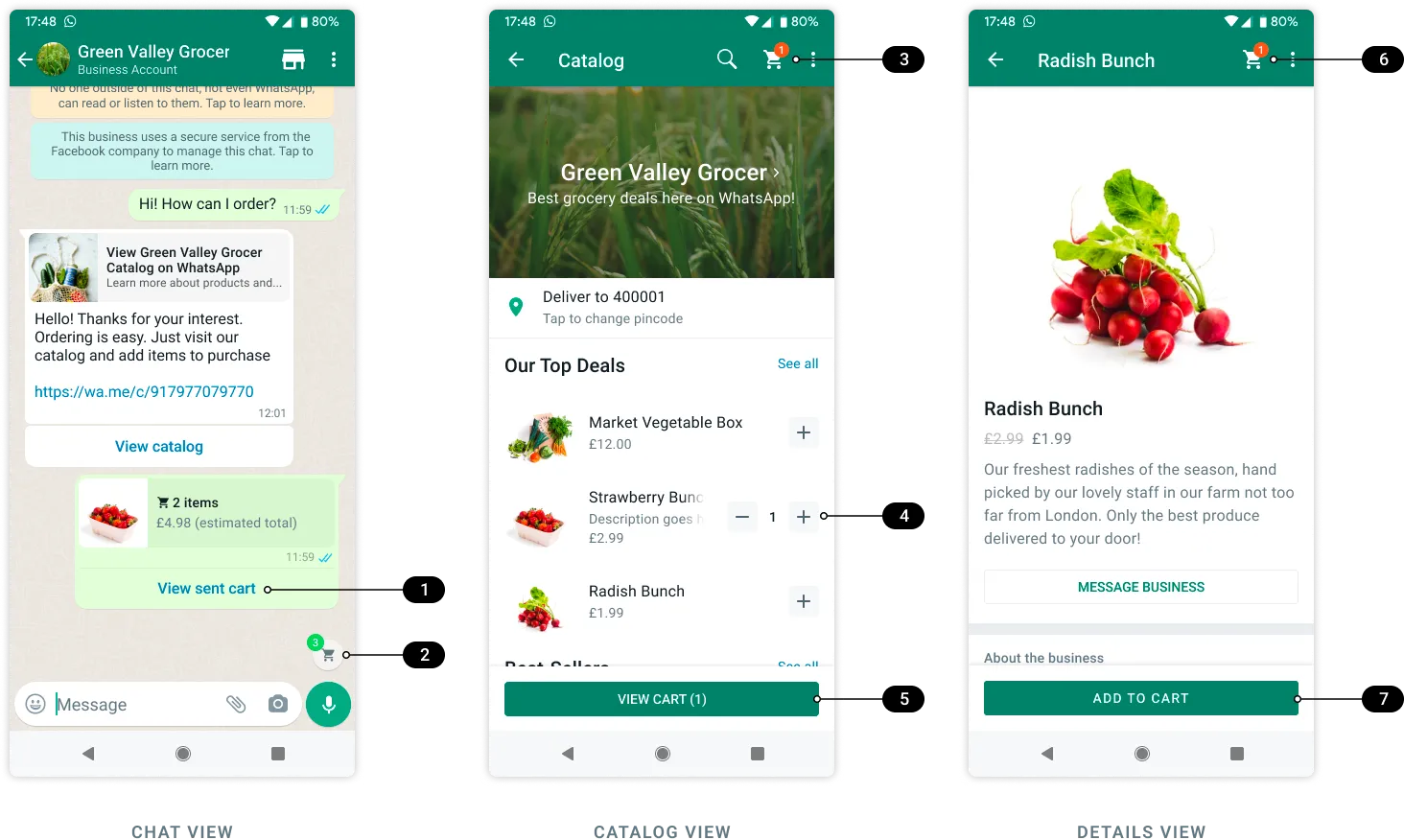
When the cart is disabled, customers can see products and their details, but cart-related buttons do not appear in any view.
Request syntax
POST /<BUSINESS_PHONE_NUMBER_ID>/whatsapp_commerce_settings
  ?is_cart_enabled=<IS_CART_ENABLED>
Parameters
| Placeholder | Sample Value | Description |
|---|---|---|
<BUSINESS_PHONE_NUMBER_ID> | 106850078877666 | Business phone number ID. |
<IS_CART_ENABLED> | true | Boolean. Set to true to enable cart or false to disable it. Default value is true. |
Sample request
curl -X POST 'https://graph.facebook.com/v25.0/106850078877666/whatsapp_commerce_settings?is_cart_enabled=true' \
-H 'Authorization: Bearer EAAJB...'
Sample response
{
"success": true
}
Enable or disable catalog
Use the Business Phone Number > WhatsApp Commerce Settings endpoint to enable or disable the product catalog for a specific business phone number.
When enabled, the catalog storefront icon and catalog-related buttons appear in chat views and business profile views:
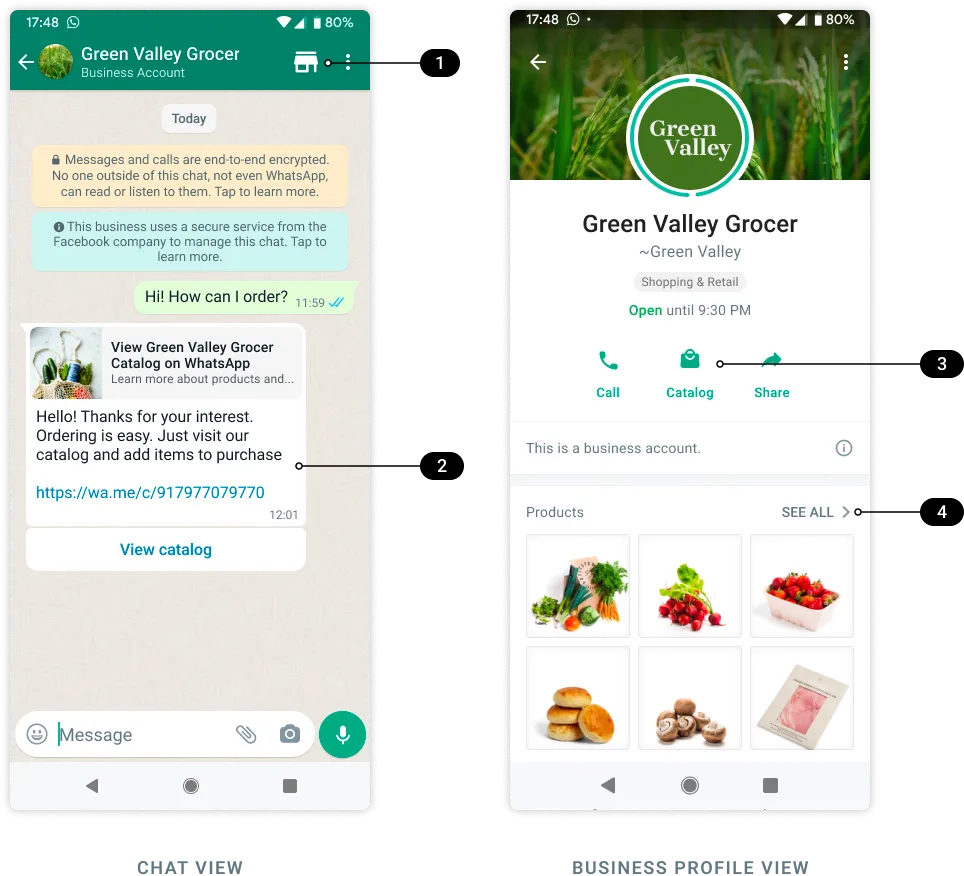
When the catalog is disabled, the storefront icon and catalog-related buttons do not appear in any views and the catalog preview with thumbnails does not appear in the business profile view.
If you disable the catalog, wa.me links to your catalog, as well as the View catalog button that appears when you send your catalog link in a message will display an Invalid catalog link warning when tapped.
Request syntax
POST /<BUSINESS_PHONE_NUMBER_ID>/whatsapp_commerce_settings
  ?is_catalog_visible=<IS_CATALOG_VISIBLE>
Parameters
| Placeholder | Sample Value | Description |
|---|---|---|
<BUSINESS_PHONE_NUMBER_ID> | 106850078877666 | Business phone number ID. |
<IS_CATALOG_VISIBLE> | true | Boolean. Set to true to show catalog storefront icon or false to hide it. Default value is false. |
Sample request
curl -X POST 'https://graph.facebook.com/v25.0/106850078877666/whatsapp_commerce_settings?is_catalog_visible=true' \
-H 'Authorization: Bearer EAAJB...'
Sample response
{
"success": true
}
Get commerce settings
Use the Business Phone Number > WhatsApp Commerce Settings endpoint to get an individual business phone number’s commerce settings.
Request syntax
GET /<BUSINESS_PHONE_NUMBER_ID>/whatsapp_commerce_settingsParameters
| Placeholder | Sample Value | Description |
|---|---|---|
<BUSINESS_PHONE_NUMBER_ID> | 106850078877666 | Business phone number ID. |
Sample request
curl -X GET 'https://graph.facebook.com/v25.0/106850078877666/whatsapp_commerce_settings' \
-H 'Authorization: Bearer EAAJB...'
Sample response
{
"data": [
    {
"is_cart_enabled": true,
"is_catalog_visible": true,
"id": "727705352028726"
    }
  ]
}
No comments to display
No comments to display