
How to Hide agent information on Bitrix24
Bitrix24 automatically adds agent's name to your message when answering via "Open Channel", disrupting the correct functioning of templates.
To disable this feature, you have to:
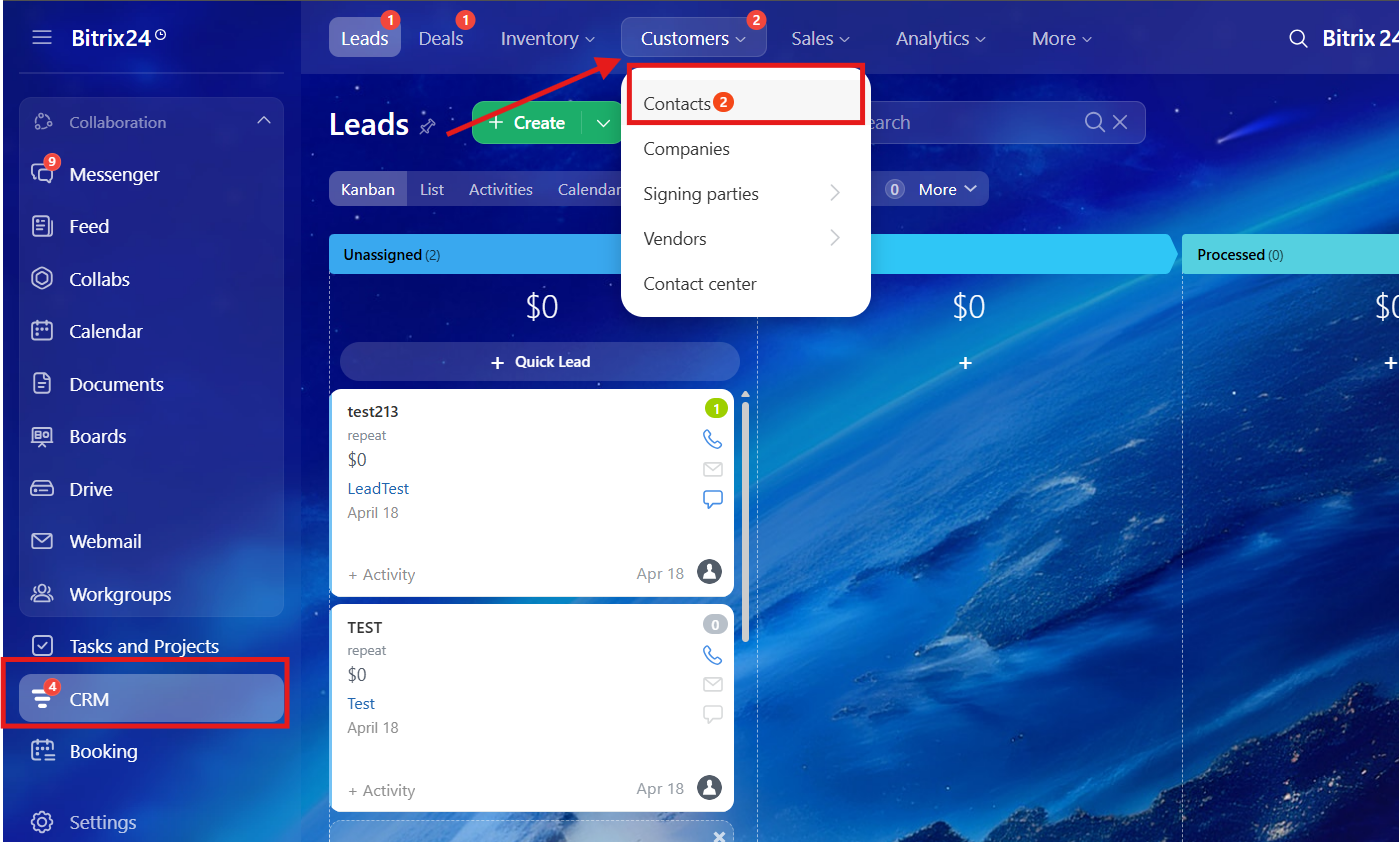
1. Open the "contact center" section.
Go to the "CRM" -> "Customers" -> "Contact Center"
2. In the contact center, you need to find our app and click on it
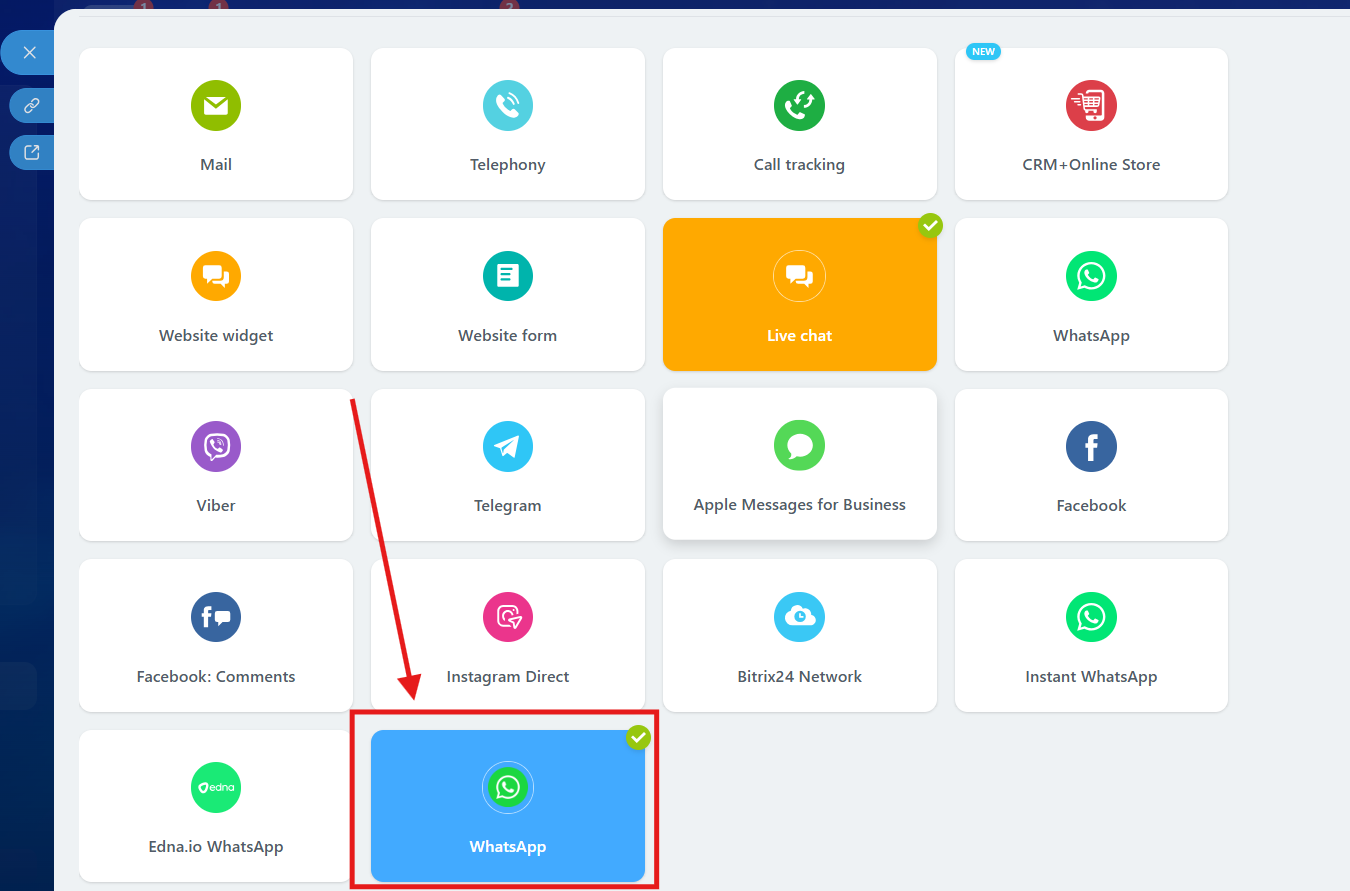
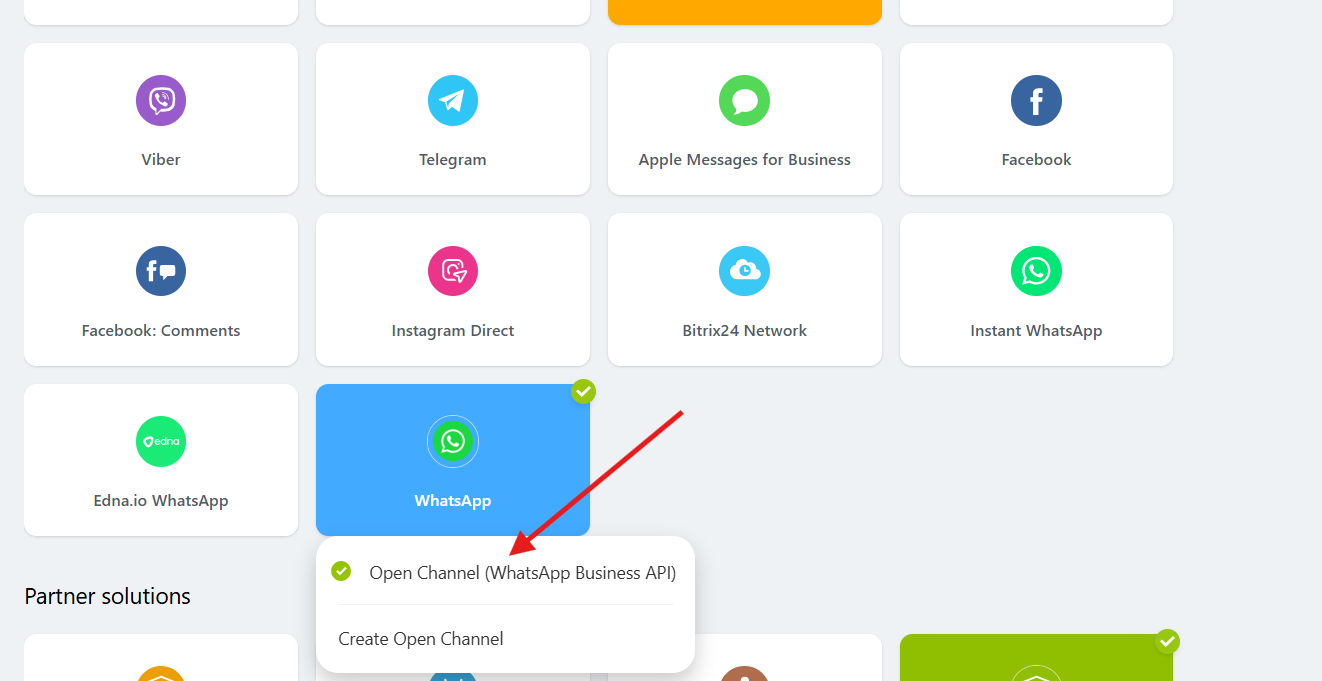
3. After clicking on our app, you need to select "Open Channel".
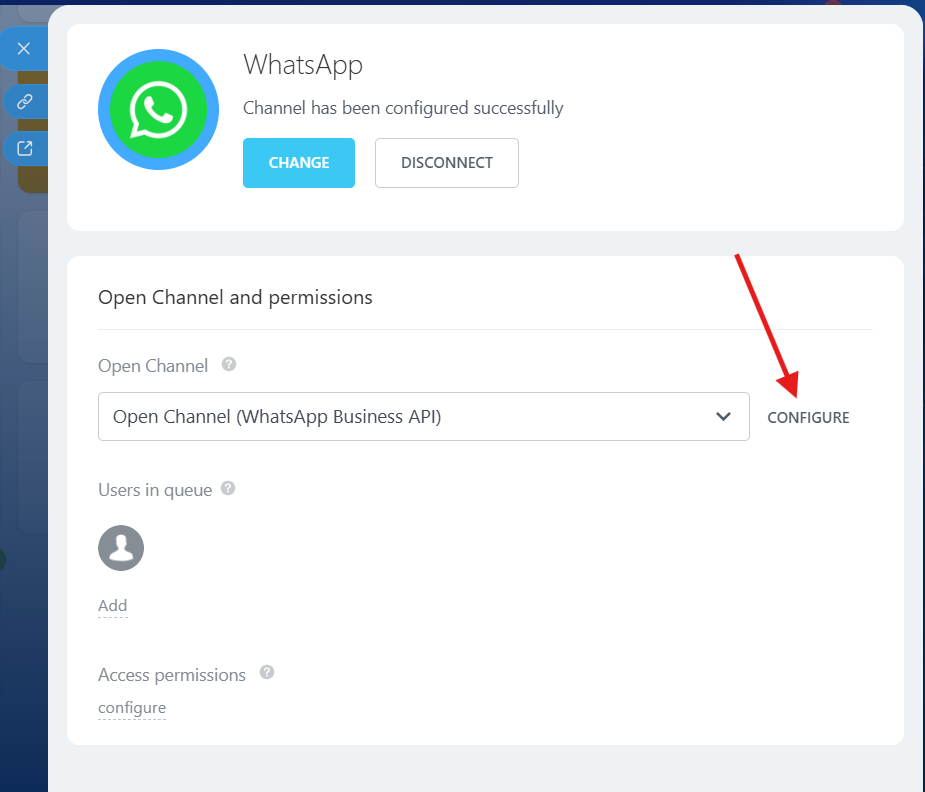
4. Click on the "Configure" button.
5. In the configure menu, go to the "Queue" and in the "Agent information" section, select
"Hide agent information" and press "Save" button
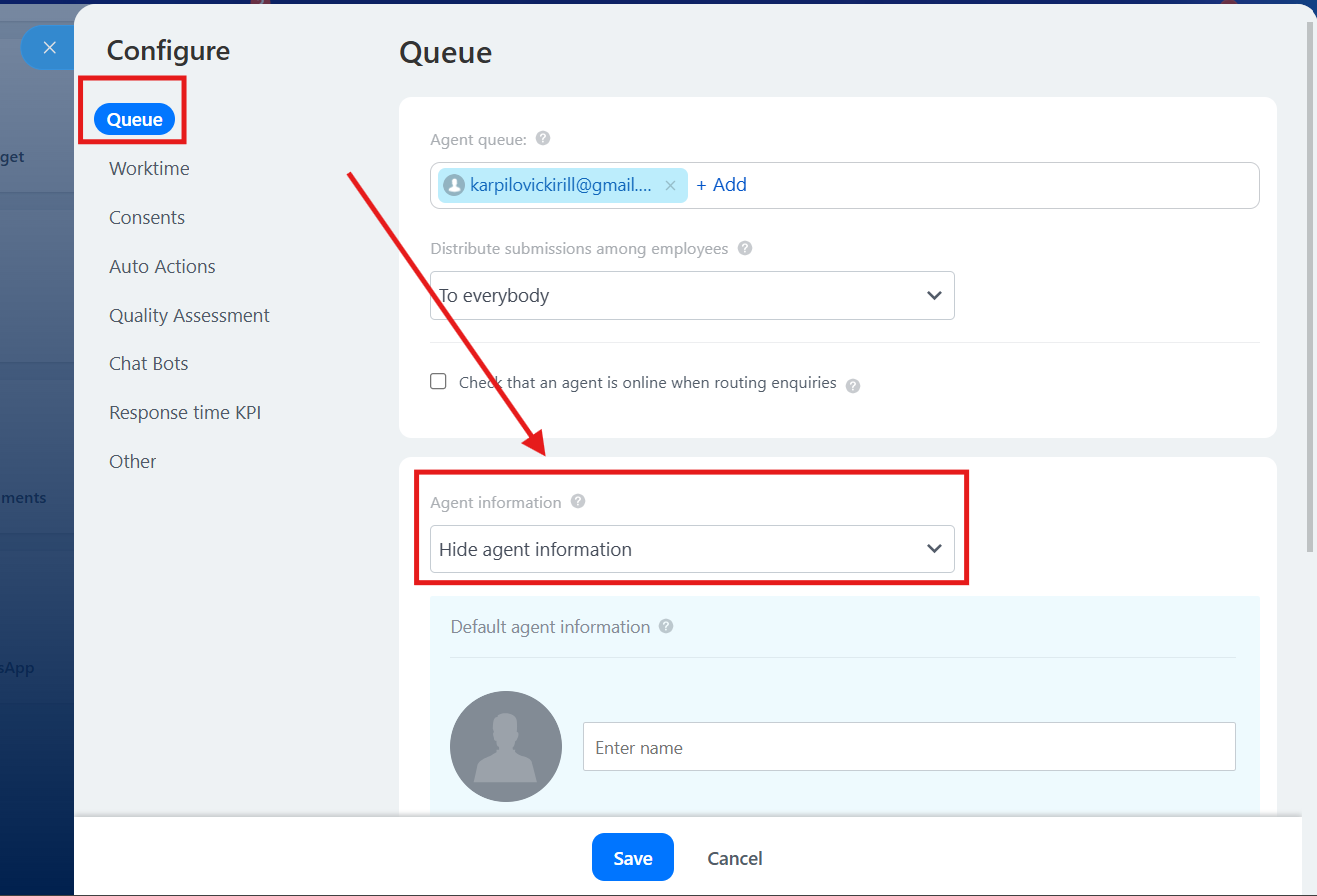
Done. Now you can easily send templates from Open Lines without any issues.
No comments to display
No comments to display