
WhatsApp Business API for Kommo: Installation and sending the first message.
Step by step instruction
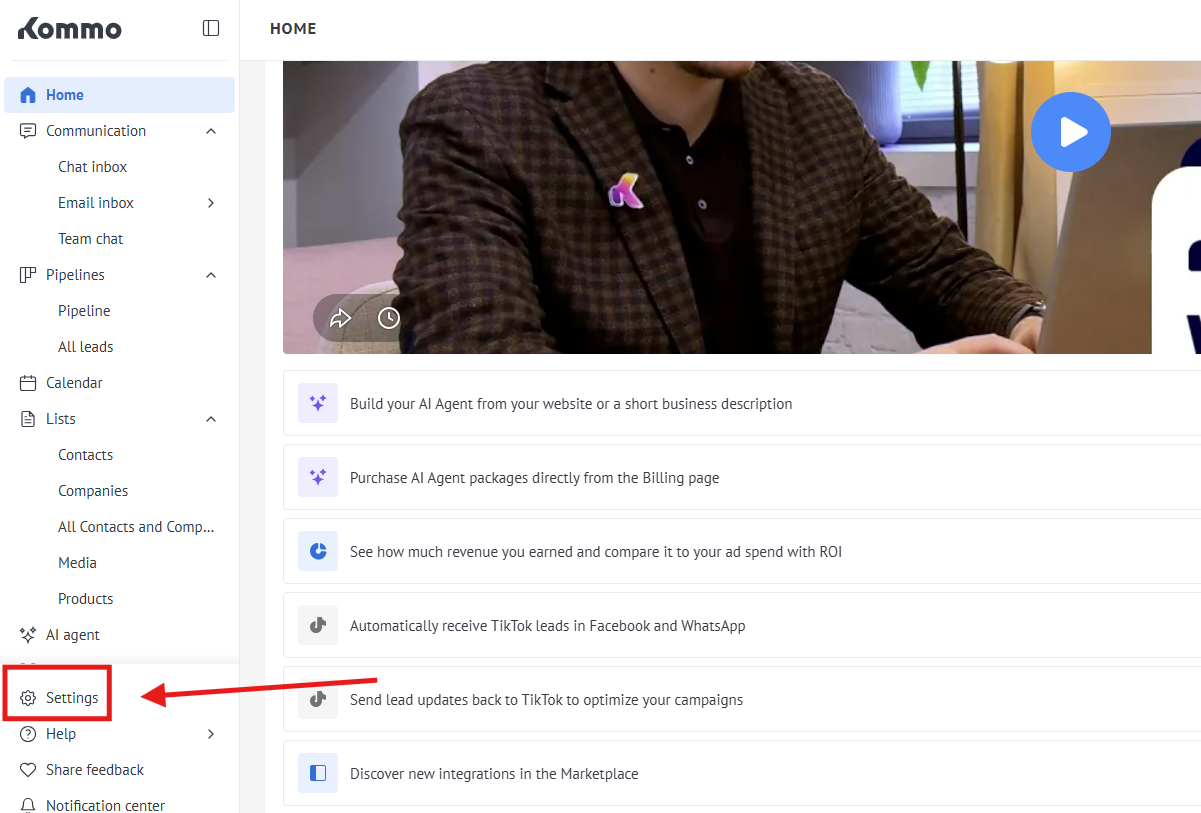
1. First of all, go to the "Settings"
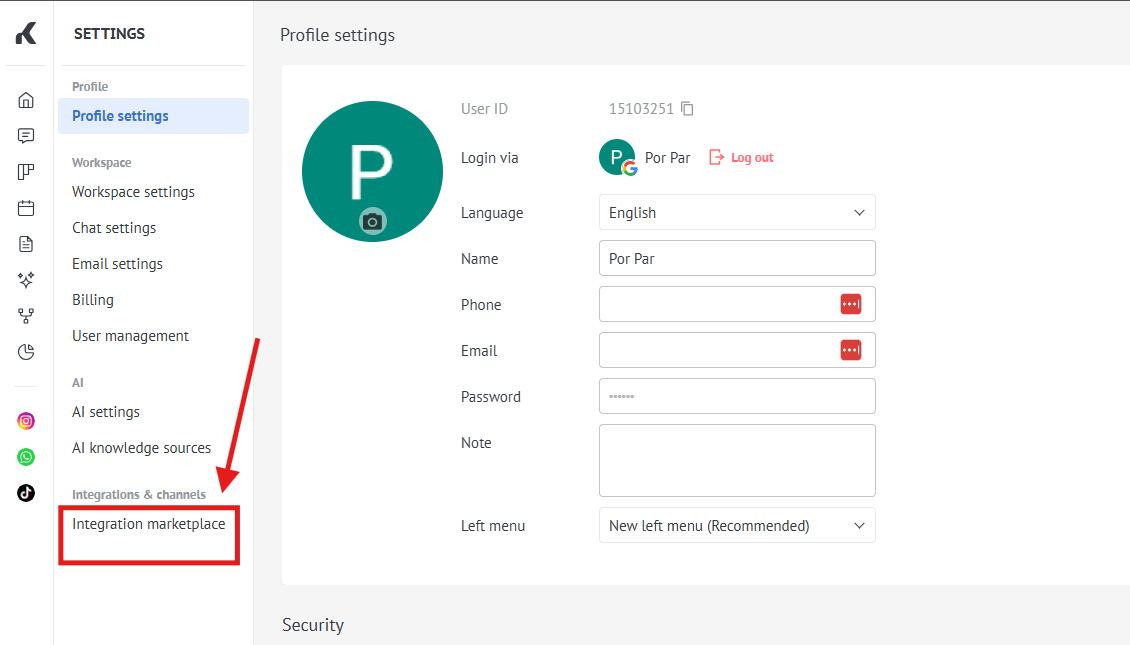
2. Go to the "Integration marketplace"
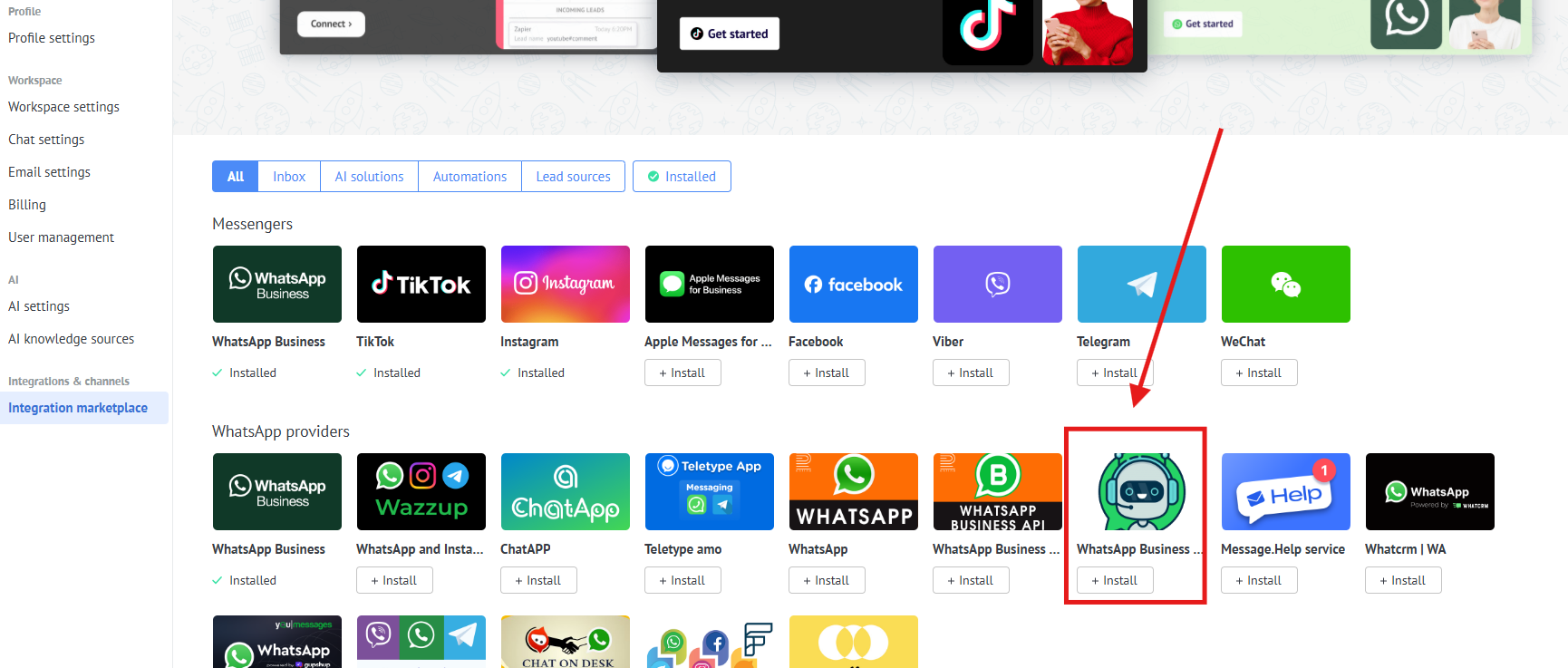
3. Choose our app WhatsApp Business API ( check a screenshot )
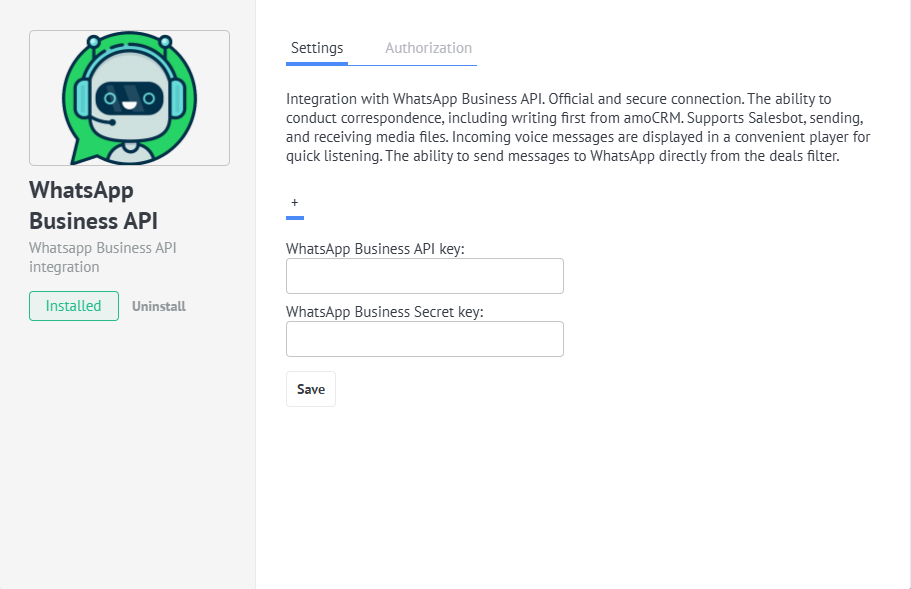
4. Fill in your APP ID and APP SECRET
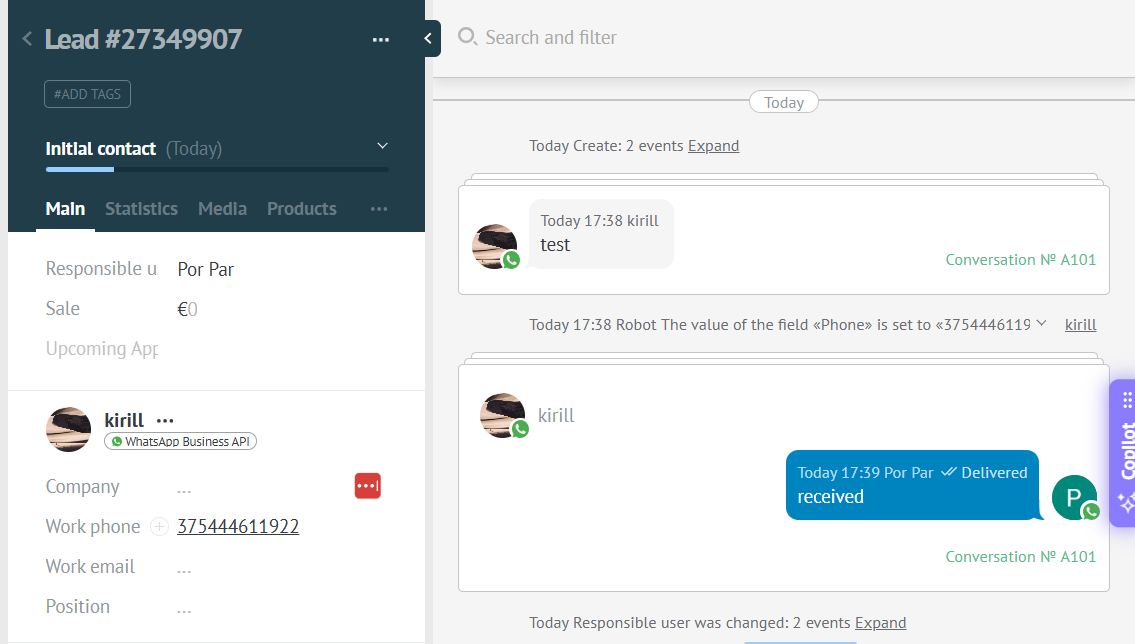
5. Send your first message from your personal WhatsApp to your WhatsApp Business API number
Sending a message using templates
Video manual : https://www.youtube.com/watch?v=2S6VyKS0Rpg
You can send templates from chats in Kommo by using the list of templates
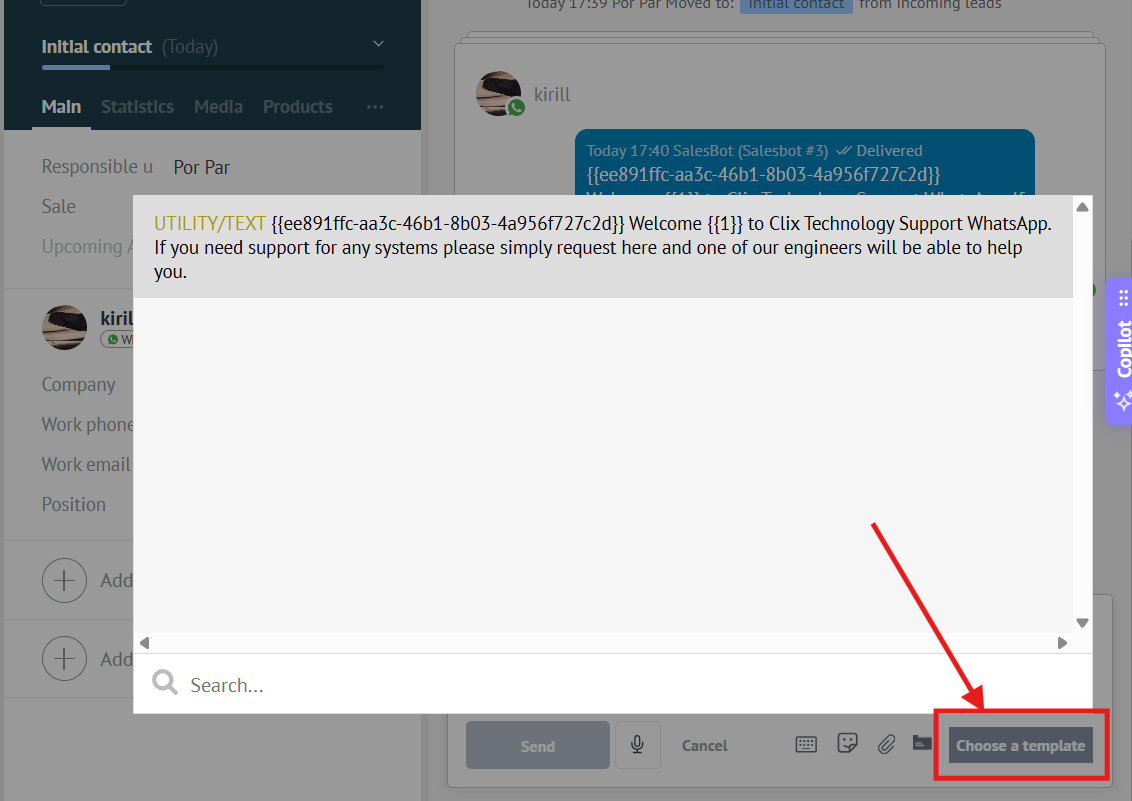
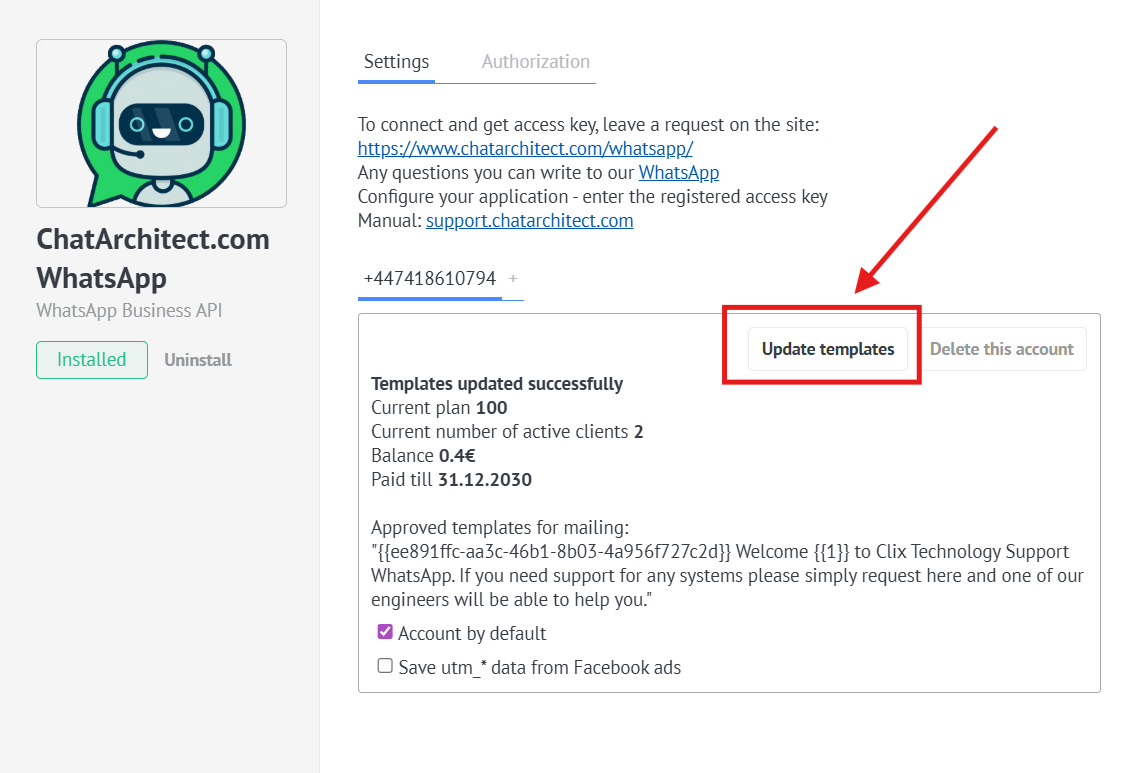
❗❗❗ In case the templates do not appear in the list, you need to:
Go to the "Settings" -> "Installed" -> Click on our application -> Press "Update templates" button
No comments to display
No comments to display