
WhatsApp for HubSpot
HubSpot is a specially developed system for your business that gives you the ability to send emails, communicate directly with customers, keep track of company data.
Connecting HubSpot and ChatArchitect synchronizes your contacts and speeds up the process of interaction with the client.
After connecting, you will be able to customize your account according to your needs, as well as contact any of your clients.
Follow the instructions to set everything up correctly and make it easier for yourself to interact with the program in the future.
Installation instruction
1. First of all, install our application via the link (first, log in to your HubSpot account, then enter the keys that we will send you after the connection is completed)
https://wa.chatarchitect.com/email-hubspot/
2. Then enter the keys that we sent you
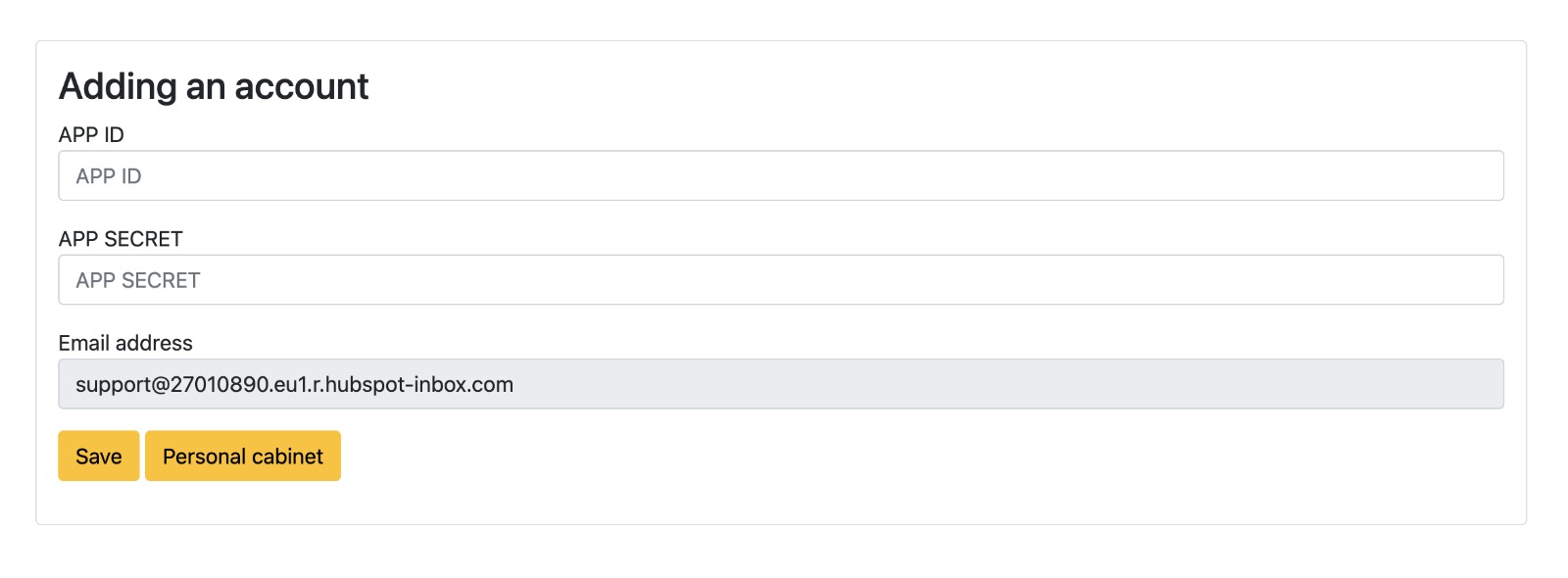
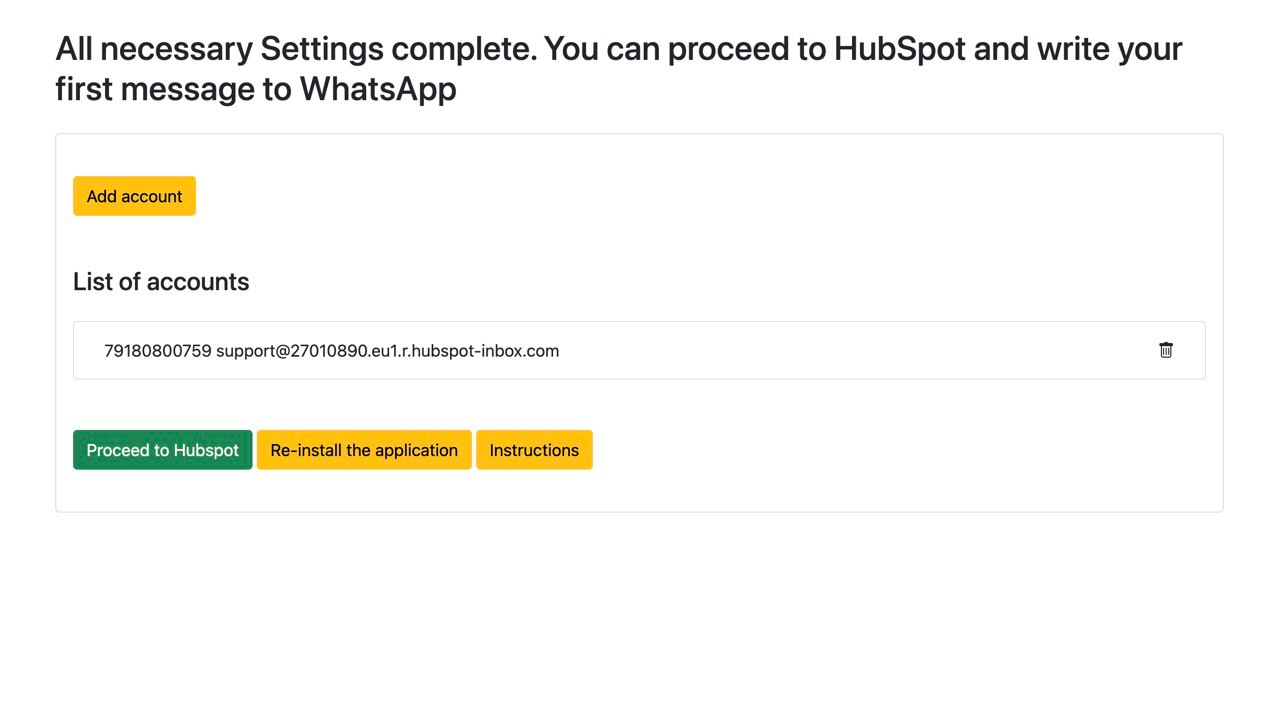
3. After connection is completed, click "Proceed to HubSpot" button
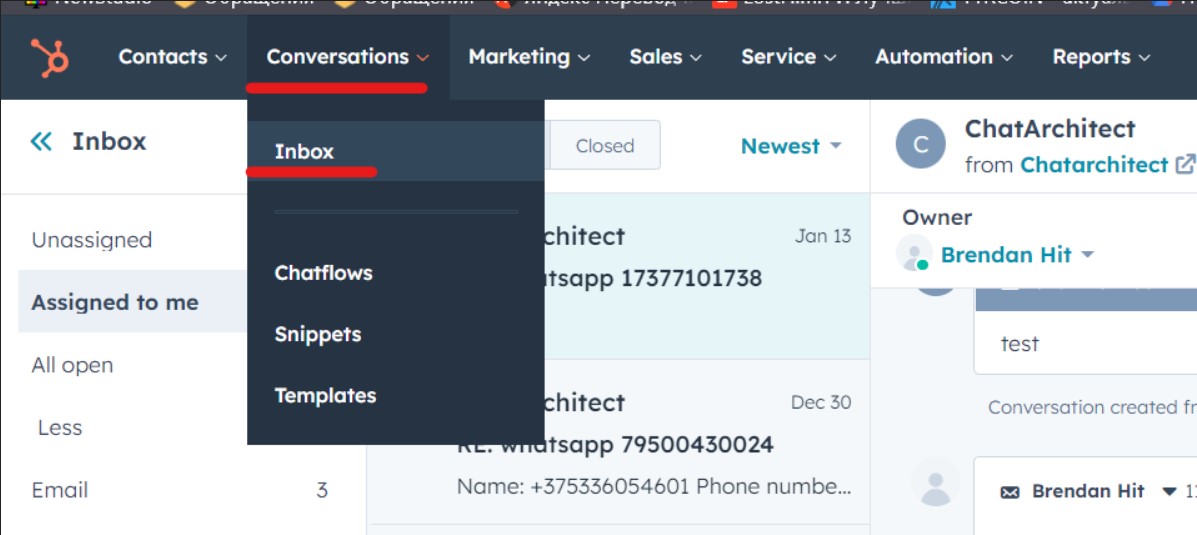
4. After installation, go to the tab Conversations - Inbox
5. Next, click on Inbox settings
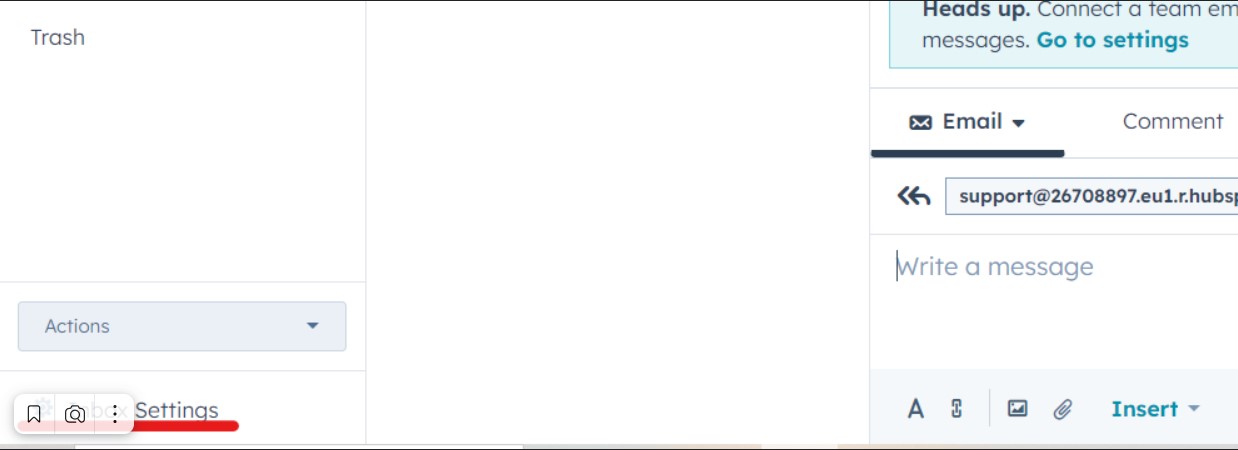
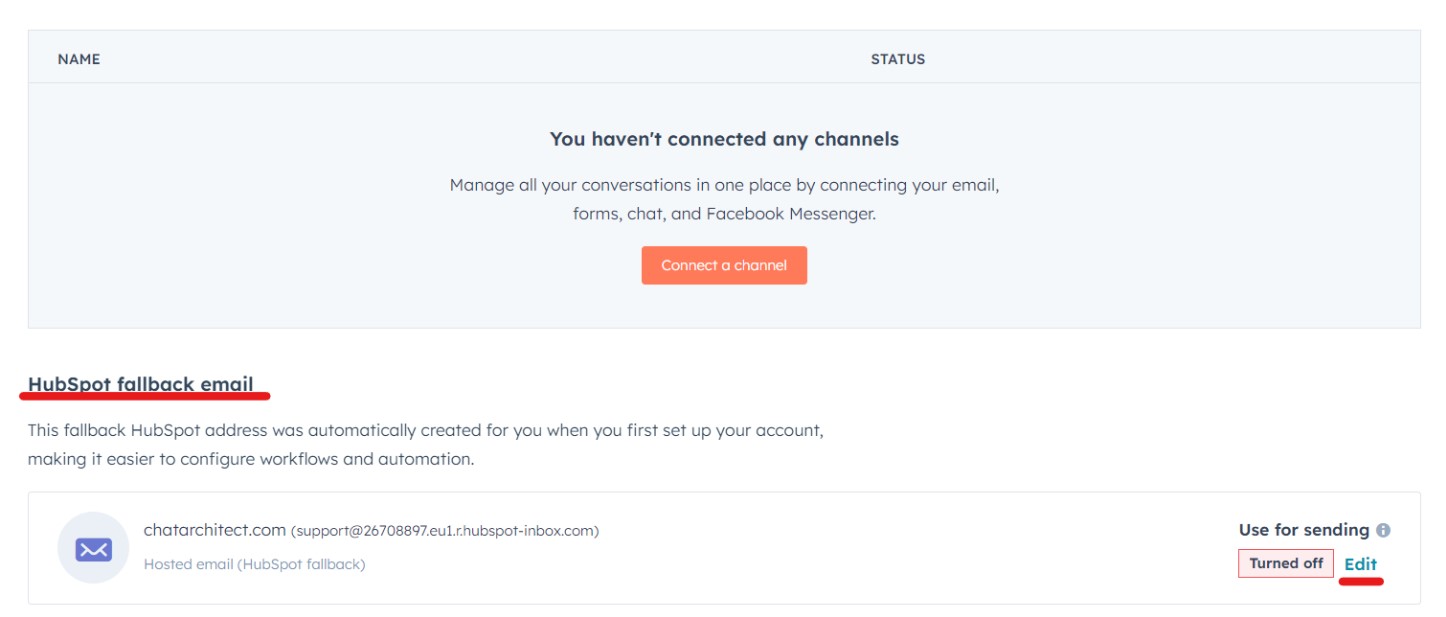
6. In the HubSpot fallback email subsection, click Edit
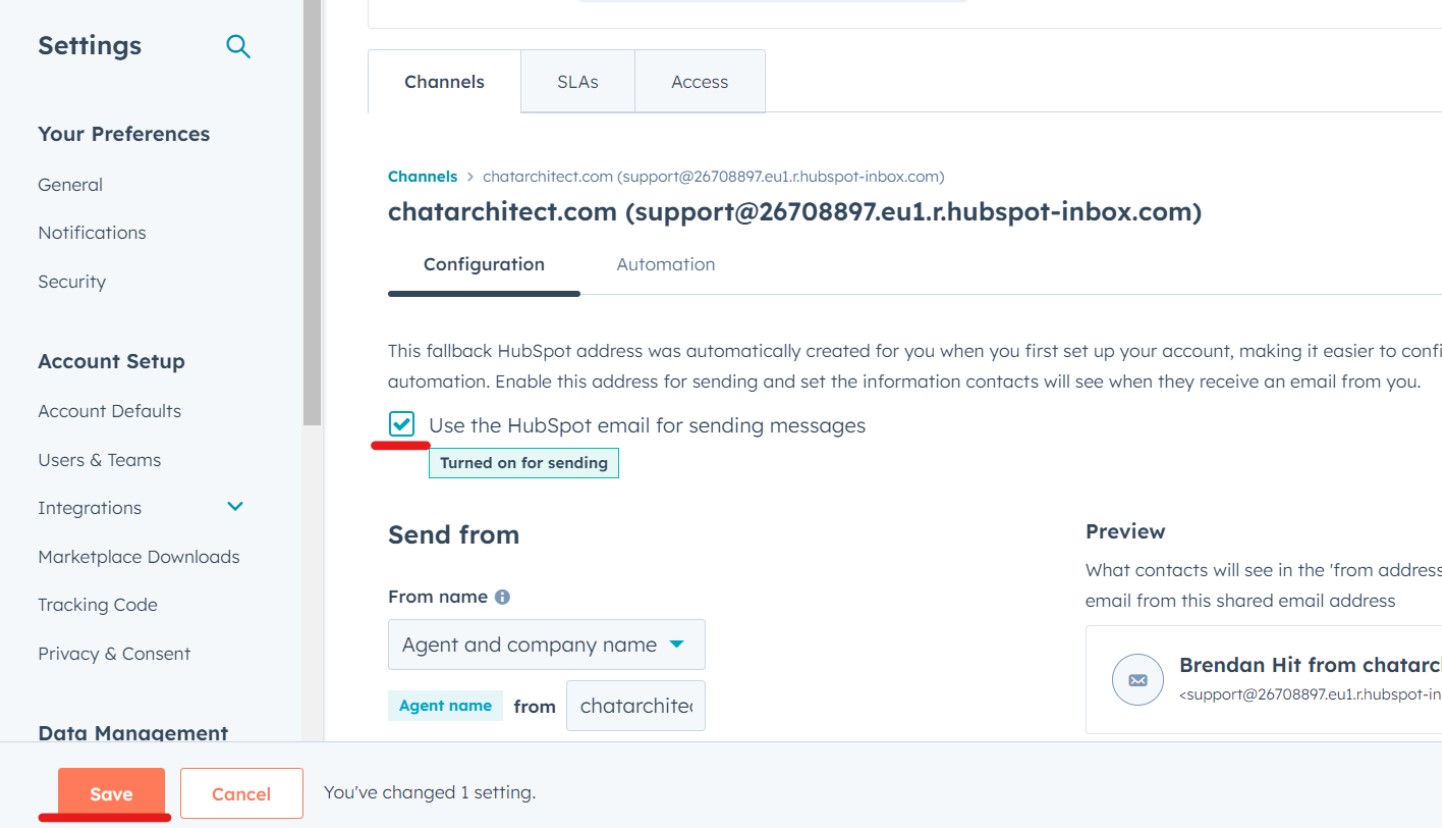
7. Check the box Use the HubSpot email for sending messages and save it
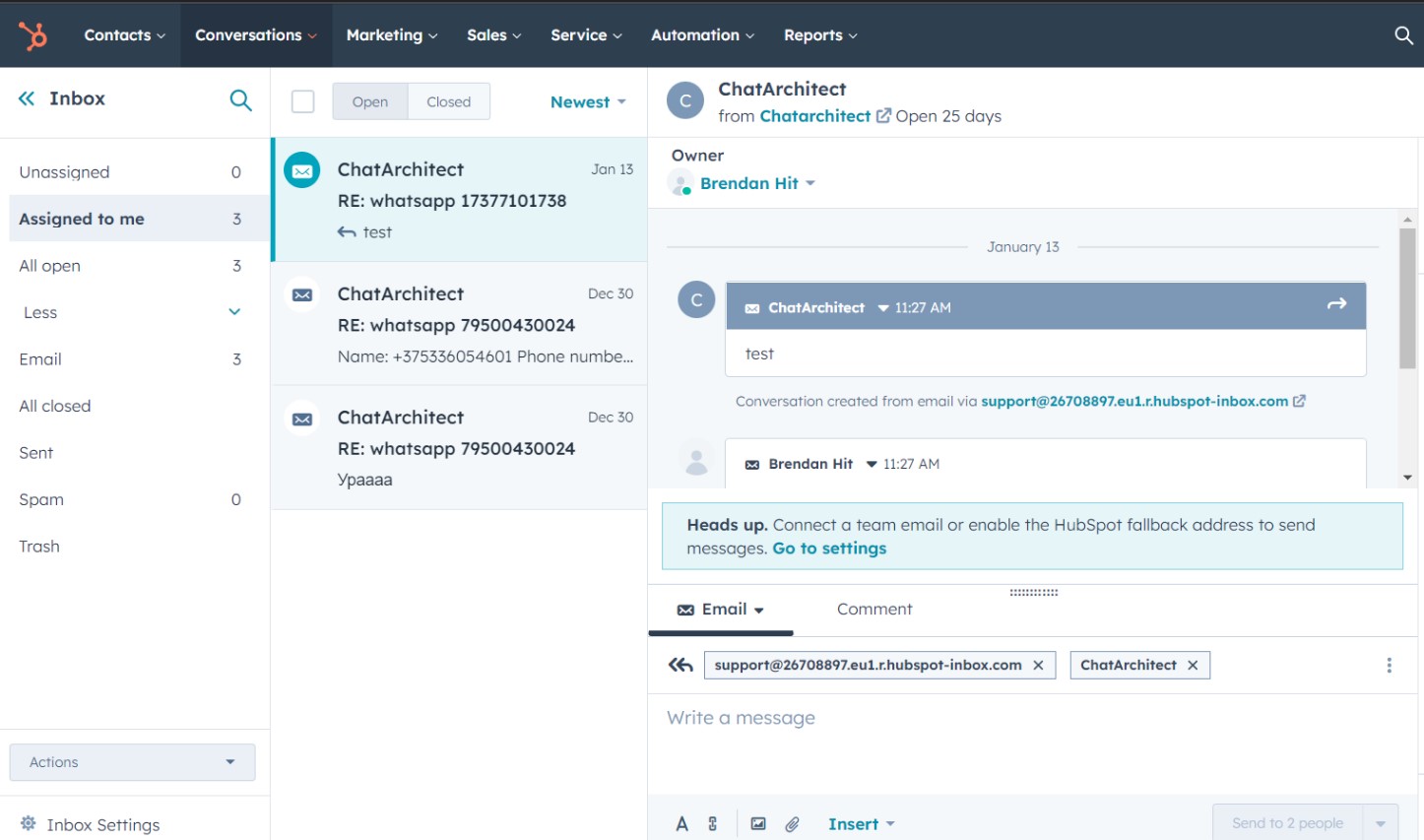
8. Now you can check your incoming messages. To do this, send a message to your number which you have linked to CRM. The message should appear in the "Conversations -> Inbox tab"
9. To send messages via HubSpot follow these instructions Initiation via HubSpot
No comments to display
No comments to display