
Creating robots and sending template messages through them to Bitrix24
Video manual: https://www.youtube.com/watch?v=fY_vqW-Ijb8
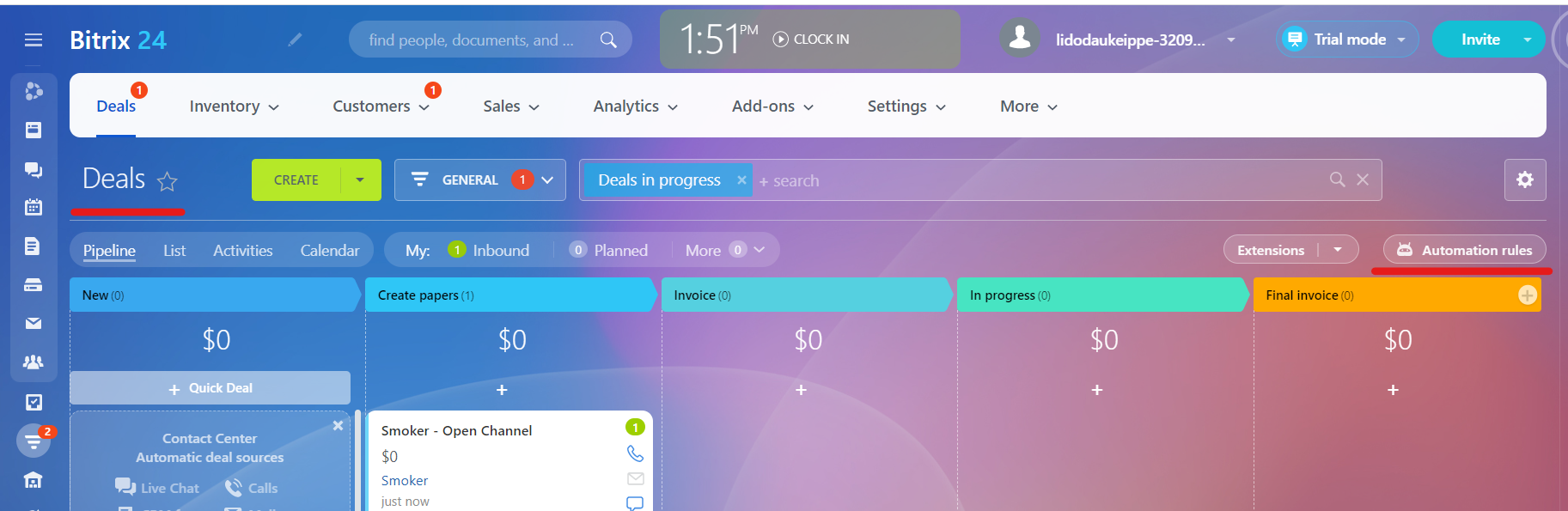
1. Go to the "Deals", then "Automation rules"
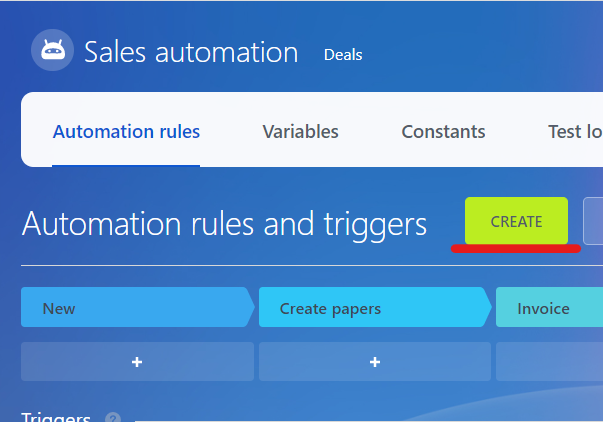
2. Press "Create"
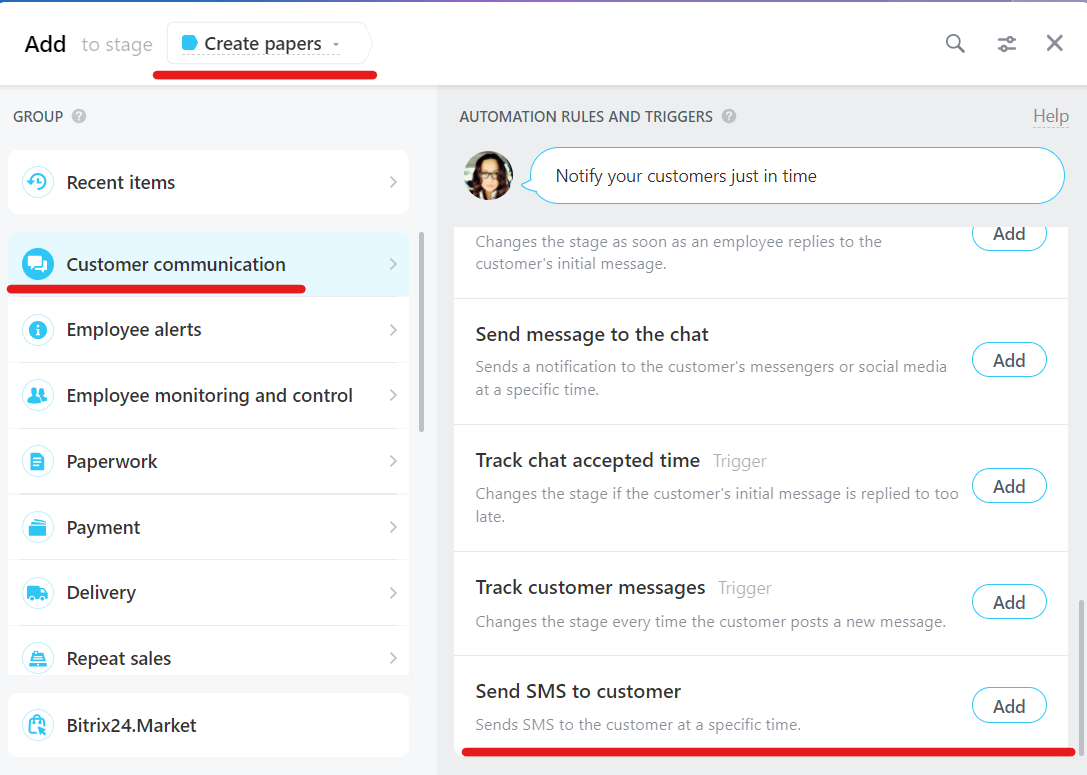
3. Choose stage, then Customer communication => Send SMS to customer
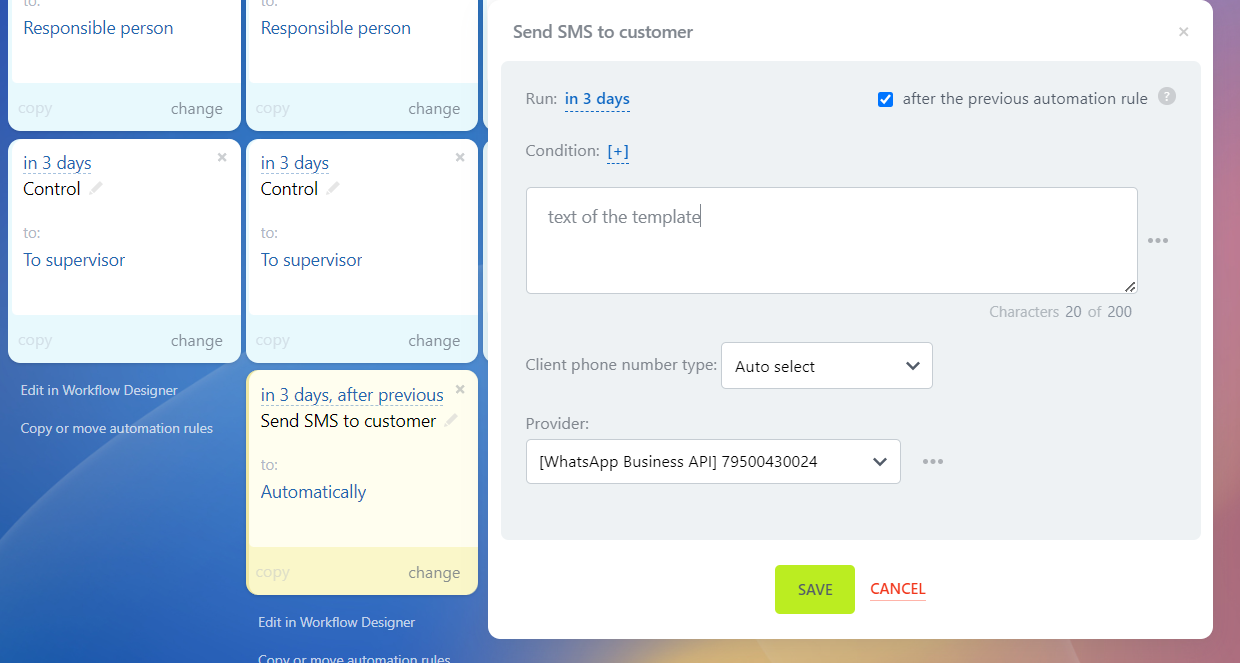
4. Find our bot, click "Change". In the list of providers, select our integration, in the text field, enter the text of the template
No comments to display
No comments to display