
Adding variables for templates in RetailCRM
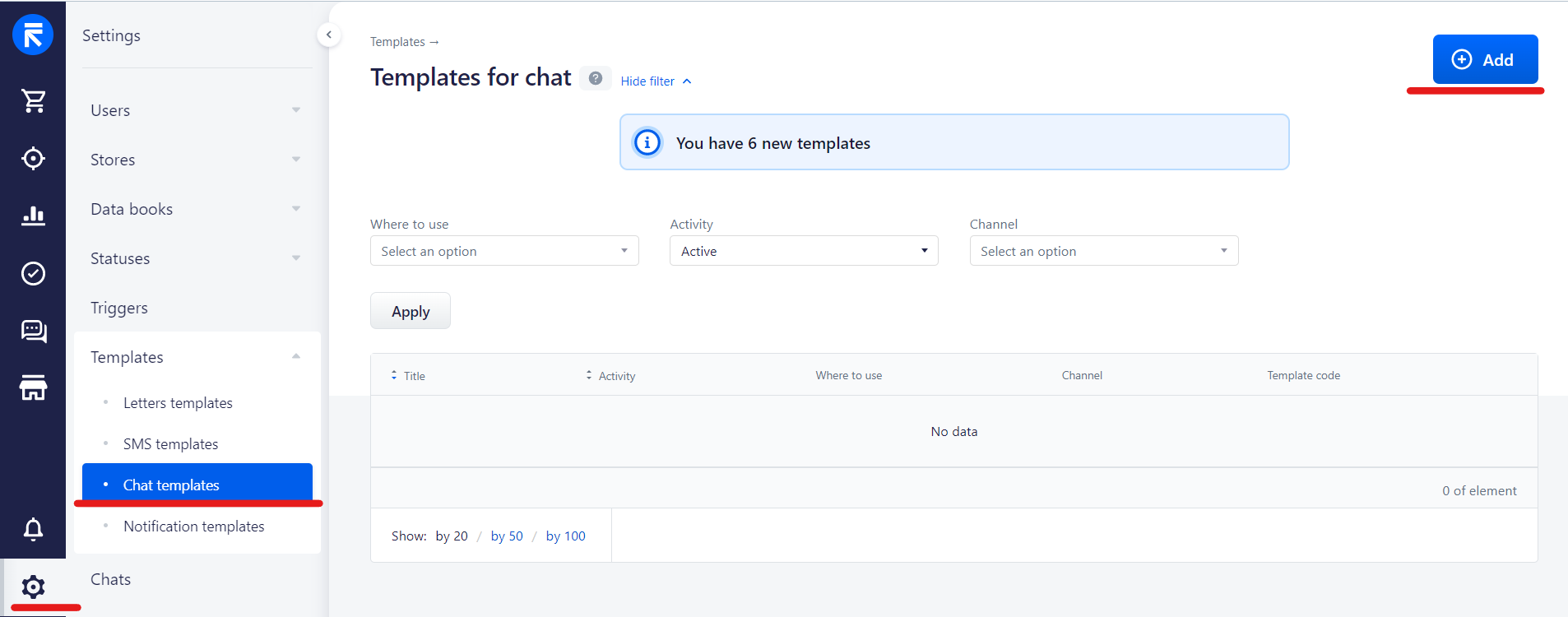
1. First of all, you need to add a template
Settings - Chat Templates - Add
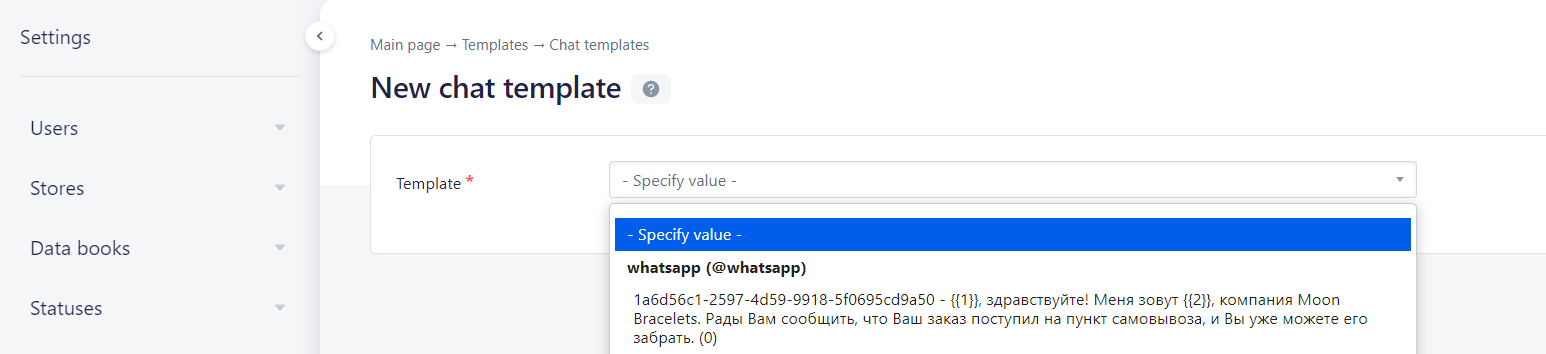
2. Choose template
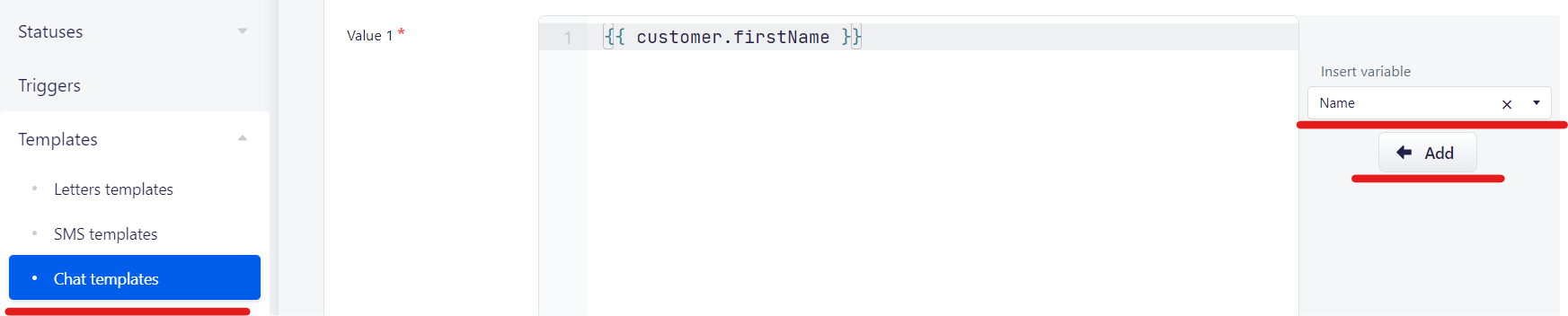
3. Select option for your variable and press Add
1. First of all, you need to add a template
Settings - Chat Templates - Add
2. Choose template
3. Select option for your variable and press Add
No comments to display
No comments to display