
Sending templates from Simla
In this manual you will learn how to send templates from a customer card
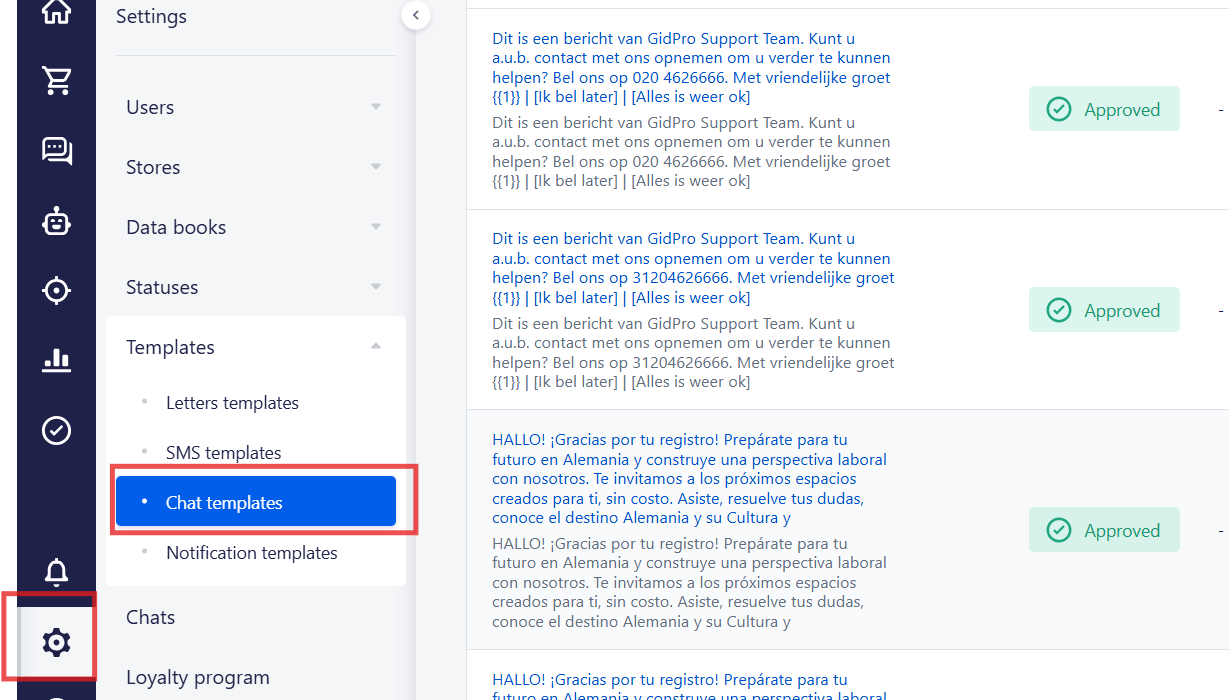
1. First of all, you need to go to the Settings => Templates = > Chat templates
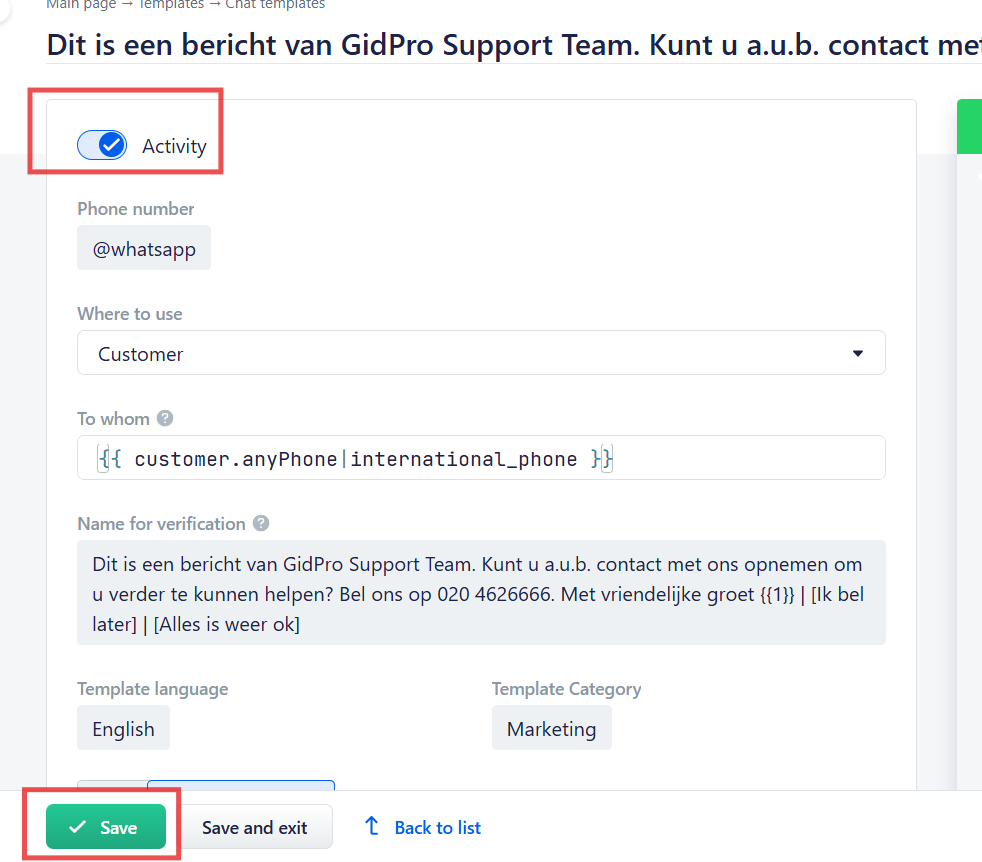
2. After that you need to choose a template and activate it
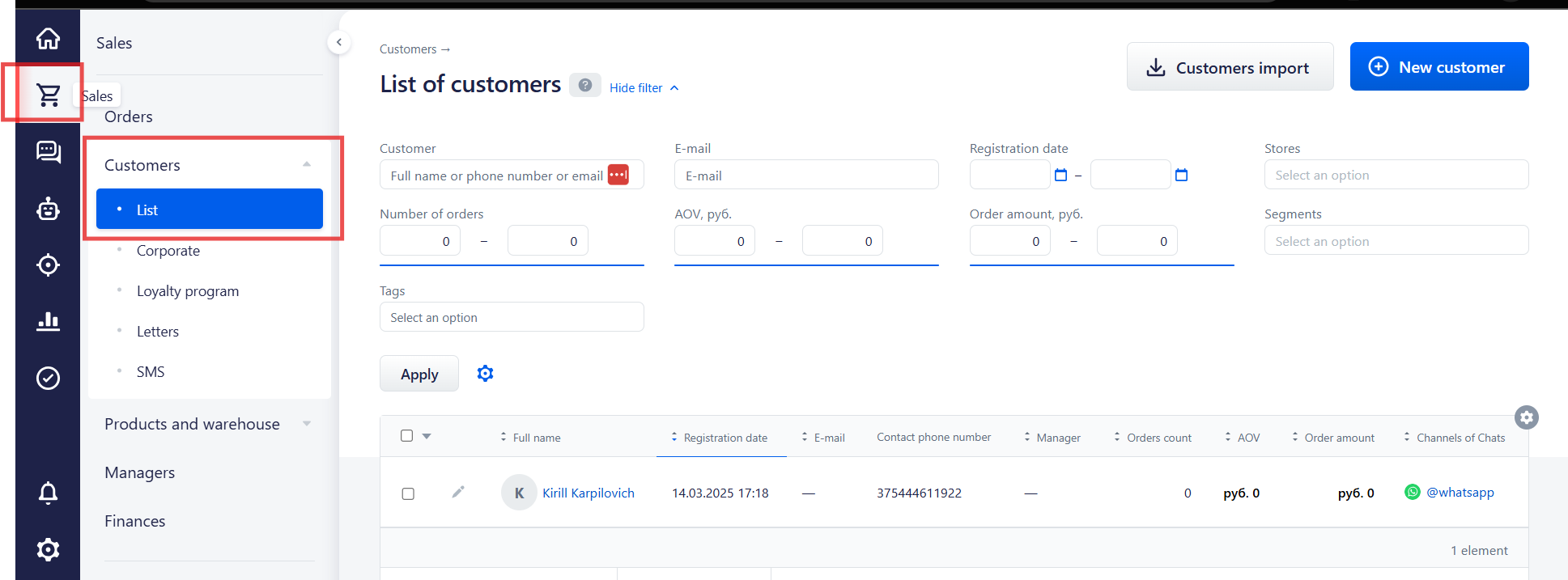
3. After this you need to go to the Sales = > Customers => List and choose a customer
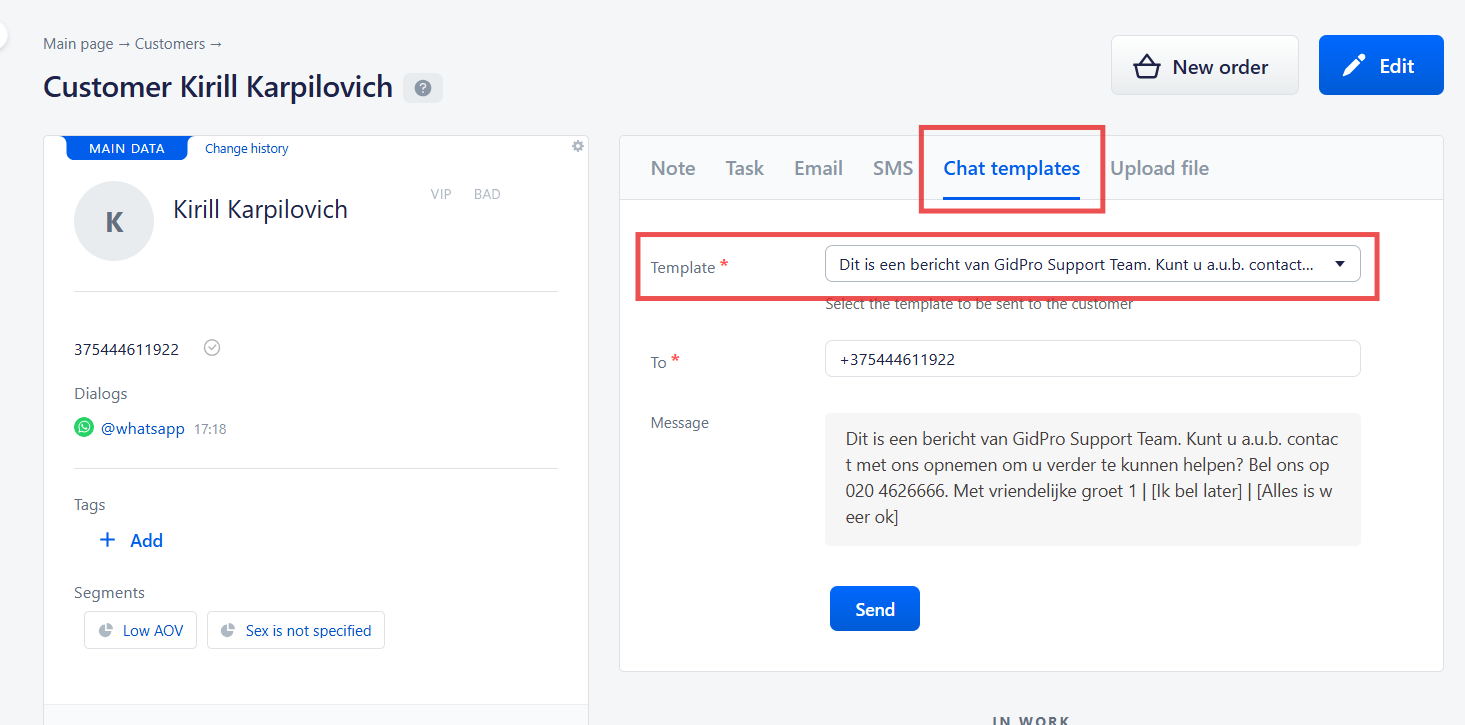
4. Open a customer's card, press "Chat templates' and choose a template that you want to send
No comments to display
No comments to display