
Distribution of chats from different numbers among managers in Salesbot
Video manual: https://www.youtube.com/watch?v=uS8U-27okmQ
This article will be useful if you have multiple numbers and each number is assigned to a separate manager. In this article, you will learn how to quickly set up the distribution of chats from different numbers among managers in Salesbot.
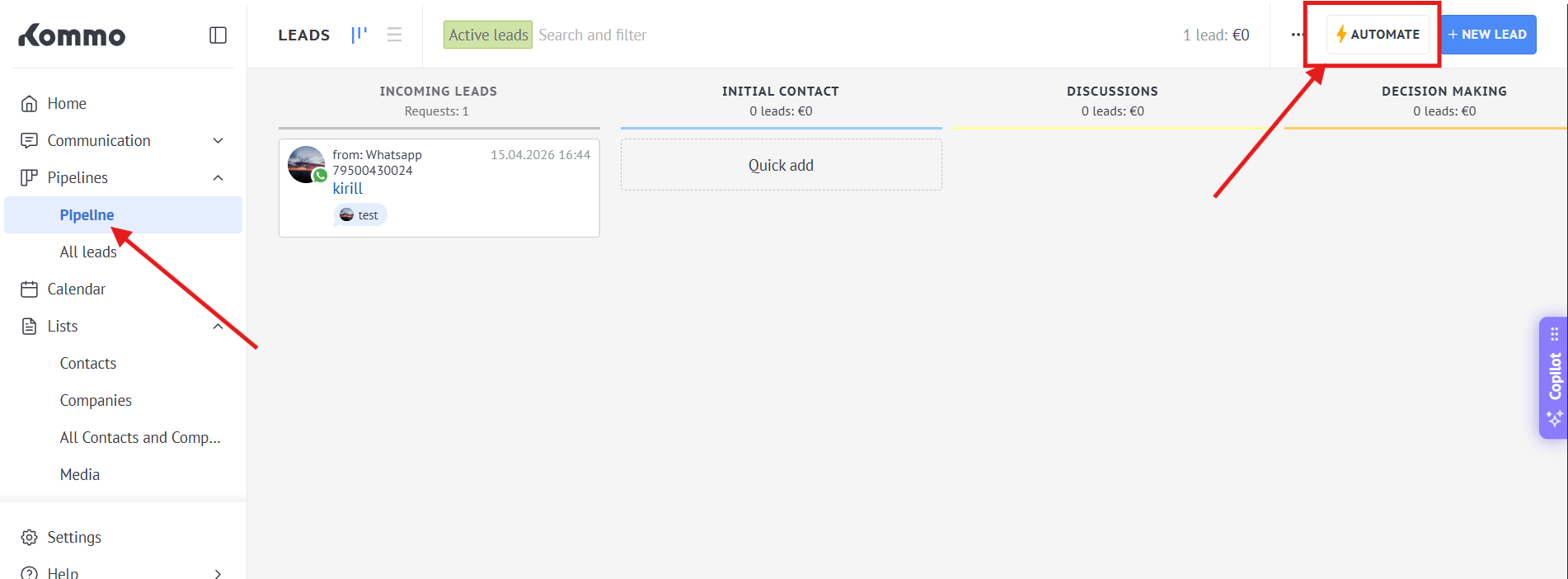
1. Go to the Pipeline - > Automate
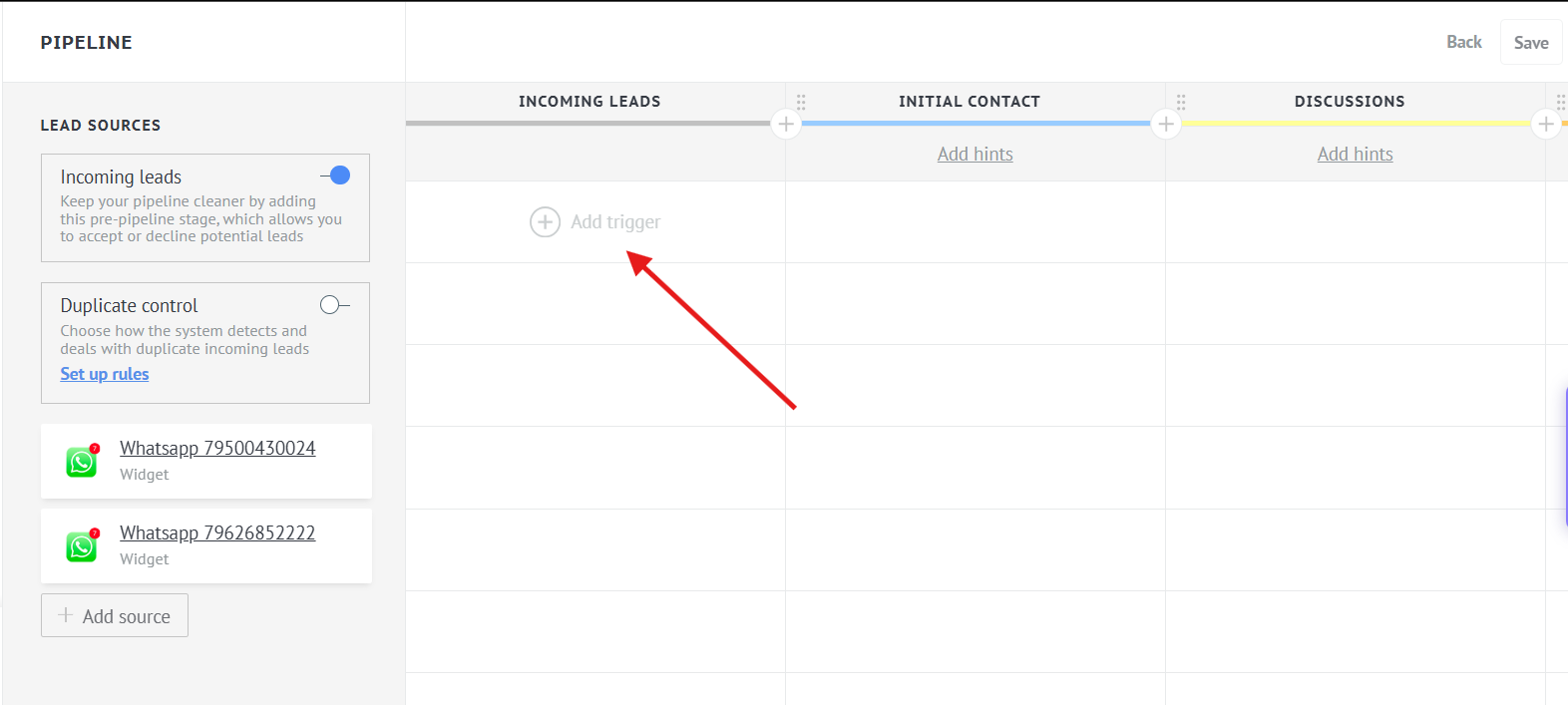
2. Press "Incoming leads" - > "Add trigger"
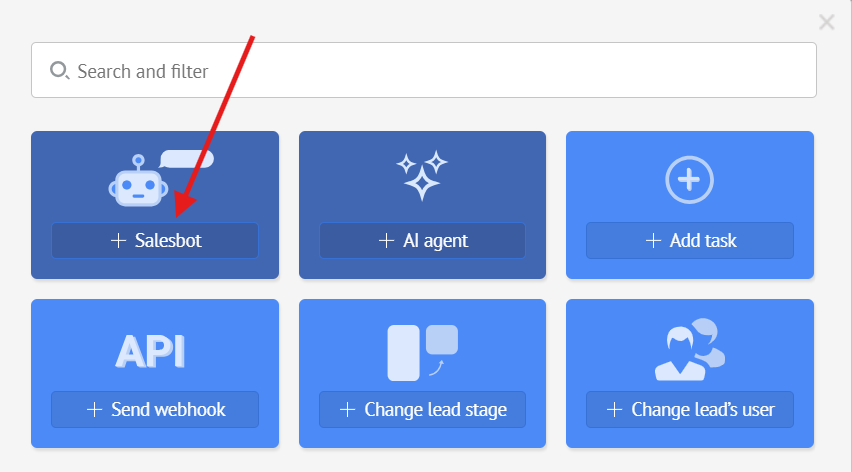
3. Select "Salesbot"
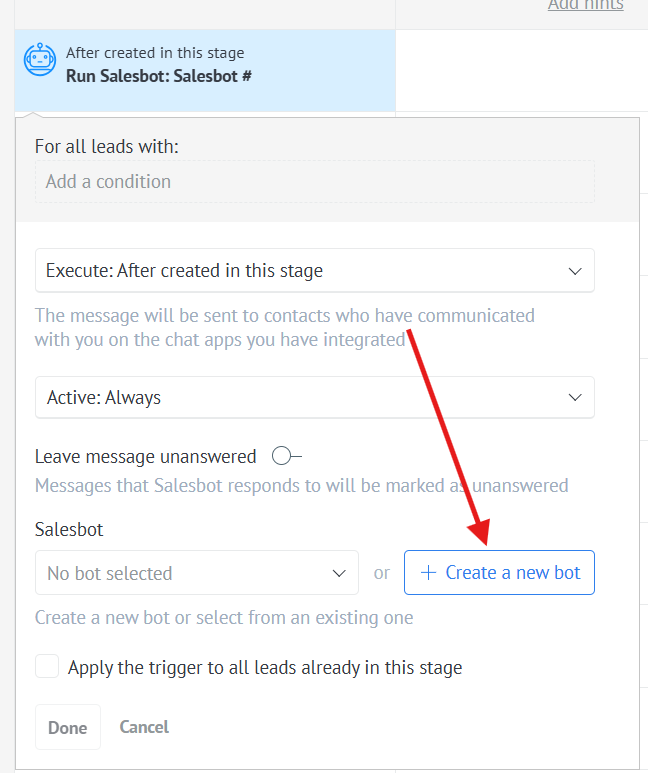
4. Choose "Create a new bot"
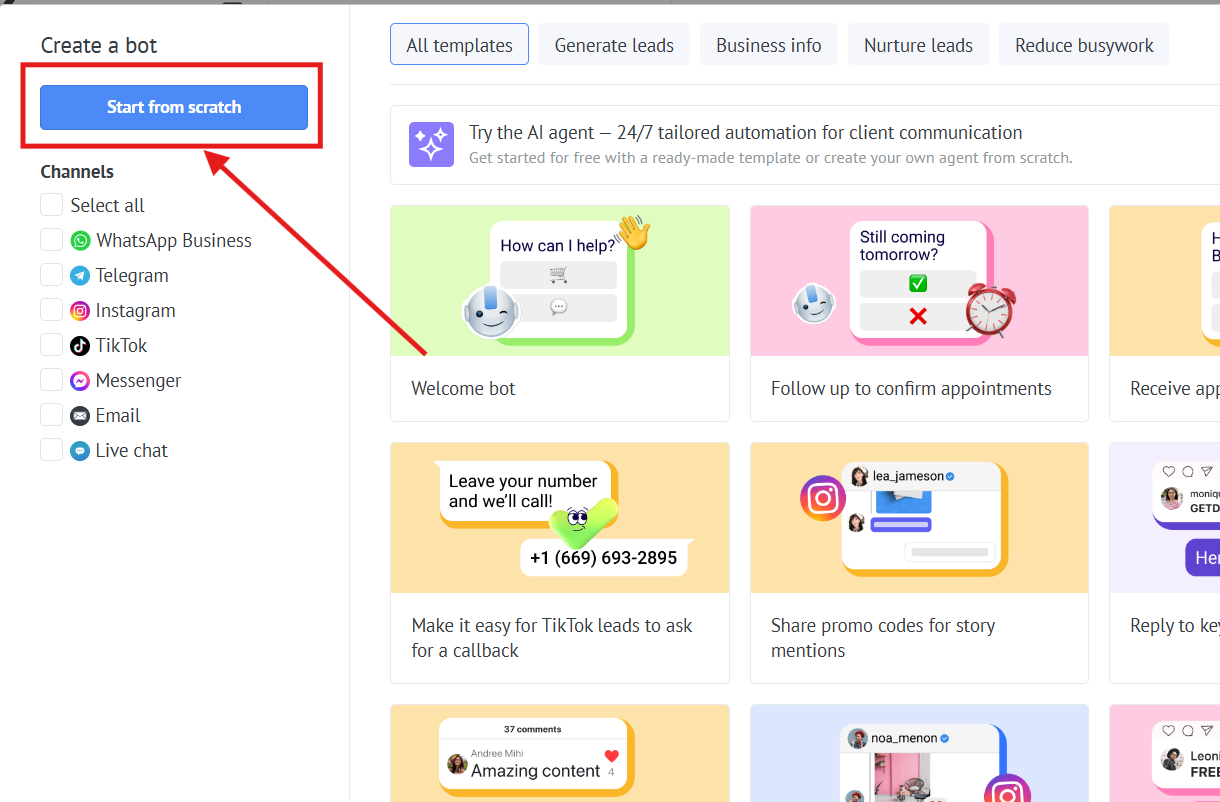
5. Press "Start from scratch" button
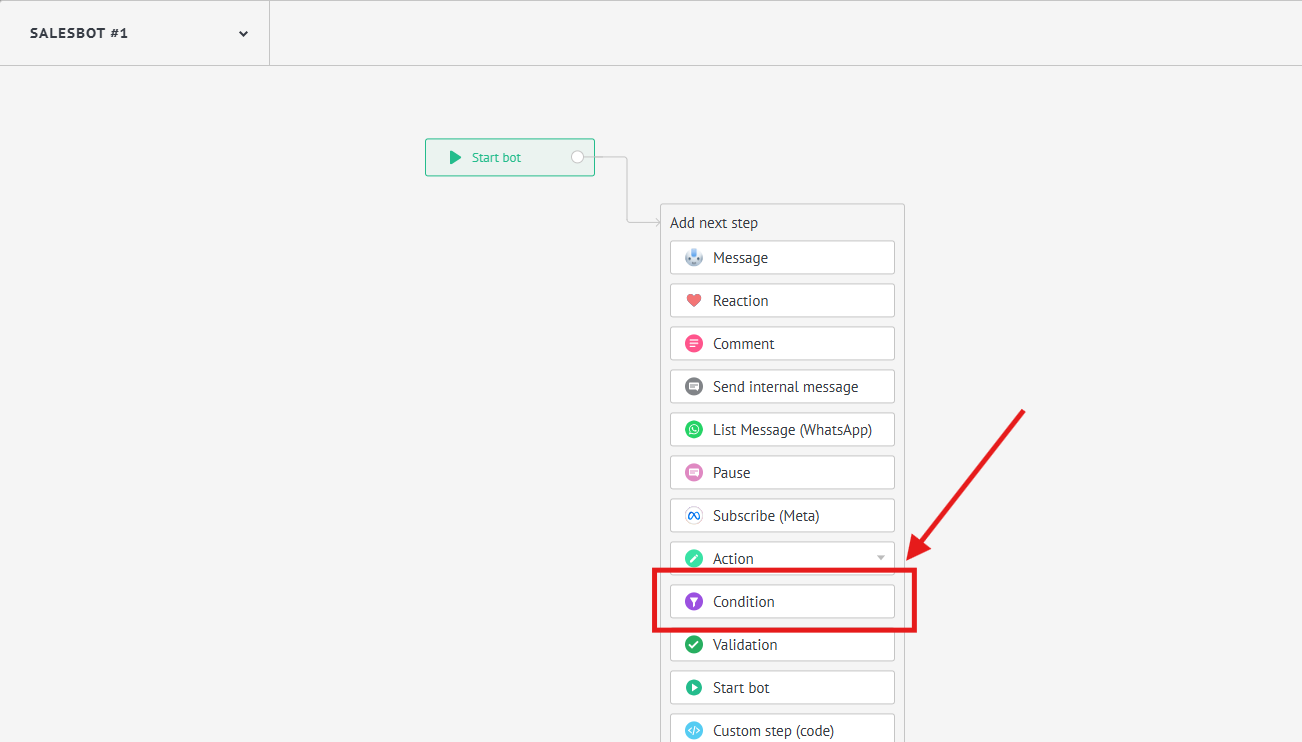
6. Choose "Condition"
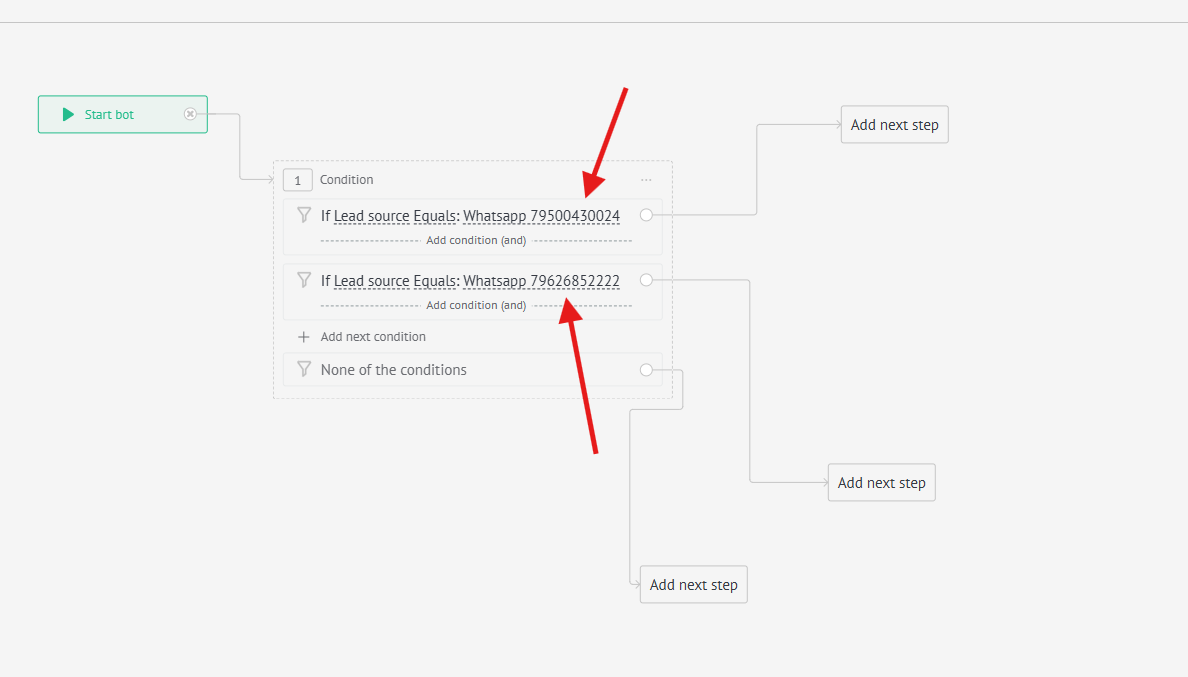
7. Add 2 conditions "If leads source Equals: and select a separate number for each condition"
8. Press "Add next step" and choose "Action" -> "Change responsible User"
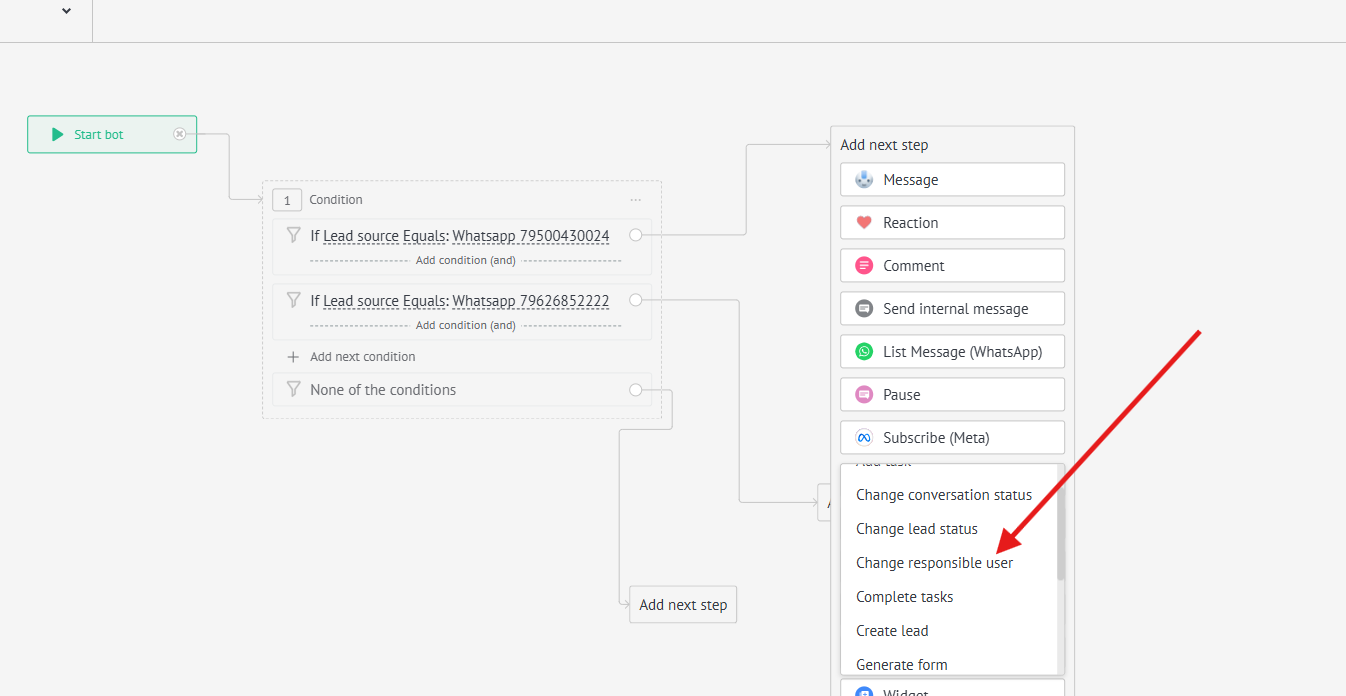
9. Select the appropriate managers for each number
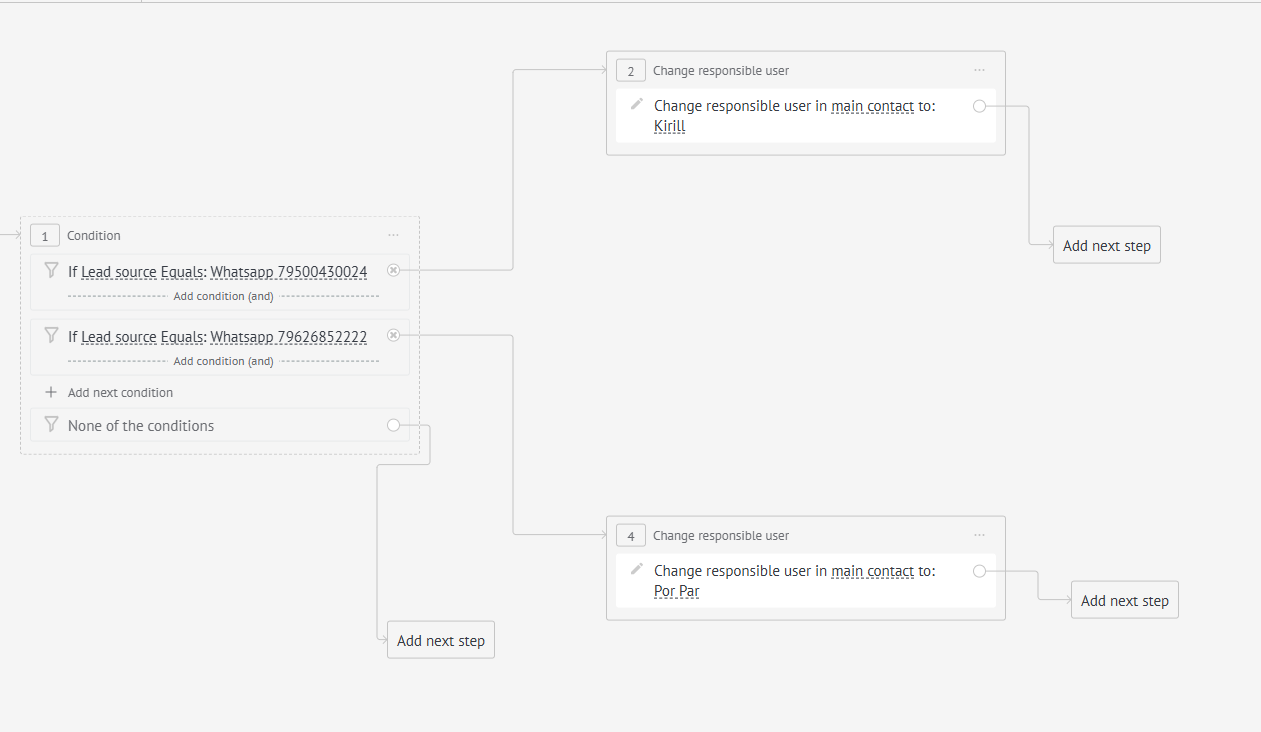
Done. Now the conversations will be distributed among managers based on this setup.
No comments to display
No comments to display