
Initiation via HubSpot
In this guide, you will learn how to initiate a conversation with your client using a template message from HubSpot.
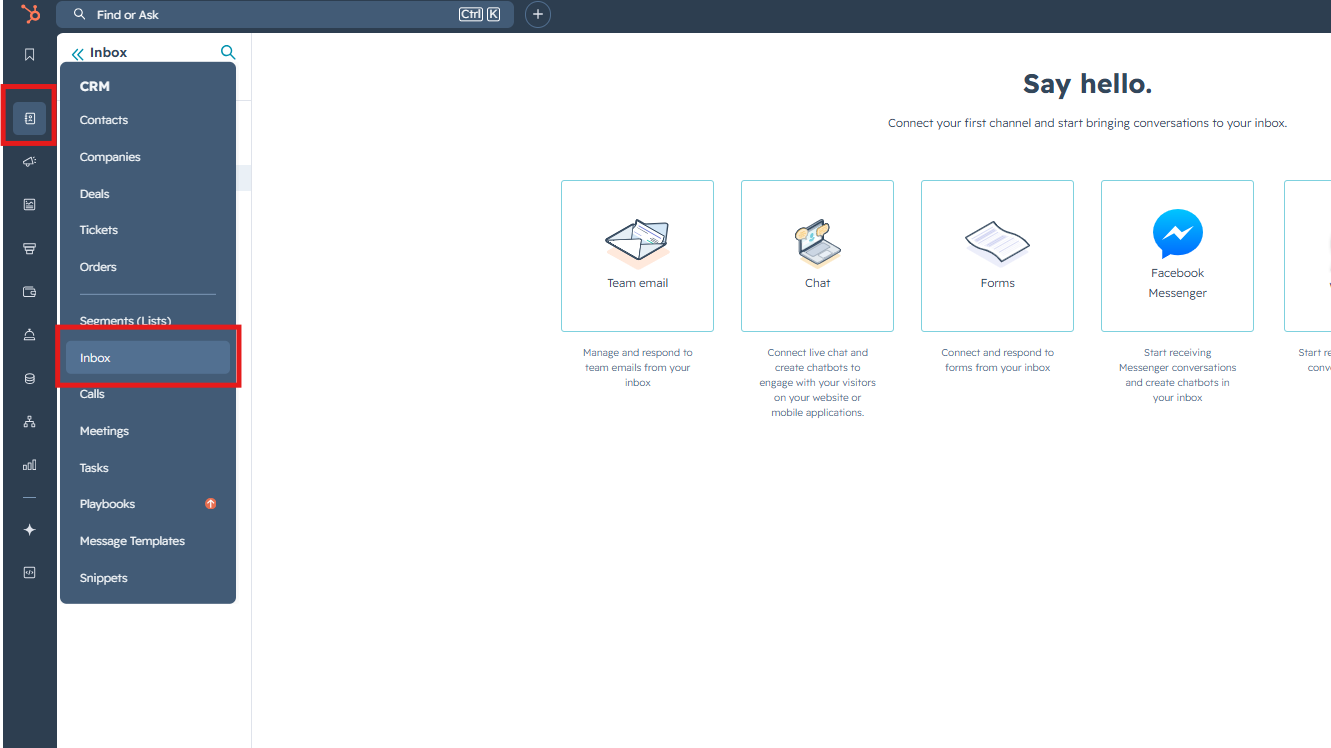
1. Go to the "Inbox"
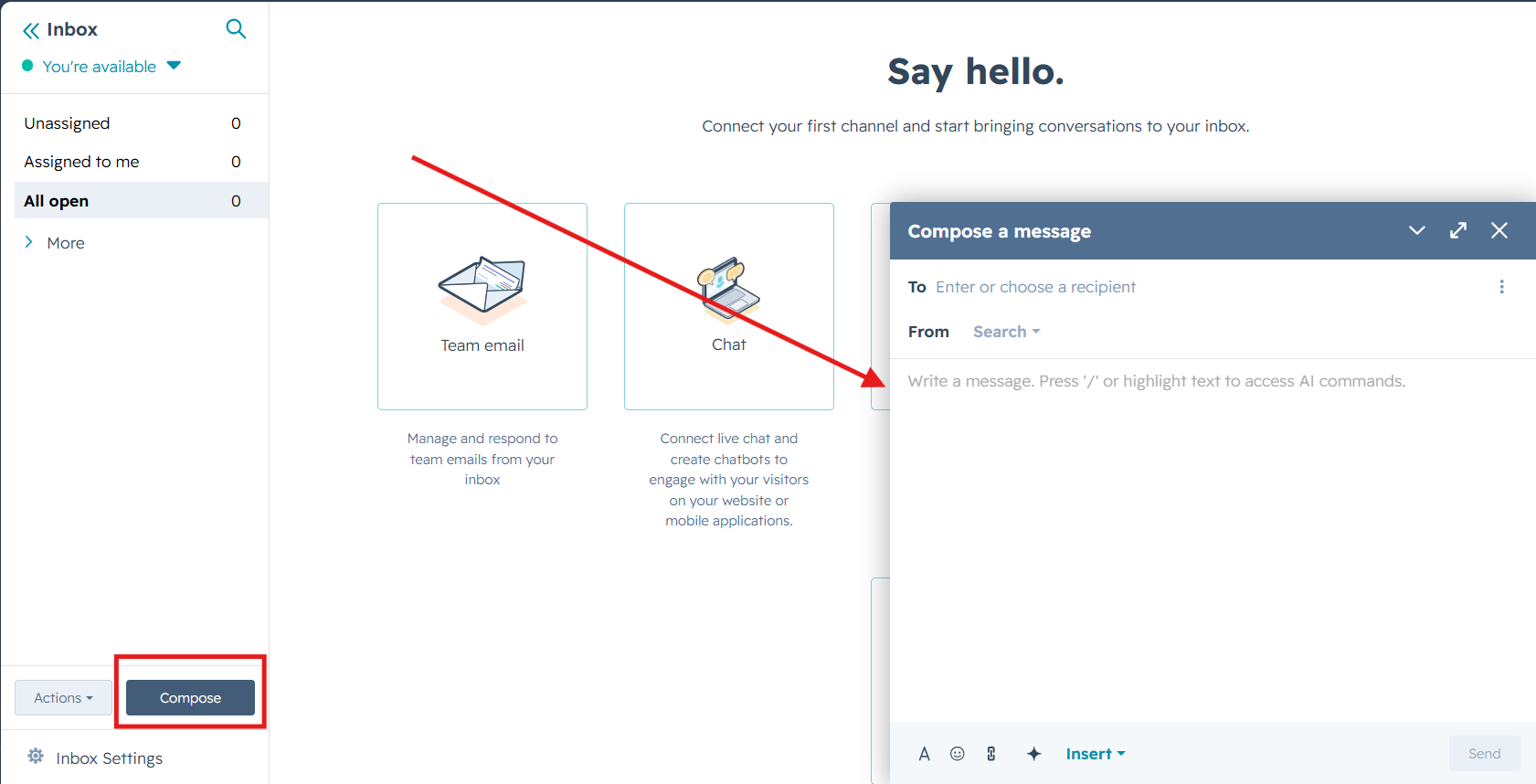
2. Press "Compose" button and fill in data like this:
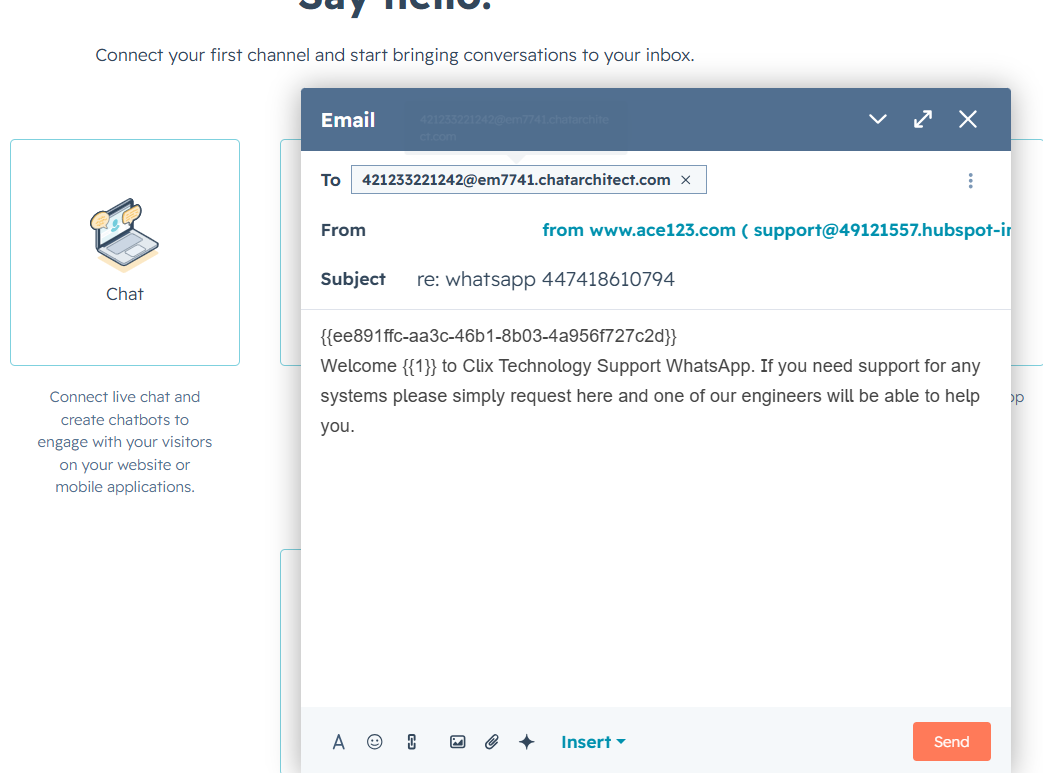
3. Fill in data like this:
To: phone number you are sending to + @em7741.chatarchitect.com (for example, 421233221242@em7741.chatarchitect.com )
From: DO NOT CHANGE
Subject: RE: whatsapp + WhatsApp Business API number ( for example, re: whatsapp 447418610794 )
Text field: copy a template from our app https://wtargeted.com/ and paste
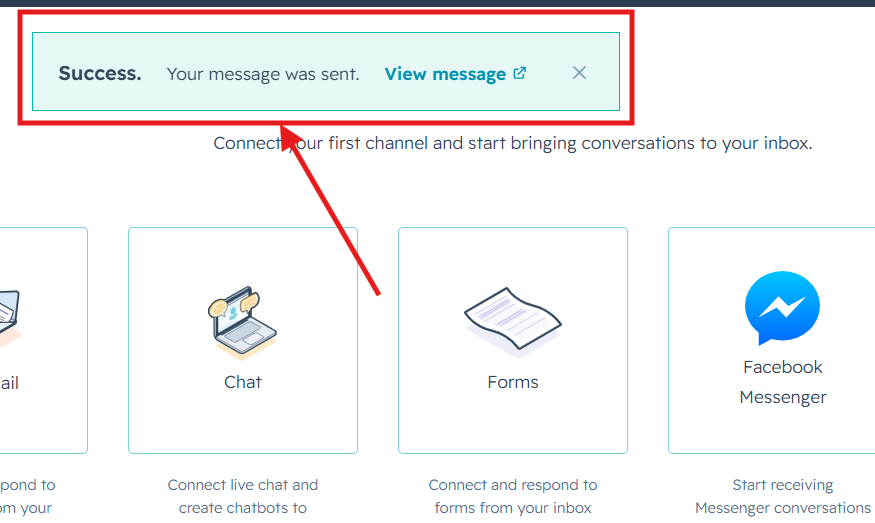
3. Click "Send". A message will appear indicating that the sending has been completed.
Done. Now you know how to send template messages from the HubSpot interface.
No comments to display
No comments to display