
Instructions for sending a template from the client card in Bitrix24
In this guide, you will learn how to send template messages in Bitrix24 through the client card.
Video manual: https://www.youtube.com/watch?v=xDwp3tOS5Qo
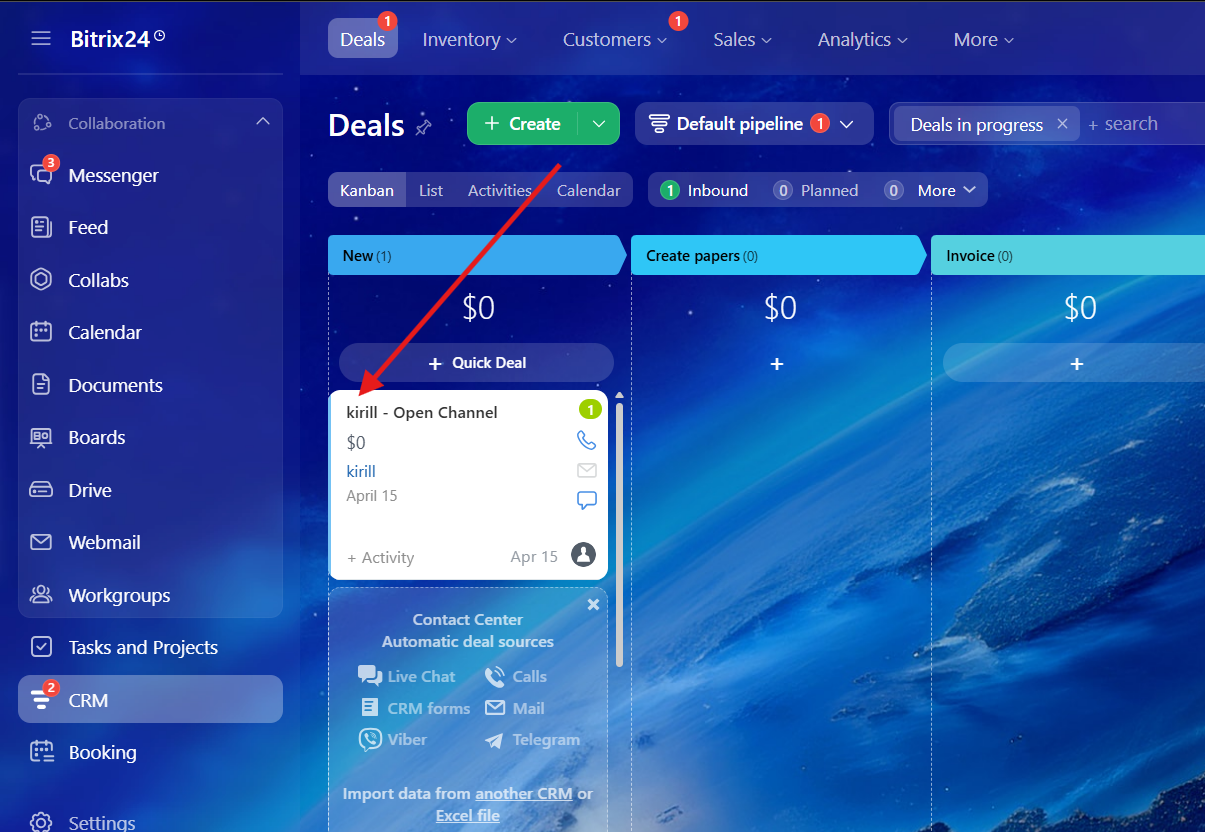
1. First of all, you need to choose a deal\lead
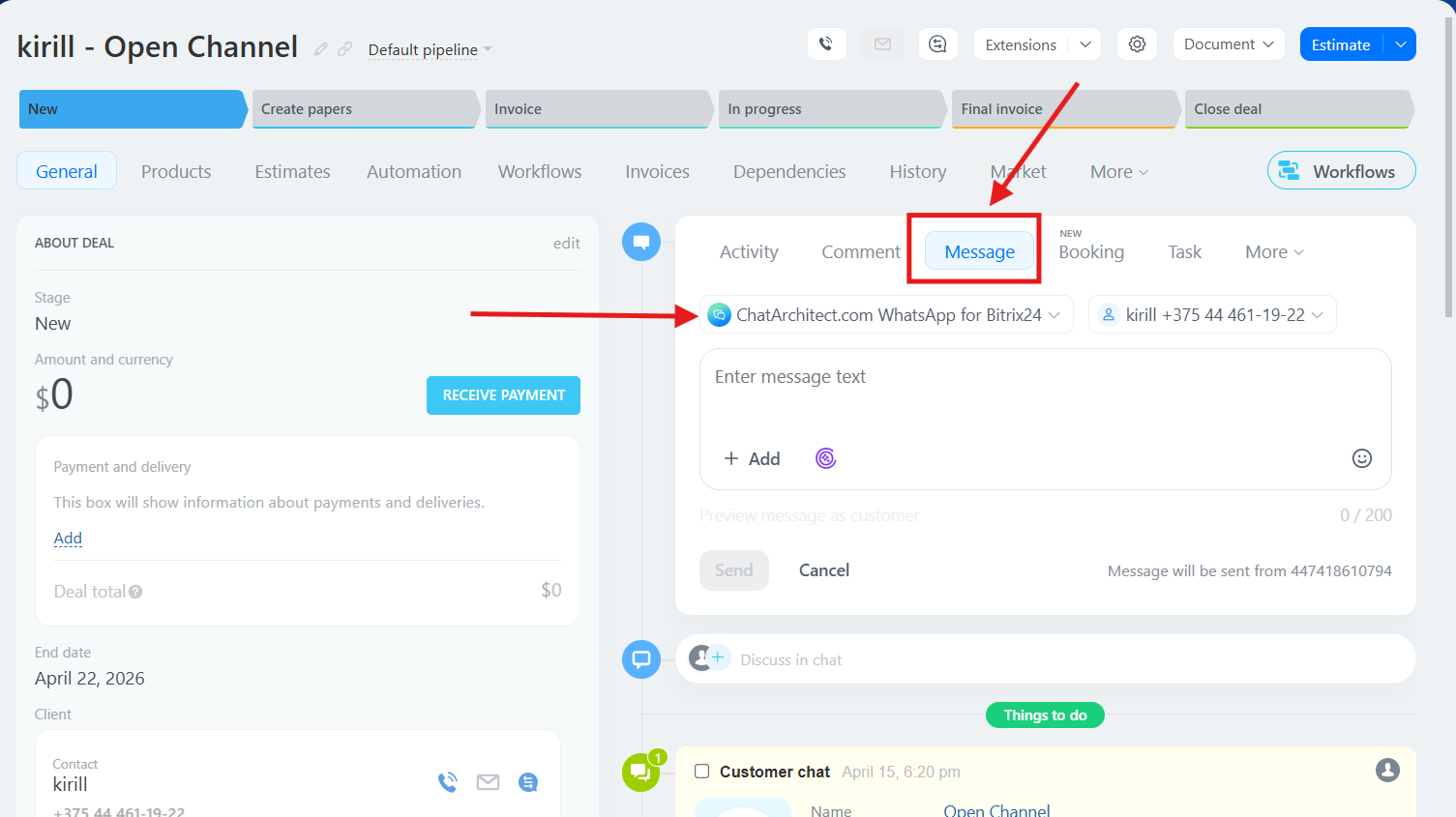
2. Choose "Message" button and choose our app as a provider
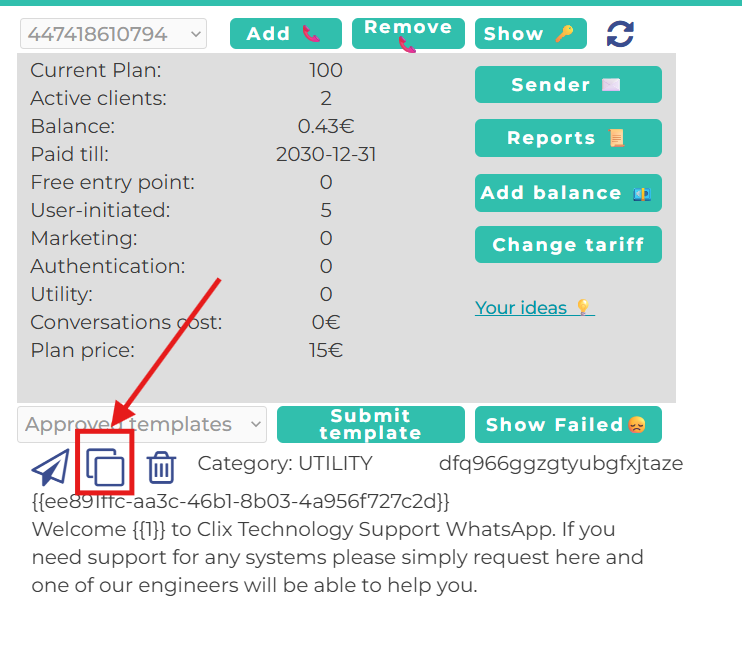
3. Go to your personal account ( https://wtargeted.com/ ) and copy a template that you need by using special button
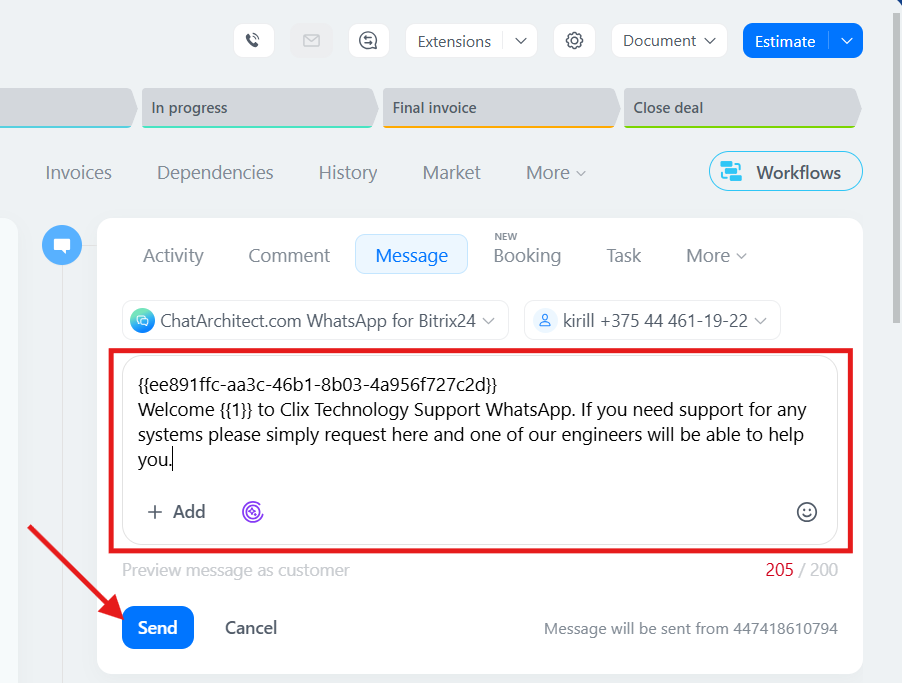
4. After that, return to the client card, paste the template text into the message field, and send it. Done!
No comments to display
No comments to display