
WhatsApp initial configuration for Slack
Step by step instruction
1. Install our app. Use the button "Add to Slack" on the website
https://www.chatarchitect.com/product/whatsapp-and-slack-integration

2. Press "Allow"
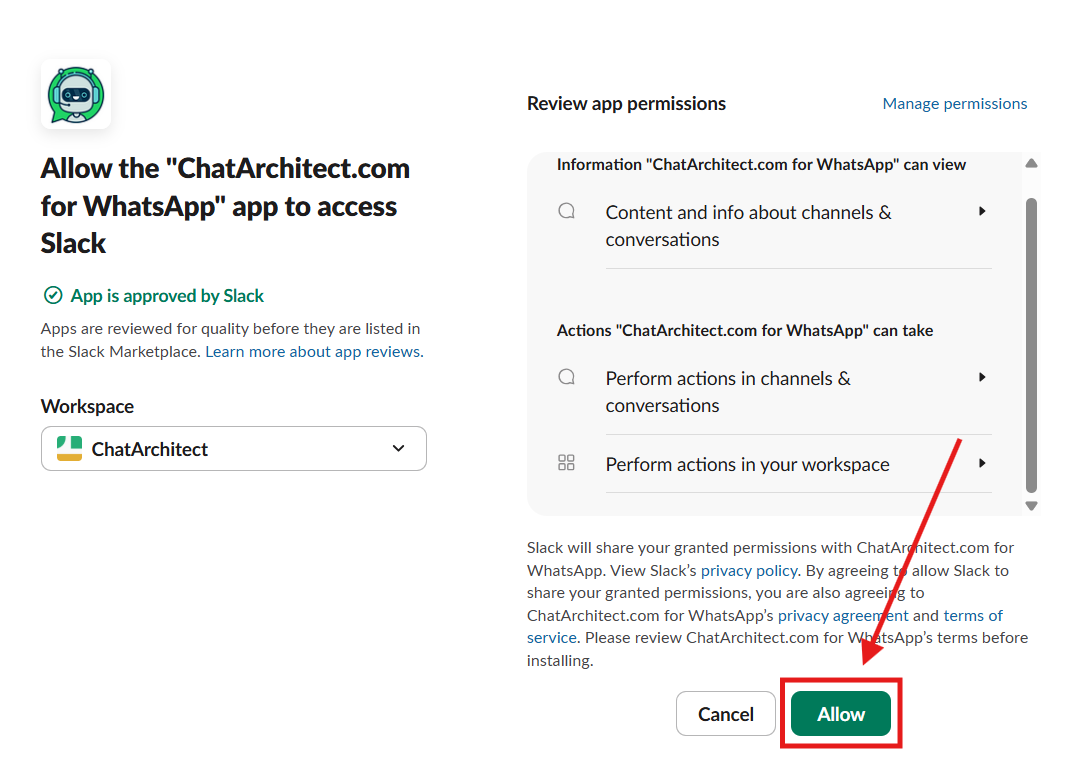
2. Now you need to add the app to the channel where you want to use
Go to the "Apps"
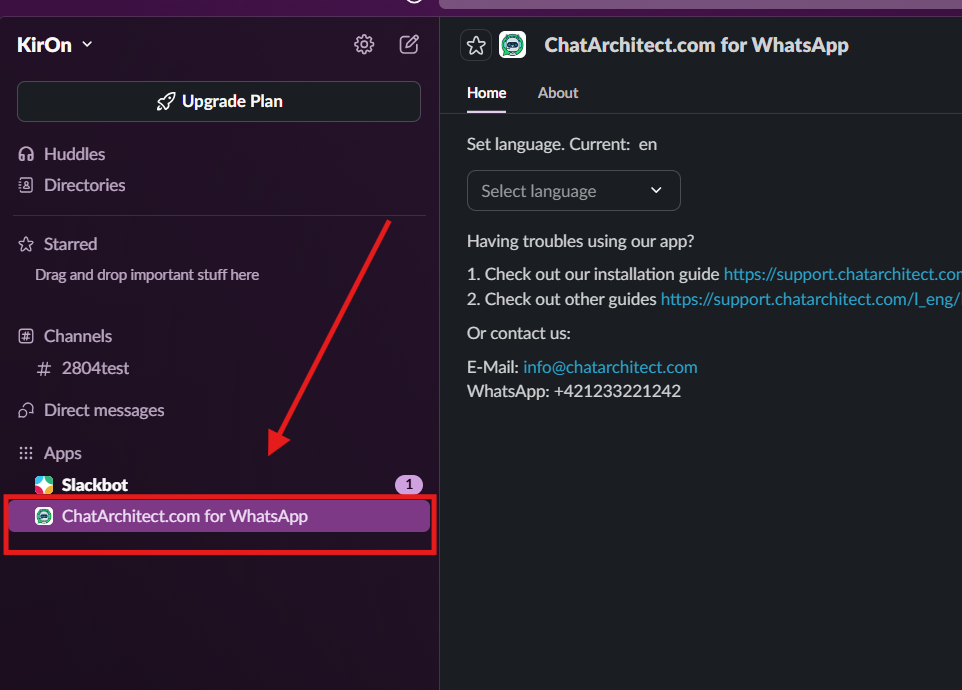
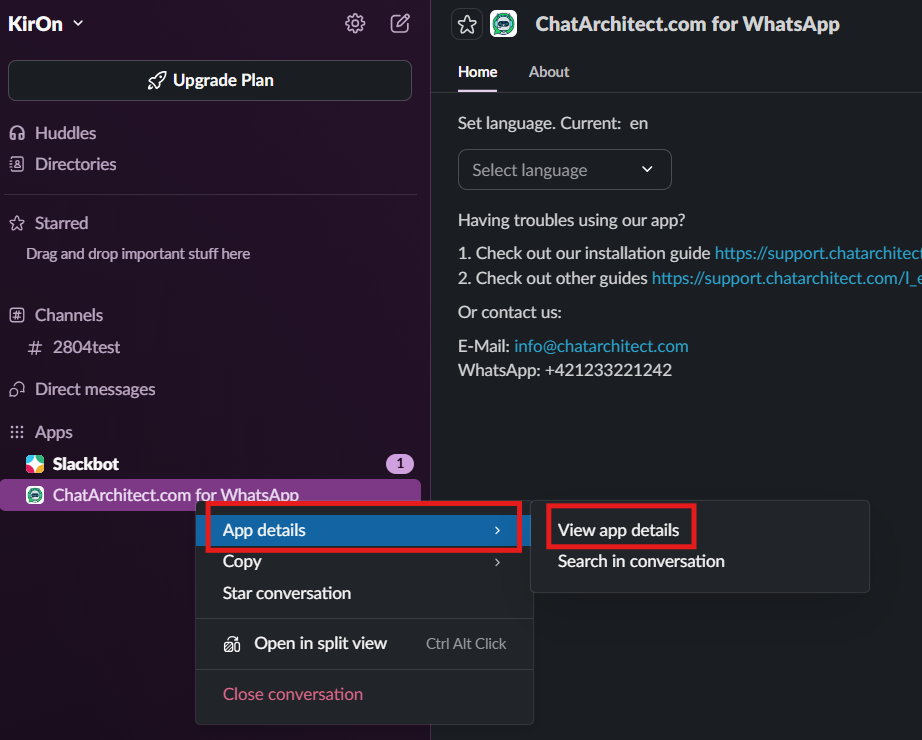
3. Choose "ChatArchitect.com for WhatsApp" - > "App details" - > "View app details"
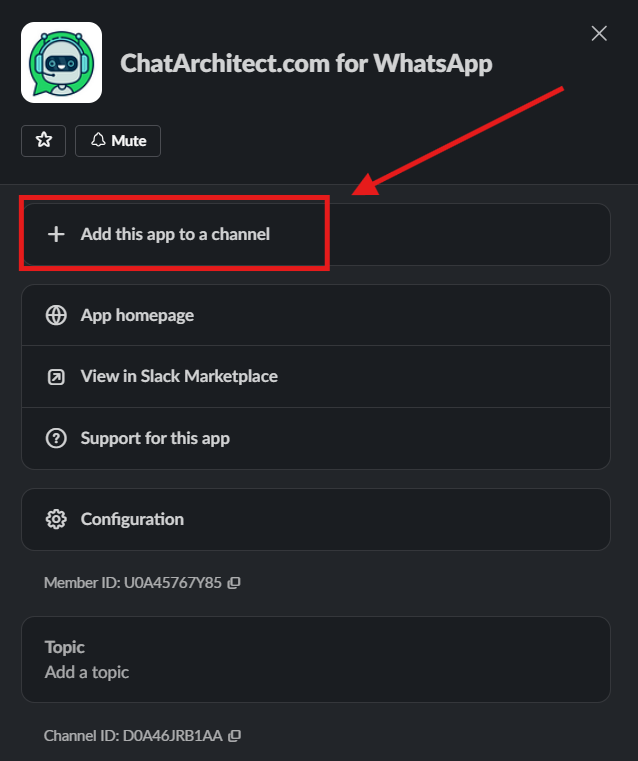
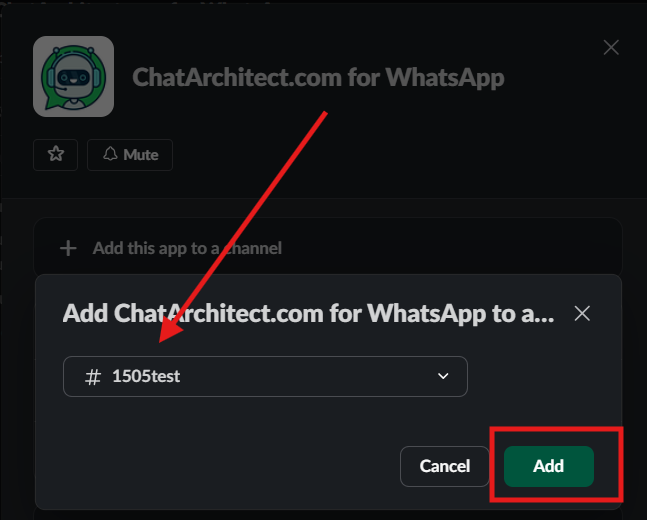
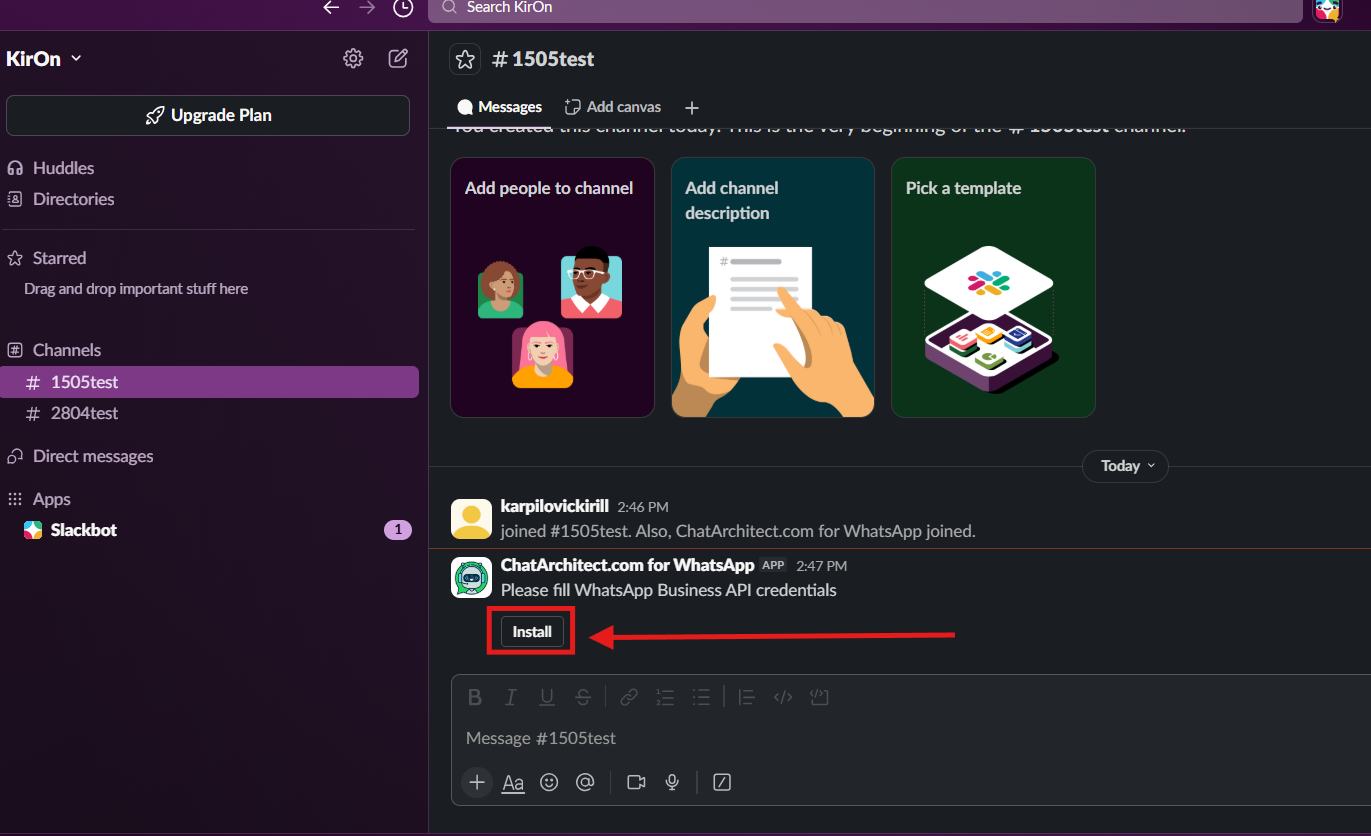
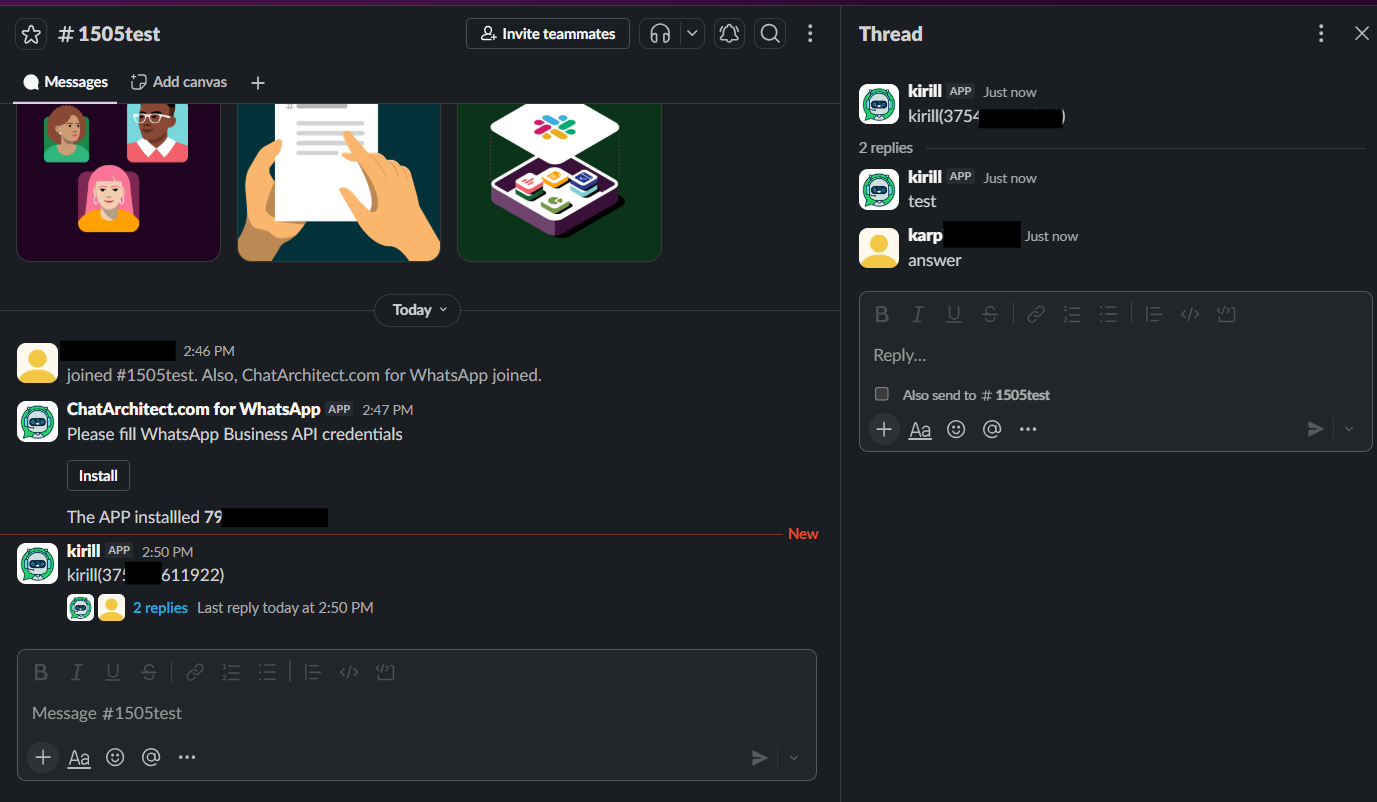
5. Write to your WhatsApp Business API number from your personal WhatsApp
No comments to display
No comments to display