
How to initiate dialogue in Omnidesk
How to initiate dialogue in Omnidesk
1. Go to the app https://wtargeted.com/settings and copy a template that you want to use by using "Copy" button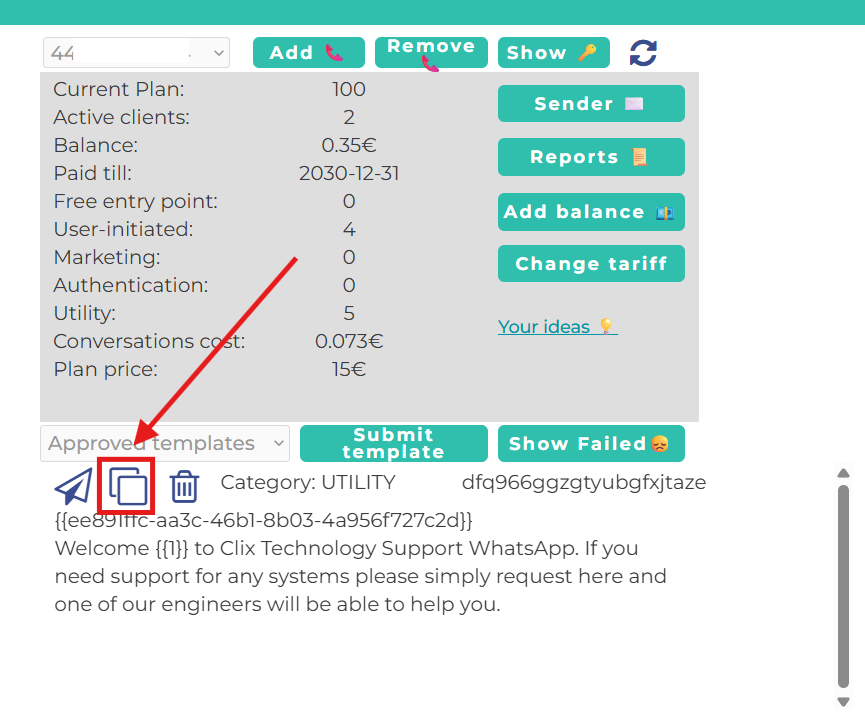
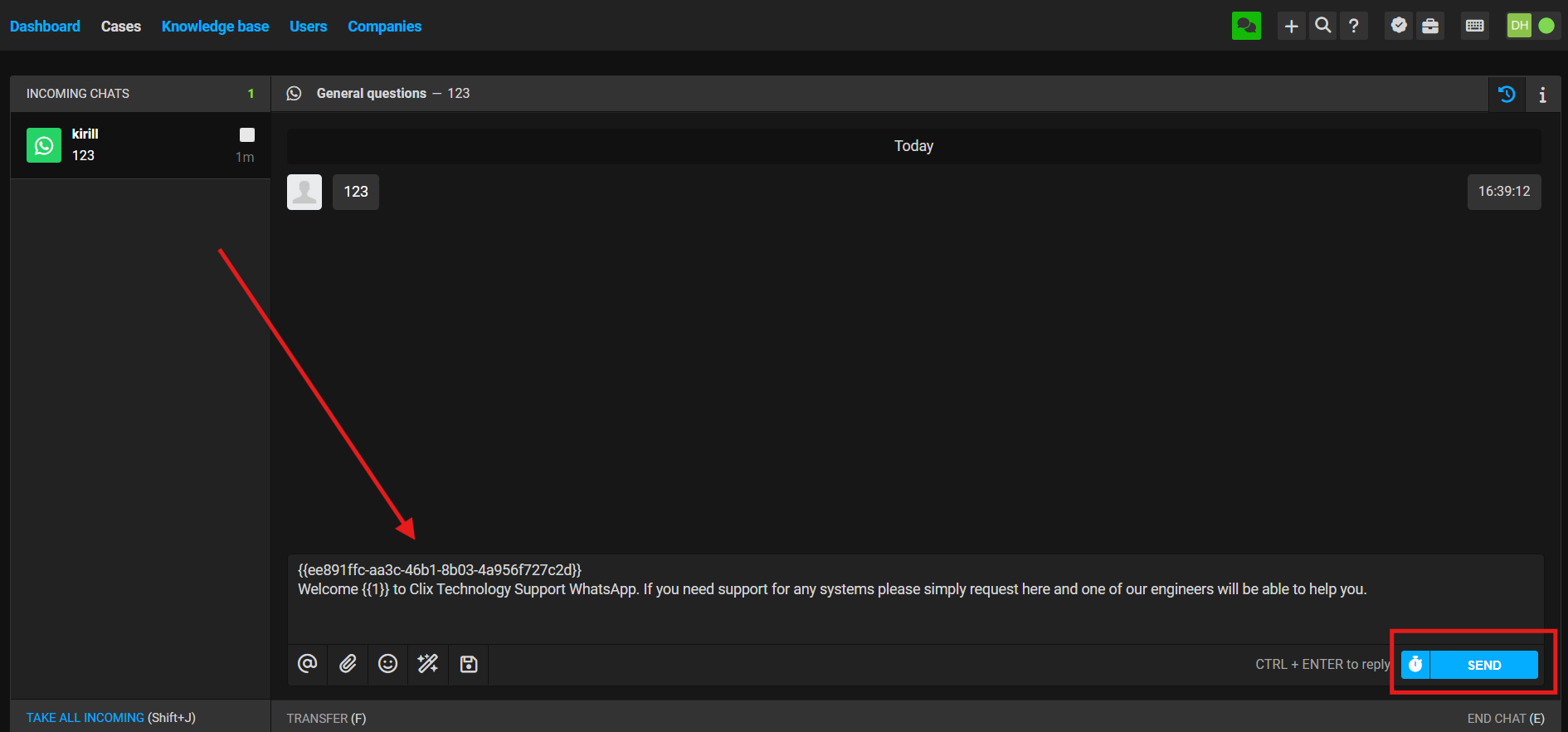
2. After that, go to the chat where you need to initiate the conversation and paste the template text. Press "Send".
No comments to display
No comments to display