
How to initiate dialogue in Slack
How to initiate dialogue in Slack
Video manual: https://www.youtube.com/watch?v=GqUpbqOvFoY
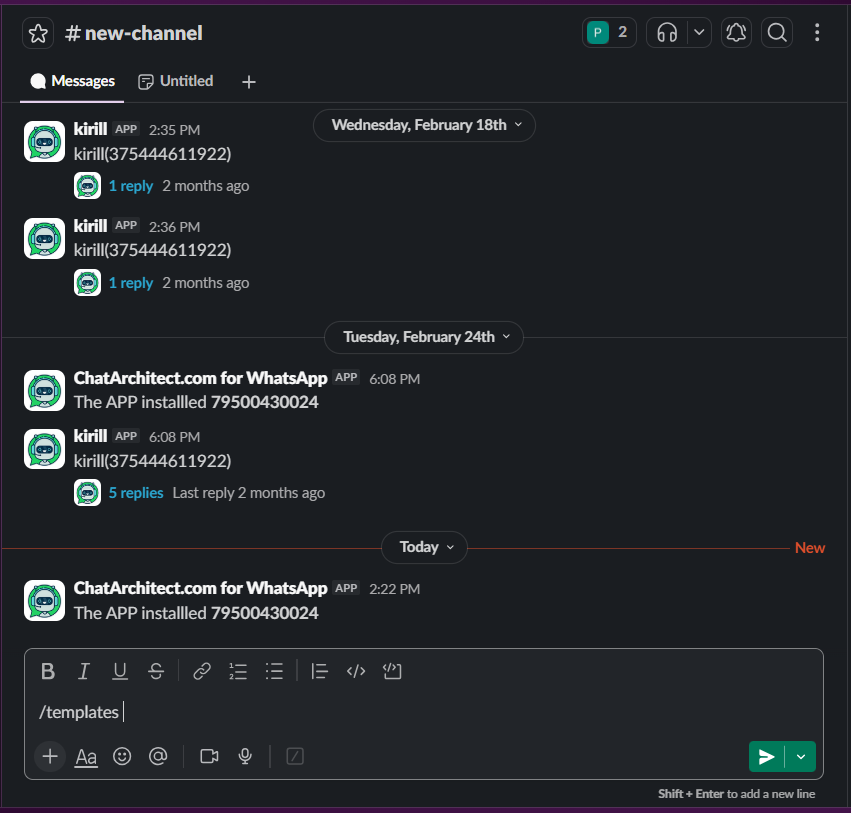
1. In Slack use command /templates and press "send" button
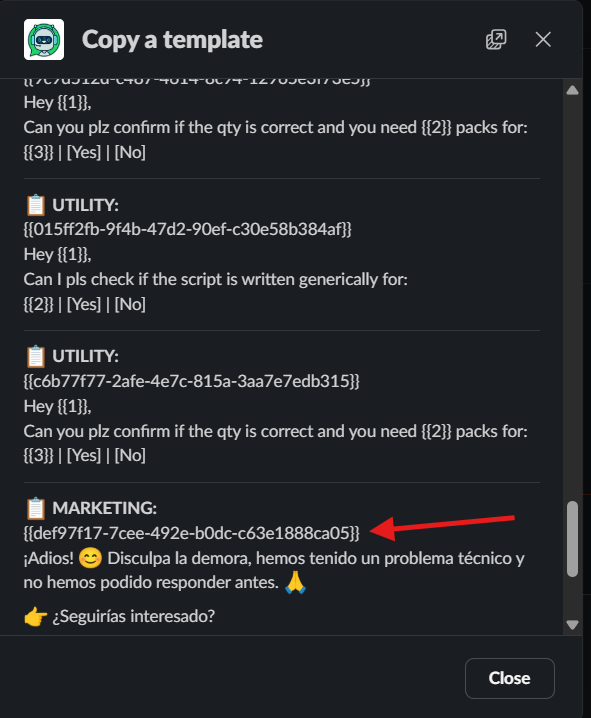
2. Copy a template that you need with template id
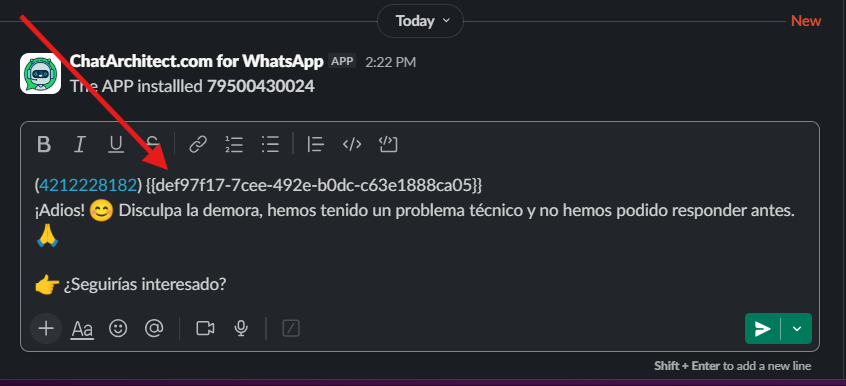
3. Send a template to your client using this format:
(number) text of the template
No comments to display
No comments to display