
How to initiate dialogue in Email
How to initiate a dialogue via Email if a conversation with the client already exists.
1. First of all, you need to open your personal account https://wtargeted.com/settings and copy a template by using "copy" button
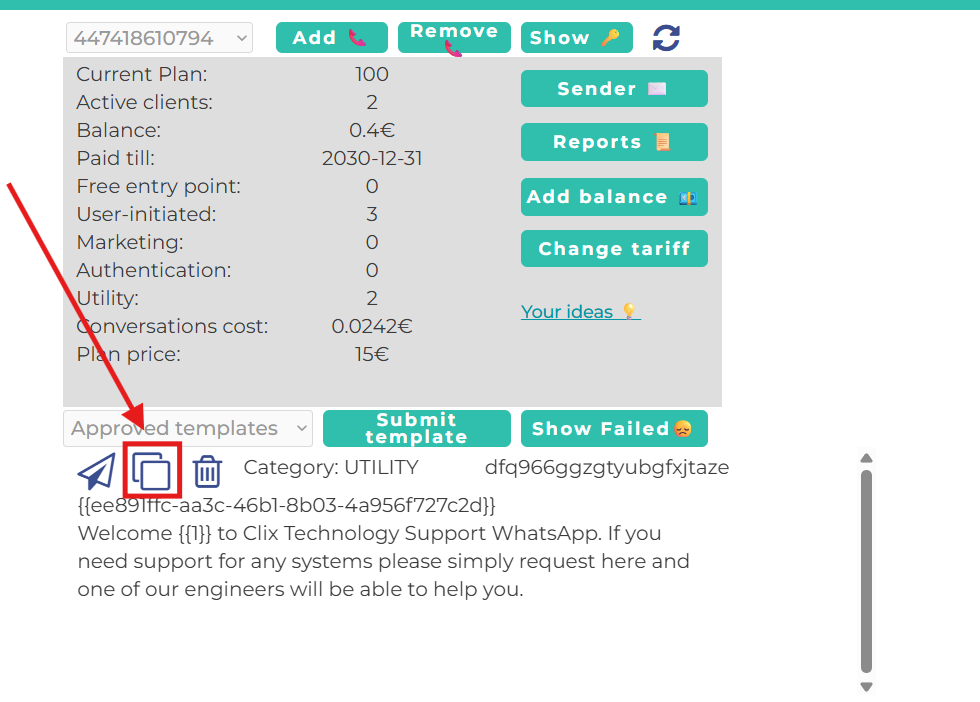
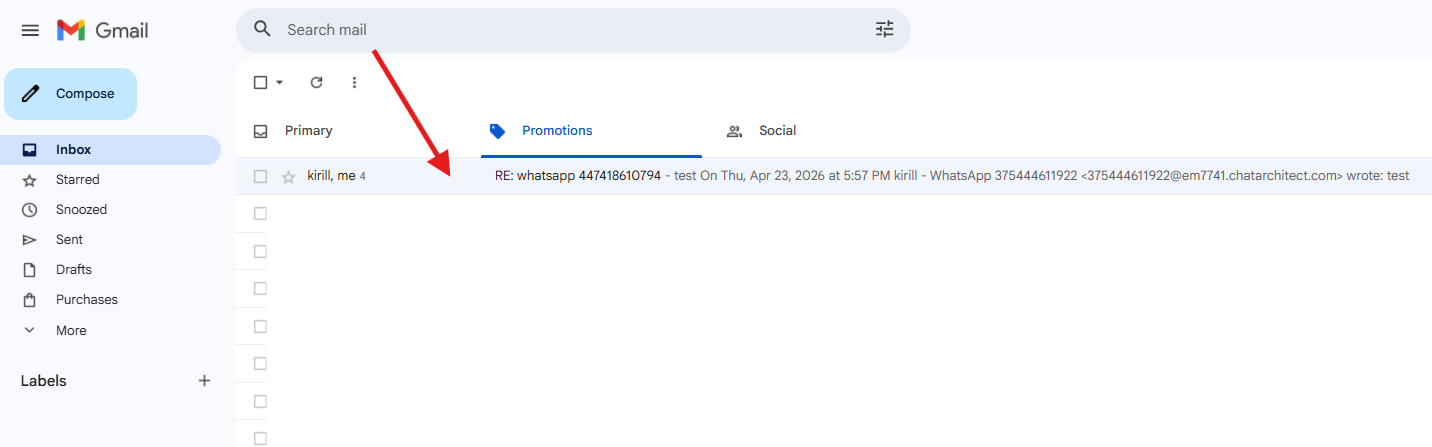
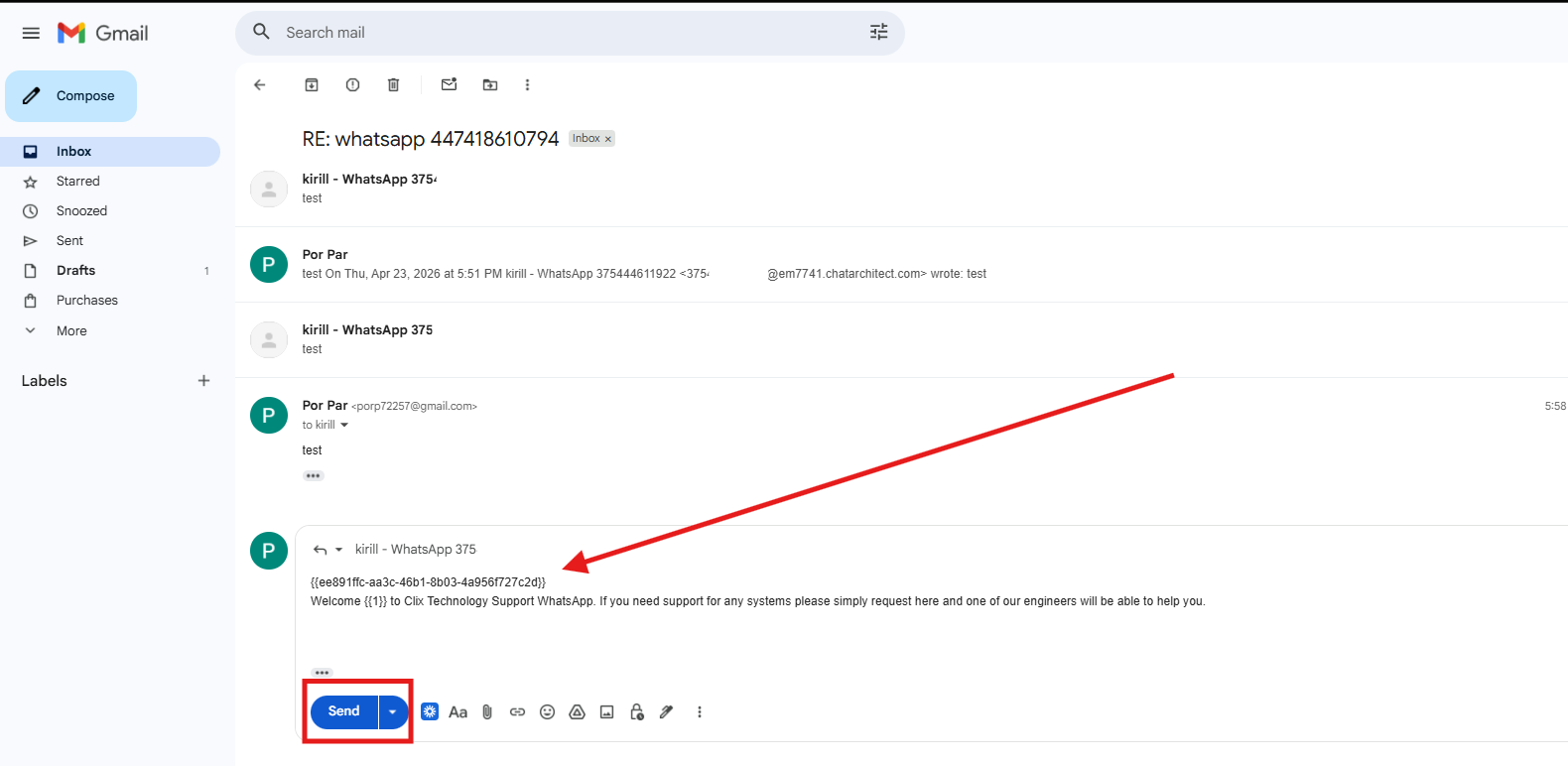
2. After that, go to Email, select the conversation you need to initiate, open it, and paste the template text into the chat thread (including the ID — it is only visible to you; the client will not see it).
How to initiate a dialogue with a client if no prior dialogue exists
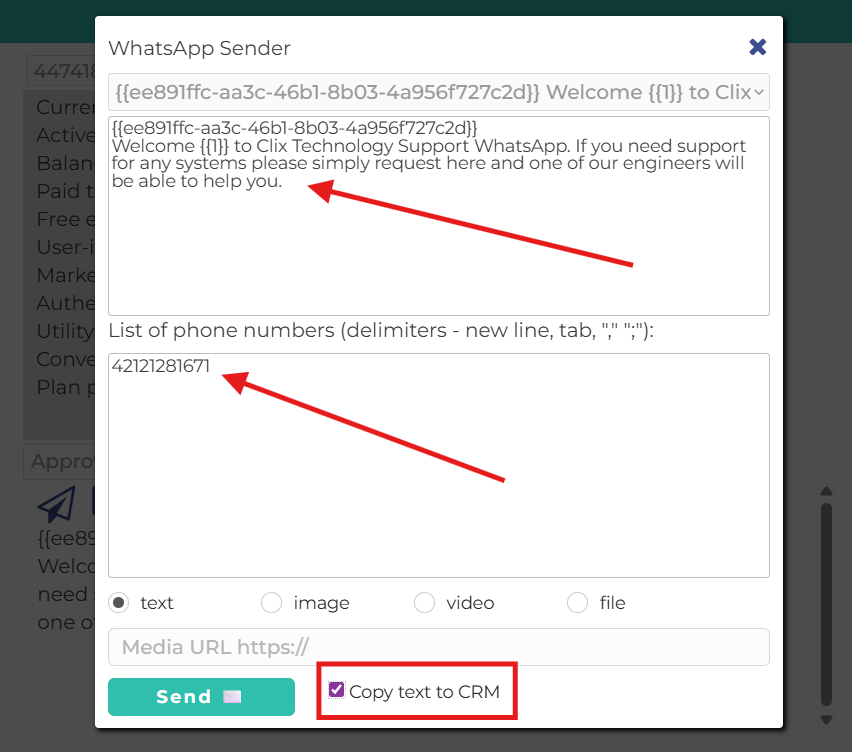
1. First of all, you need to open your personal account https://wtargeted.com/settings and press "Sender" button
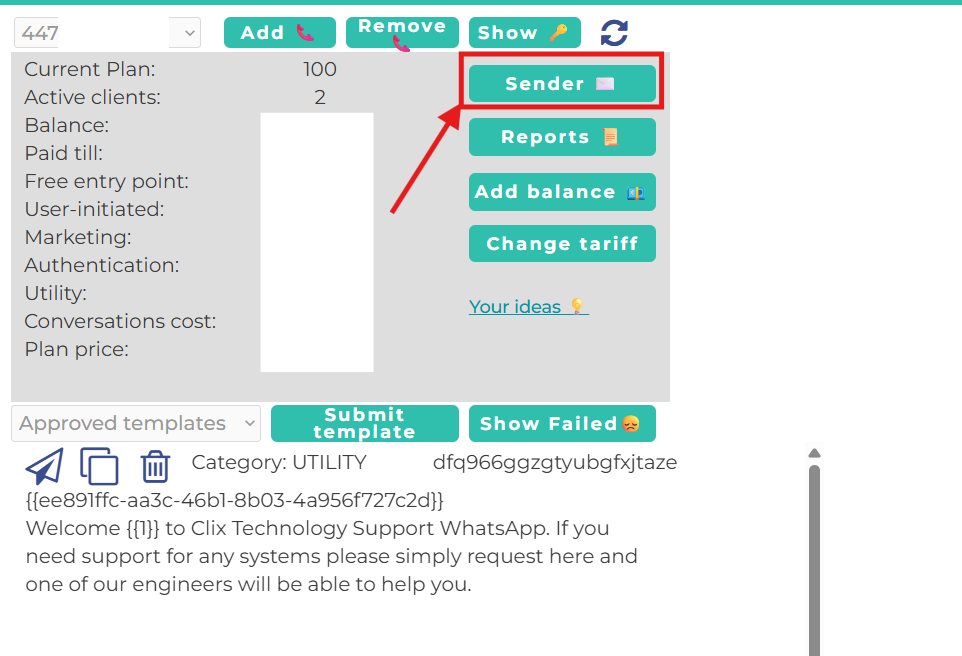
2. In the top field, select the template you want to send.
In the bottom field, enter the client’s number you want to send it to.
Also, check the “Copy text to CRM” option.
No comments to display
No comments to display