
How to add templates for quick sending in Omnidesk
How to add templates for quick sending in Omnidesk
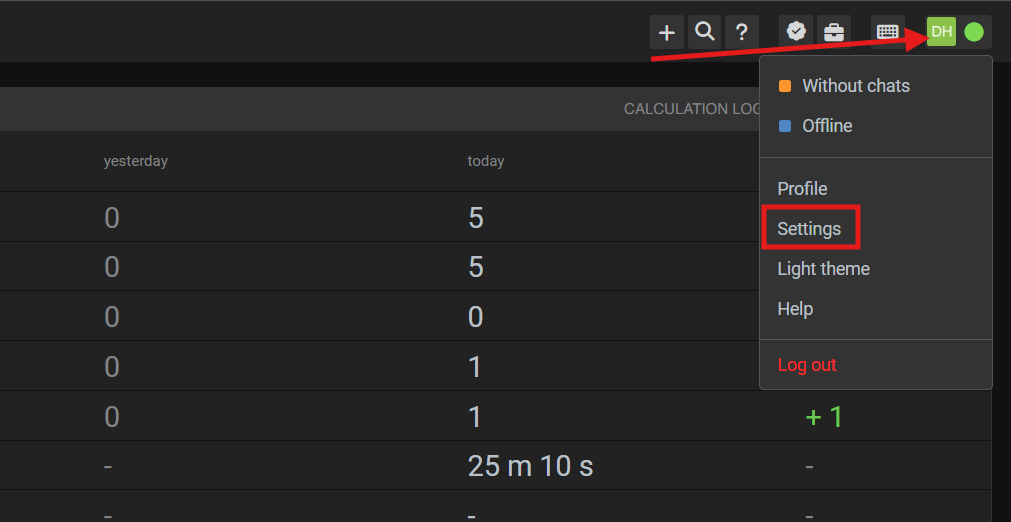
1. First, click on your profile logo in the top-right corner of Omnidesk. Then click “Settings”.
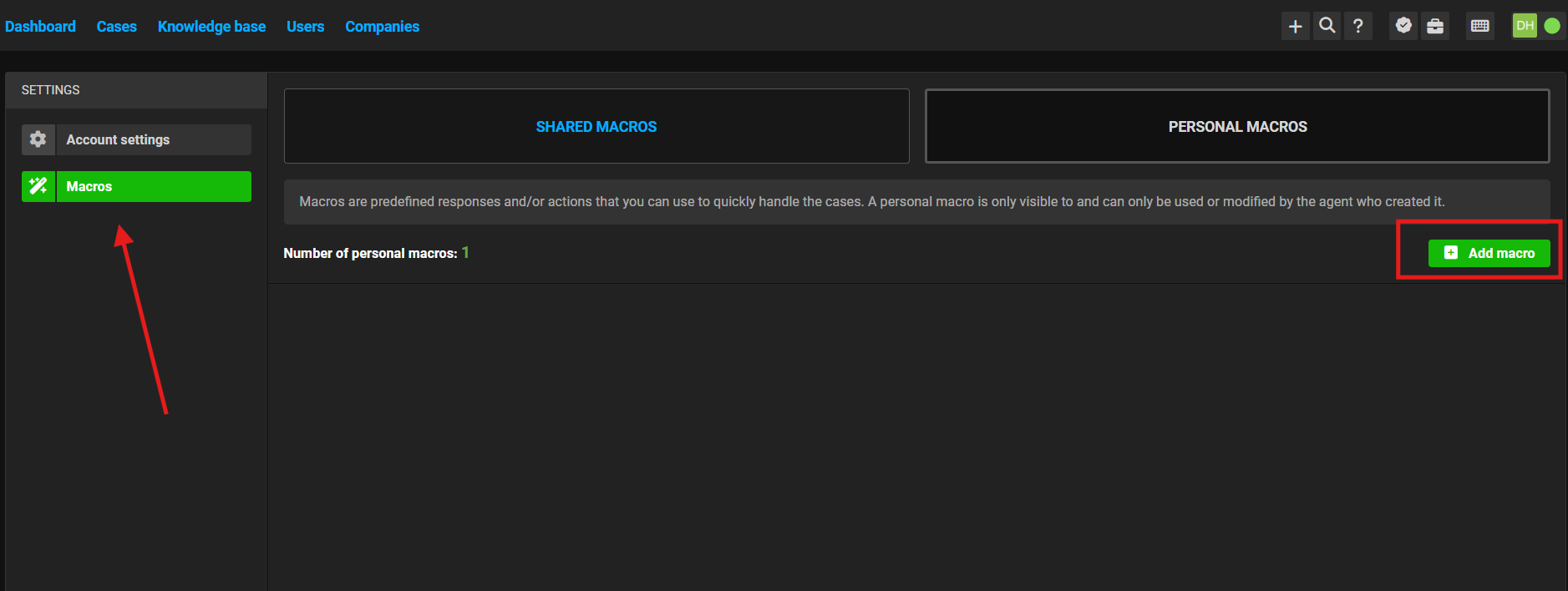
2. Go to the "Macros" -> "Personal macros" - > "Add macro"
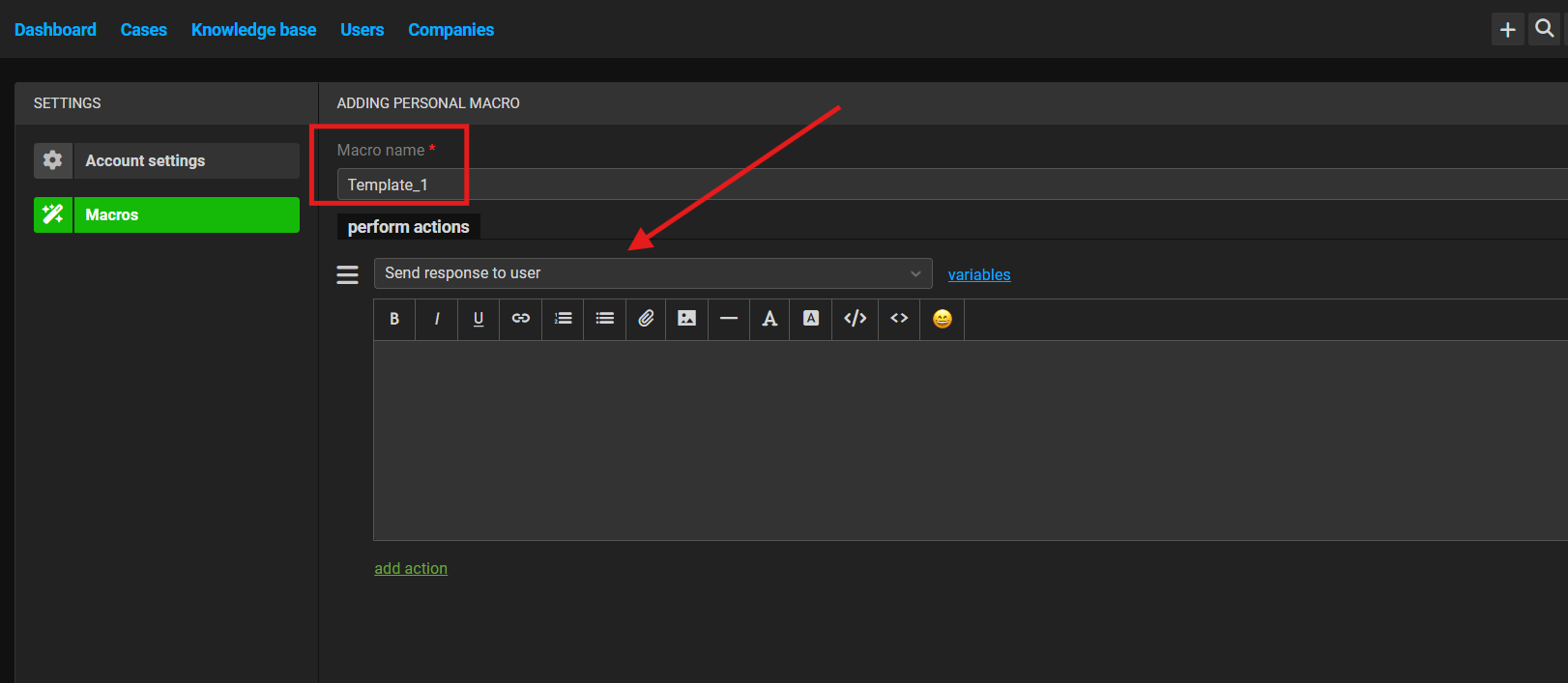
3. Give the template a name so you can easily understand what kind of template it is. In the actions section, select “Send response to user”.
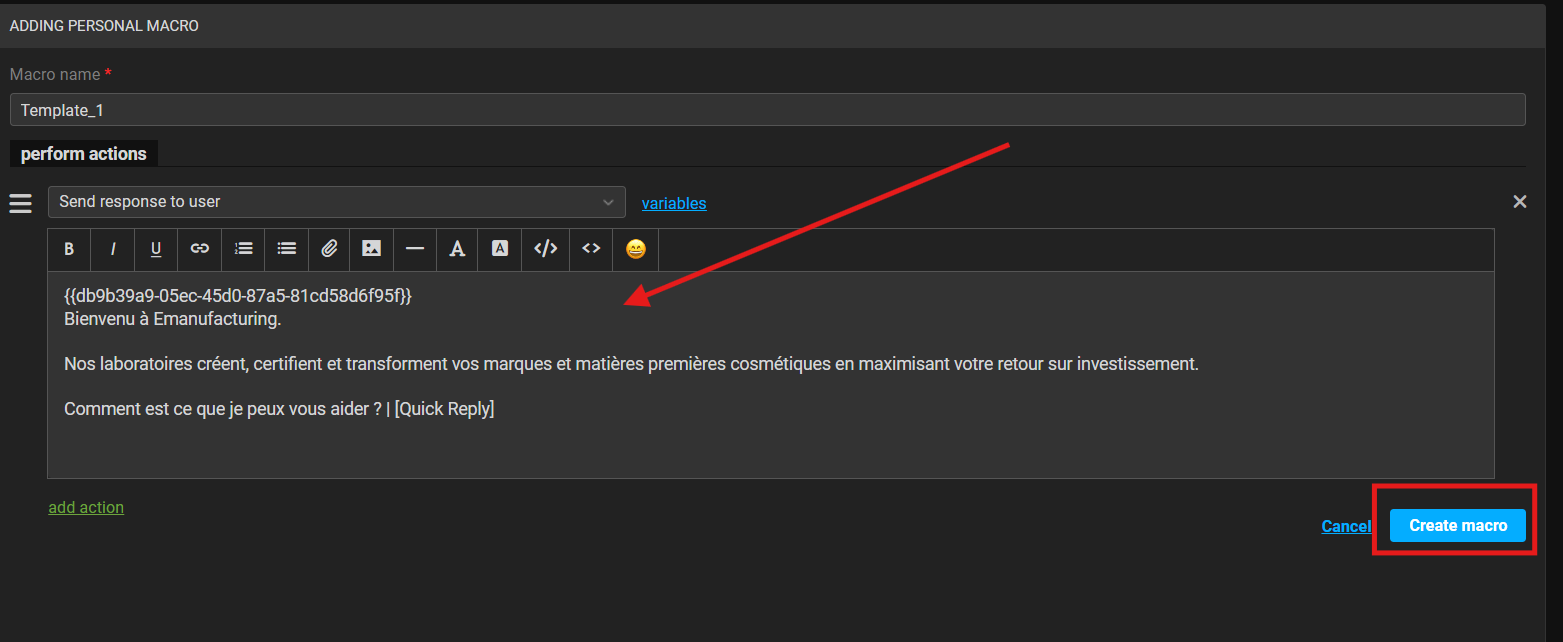
4. Paste the template text together with its ID into the text field. After that press "Create macro"
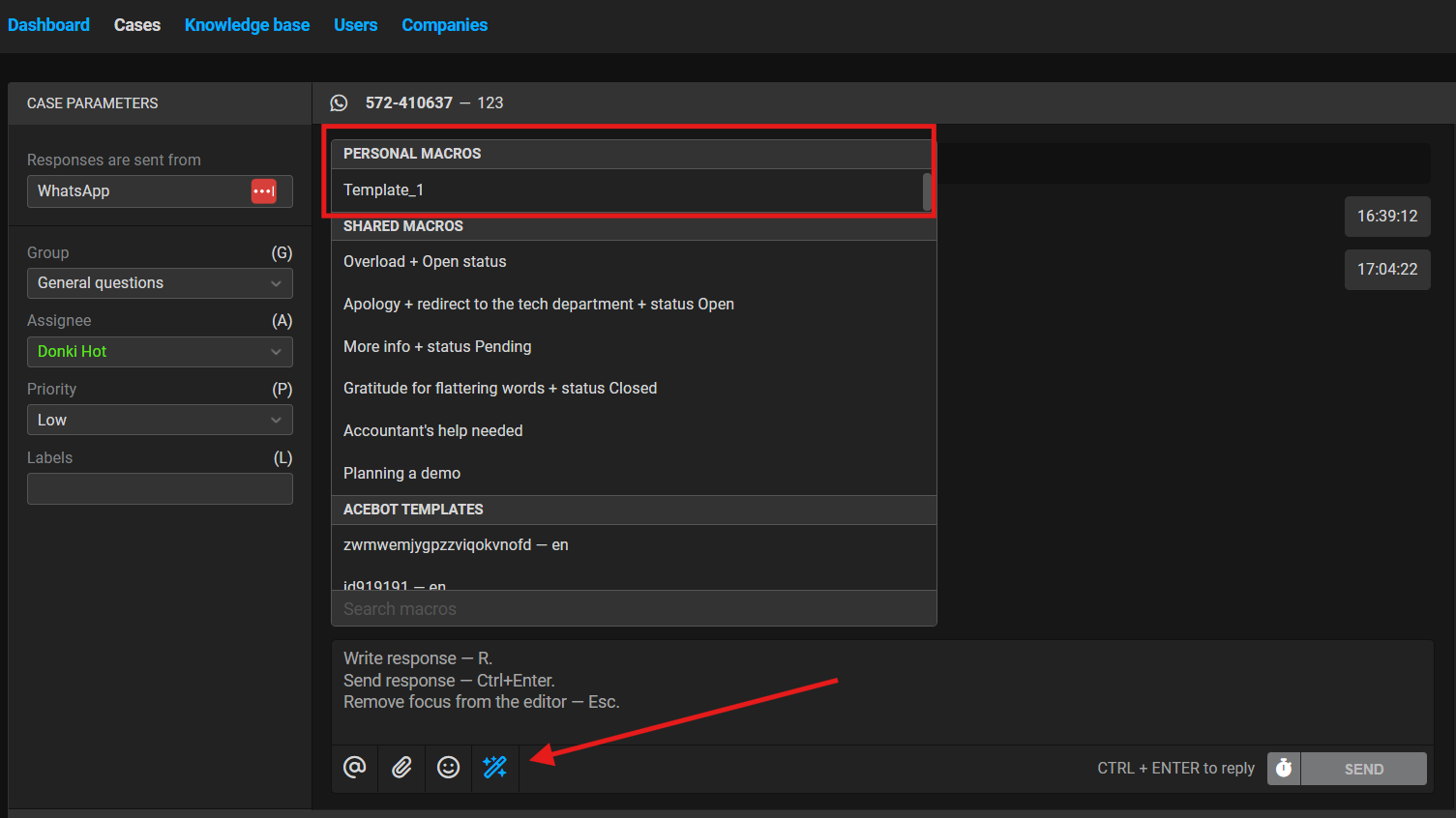
5. After that, go to the chat, click the pencil icon there (indicated by the arrow in the screenshot), and your template will appear in the “Personal macros” section.
Done. Now you know how to add templates to quick replies inside Omnidesk.
No comments to display
No comments to display