
WhatsApp Business API for Zapier: Installation guide
In this guide, you will learn how to install our WhatsApp Business API integration in Zapier.
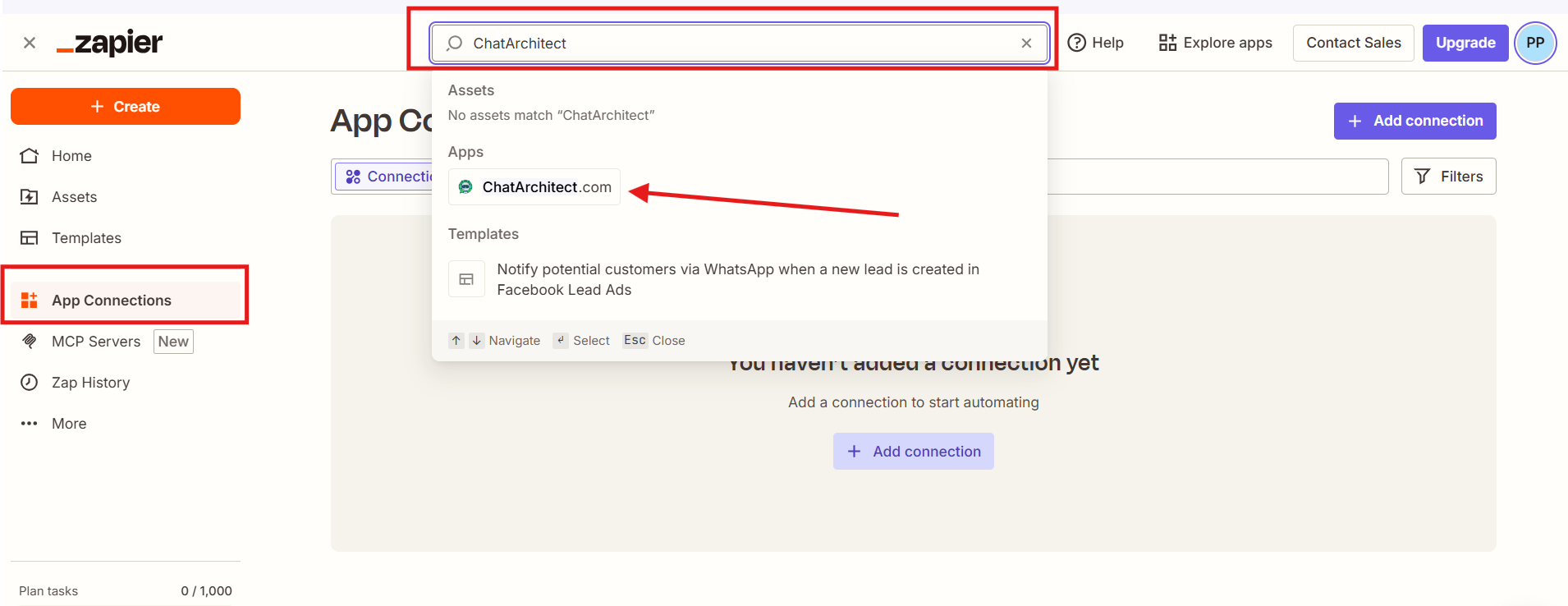
1. Go to the "App Connections" -> in the search field write "ChatArchitect" and choose our app.
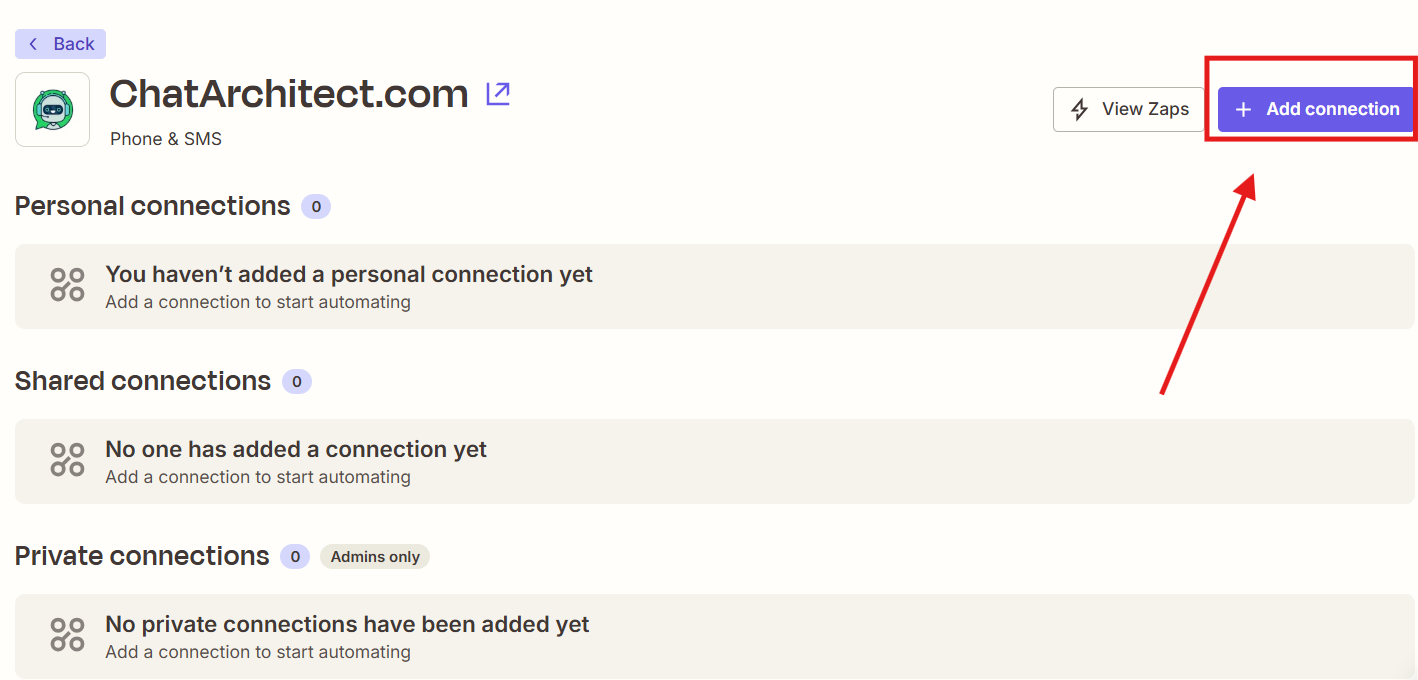
2. Press "Add connection"
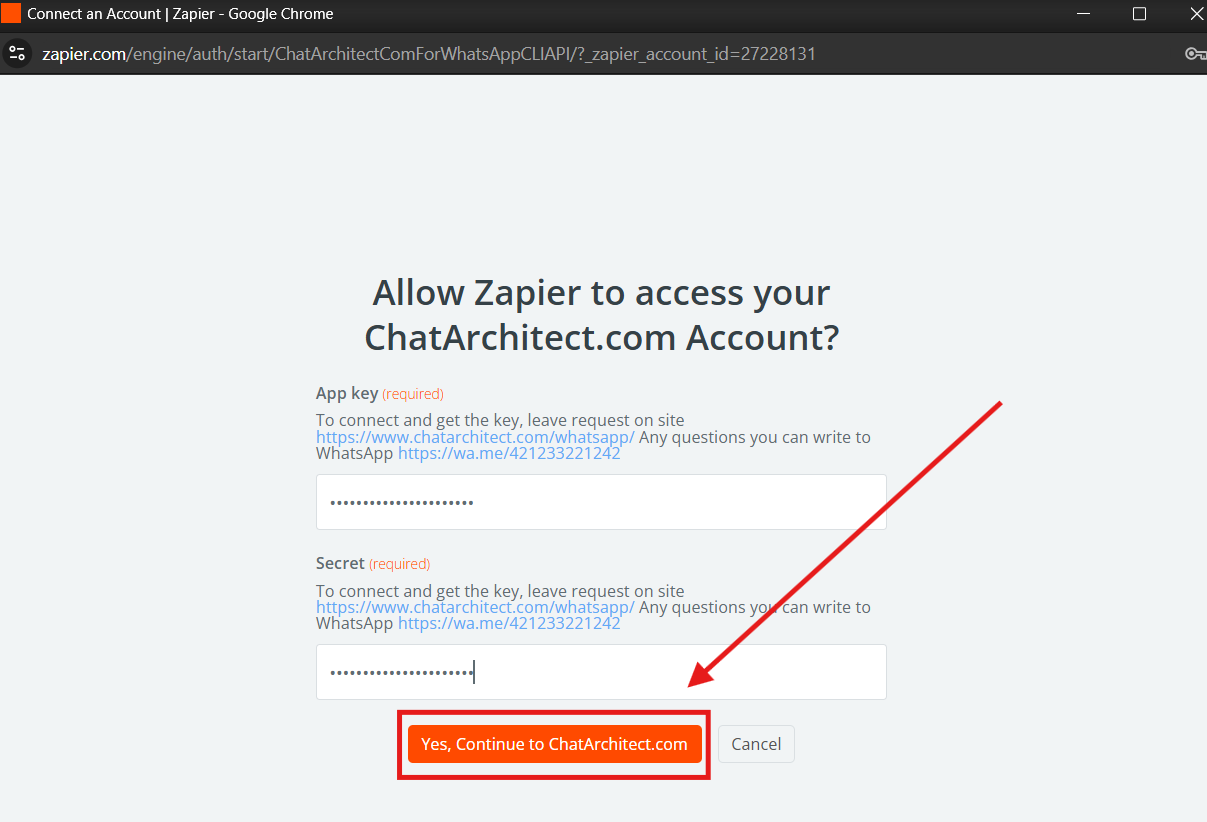
3. Fill in your APP ID and APP SECRET and press "Yes, continue to ChatArchitect.com"
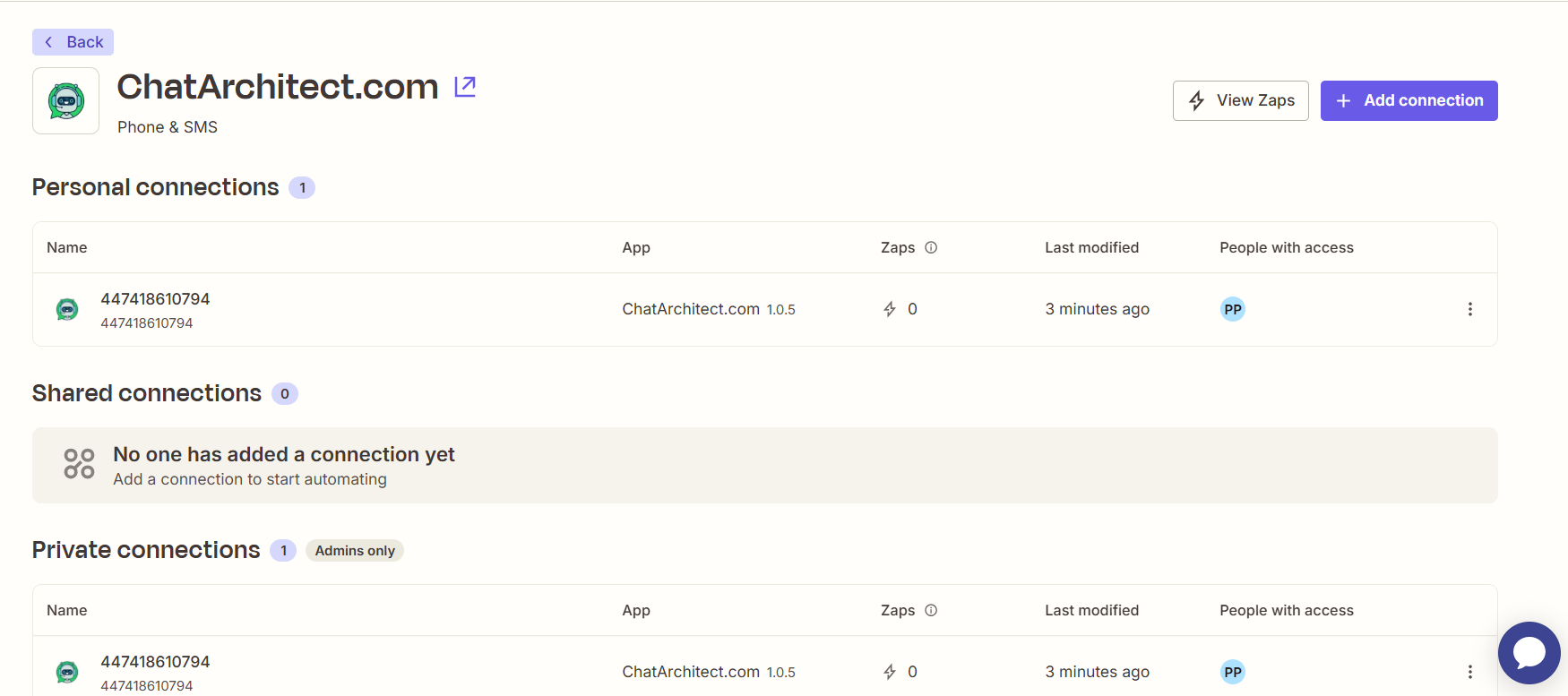
Done. Our integration is now installed in your Zapier.
No comments to display
No comments to display