
Sending messages via bubble.io
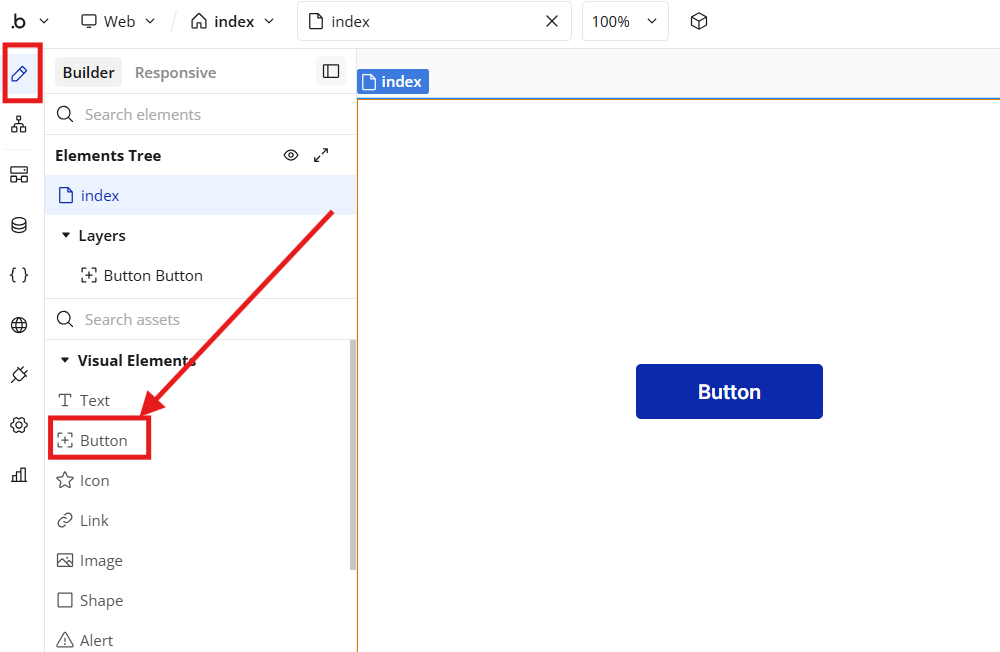
1. First of all, you need to add a "Button"
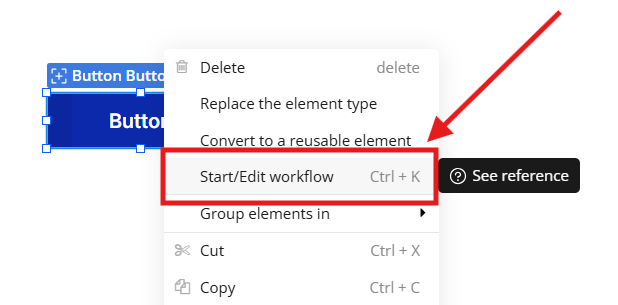
2. Then add "Workflow" to the button (click on the button and click "Start / Edit Workflow")
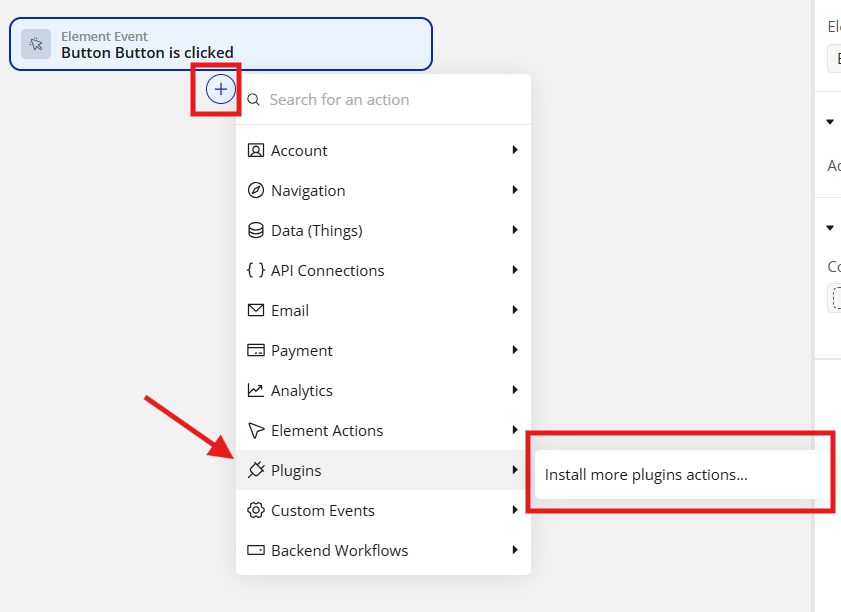
3. Click on the "Plus" -> "Plugins" -> "Install more plugins action"
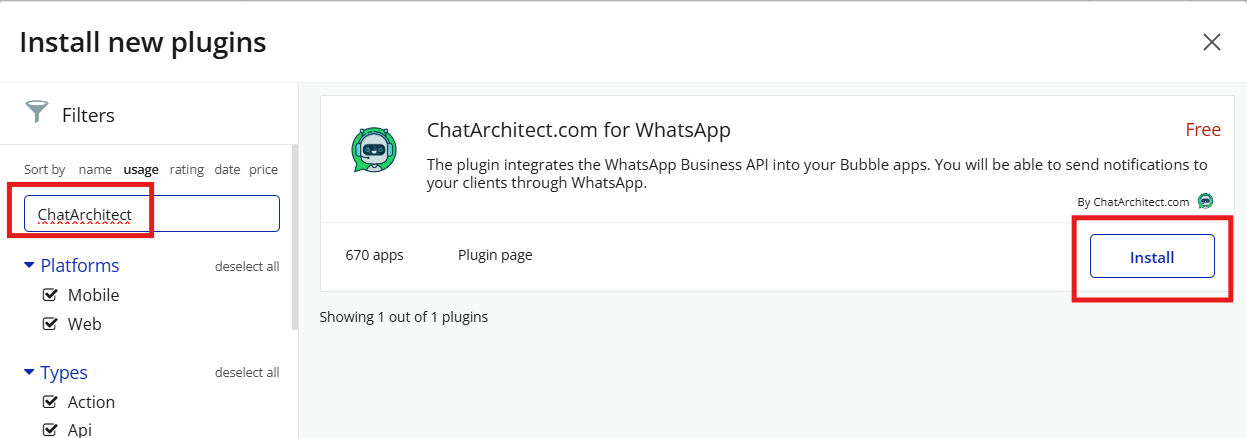
5. Find our integration ChatArchitect.com for WhatsApp and press "Install" (you must first select all filters for the search)
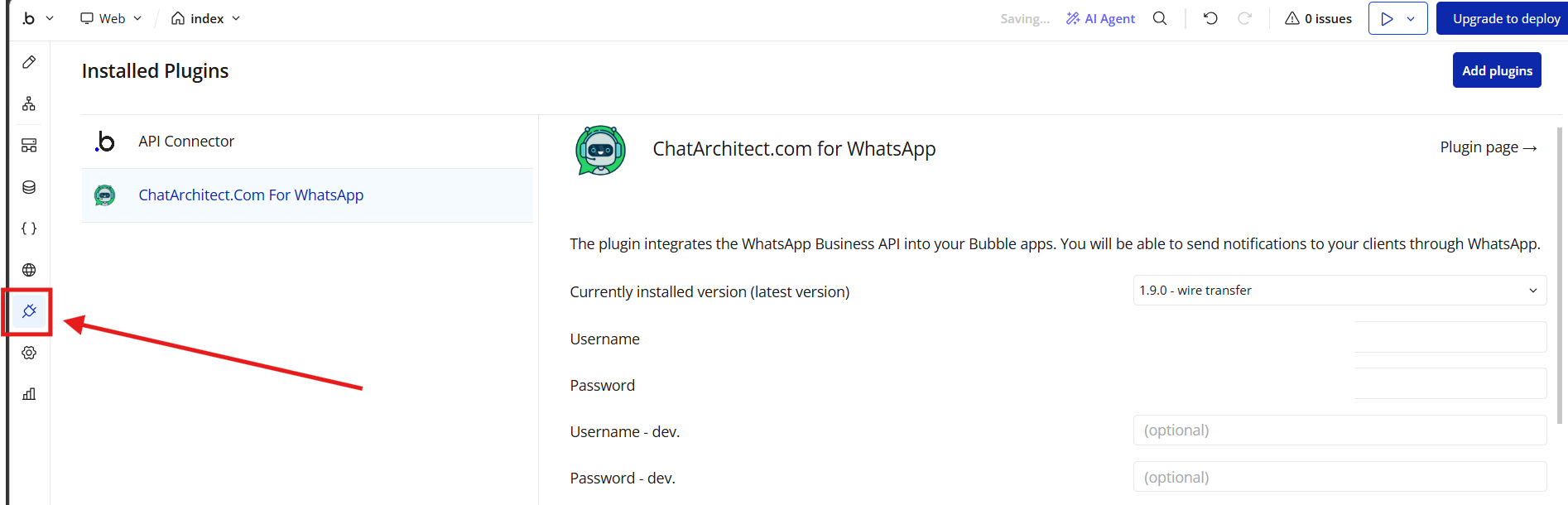
6. After that, go to the "Plugins" tab, in the username field enter your APP ID, in the password field APP SECRET
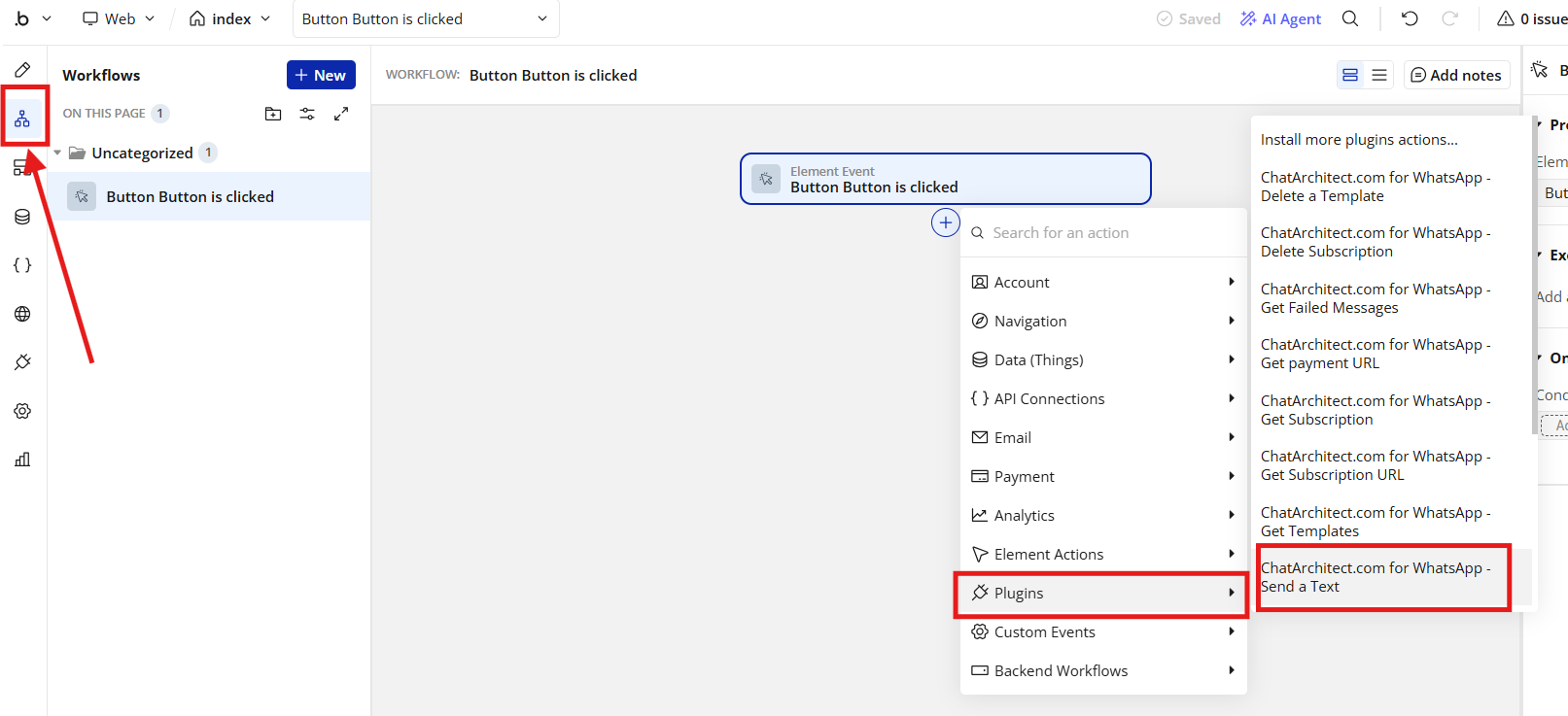
7. Next, return to the "Workflow" tab, click "Click here to add an action" , "Plugins", "Send a text"
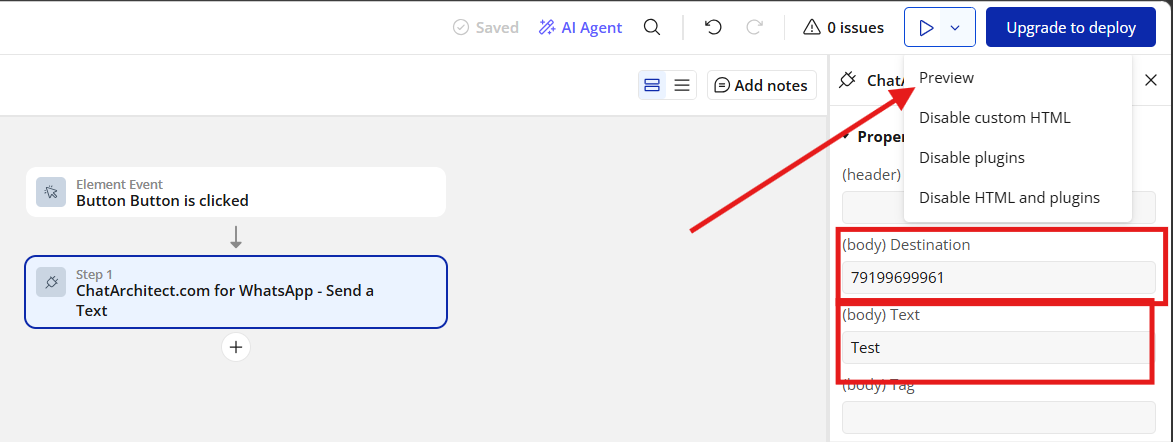
8. Fill in the Destination (receive) and Text fields and click the "Preview" button (top right)
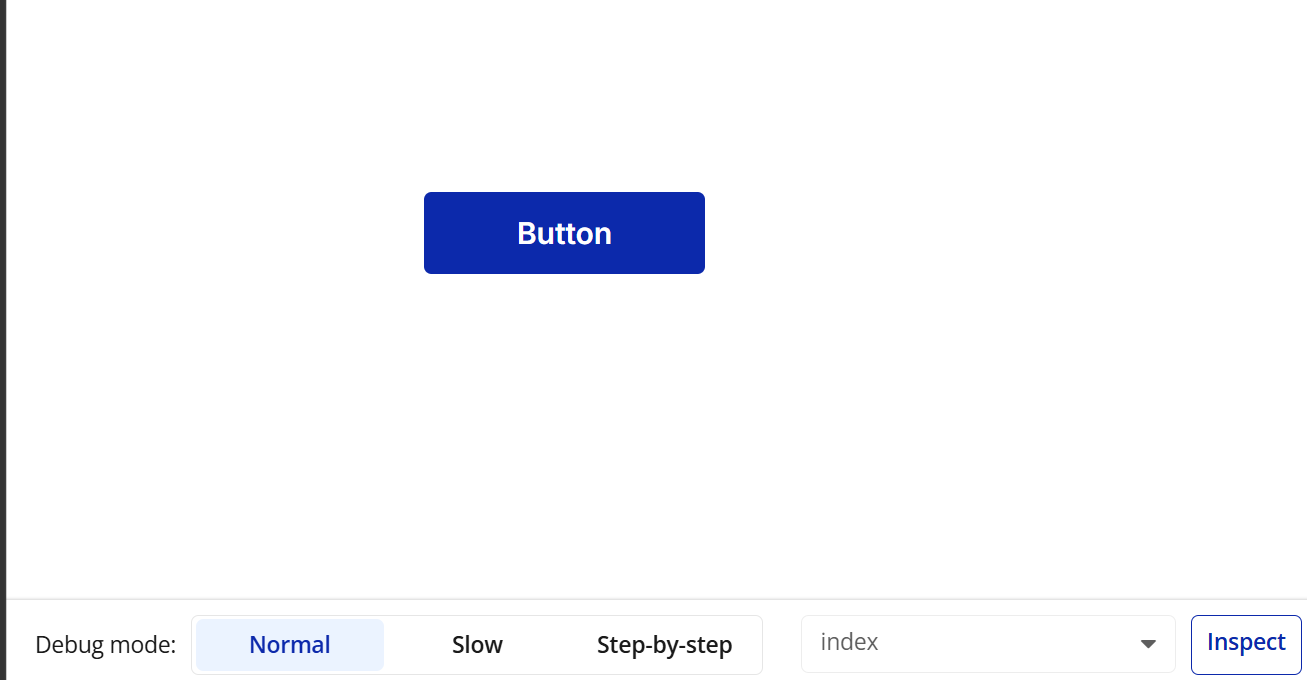
9. After clicking on the "Preview" button, you will be redirected to the page with the button. When pressed, the message will be sent to the entered recipient.
No comments to display
No comments to display