
Getting message delivery statuses in WhatsApp via Albato.com
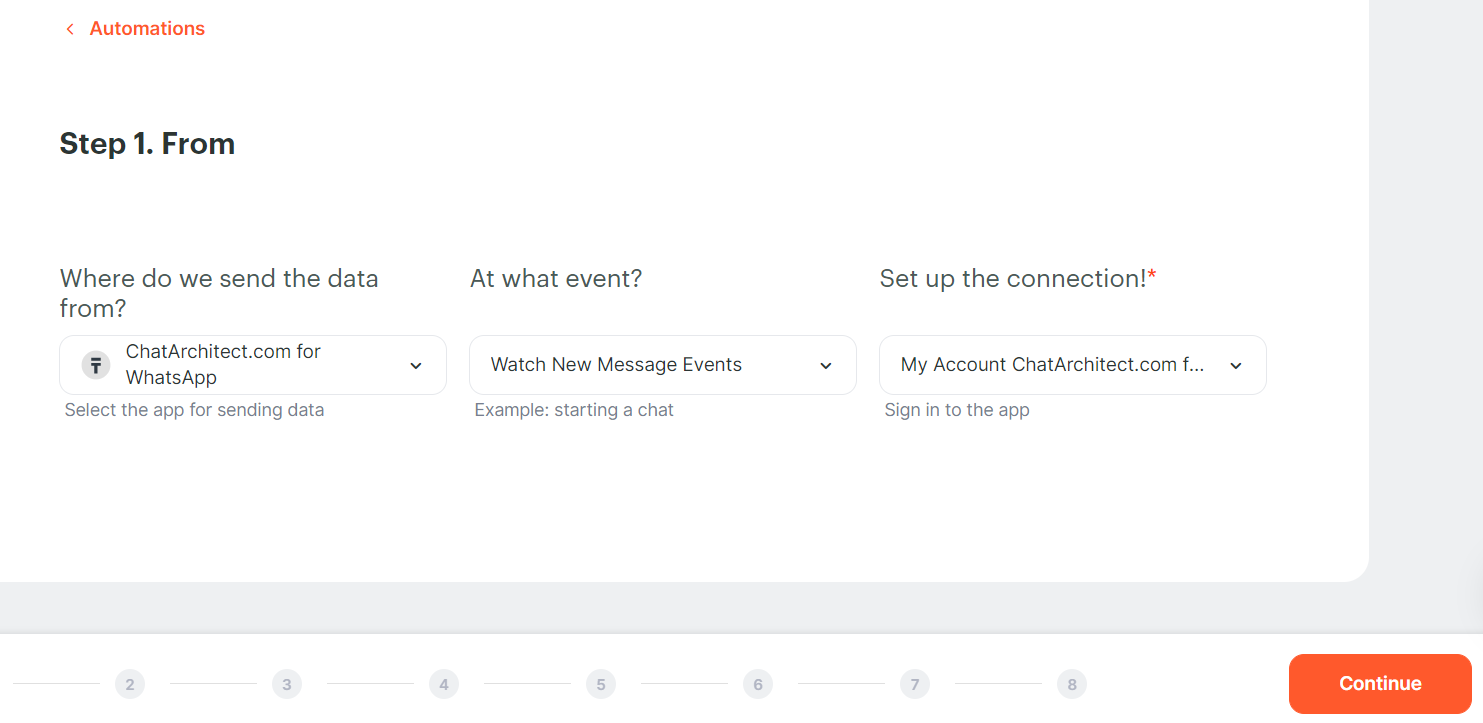
1. At the first stage, we add our application ChatArchitect.com for WhatsApp, Event - Watch New Message Events.
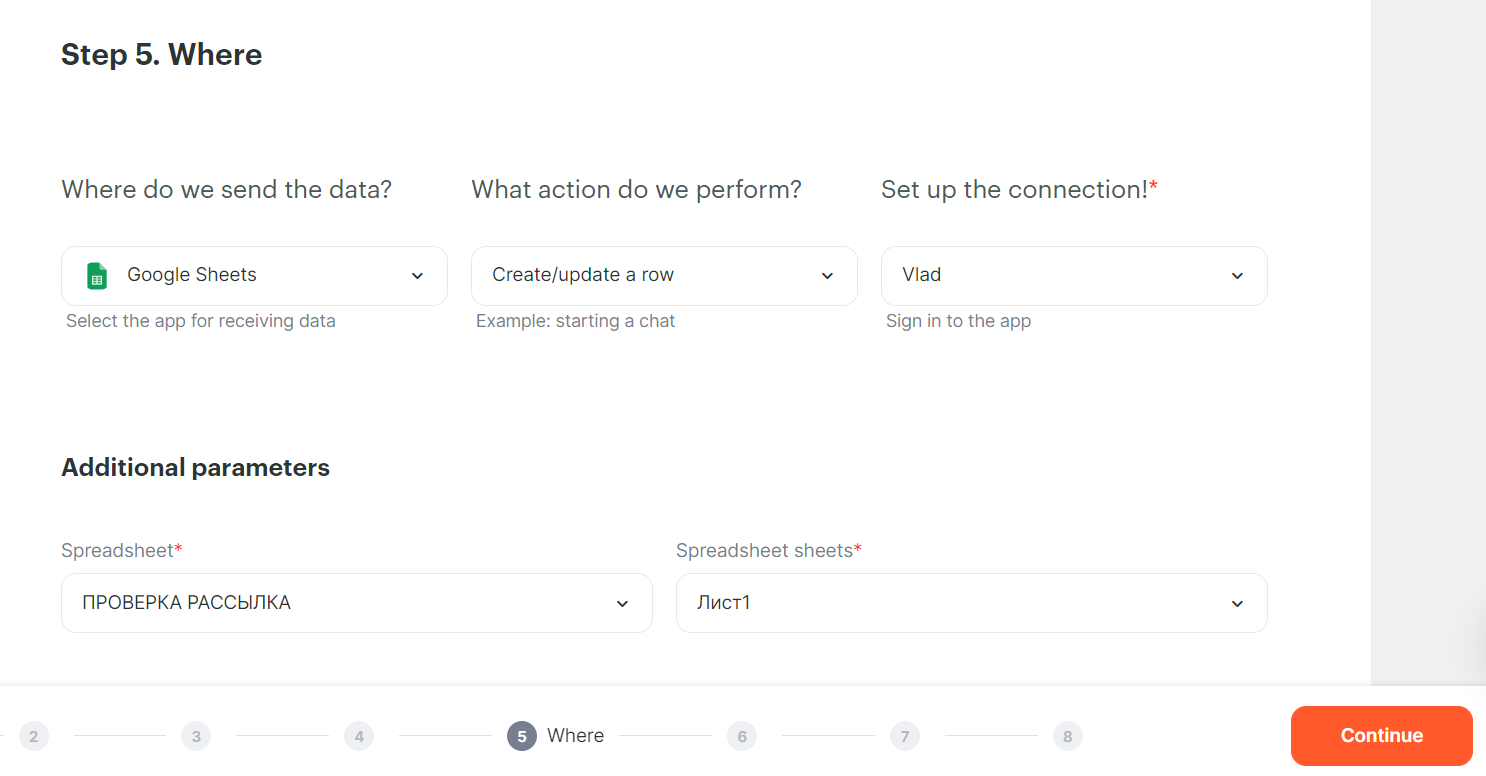
2. Next, add your Google account, action - Create / update a row
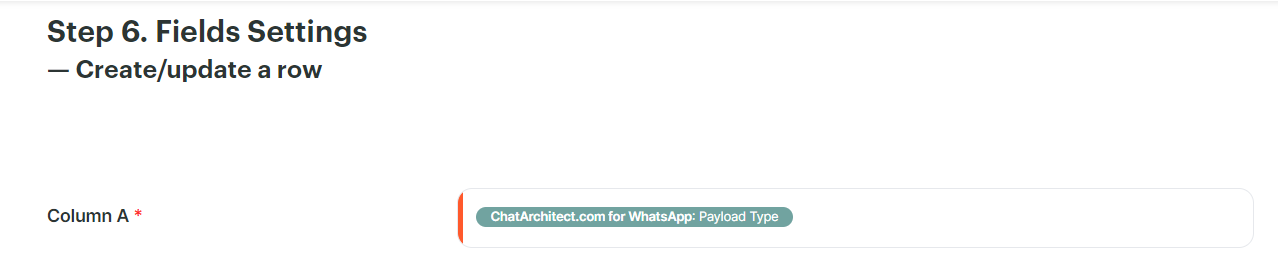
3. In column A we set the Payload Type. After that, you can run the trigger and start mailing.
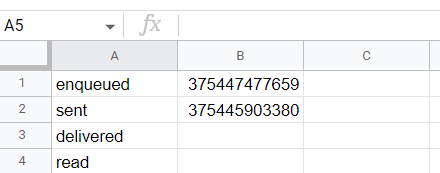
4. In the table it will look like this:
No comments to display
No comments to display