
Display names | Developer Documentation
Display names
Updated: Mar 24, 2026
You must provide a display name when registering a business phone number. The display name appears in your business phone number's WhatsApp profile:
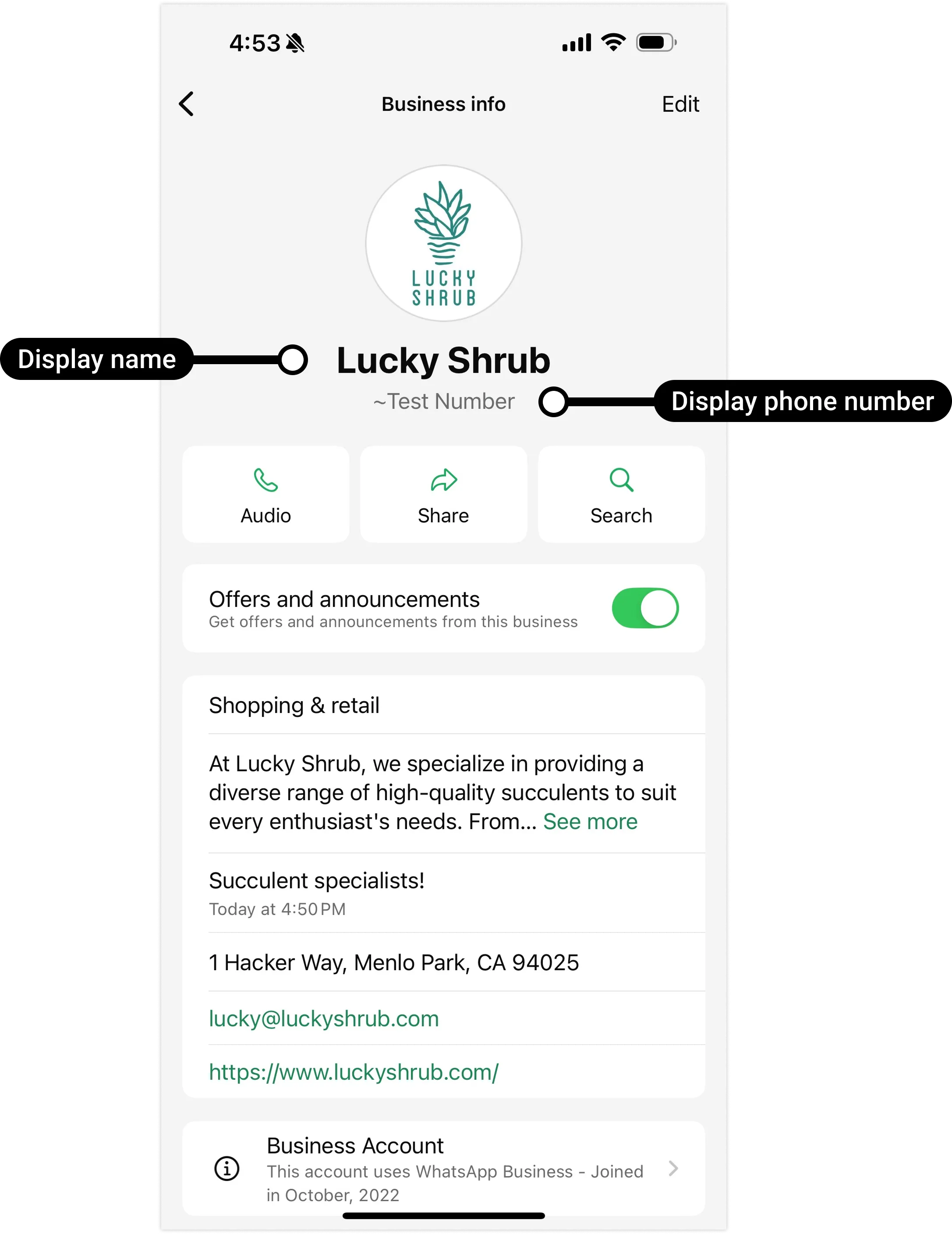
It can also appear at the top of individual chat threads and the chat list if your business phone number is approved via display name verification. Note that if a WhatsApp user edits your profile name in the WhatsApp client, the name they set will appear instead.
Display name guidelines
See our Display name guidelines for the WhatsApp Business Platform? Help Center article for naming guidelines.
Display name verification
When you reach a higher messaging limit, your business phone number's display name automatically undergoes verification based on the display name guidelines?. When the process completes, a phone_number_name_update webhook and Meta Business Suite notification are triggered.
If your display name is approved, the webhook has
decision set to APPROVED, and the name_status field on your business phone number is set to APPROVED.If your display name is rejected, the webhook has
decision set to REJECTED, and the name_status field on your business phone number is set to DECLINED. Review the display name guidelines? and edit your display name? accordingly, or file an appeal via Developer Support or Enterprise Developer Support.View display name in WhatsApp Manager
Your business phone number's display name appears in the Name column in the WhatsApp Manager? > Account tools > Phone numbers panel.
Learn more
The following Help Center articles provide additional information about display names.