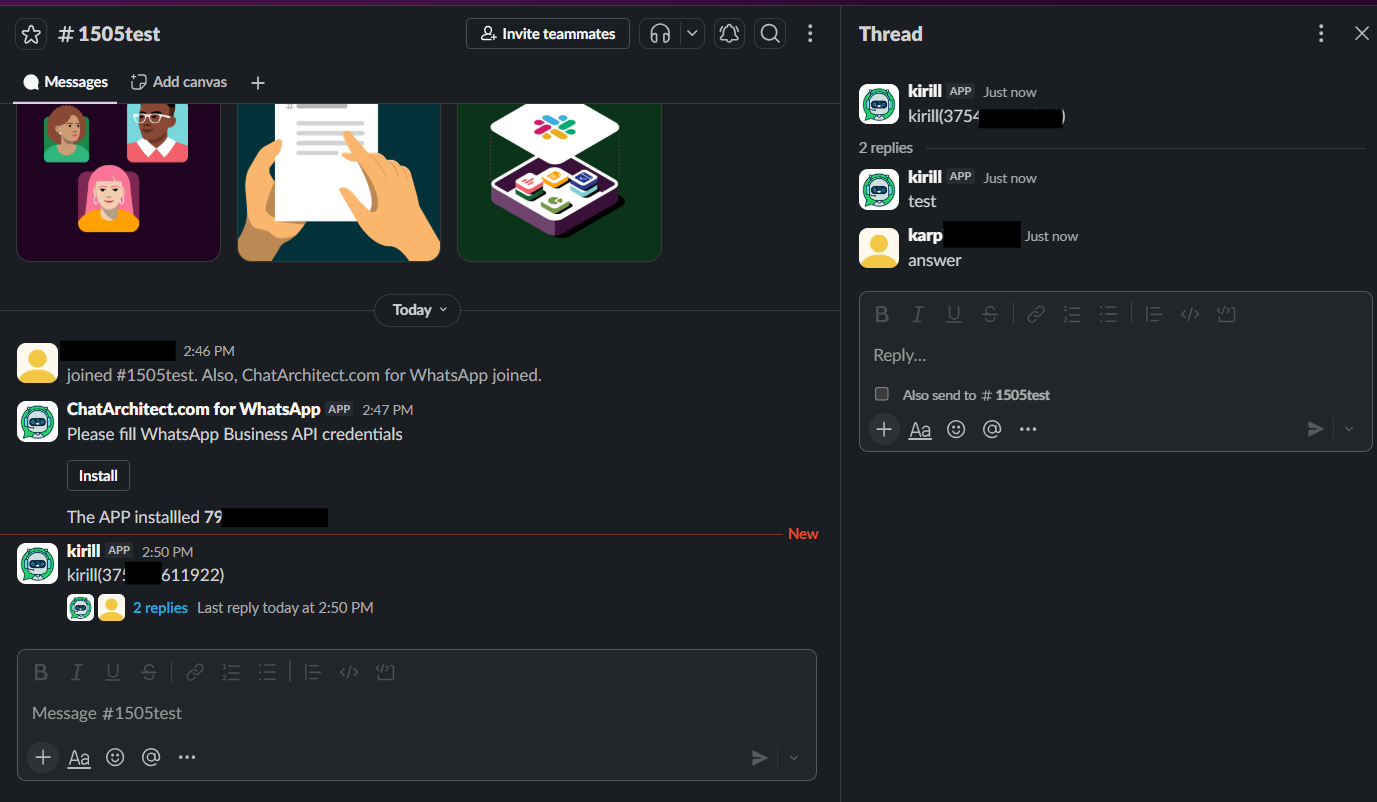
WhatsApp initial configuration for Slack
Step by step instruction
1. INSTALLInstall THEour APP,app. useUse the button "Add to Slack" on the website
https://www.chatarchitect.com/slack/product/whatsapp-and-slack-integration

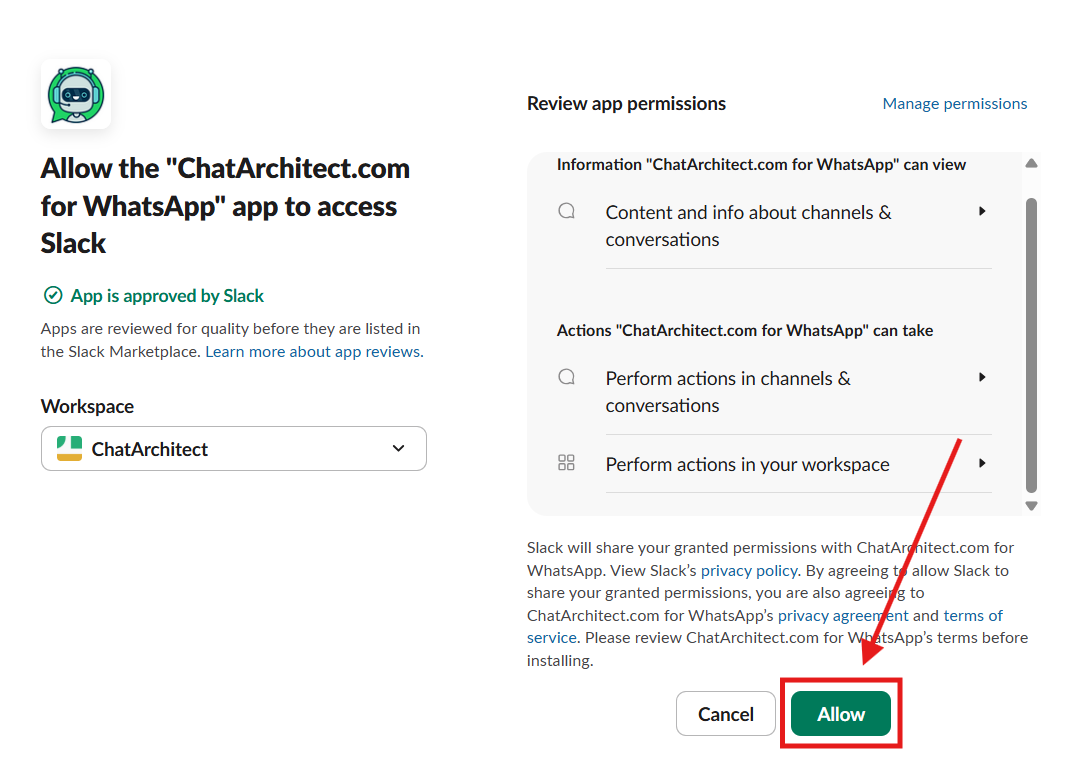
2. Press "Allow"Allow"

2. ADDNow THEyou APPneed TOto SLACKadd CHANNELthe app to the channel where you want to use
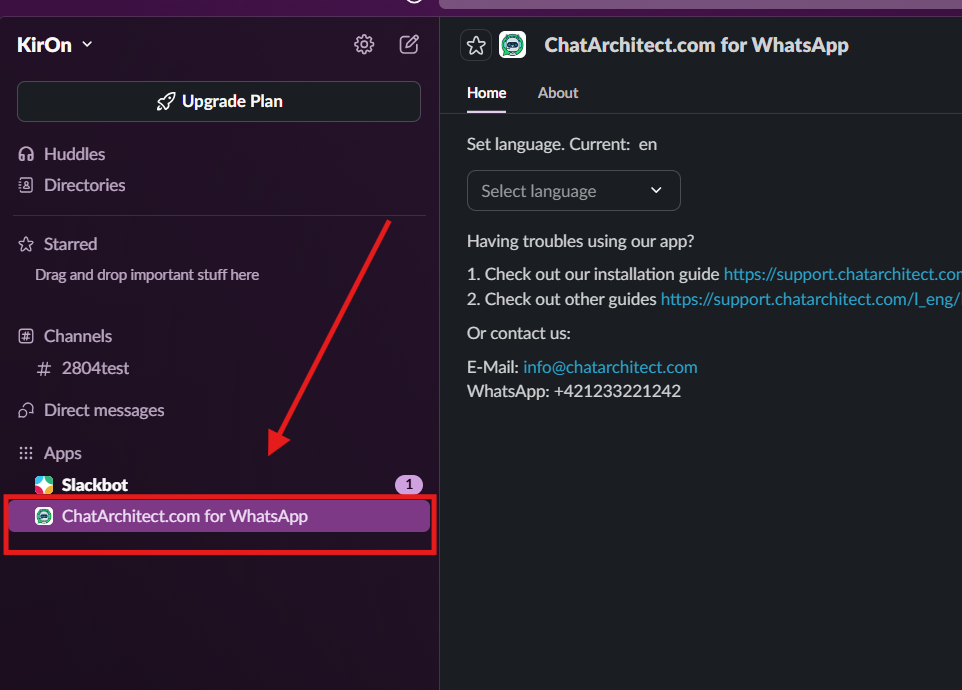
Go to yourthe "Apps"
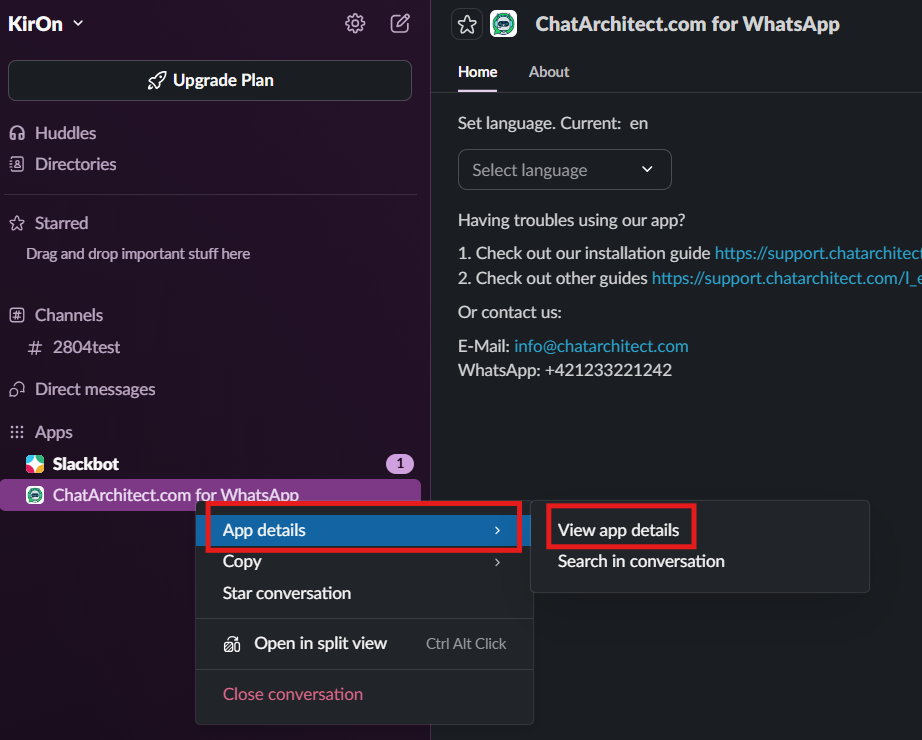
3. Choose "ChatArchitect.com for WhatsApp" - > "App details" - > "View app details"

3. Search our app ChatArchitect.comuse and press "Add"Add"
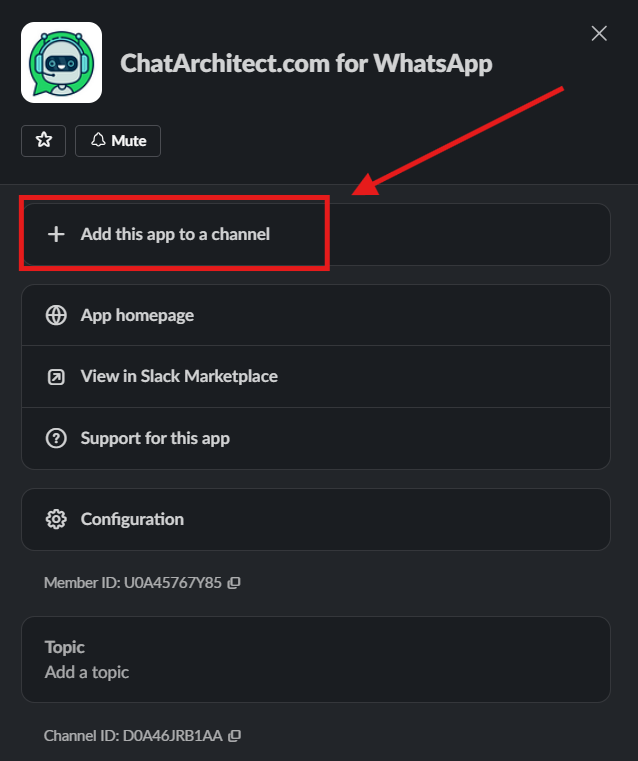

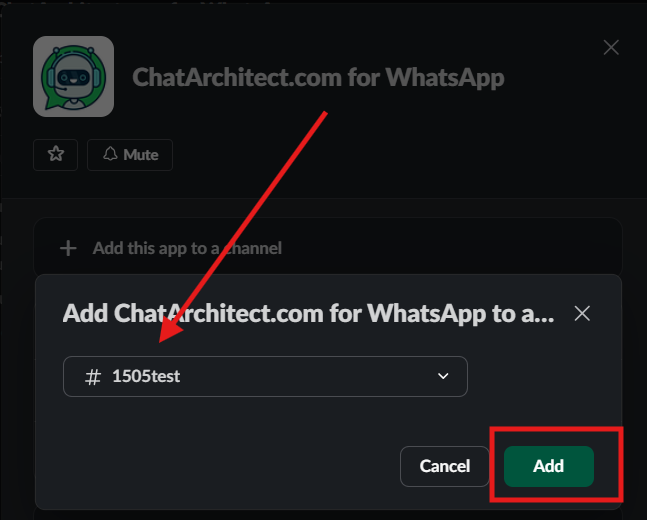
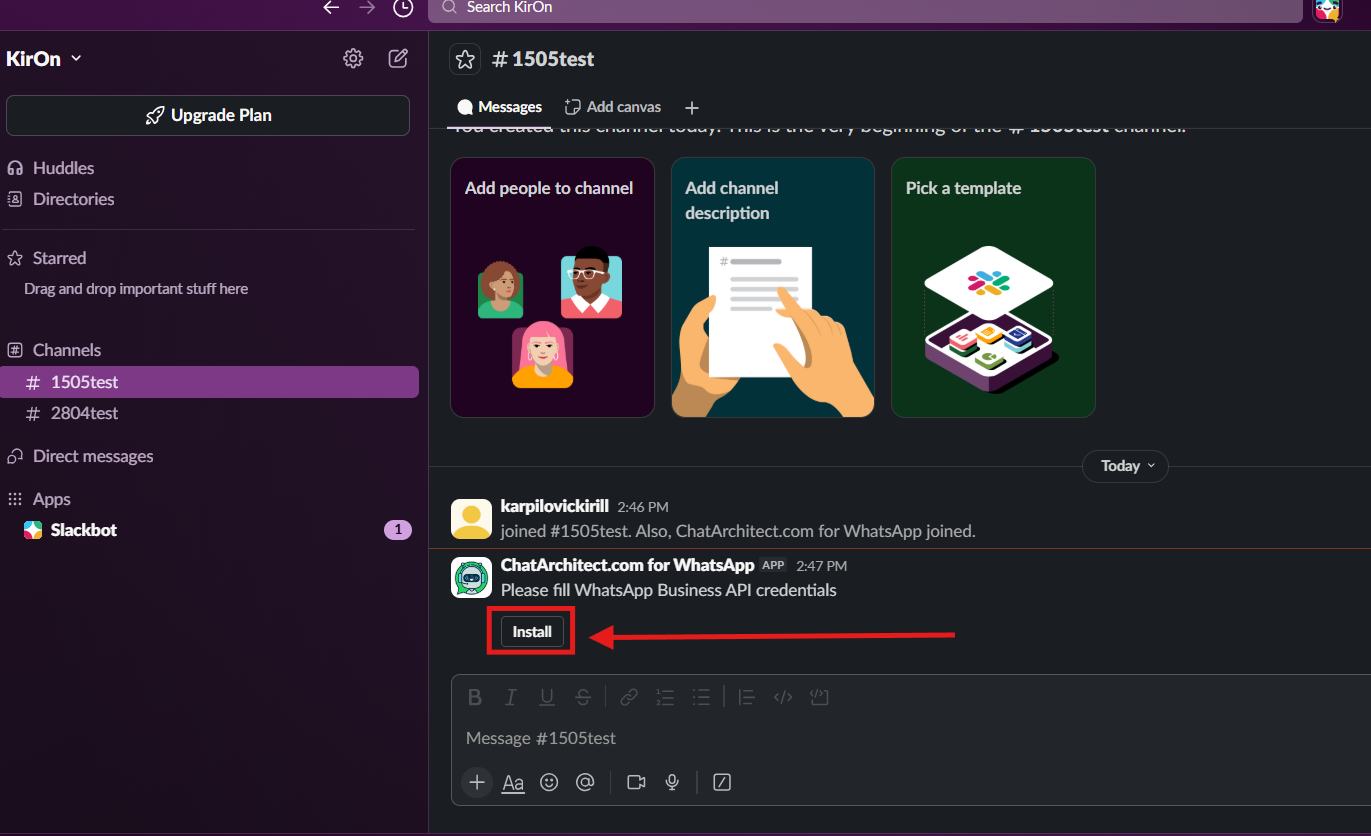
4.5. PressNow installyou need to open this channel and thenpress enter"Install" button and fill in your appAPP ID and appAPP secretNowSECRET
you should have our application in the chat window

5. Write to the newyour WhatsApp Business API number from your personal WhatsApp mobile