
Template Library | Developer Documentation
Template Library
Updated: Nov 14, 2025
Template Library makes it faster and easier for businesses to create utility templates for common use cases, like payment reminders, delivery updates - and authentication templates for common identity verification use cases.
These pre-written templates have already been categorized as utility or authentication. Library templates contain fixed content that cannot be edited and parameters you can adapt for business or user-specific information.
You can browse and create templates using Template Library in WhatsApp Manager, or programmatically via the API.
Creating Templates via WhatsApp Manager (WAM)
Follow the instructions below to create templates using the Template Library in WhatsApp Manager?.
1: In the sidebar of WAM, under Message Templates, select Create Template.
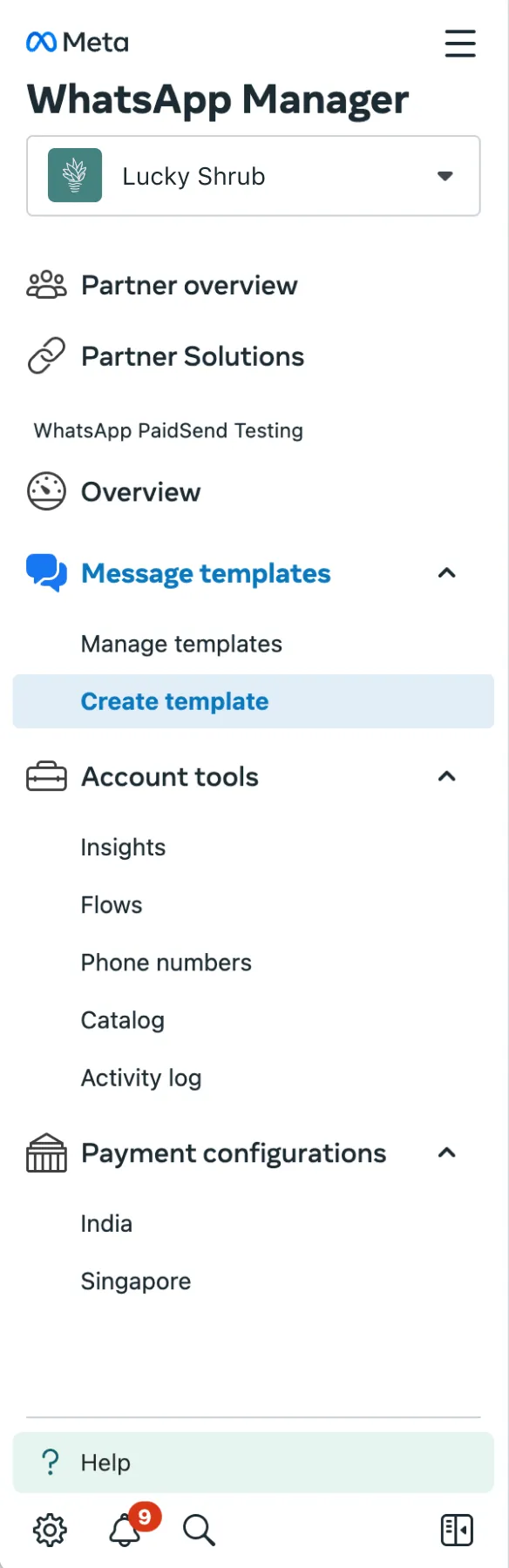
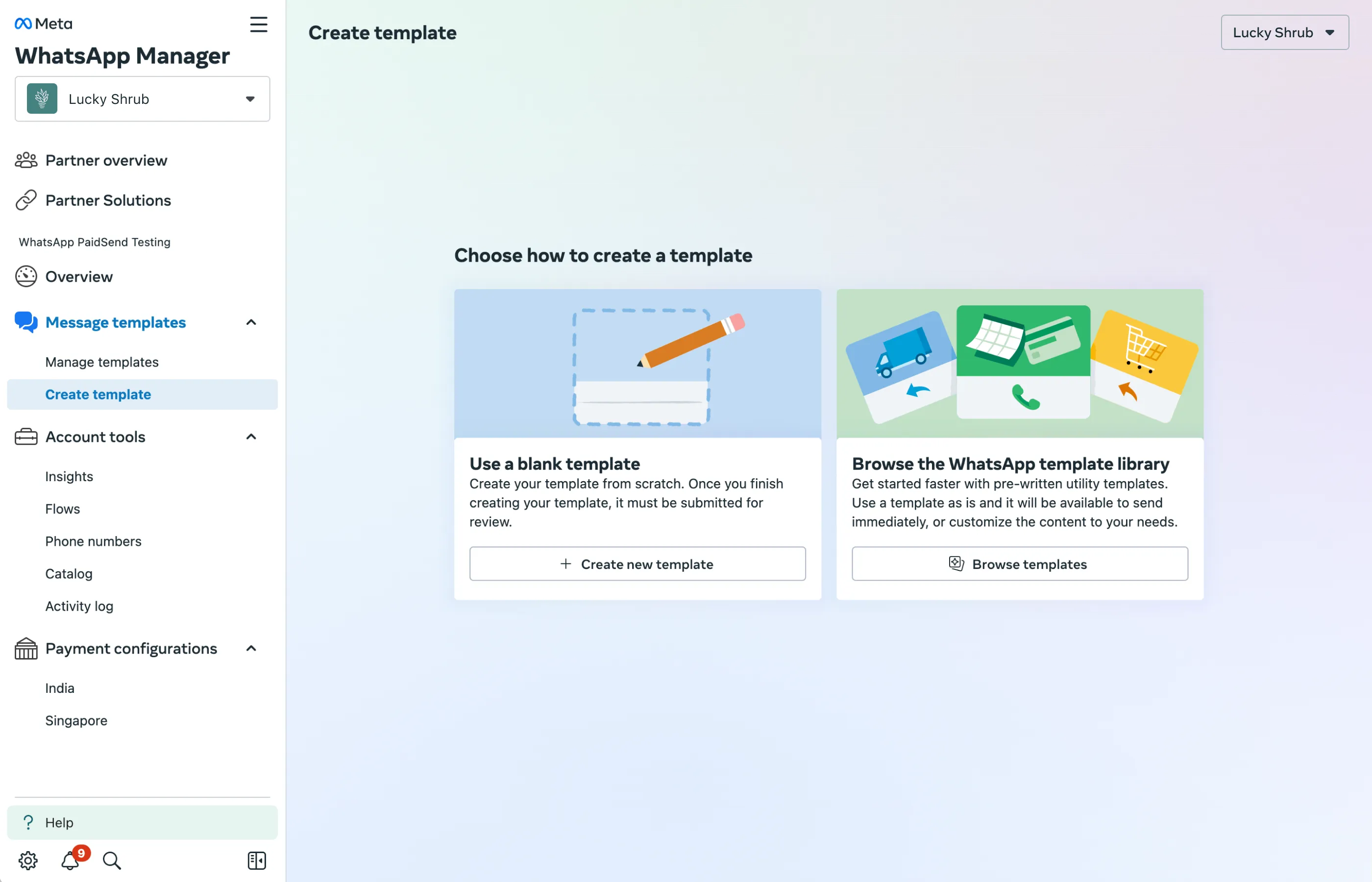
2: Under Browse the WhatsApp Template Library, select Browse Templates.
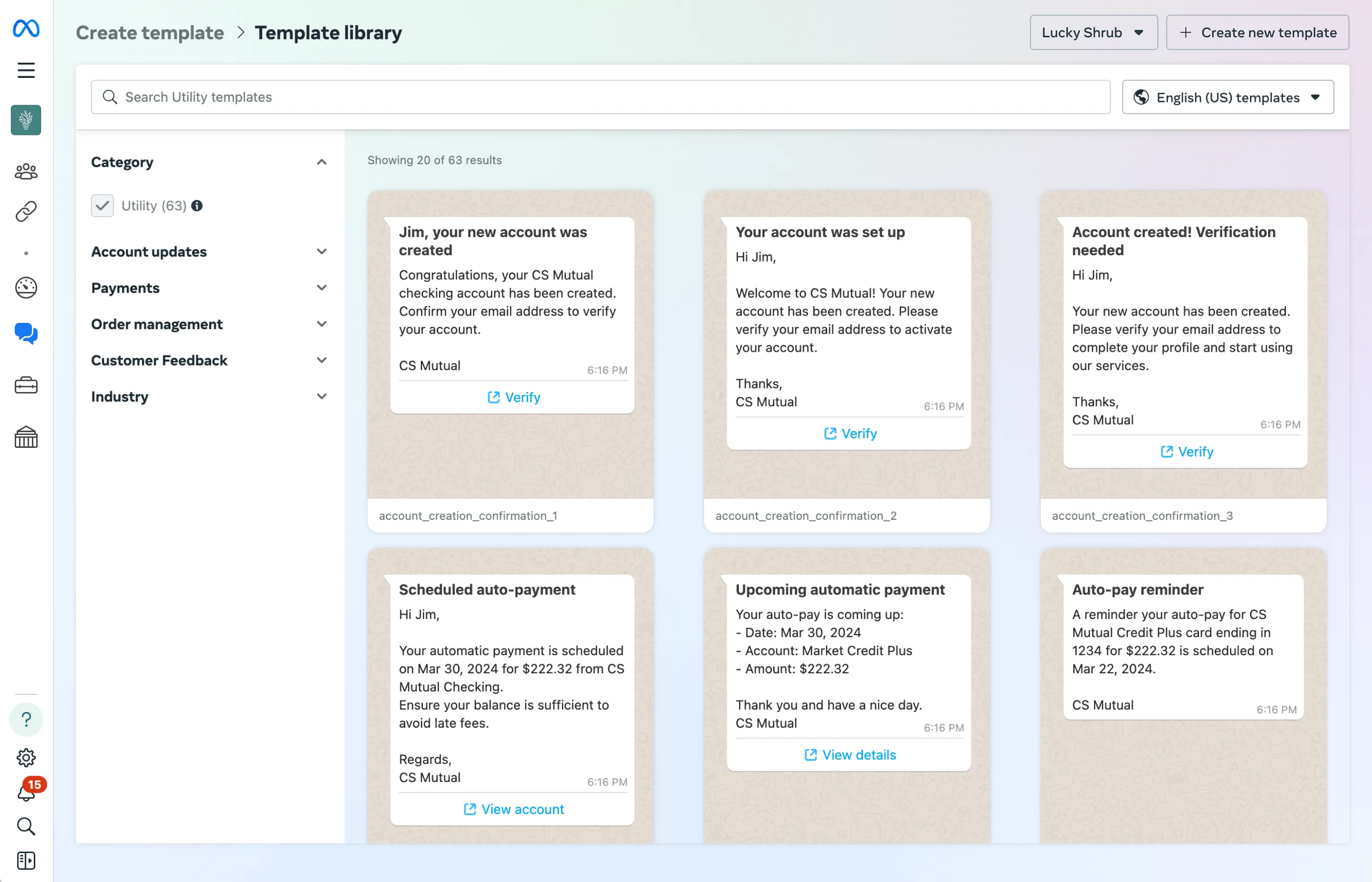
3: You will now see all currently available templates. Use the search bar to search by topic or use case, or use the dropdown options on the sidebar to filter the results.
Note that hovering over a template will show you its parameter values.
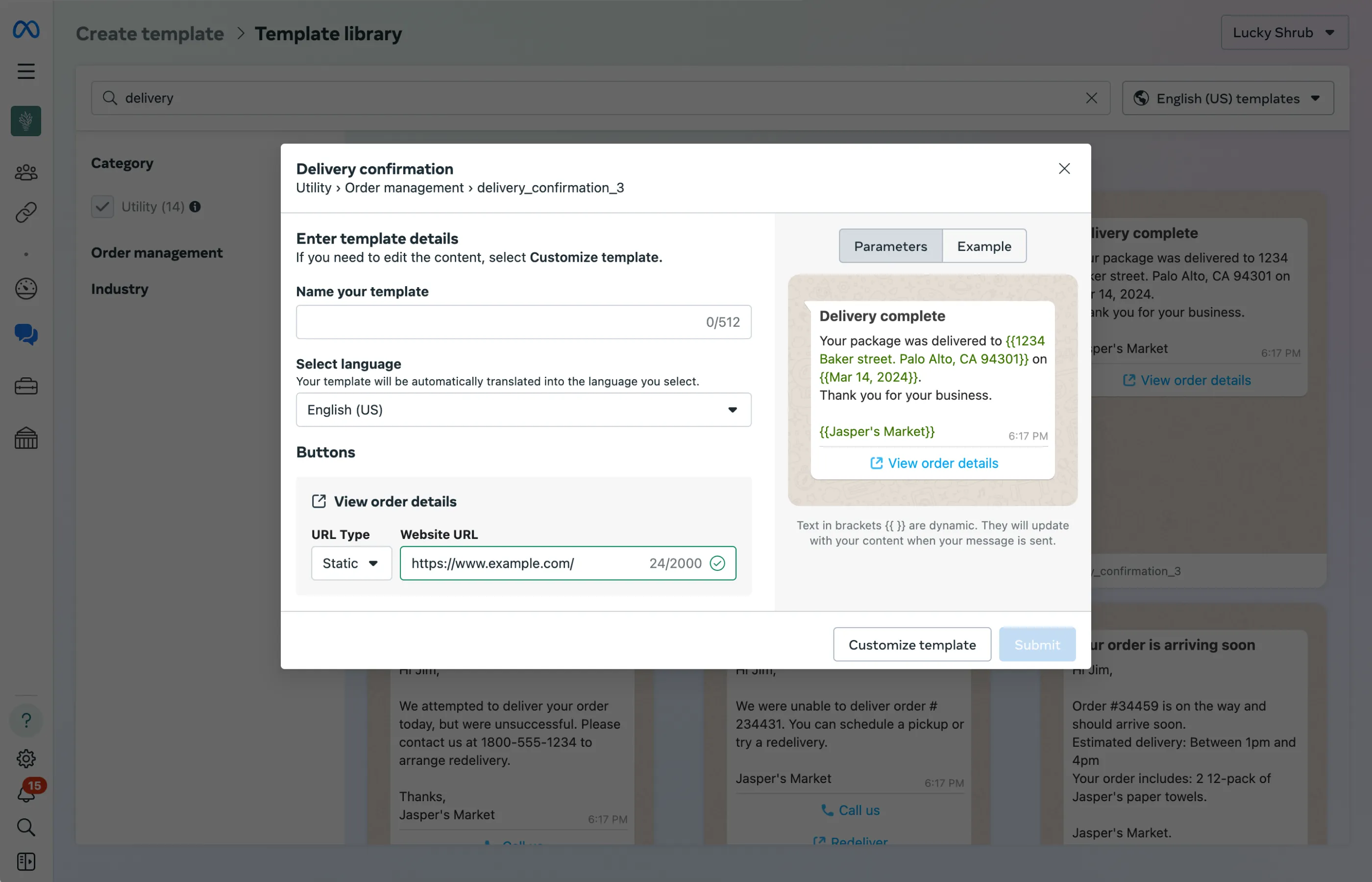
4: To create a template, select one by clicking on it. Then, add your template name, select the language, and fill out the button details. Once you have completed these steps, click Submit.
Note: If you choose Customize template, your template will have to go through review before you are able to send messages.
Template Parameters and Restrictions
When a template contains the value
library_template_name in the GET <WABAID>/message_templates?name=<TEMPLATE_NAME> response, it is a template created from the Template Library and is subject to type checks and restrictions.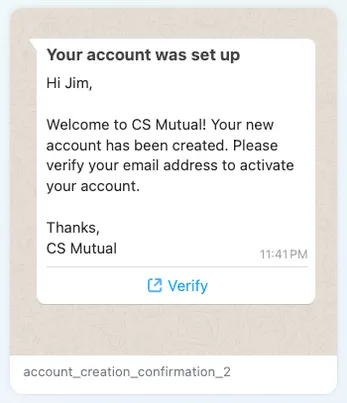
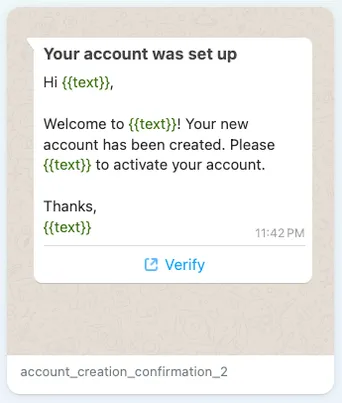
Templates in the library contain both fixed content and parameters. The parameters represent spaces in the template where variable information can be inserted, such as names, addresses, and phone numbers.
In the example above, parameters like the name
Jim or the business name CS Mutual can be modified to accept variables like your customer's name and your business's name.Messages sent using templates from Template Library are subject to parameter checks during send time. Values used in parameters that are outside of the established ranges listed below will cause the message send to fail.
List of parameters and sample values
All parameters are length restricted. If you receive an error, try again with a shorter value.
| Parameter Type | Description | Sample Value |
|---|---|---|
ADDRESS |
A location address.
|
1 Hacker Way, Menlo Park, CA 94025 |
TEXT |
Basic text. |
regarding your order.12 pack of paper towelsyour requestpurchaseJasper's Market |
AMOUNT |
A number signifying a quantity.
|
145USD $375.32?1,376.22 EURRS 1200 |
DATE |
A standard calendar date. |
2021-04-1913/03/20215th January 198208.22.1991January 1st, 202405 12 2022 |
PHONE NUMBER |
A telephone number.
|
+1 4256789900+91-7884-789122+39 87 62232 |
EMAIL |
A standard email address.
|
|
NUMBER |
A number.
|
2344490001234921388904453638 |
Sending Template Messages
To learn how to send templated messages, view the Send Templates guide