
Onboard business customers | Developer Documentation
Onboard business customers
Updated: Feb 10, 2026
Marketing Messages API for WhatsApp (formerly known as Marketing Messages Lite API) is now generally available.
The MM API for WhatsApp onboarding process is designed to be simple for you as a partner to adopt, making it quick and easy for solution providers (including Solution Partners, Tech Providers, and Tech Partners) to onboard current customers from Cloud API onto the MM API for WhatsApp. If your business directly integrates with Cloud API without a partner, follow the instructions below to accept the Terms of Service and onboard to the MM API for WhatsApp via WhatsApp Manager.
Before you begin
Your app must have advanced access for the following permissions:
whatsapp_business_messaging: This permission allows the app to call the MM API for WhatsApp to send messages.whatsapp_business_management: This permission enables the app to manage WABAs, Phone Numbers, and Templates via WhatsApp Business Management API.ads_read (optional): This permission grants the app access to the Insights API, allowing partners to retrieve metrics on conversions.
If your app does not already have advanced access for these permissions, request advanced access via App Review.
Solution partner integration overview
To assist your customers in using the MM API for WhatsApp, several steps are required:
1: Onboard yourself
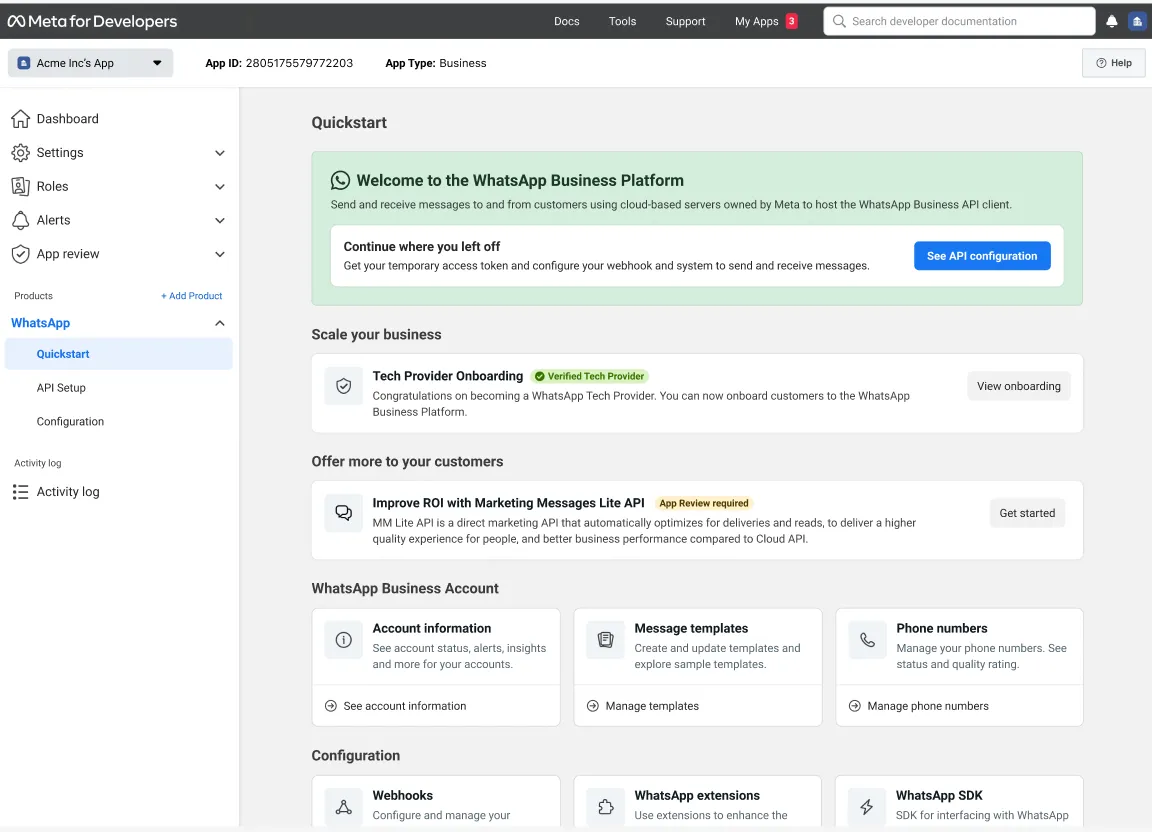
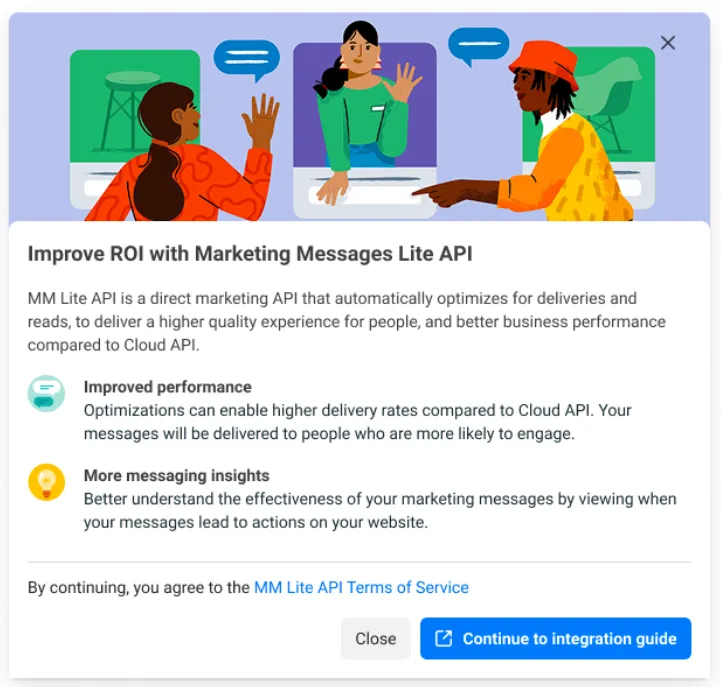
Enroll via App Dashboard and follow instructions under the Onboarding yourself.
2: Send messages
Same Template endpoint and message send payload as Cloud API - only the ‘send message’ endpoint changes.
3: View metrics
New! Integrate with the Insights API to view the metrics as Cloud API (sent/read/delivered), plus new metrics like Website and App conversions.
Onboarding yourself
Register yourself for MM API for WhatsApp
To enroll, a solution provider must:
Submit for app review for Advanced App permissions
Solution Providers must use an App with the following Advanced App permissions, when using the MM API for WhatsApp.
If you do not already have an App with the following Advanced App Permissions, it is necessary for your App to go through App review:
whatsapp_business_messagingCall the MM API for WhatsApp ‘send messages’ endpoint, to send messages via Marketing Messages API for WhatsApp
whatsapp_business_managementCall WABA, Phone Number, and Template endpoints, for managing WABAs, Phone Numbers, and Templates; and retrieve basic metrics via WhatsApp Business Management API
ads_read (optional)This permission is optional, and is only required to call the Insights API, allowing a partner to fetch advanced metrics on conversions (e.g. Web conversions, App conversions)
For the app review submission, prepare a screen recording of how each permission is used. It is recommended to show a sample of each action in the “Required in order to do …” column above, to demonstrate each permission in use.
Onboarding
end businesses
Self-onboard to MM API for WhatsApp via WhatsApp Manager (recommended)
Onboard a business to MM API for WhatsApp using Embedded Signup
Step 1: Integrate with the Facebook Login SDK
Step 2: Set up a new permission configuration
ads_readwhatsapp_business_managementwhatsapp_business_messagingStep 3: Launch Embedded Signup
marketing_messages_lite{ "config_id": "<config_id>", "response_type": "code", "override_default_response_type": true, "extras": { "featureType": "whatsapp_business_app_onboarding", "sessionInfoVersion": "3", "features": [ { "name": "marketing_messages_lite" } ], "version": "v3" } }
Step 4: Wait for the onboarding confirmation webhook
account_updateOnboard a business to Marketing Messages API for WhatsApp using the Intent API
curl -i -X POST \
"https://graph.facebook.com/<API_VERSION>/<END_BUSINESS_ID>/onboard_partners_to_mm_lite?access_token=<SYSTEM_USER_ACCESS_TOKEN>"
{
  "solution_id": "<MULTI-PARTNER_SOLUTION_ID>"
}
{
  "request_id": "893436979557695"
}
curl -i -X POST "https://graph.facebook.com/<API_VERSION>/<CLIENT_BUSINESS_ID>/system_user_access_tokens
    ?appsecret_proof="<APPSECRET_PROOF_HASH>"
    &access_token="<SYSTEM_USER_ACCESS_TOKEN>"
    &fetch_only=true
| ||
| ||
| ||
|
{
  "access_token": "<NEW_ACCESS_TOKEN>"
}
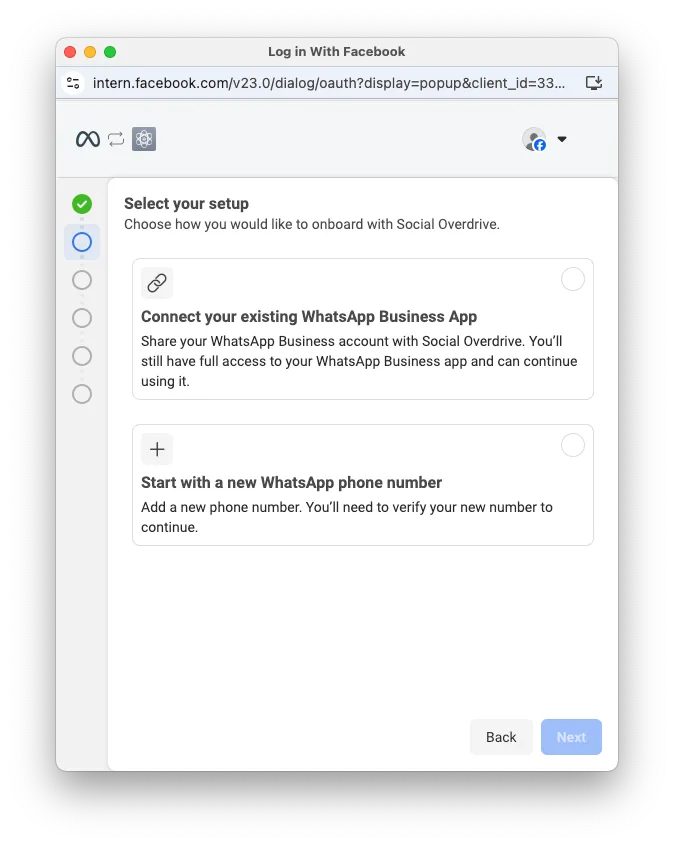
Onboard WhatsApp Business app users (aka “Coexistence”)
Offboard WhatsApp Business app users
Help the business set up Conversion measurement
See Setting up conversion measurement for details on how businesses can measure when a marketing message from MM API for WhatsApp leads to a conversion (e.g. add to cart, purchase).
Partners are strongly recommended to work with their clients to set up Conversion reporting, so that they can take advantage of measuring the improved metrics and optimizations MM API for WhatsApp provides.
Sending messages
See Sending messages for documentation on how to send messages and receive webhooks on behalf of your customers via MM API for WhatsApp.
Viewing metrics
See the Guide to Viewing metrics for documentation on how to:
Partners are strongly recommended to fetch metrics using the Ads Insights APIs (not Business Management APIs), as these APIs provide richer metrics reporting, including conversion reporting from sources such as Web and App conversion events.
After integrating with reporting APIs (Insights API recommended), surface these metrics in your dashboards and APIs for your customers to use.
Reach out to your Partner Manager for suggestions on metrics best practices, including a copy of Meta’s “Business Messaging Reporting Dashboards Playbook” for partners.