WhatsApp Business API for Deskie\Omnidesk: Installation and sending the first message.
In this guide, you will learn how to install our integration in Deskie / Omnidesk and verify the functionality of incoming and outgoing messages.
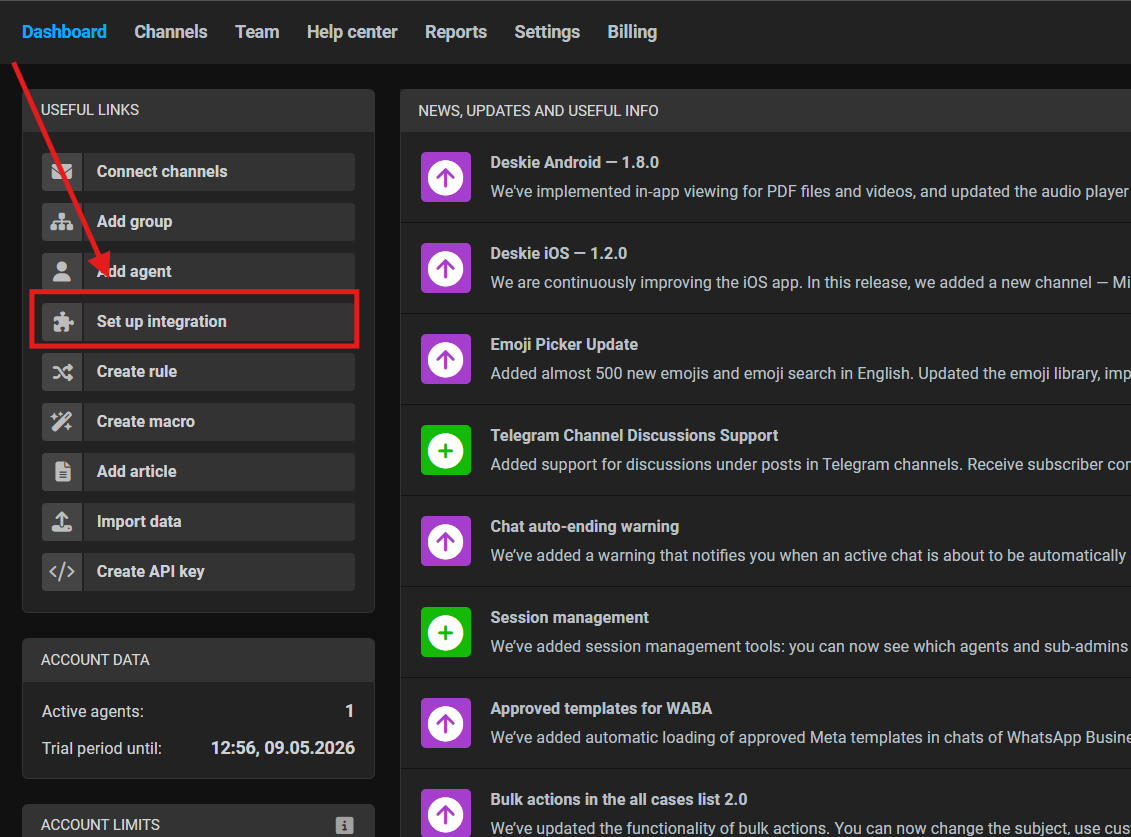
1. Open the administrator account and select “Set up integration”
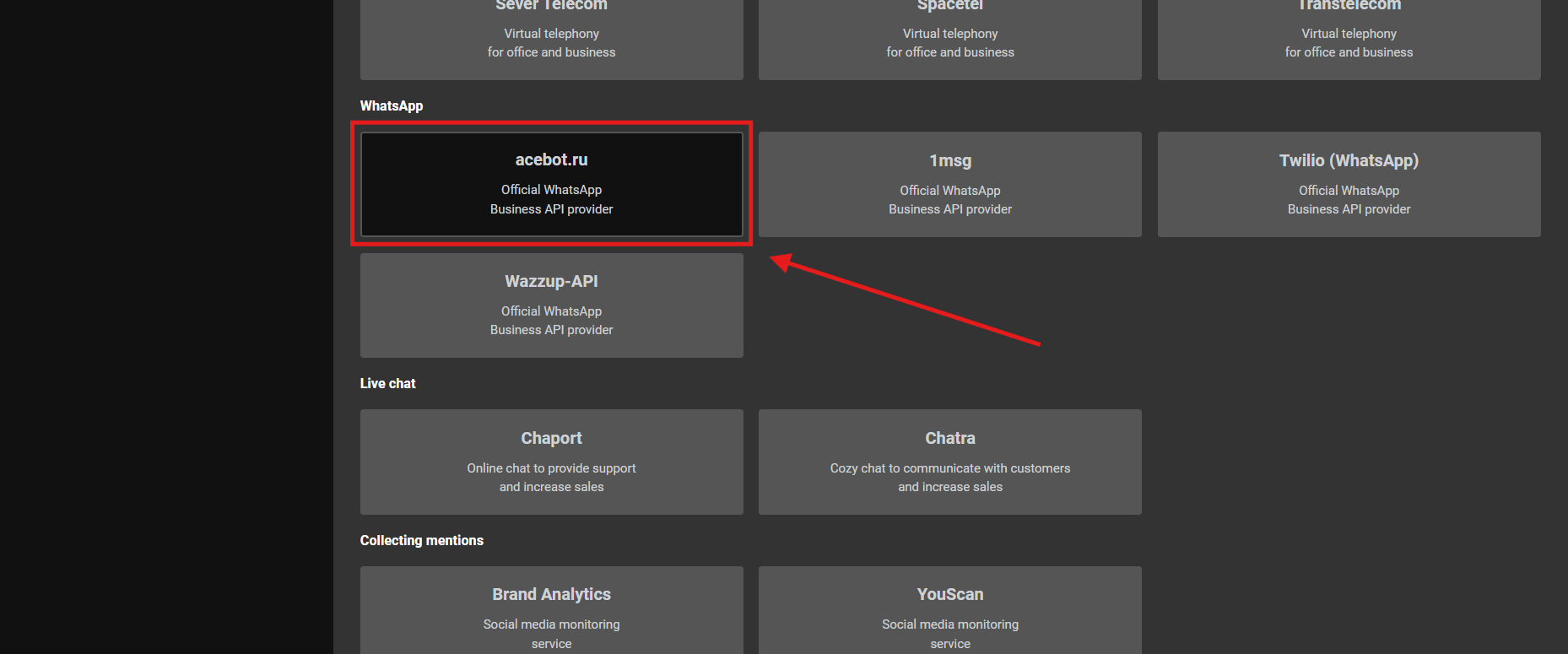
2. Go to the "WhatsApp" section and choose our integration "AceBot.ru"
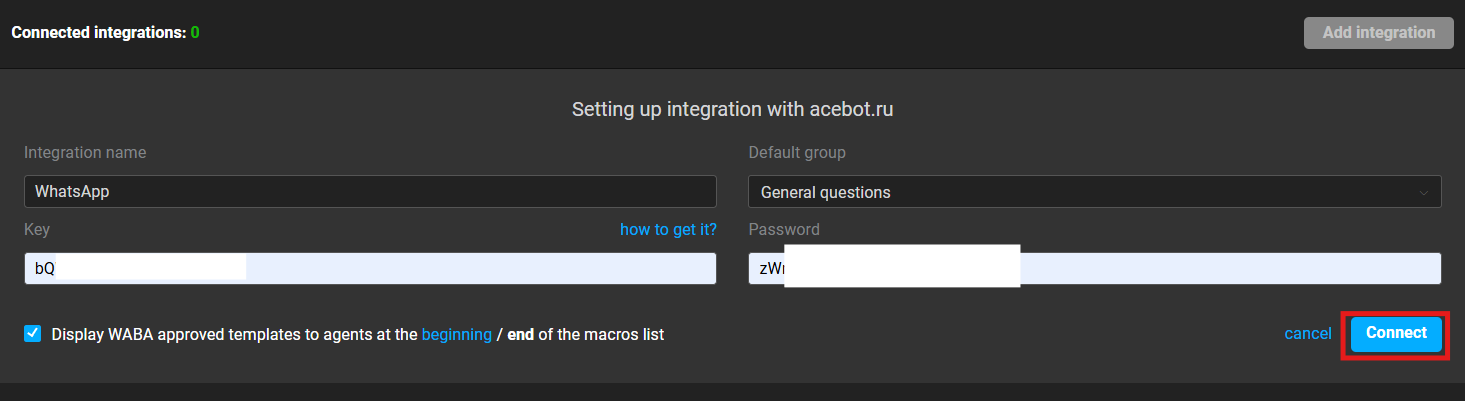
3. Fill in your APP ID and APP SECRET;
Press "Connect" button.
4. Send your first message from your personal WhatsApp to your WhatsApp Business API Installation Instructionsnumber Checking work
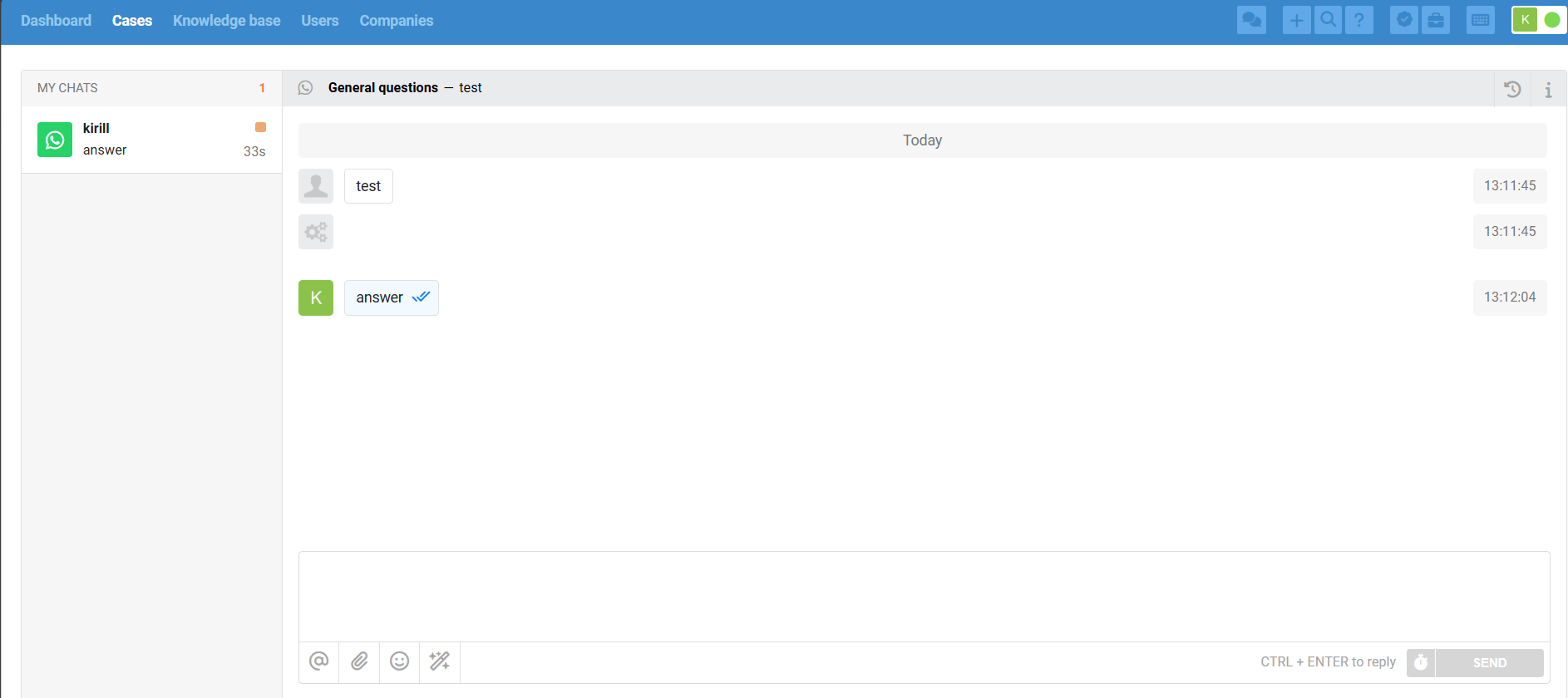
Write to the new WhatsApp number from your WhatsApp mobile application on your phone. A contact and chat with the user will be created:

Reply to an incoming message
To reply to a message, write a text in the created chat.
Sending a message using a template
Template messages are sent as plain text from a chat immediately.