WhatsApp Business API for Kommo: Installation and sending the first message.
Step by step instruction
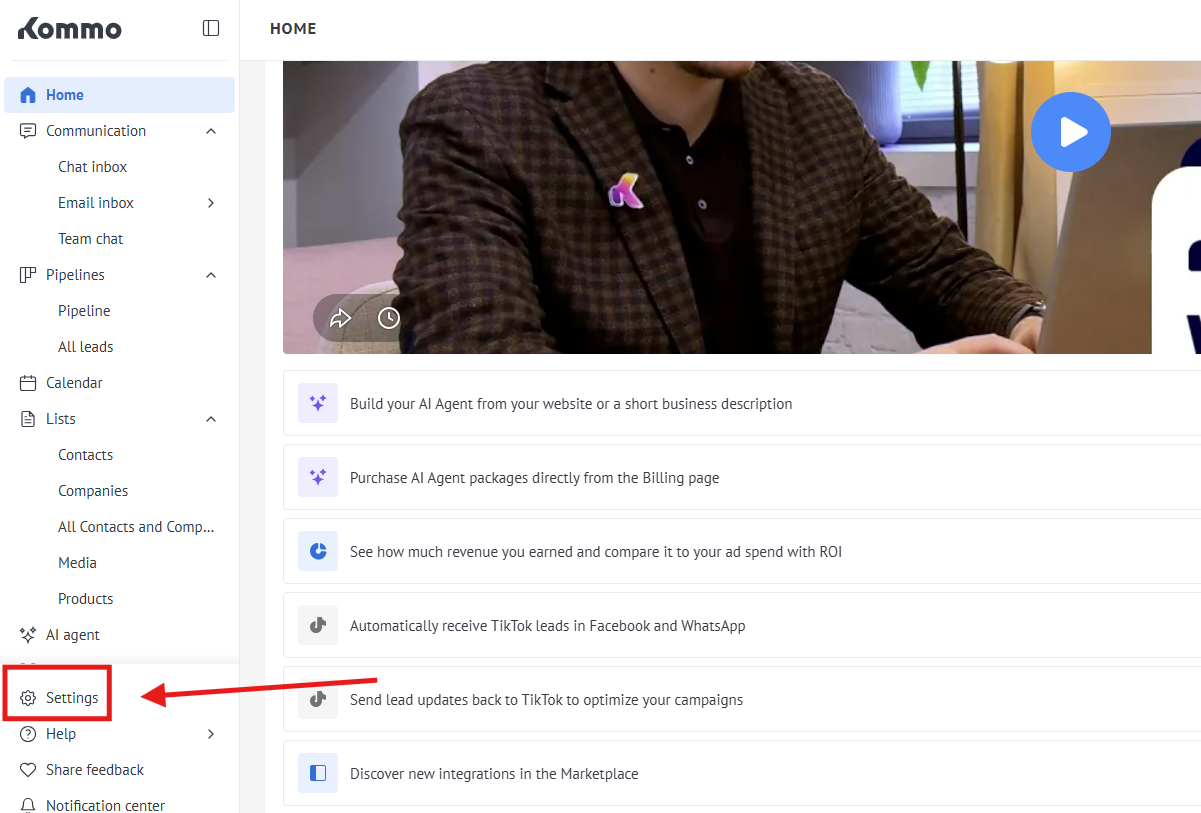
1. First of all, go to the settings
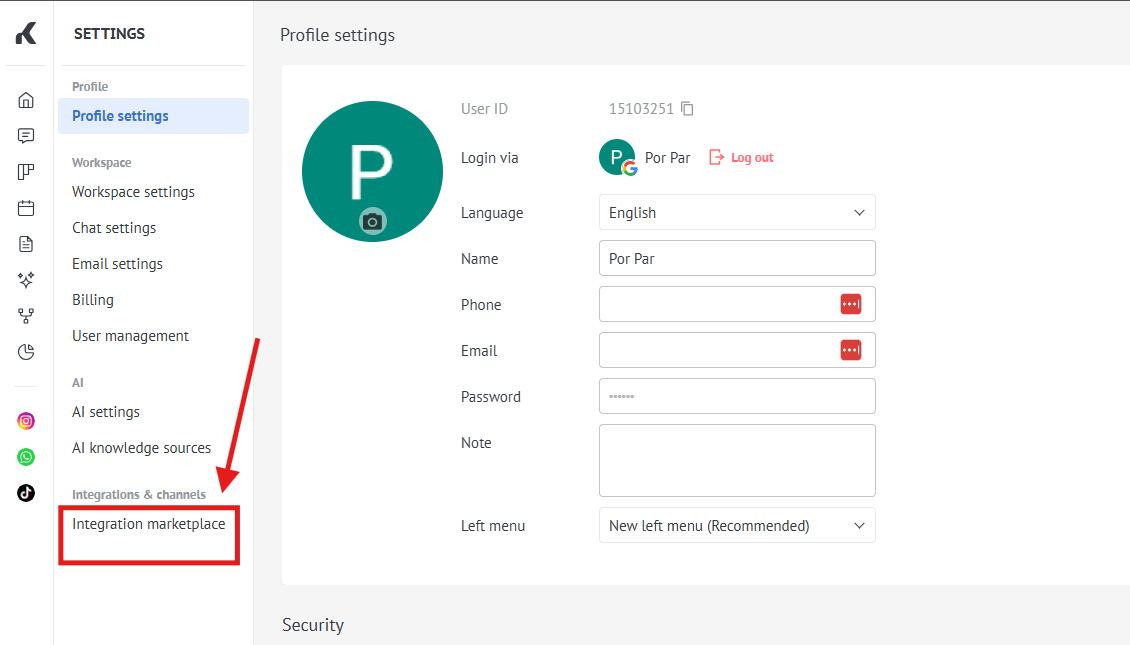
2. Go to the Settings"Integration =>marketplace" Integrations
3. Choose our app WhatsApp Business API ( check a screenshot )

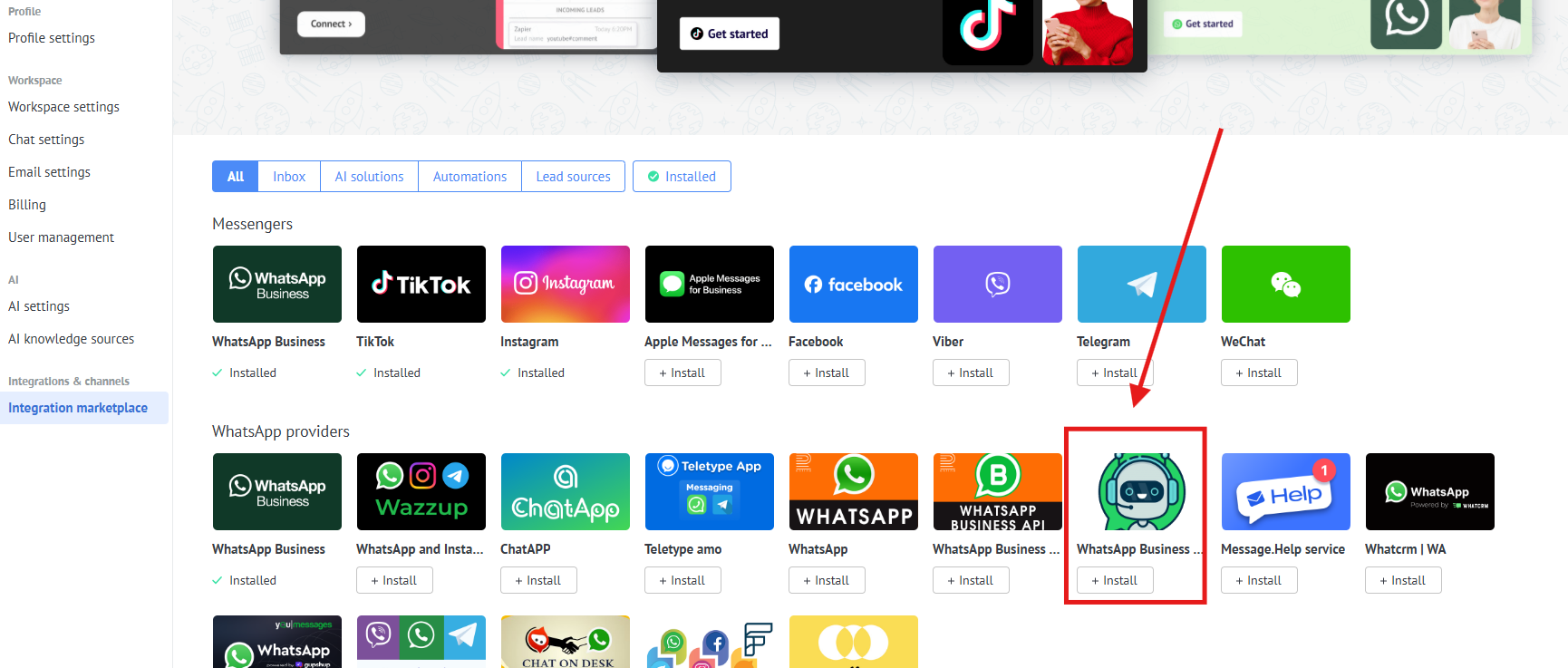
2.4. In the search field write "ChatArchitect" and press "Install"

3. On this step fillFill in your APP ID and APP SECRET, that we sent you after the end of connection, then press "Save" buttonSECRET
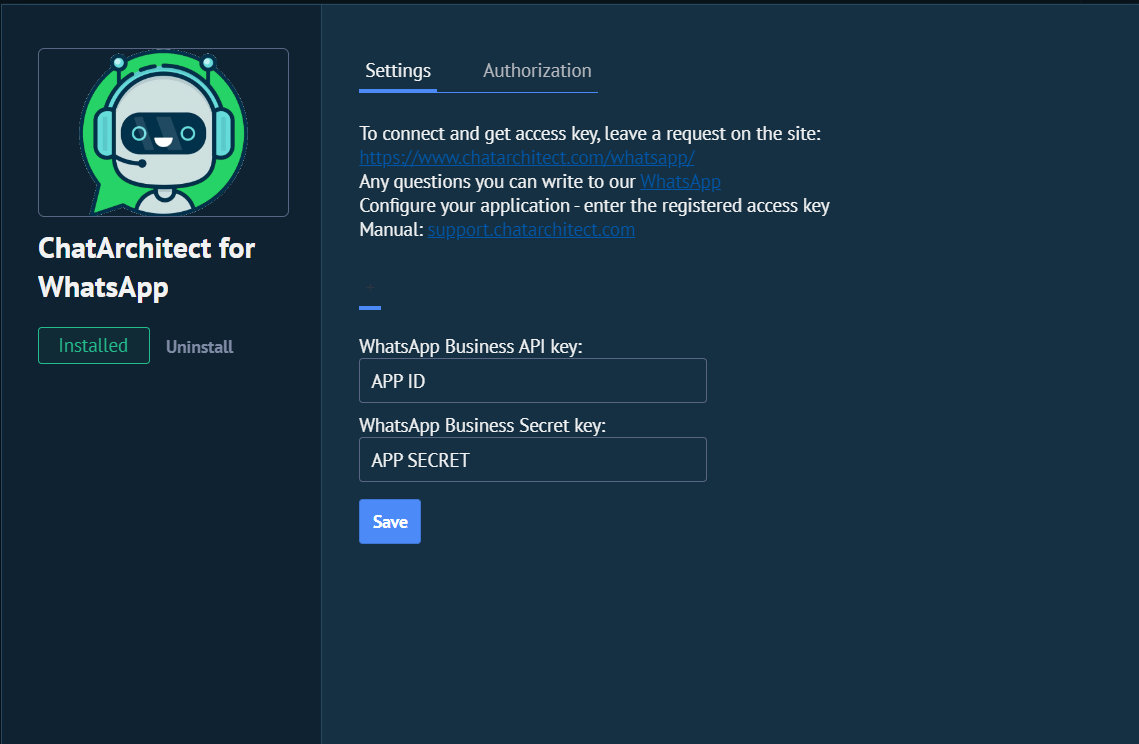
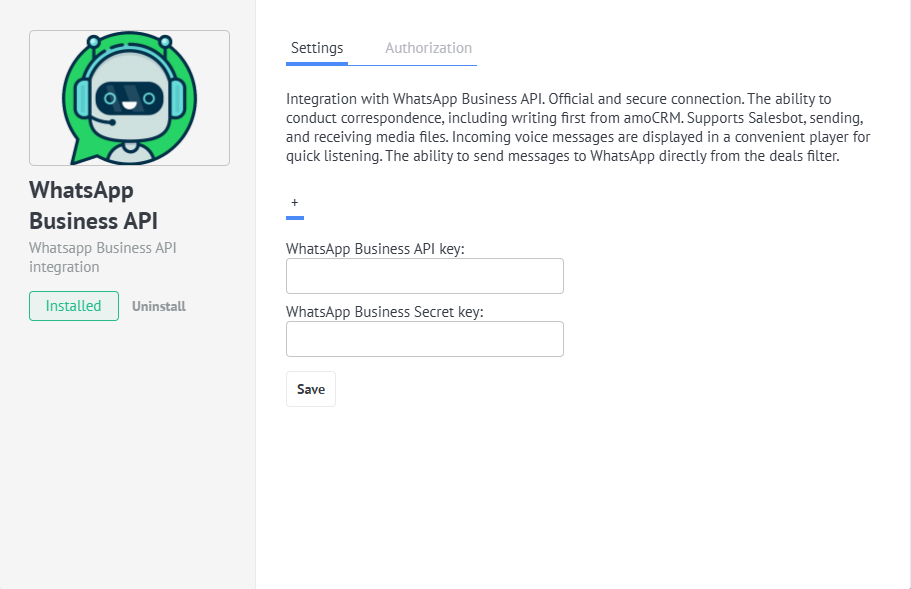
4.5. WriteSend your first message from your personal WhatsApp to your WhatsApp Business API number
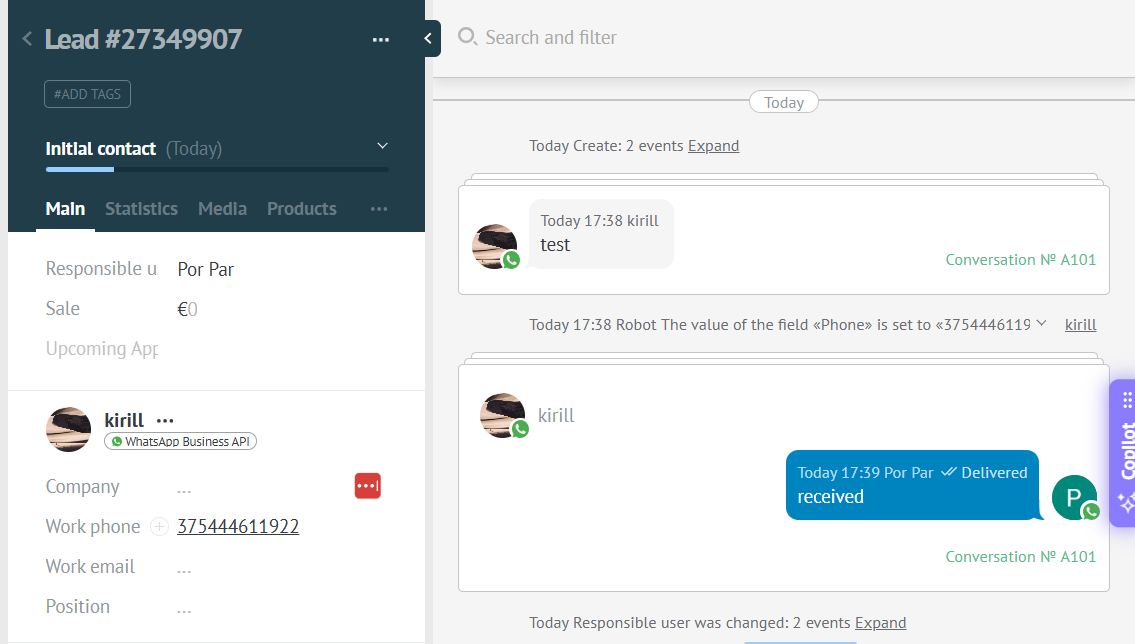

Sending a message using templates
Video manual : https://www.youtube.com/watch?v=2S6VyKS0Rpg
You can send templates from chats in Kommo by using the list of templates

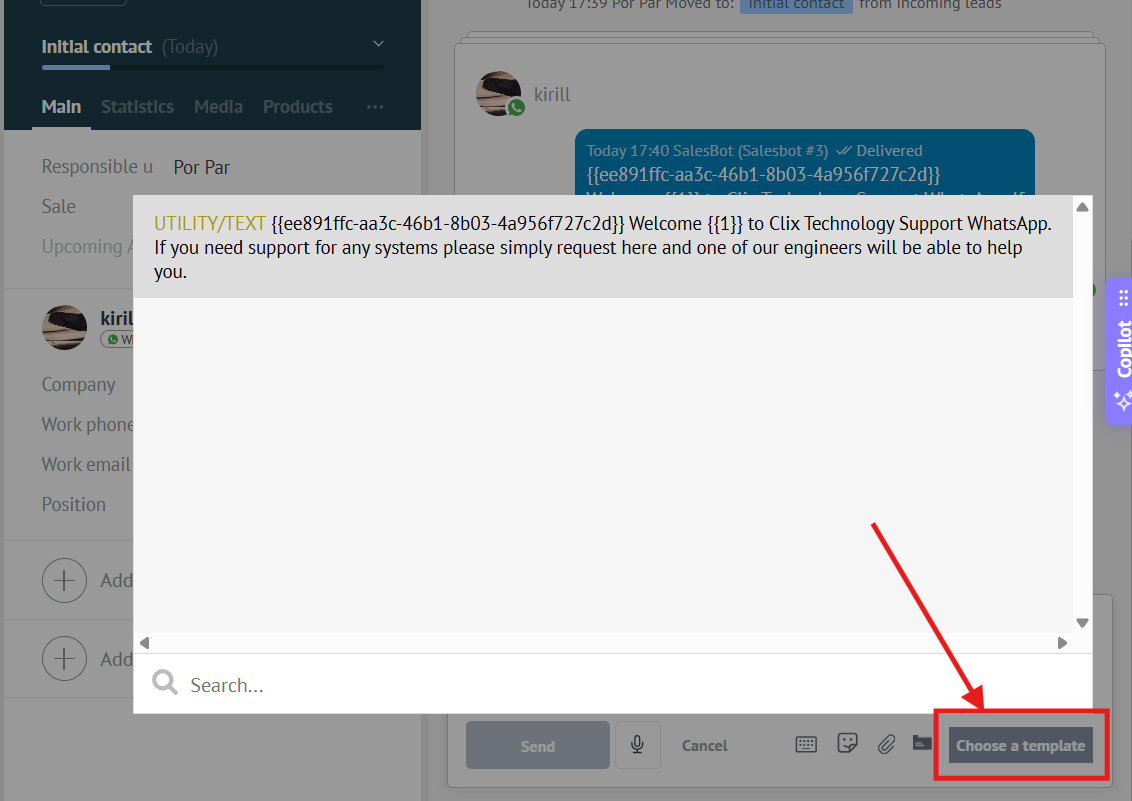
❗❗❗ In case the templates do not appear in the list, you need to:
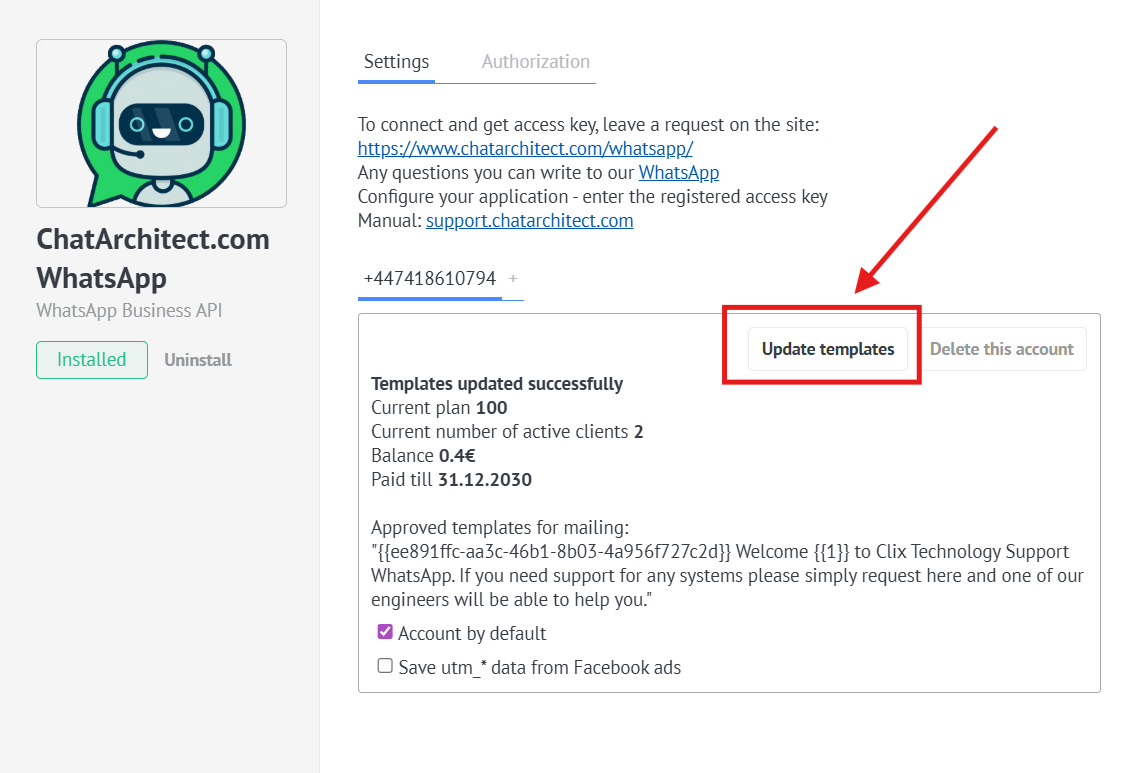
Go to the app"Settings" market.-> "Installed" -> Click on our application (at-> thisPress point,"Update alltemplates" addedbutton