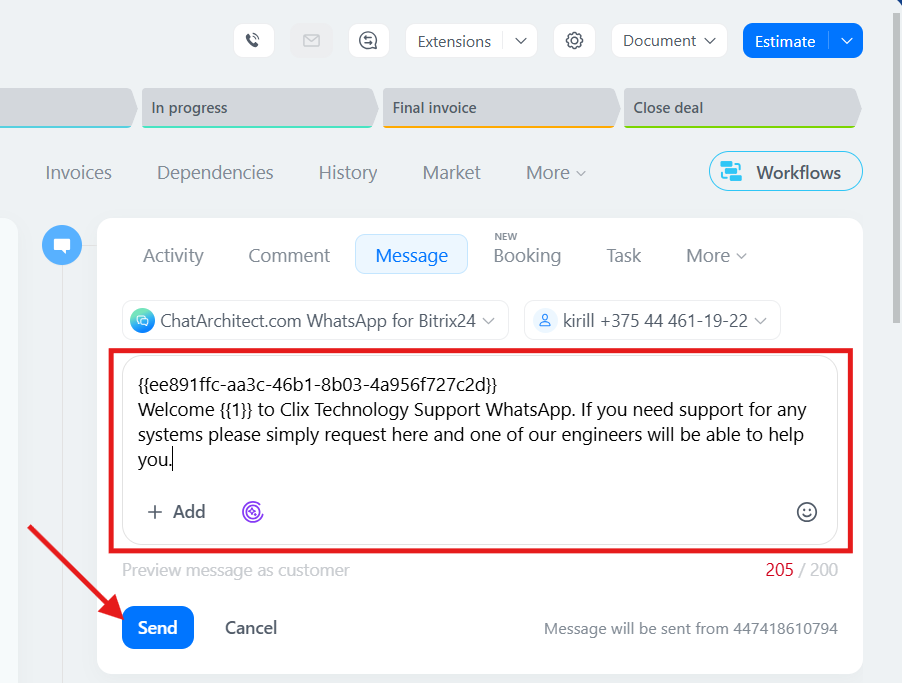
Instructions for sending a template from the client card in Bitrix24
In this guide, you will learn how to send template messages in Bitrix24 through the client card.
Video manual: https://www.youtube.com/watch?v=xDwp3tOS5Qo
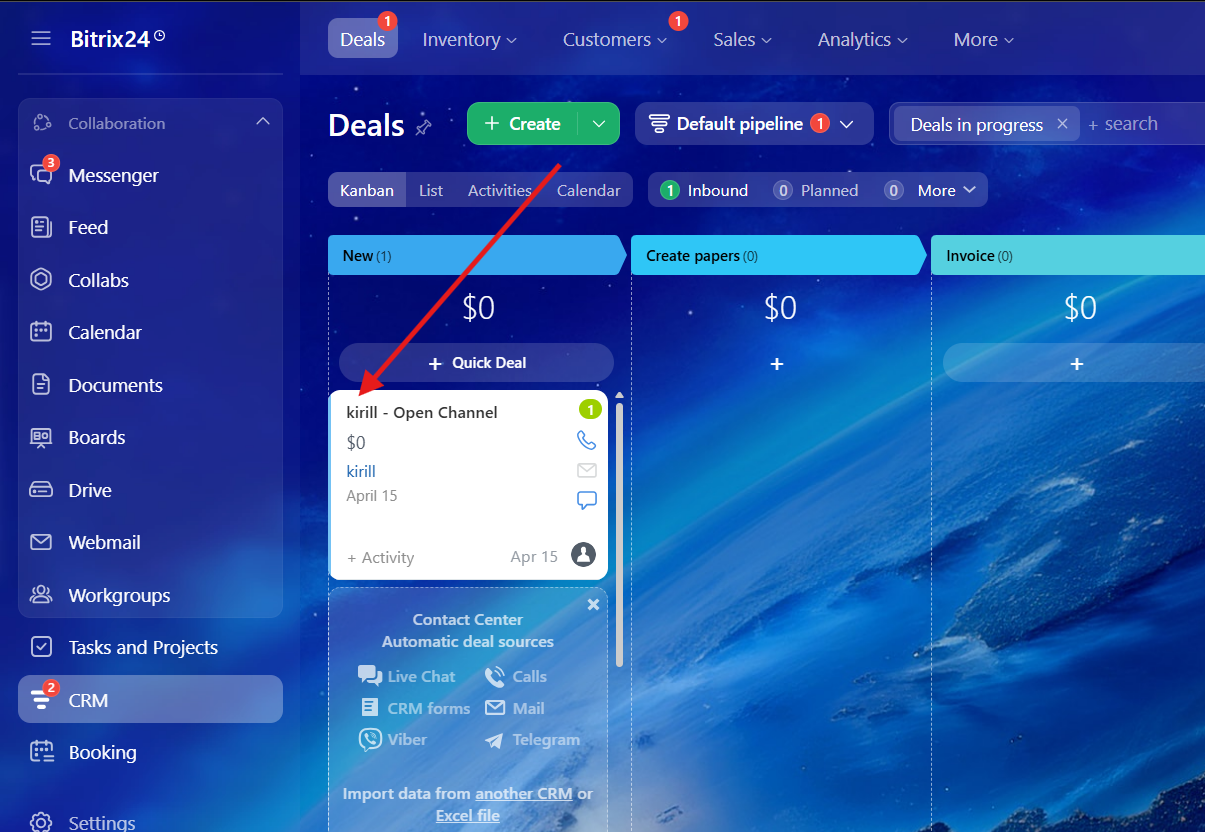
1. First of all, you need to choose a deal\lead
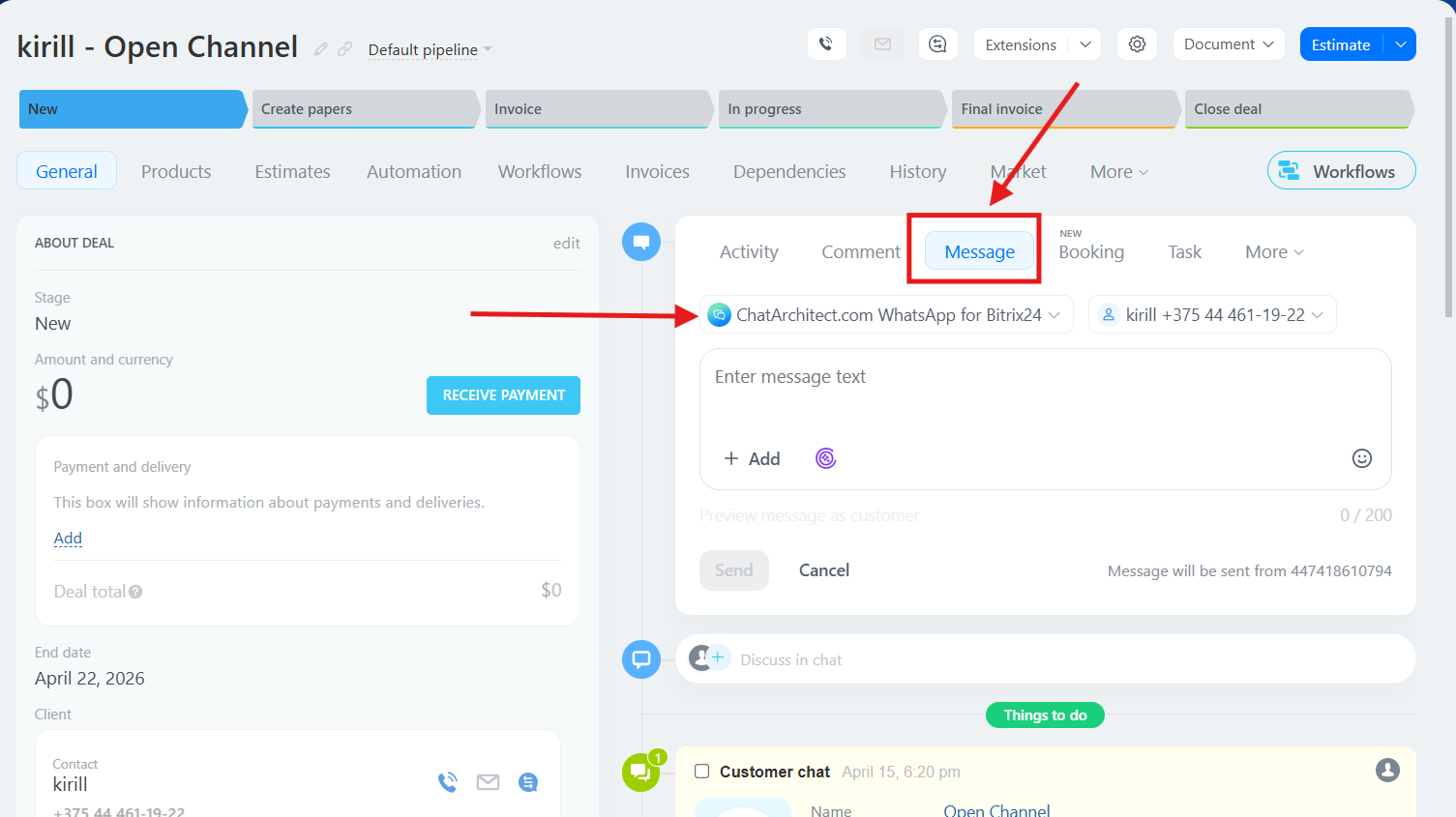
2. Choose "Message" button and choose our app as a provider
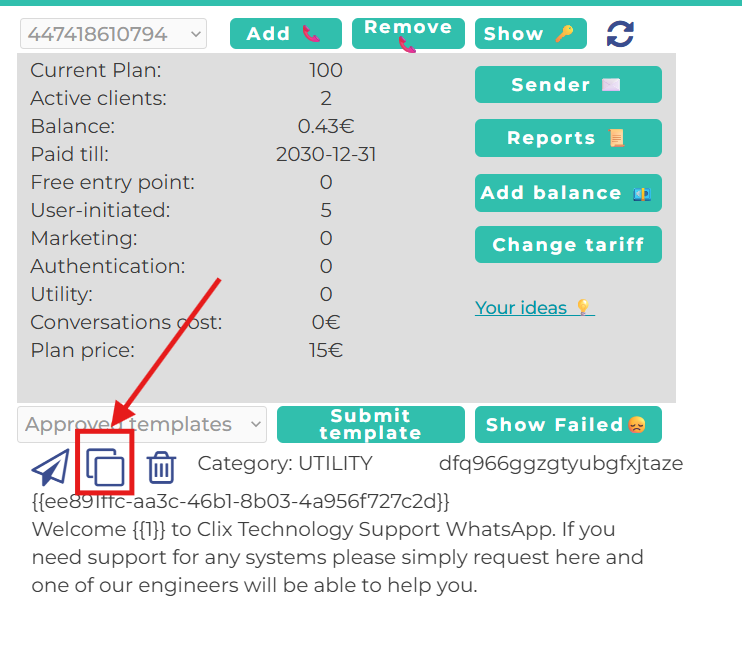
3. Go to your personal account ( https://wtargeted.com/ ) and copy a template that you need by using special button
4. After that, return to the client card, paste the template text into the message field, and send it. Done!