
Distribution of chats from different numbers among managers in Salesbot
This article will be useful if you have multiple numbers and each number is assigned to a separate manager. In this article, you will learn how to quickly set up the distribution of chats from different numbers among managers in Salesbot.
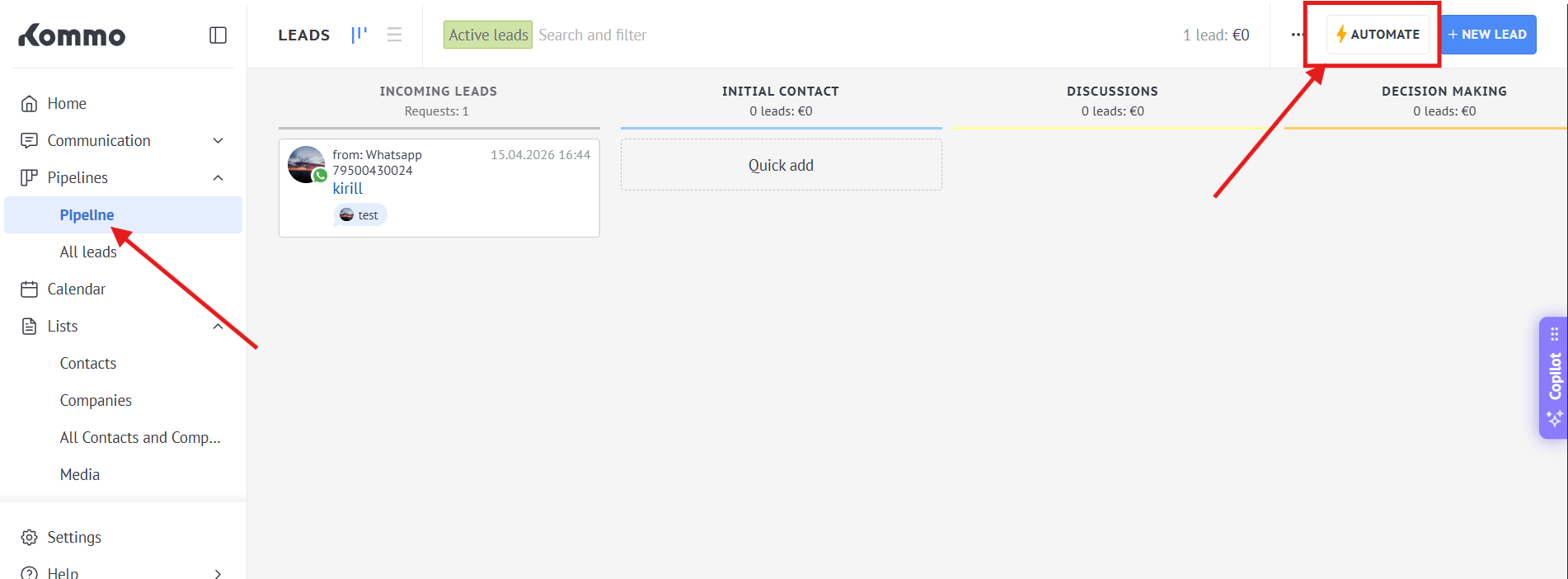
1. Go to the Pipeline - > Automate
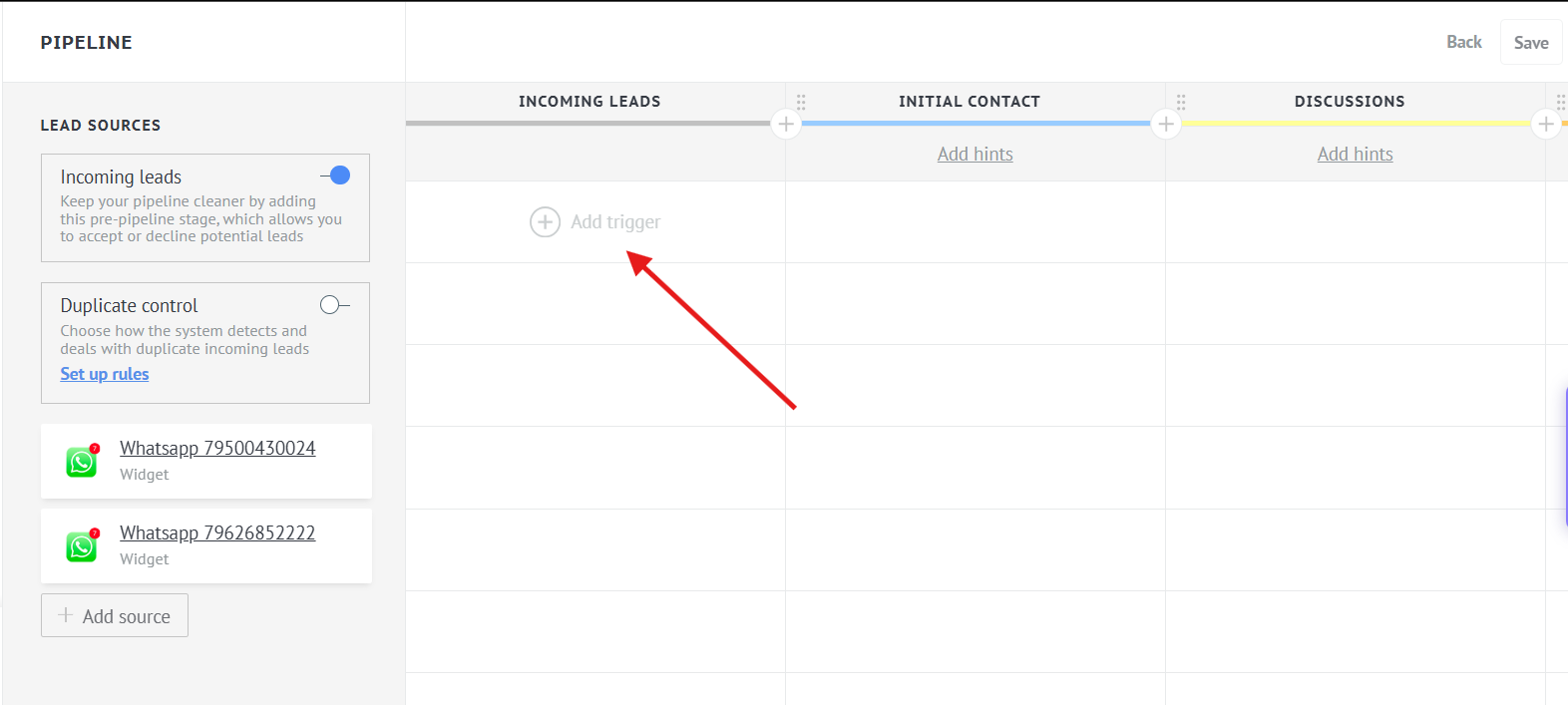
2. Press "Incoming leads" - > "Add trigger"
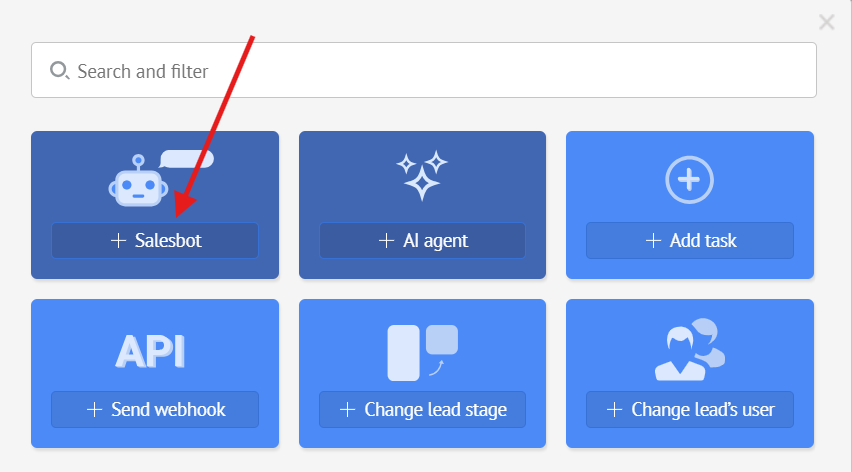
3. Select "Salesbot"
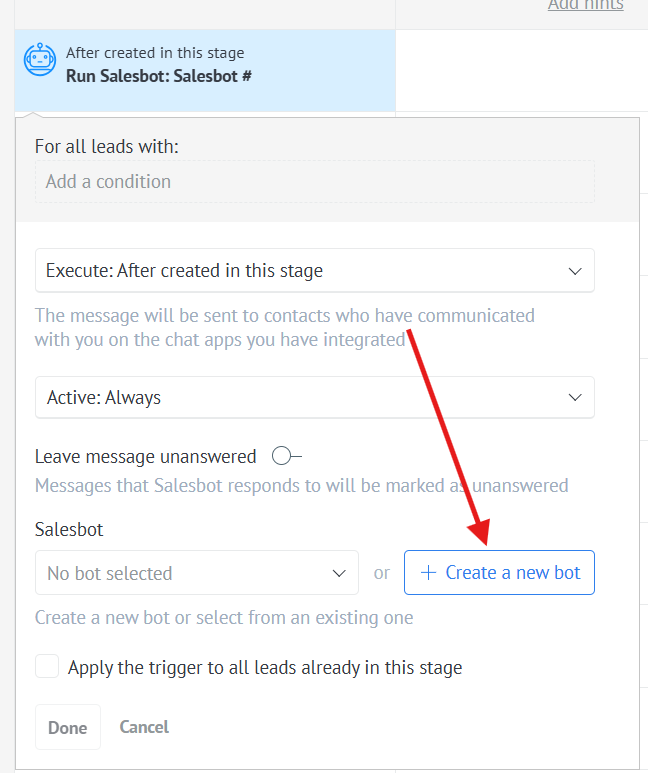
4. Choose "Create a new bot"
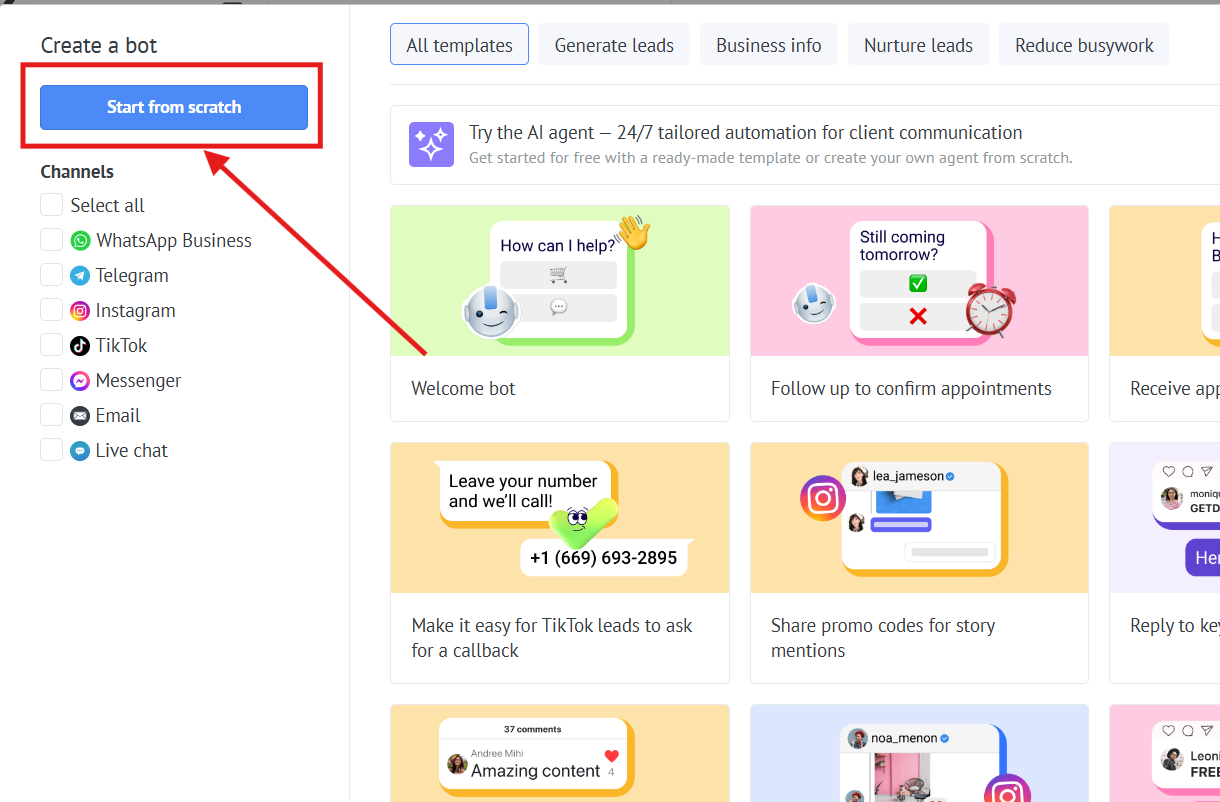
5. Press "Start from scratch" button
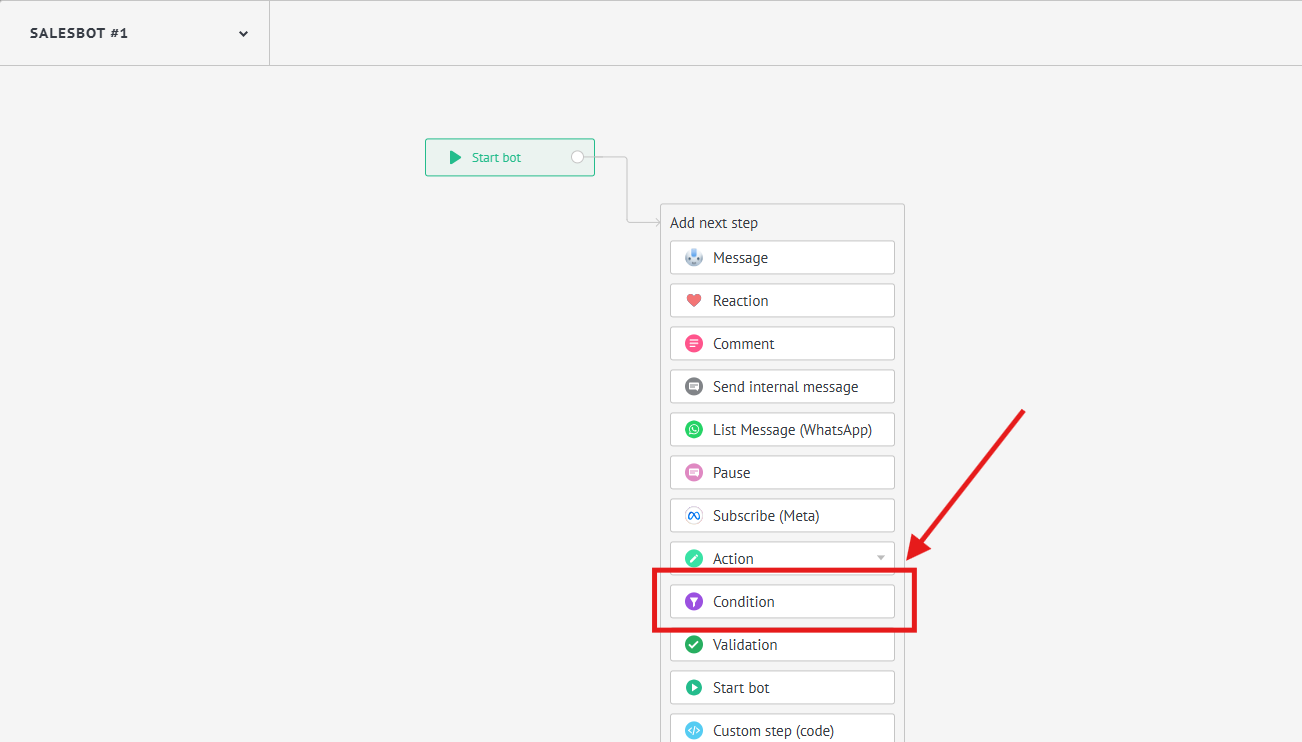
6. Choose "Condition"
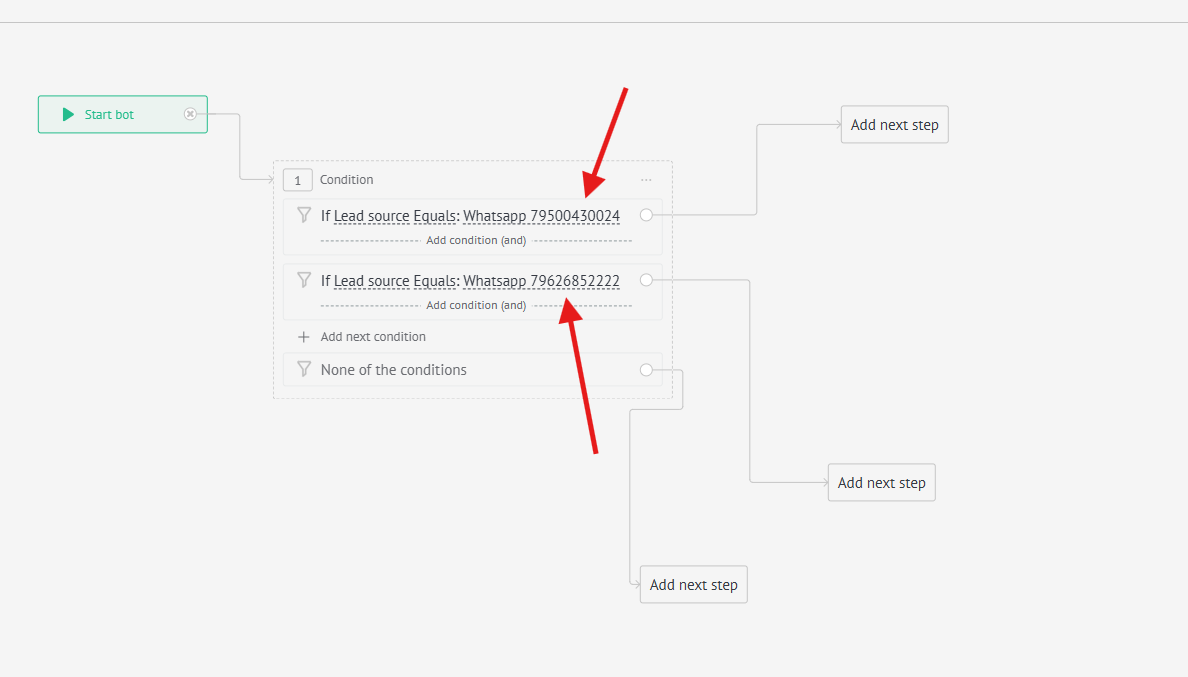
7. Add 2 conditions "If leads source Equals: and select a separate number for each condition"
8. Press "Add next step" and choose "Action" -> "Change responsible User"
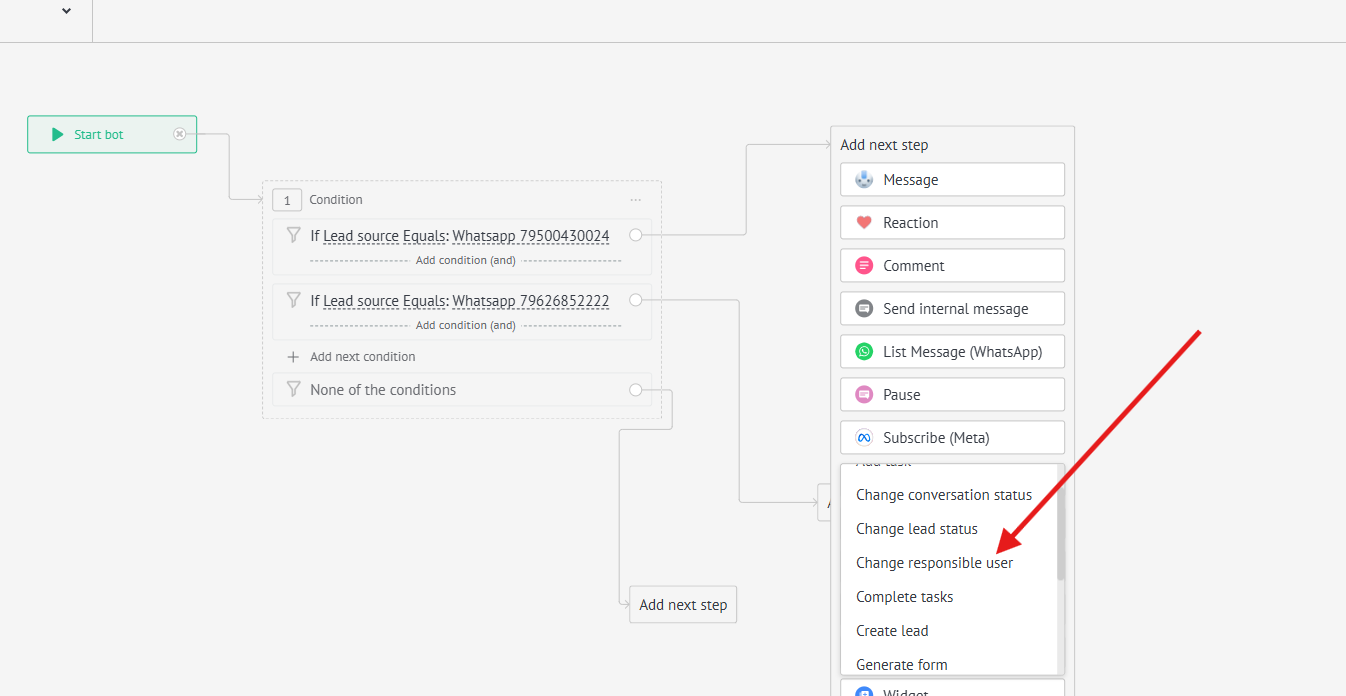
9. Select the appropriate managers for each number
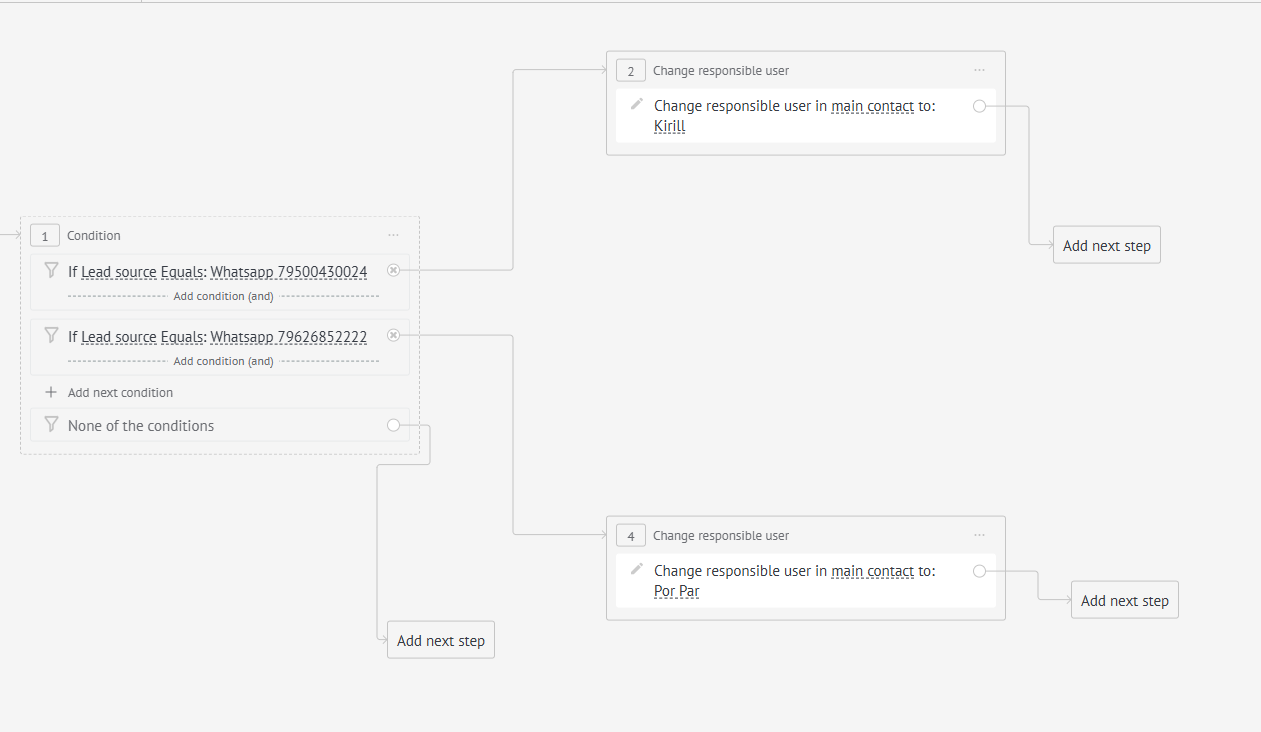
Done. Now the conversations will be distributed among managers based on this setup.