
Sending messages via N8N
1. Click on the "+", in the search bar enter whatsapp

2. Next, select WhatsApp: Send a Text. In the window that opens, add your WhatsApp account by entering your APP ID and APP SECRET, which we will provide you after the connection is completed

3. Next, in the Text field - enter the text of the template, in the Destination field - the recipient
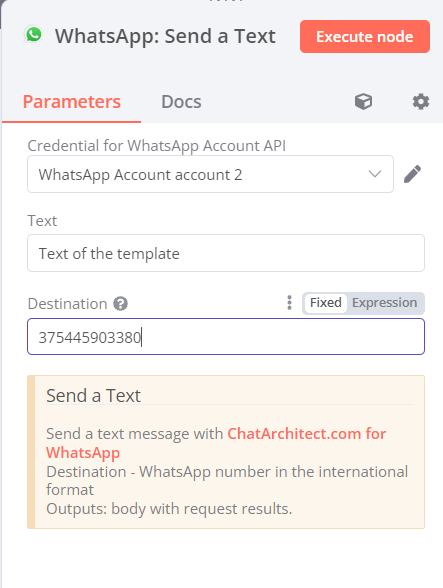
4. To send a message, click "Execute node"
