
Welcome Message Sequences - API Guide | Developer Documentation
Welcome Message Sequences - API Guide
Updated: Nov 17, 2025
When creating Click-to-WhatsApp ads, you can connect a Welcome Message Sequence from your messaging app. A sequence can include text, prefilled message, and FAQs.
This guide explains how to manage Welcome Message Sequences via the API endpoint.
Requirements
Your app must be granted the whatsapp_business_management permission.
Change an existing sequence
A sequence linked to an active ad cannot be deleted.
To update an existing sequence, send a
POST request to the WHATSAPP_BUSINESS_ACCOUNT_ID/welcome_message_sequences endpoint with:sequence_id parameter set to the ID of the sequence being updatedOther parameters, like name or welcome_message_sequence, that need to be updated.
Sample response
The response includes a success or error message.
{"success":true}
Delete a sequence
A sequence linked to an active ad cannot be deleted.
To delete a sequence, send a
DELETE request to WHATSAPP_BUSINESS_ACCOUNT_ID/welcome_message_sequences with the sequence_id parameter set to the ID of the sequence you want to delete.Marketing API experience
After you submit welcome message sequences through the API, use the sequence ID to configure ads through the Marketing API.
In the ad creative, the sequence ID can be set as follows:
For more information about messaging ads, refer to Messaging Ads in the Marketing API documentation.
Ads Manager experience walk-through
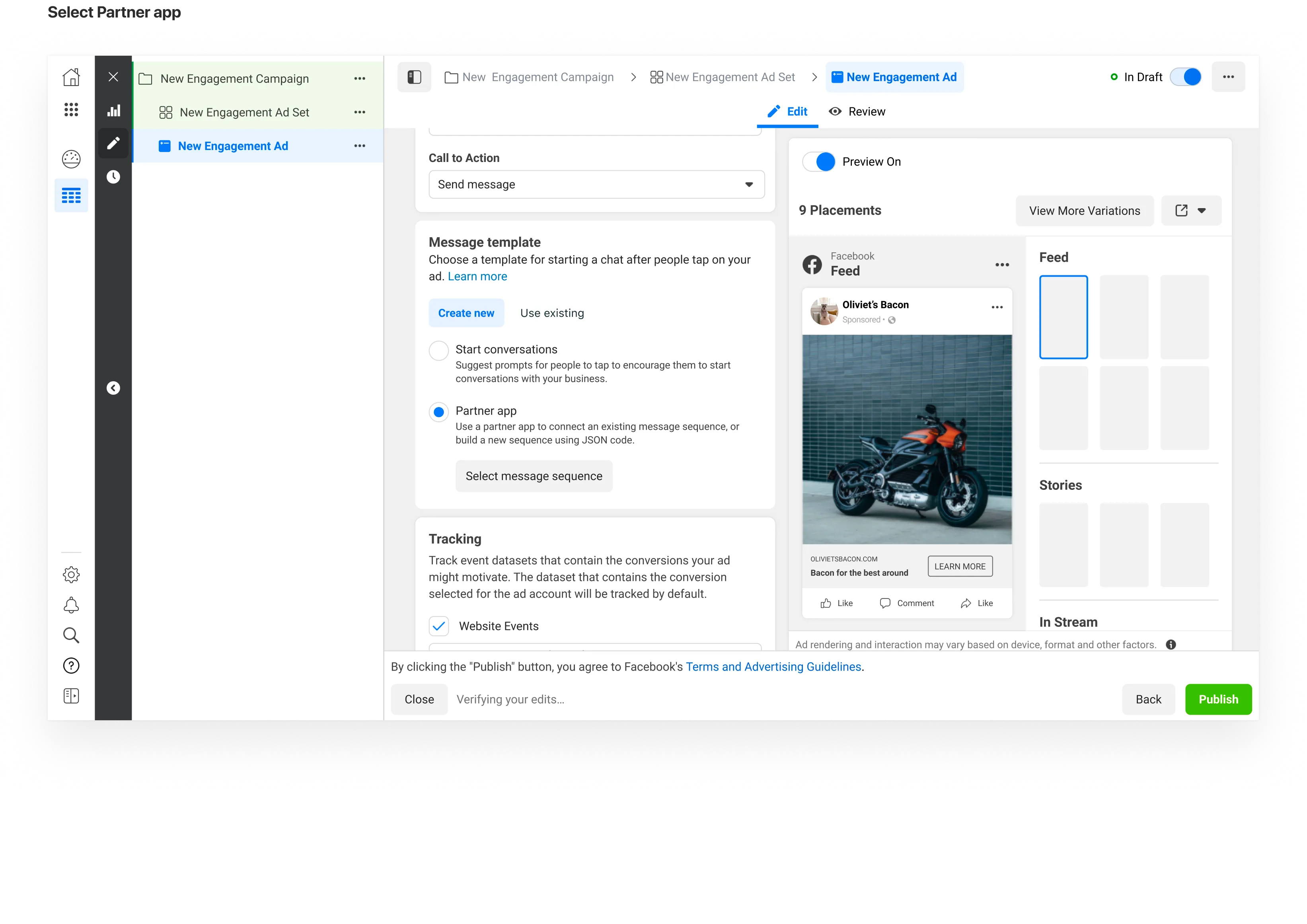
1: In the Message Template section of the Ad Creative, select Partner App
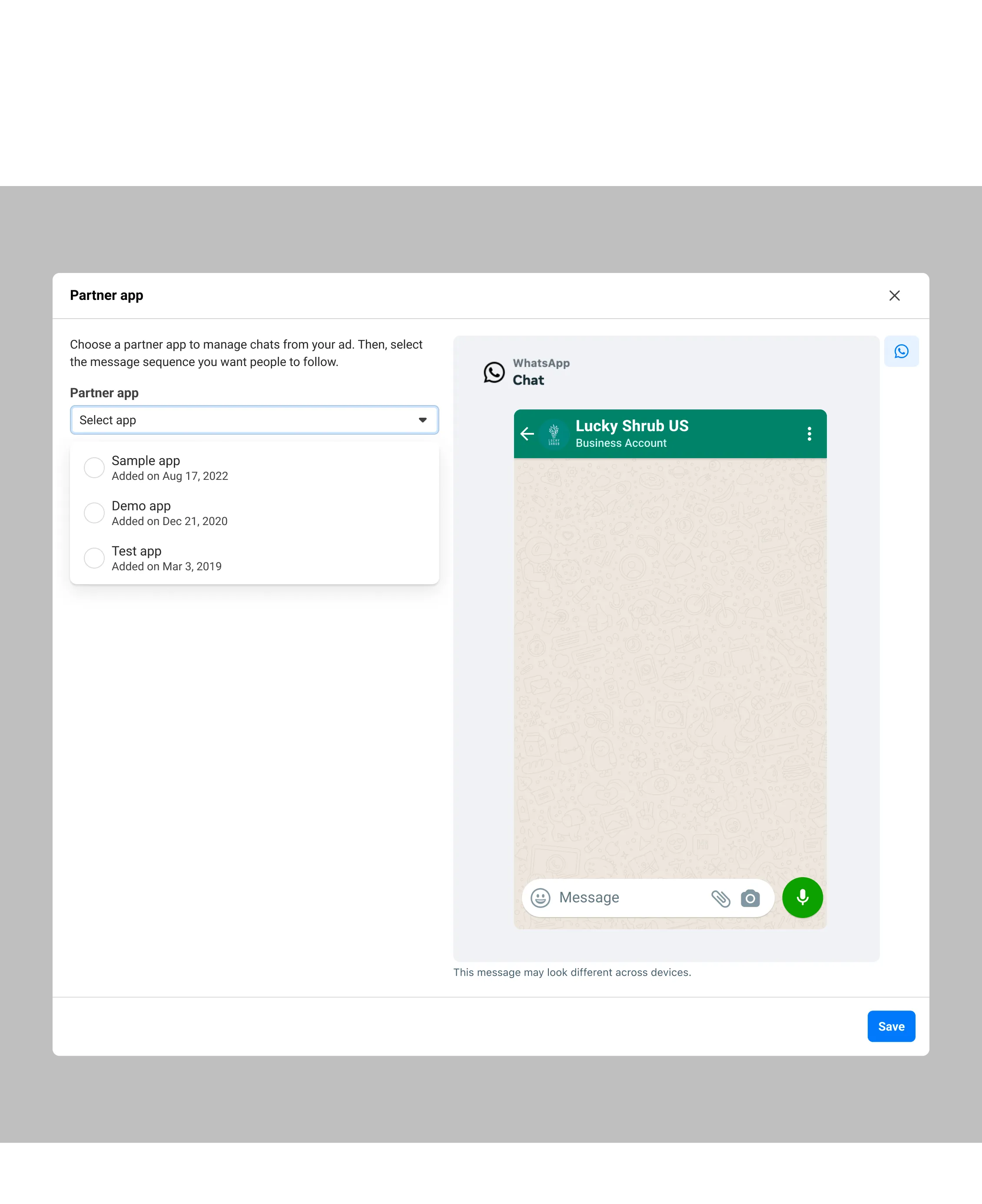
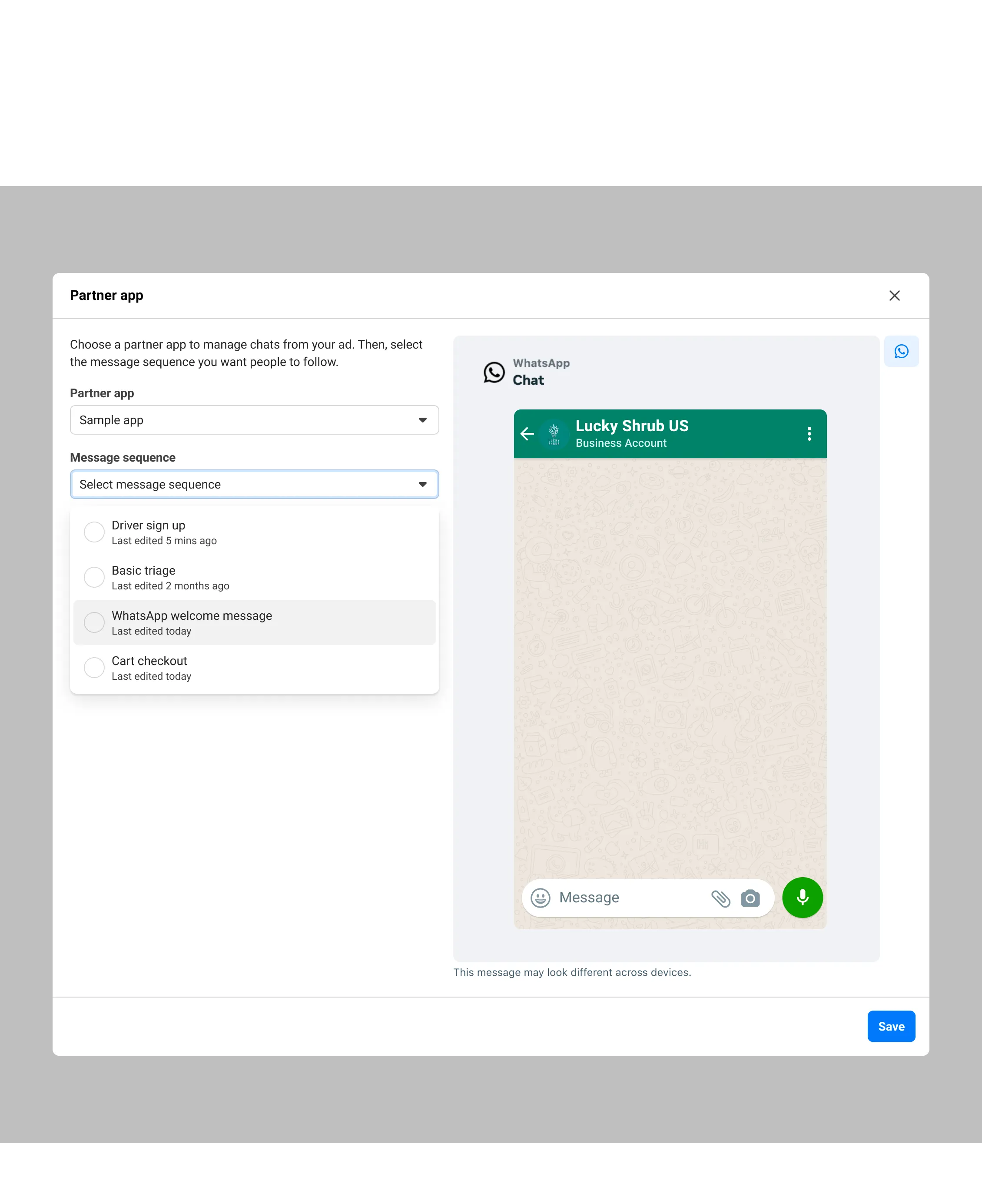
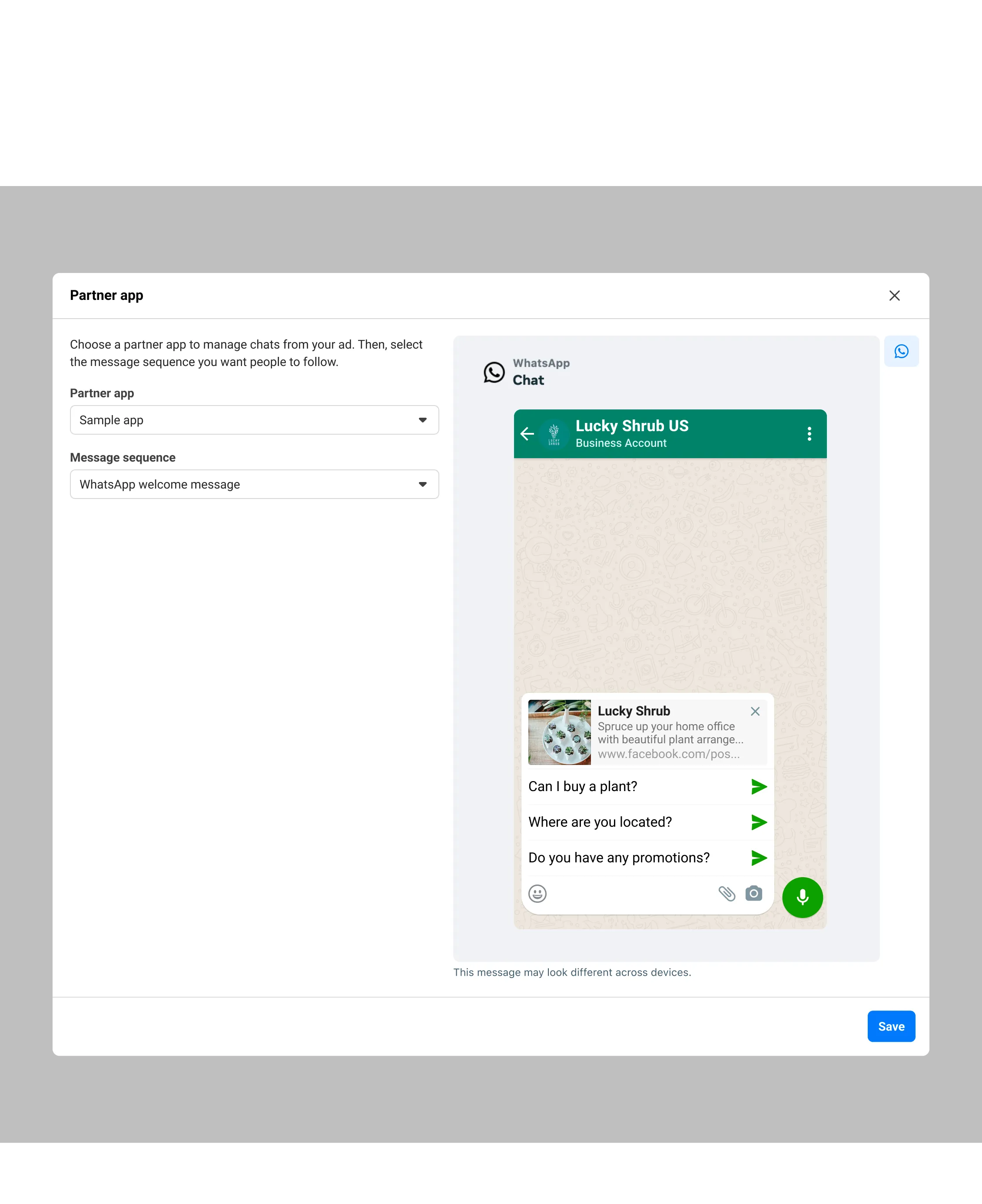
3: Under Message sequence, select the Welcome Message Sequence that you submitted via the API.
Error codes
| Code | Description | Possible Solutions |
|---|---|---|
4027001Invalid input data |
Some or all of the input data is not of the required format. |
Check all the fields and parameters passed into the request are of the correct type and format, and that all required parameters are present. |
4027005Unable to create a welcome message sequence |
An error occurred while trying to create a new welcome message sequence. |
Check that the access token has all the required permissions for the WhatsApp business account. |
4027006Unable to update a welcome message sequence |
Unable to update the welcome message sequence. |
Check all fields and the sequence ID for correctness. Check that the access token has the necessary permissions for the WhatsApp business account. |
4027007API unavailable |
The API being accessed is not available for use yet. |
Wait a day or two for the API to become available and try again. |
4027010Missing parameter |
One or more required parameters is missing. |
Check all the documentation and ensure the required parameters are present. |
4027012Sequence used in an ad |
The welcome message sequence is linked to an active ad and cannot be updated or deleted. |
Disconnect the sequence from the ad and try again. |
4027017Could not load the sequence |
Could not load the sequence being updated or deleted. |
The welcome message sequence either does not exist, or you do not have permission to access it. Please check the access token and make sure you have the required permissions. |