
Typing indicators | Developer Documentation
Typing indicators
Updated: Oct 21, 2025
When you get a messages webhook indicating a received message, you can use the
message.id value to mark the message as read and display a typing indicator so the WhatsApp user knows you are preparing a response. This is good practice if it will take you a few seconds to respond.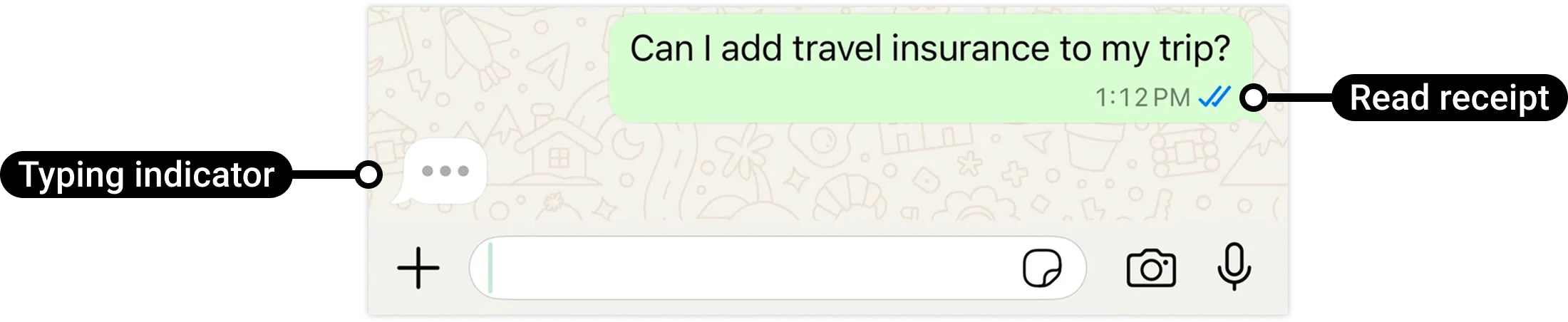
The typing indicator will be dismissed once you respond, or after 25 seconds, whichever comes first. To prevent a poor user experience, only display a typing indicator if you are going to respond.
Request parameters
| Placeholder | Description | Example value |
|---|---|---|
<ACCESS_TOKEN>String |
Required.
|
|
<API_VERSION>String |
Optional.
Graph API version. |
v25.0 |
<WHATSAPP_BUSINESS_PHONE_NUMBER_ID>String |
Required.
WhatsApp business phone number ID. |
106540352242922 |
<WHATSAPP_MESSAGE_ID>String |
Required.
WhatsApp message ID. This ID is assigned to the messages.id property in received message messages webhooks. |
wamid.HBgLMTY1MDM4Nzk0MzkVAgARGBJDQjZCMzlEQUE4OTJBMTE4RTUA |