
Address Messages | Developer Documentation
Address Messages
Updated: Nov 7, 2025
This feature is only available for businesses based in India and their India customers.
Address messages give your users a simpler way to share the shipping address with the business on WhatsApp.
Address messages are interactive messages that contain the 4 main parts:
header, body, footer, and action. Inside the action component business specifies the name “address_message” and relevant parameters.Below table outlines the fields that are supported by the address message.
| Field Name | Display Label | Input Type | Supported Countries | Limitations |
|---|---|---|---|---|
name |
Name |
text |
India |
None |
phone_number |
Phone Number |
tel |
India |
Valid phone numbers only |
in_pin_code |
Pin Code |
text |
India |
Max length: 6 |
house_number |
Flat/House Number |
text |
India |
None |
floor_number |
Floor Number |
text |
India |
None |
tower_number |
Tower Number |
text |
India |
None |
building_name |
Building/Apartment Name |
text |
India |
None |
address |
Address |
text |
India |
None |
landmark_area |
Landmark/Area |
text |
India |
None |
city |
City |
text |
India |
None |
state |
State |
text |
India |
None |
Error Handling
If the area code of the phone number for the given country is not correct, businesses will be unable to request the address message from the recipient. For example, businesses will be unable to request an address message from a recipient that has the country as “India” but has a phone number with an area code of “65”.
Once the address message is sent, the business waits for the user to fill in the address and send it back. The user entered address is shared through the webhook registered in the setup process.
Address Message Steps
The steps involved in an Address Message are the following:
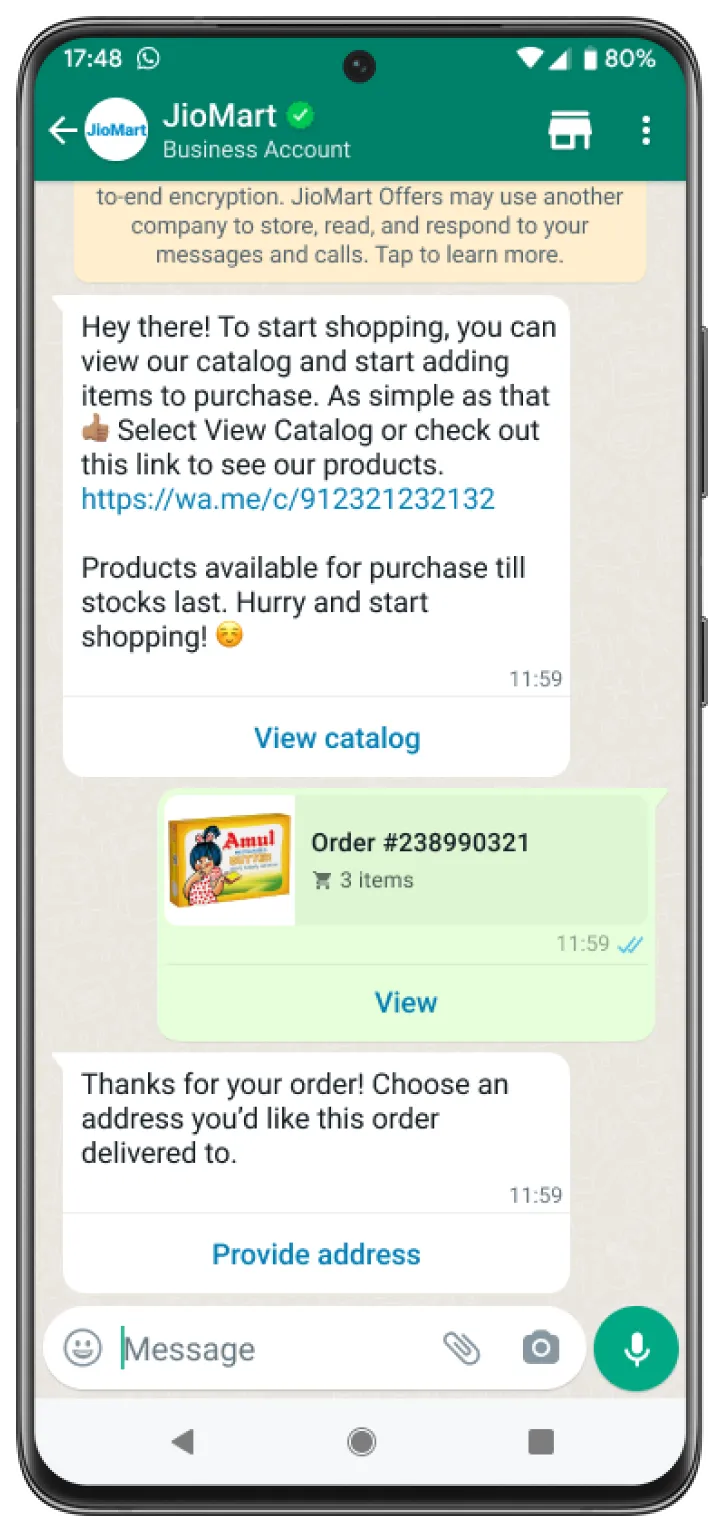
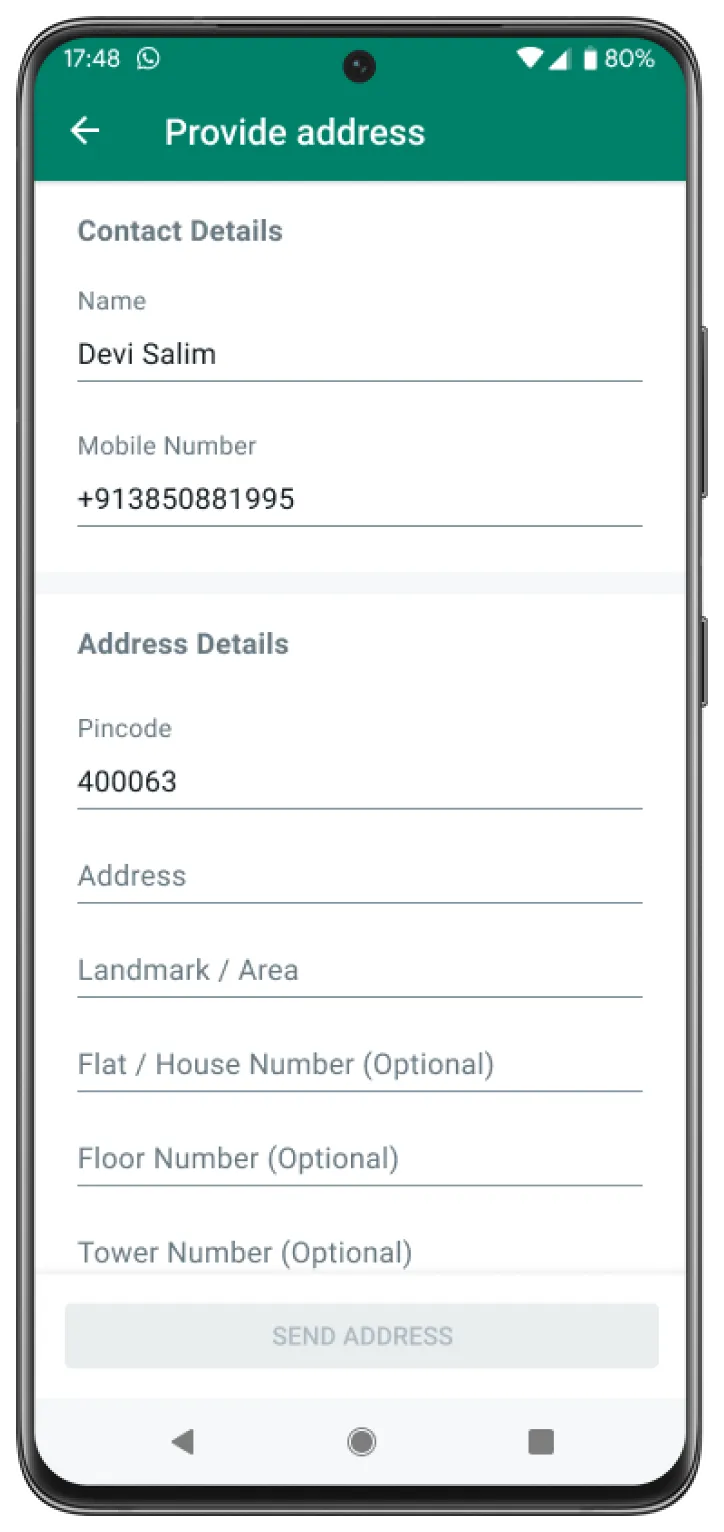
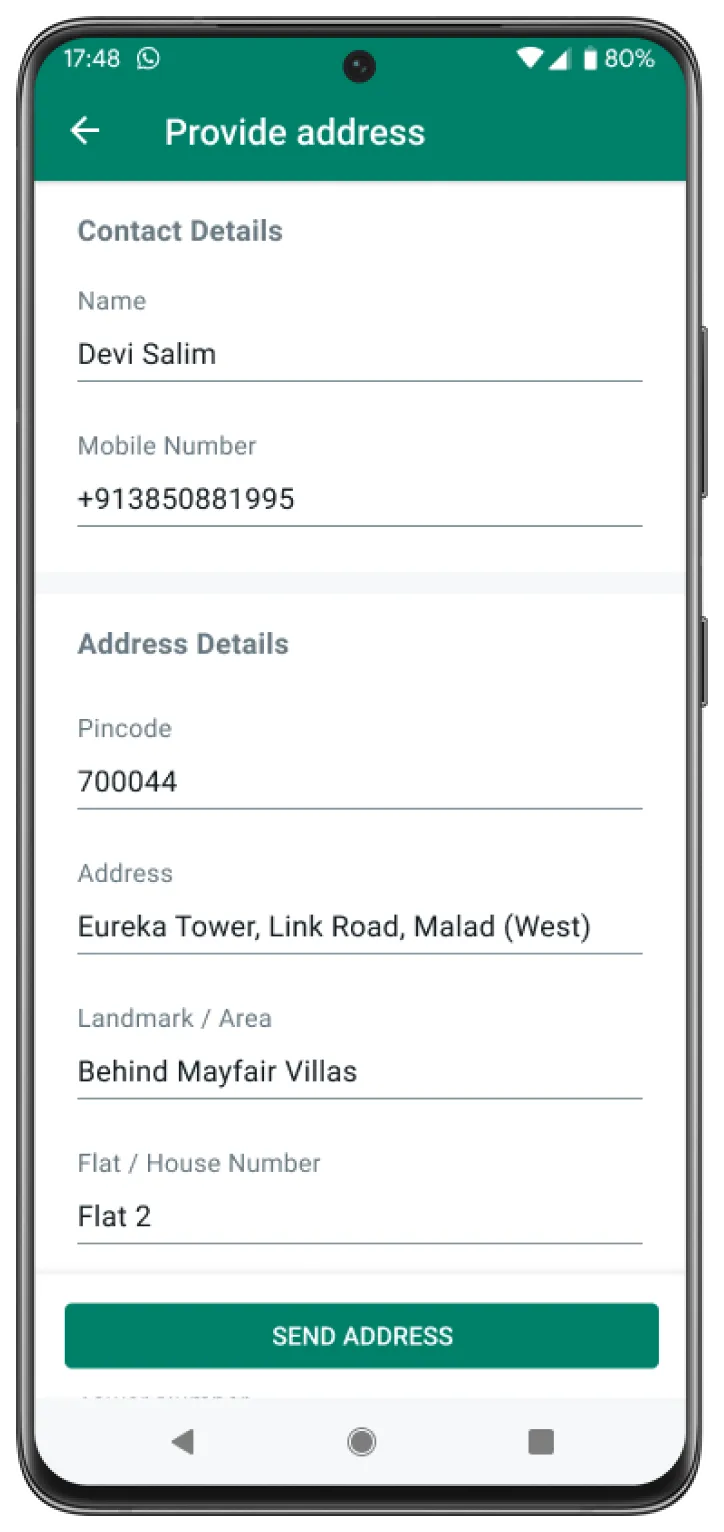
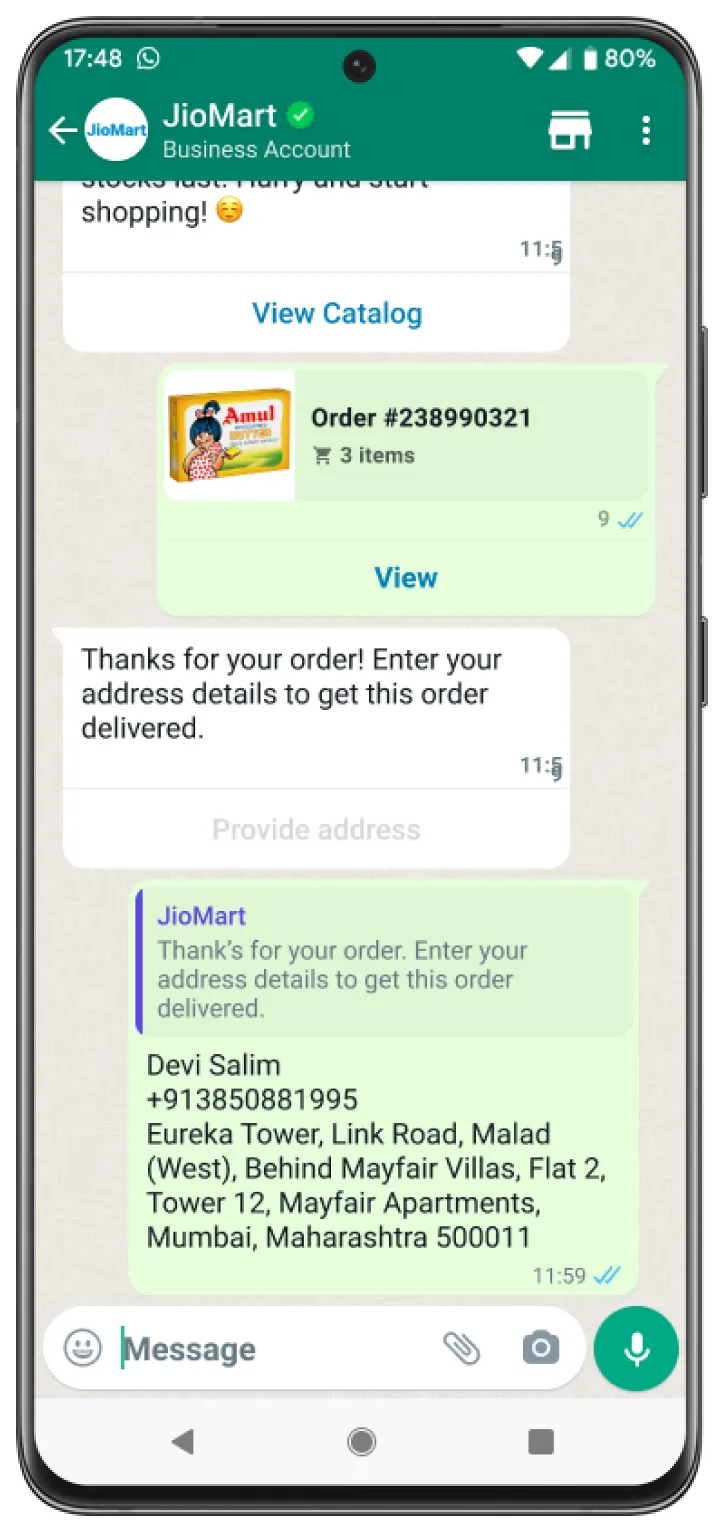
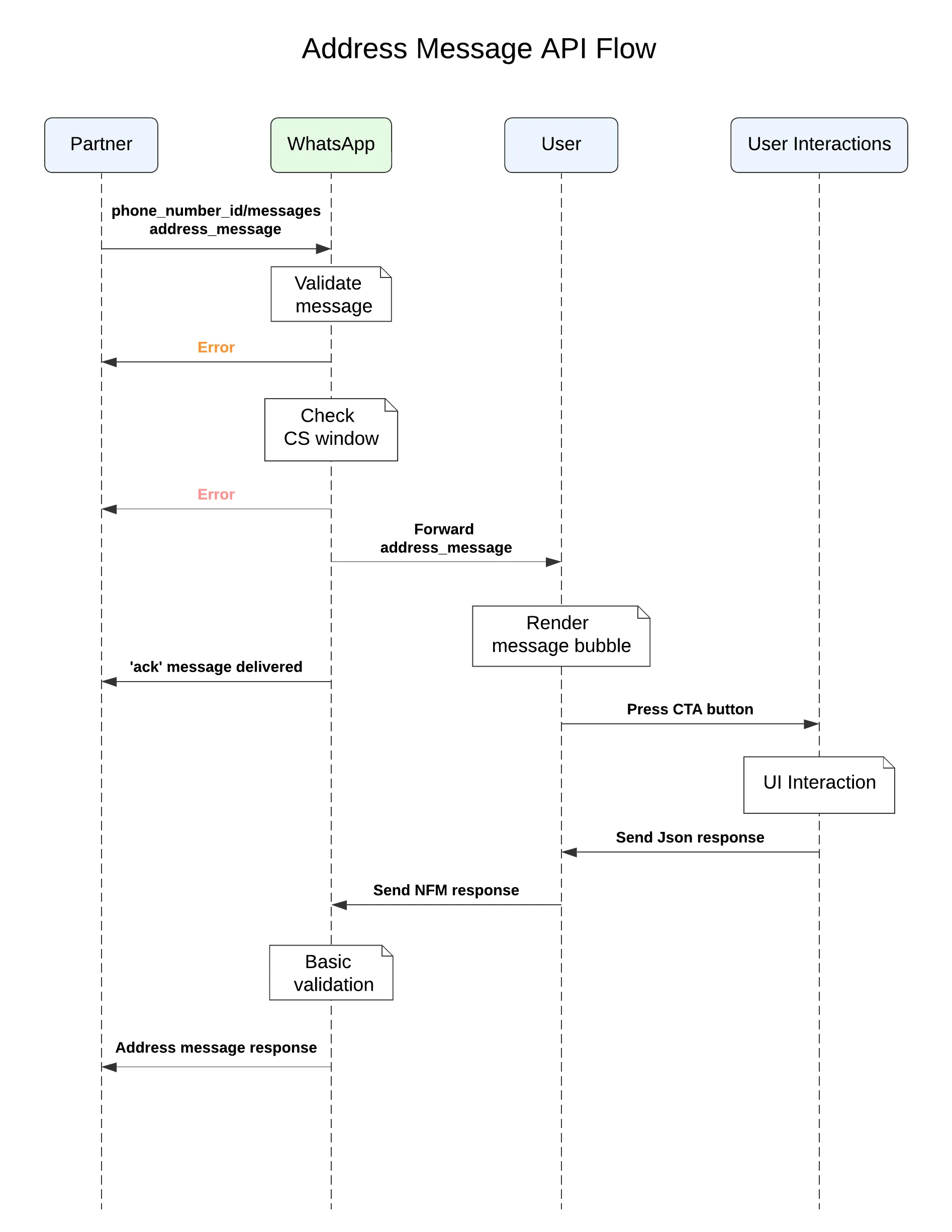
Business sends an address message with the action name address_message to the userUser interacts with the message by clicking on the CTA, which brings up an Address Message screen. The user fills out their address and submits the formAfter the address message form is submitted by the user, the partner receives a webhook notification, which contains the details of the address submitted by the user
Sample India Address Message
The following sequence diagram shows a typical integration flow for an address message.
Check Your Response
A successful response includes a
messages object with an ID for the newly created message.An unsuccessful response contains an error message. See Error and Status Codes for more information.
Feature Not Supported
In the case where the client does not support
address_message, messages are silently dropped and an error message is sent back to the business in a webhook. The webhook notification that would be sent back is shown below: