Instructions for sending templates in Bitrix24 via our WhatsApp Business API integration entity
In this guide, you will learn how to send template messages in Bitrix24 using our integration entity.
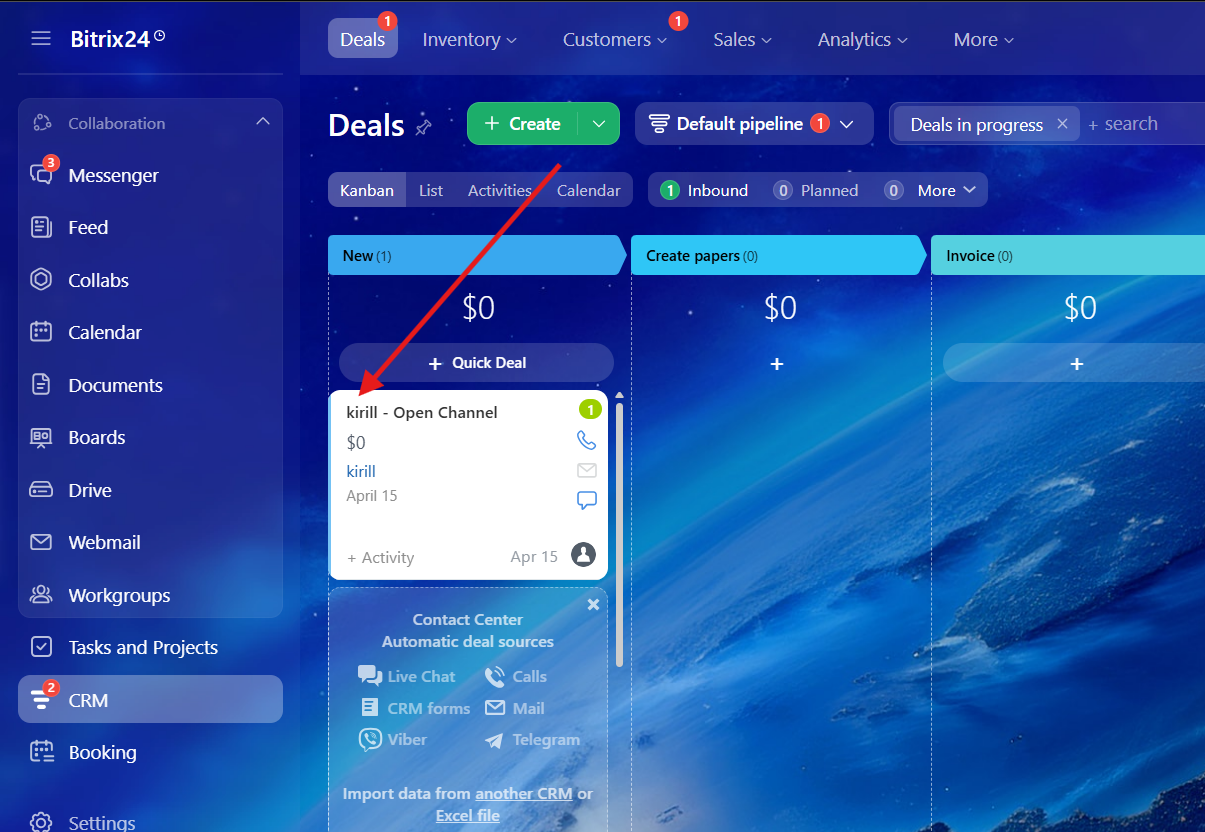
1. Go to the CRM -> Deals and choose a deal
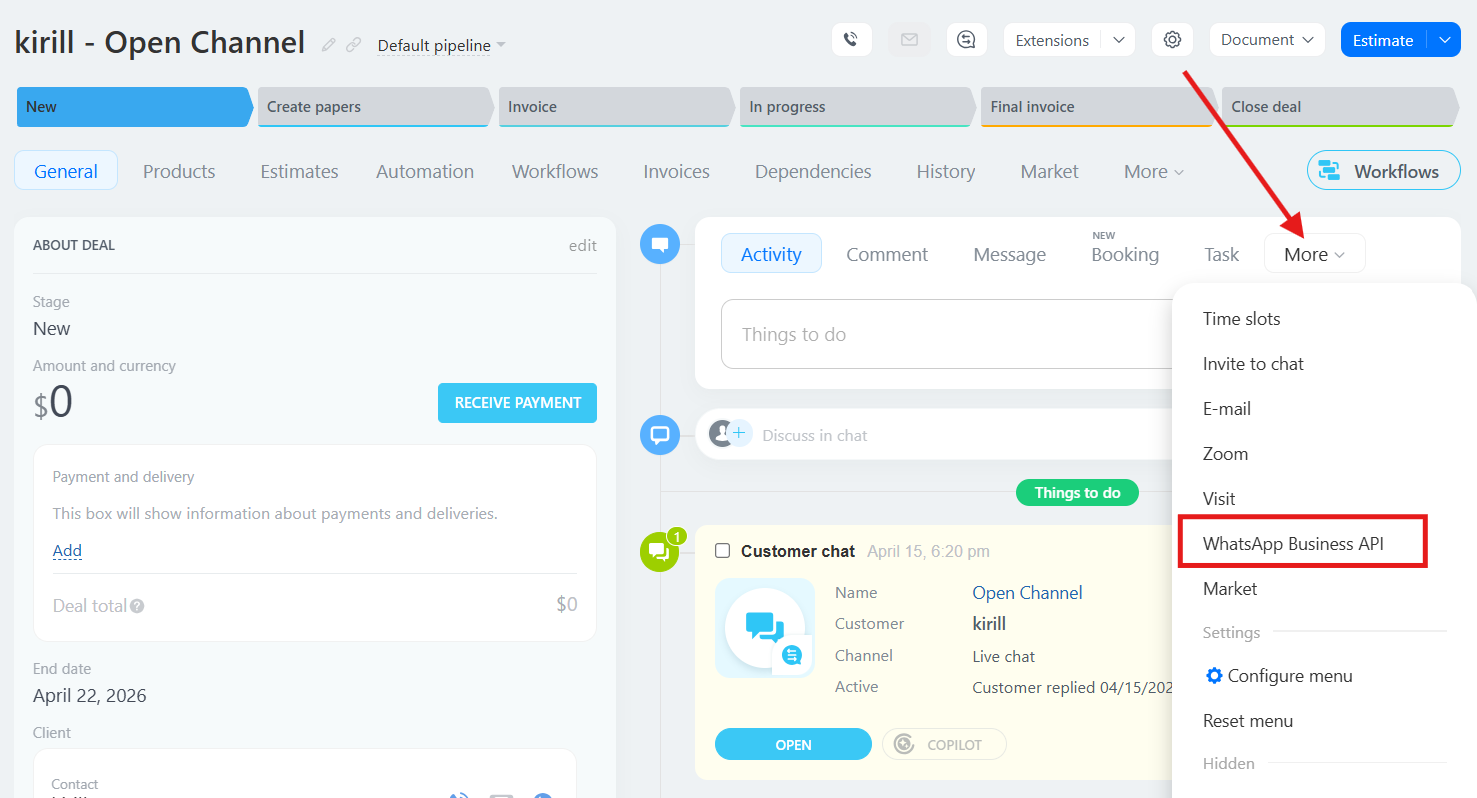
2. Press "More" and choose our entity "WhatsApp Business API"
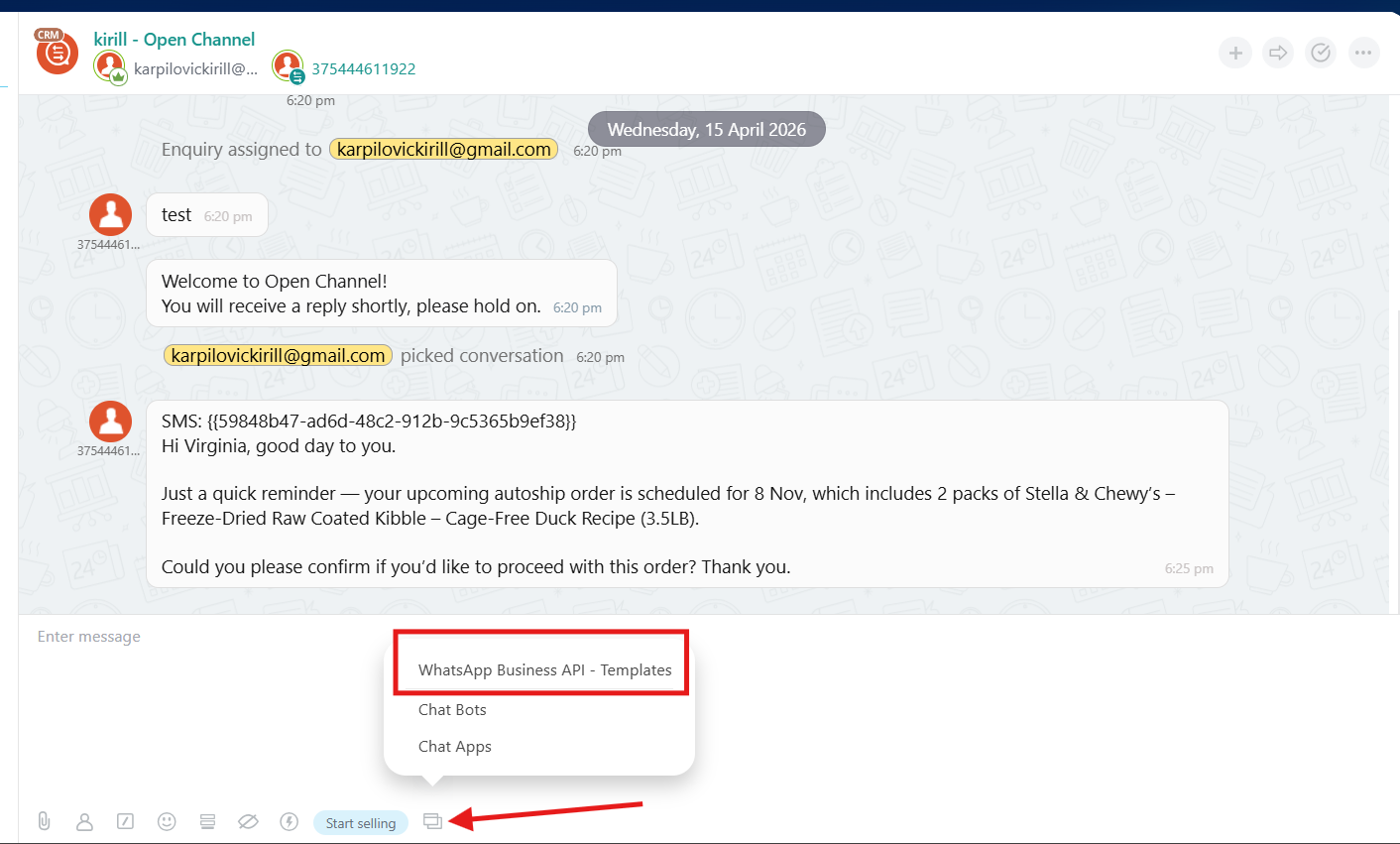
3. You will be redirected to Open Channels. In the chat window, at the bottom, there will be a button (indicated by an arrow in the screenshot). Click on it and select "WhatsApp Business API templates."
After that, choose the required template and send it to your client.