# WhatsApp Business API for Deskie\Omnidesk: Installation and sending the first message.
**In this guide, you will learn how to install our integration in Deskie / Omnidesk and verify the functionality of incoming and outgoing messages.
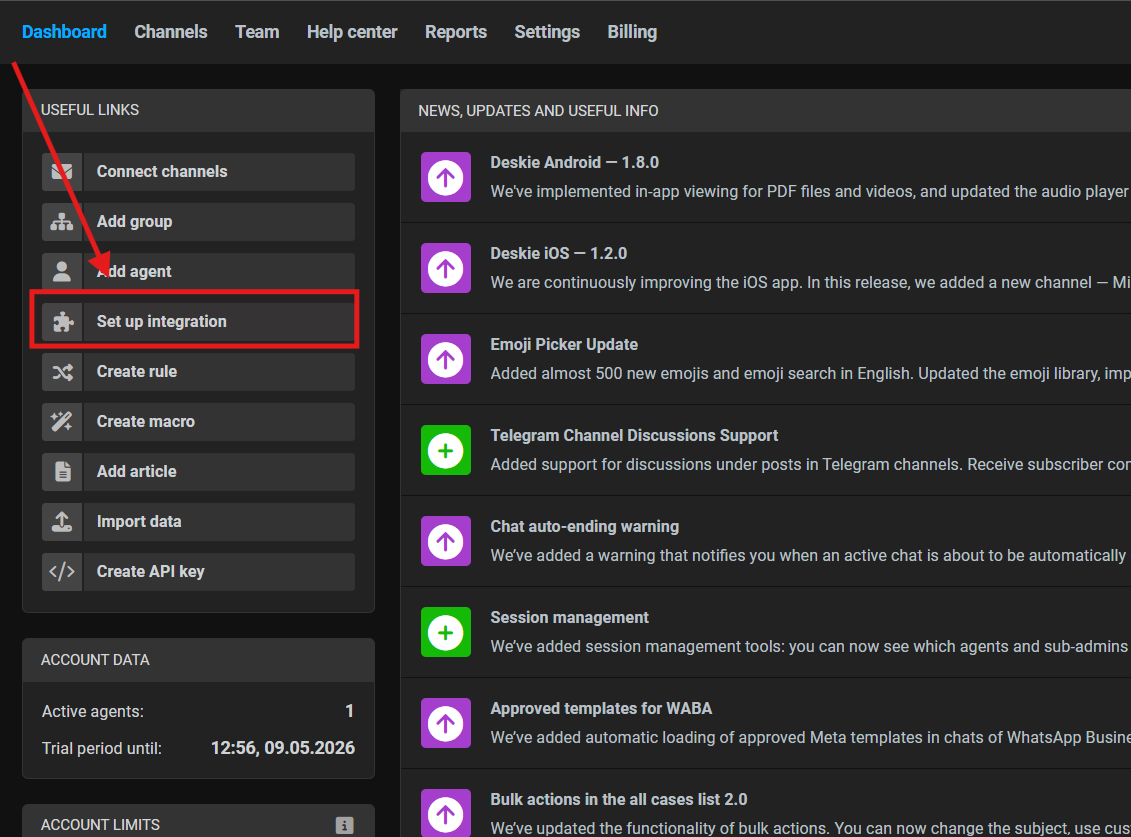
**1. Open the administrator account and select “**Set up integration**”
[](https://support.chatarchitect.com/uploads/images/gallery/2026-04/G9uimage.png)
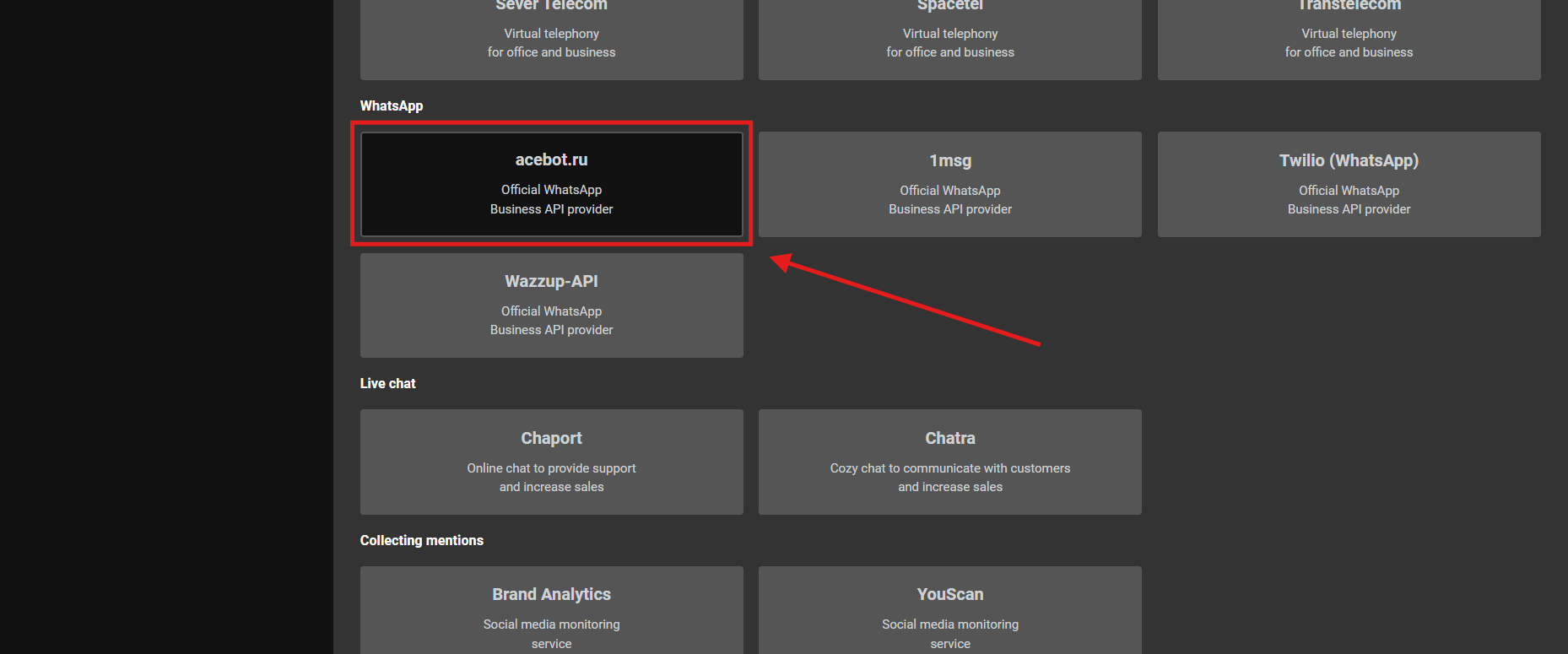
2\. Go to the "**WhatsApp**" section and choose our integration "**AceBot.ru**"
[](https://support.chatarchitect.com/uploads/images/gallery/2026-04/Nqjimage.png)
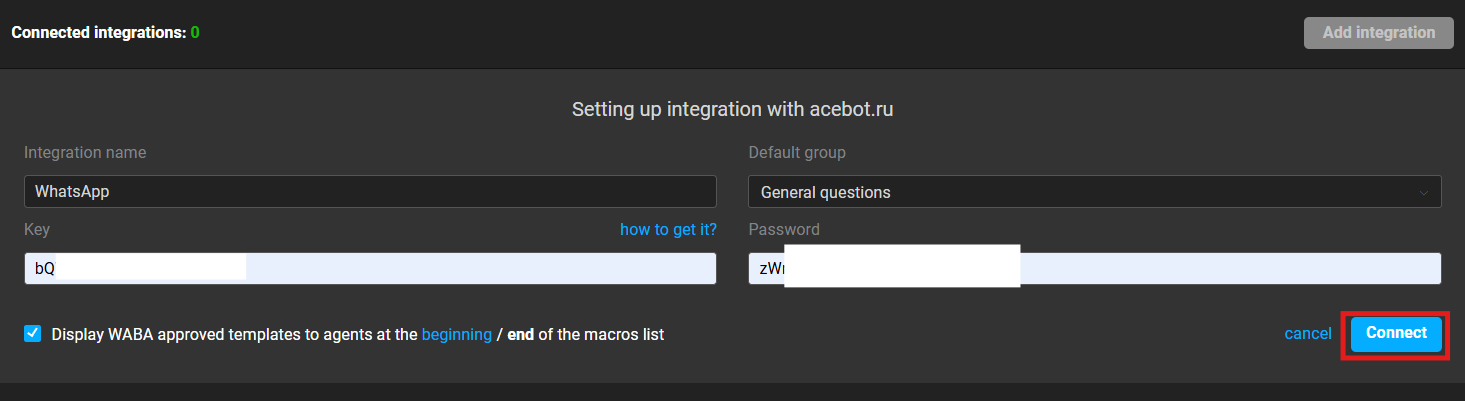
3\. Fill in your **APP ID** and **APP SECRET**;
Press "**Connect**" button.
[](https://support.chatarchitect.com/uploads/images/gallery/2026-04/DUSimage.png)
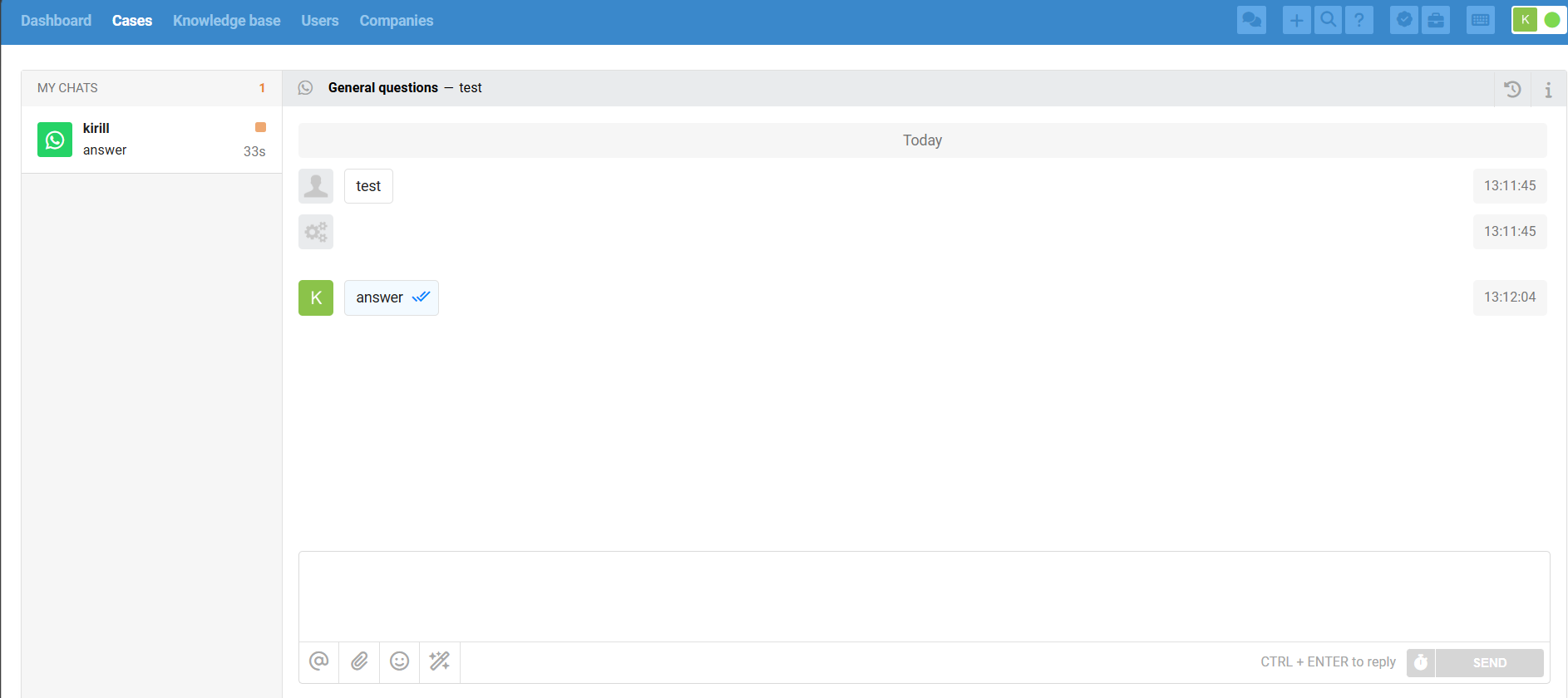
4\. Send your first message from your personal WhatsApp to your WhatsApp Business API number
[](https://support.chatarchitect.com/uploads/images/gallery/2026-04/t0Jimage.png)