# How to initiate dialogue in Slack
## How to initiate dialogue in Slack
**Video manual:** [https://www.youtube.com/watch?v=GqUpbqOvFoY](https://www.youtube.com/watch?v=GqUpbqOvFoY)
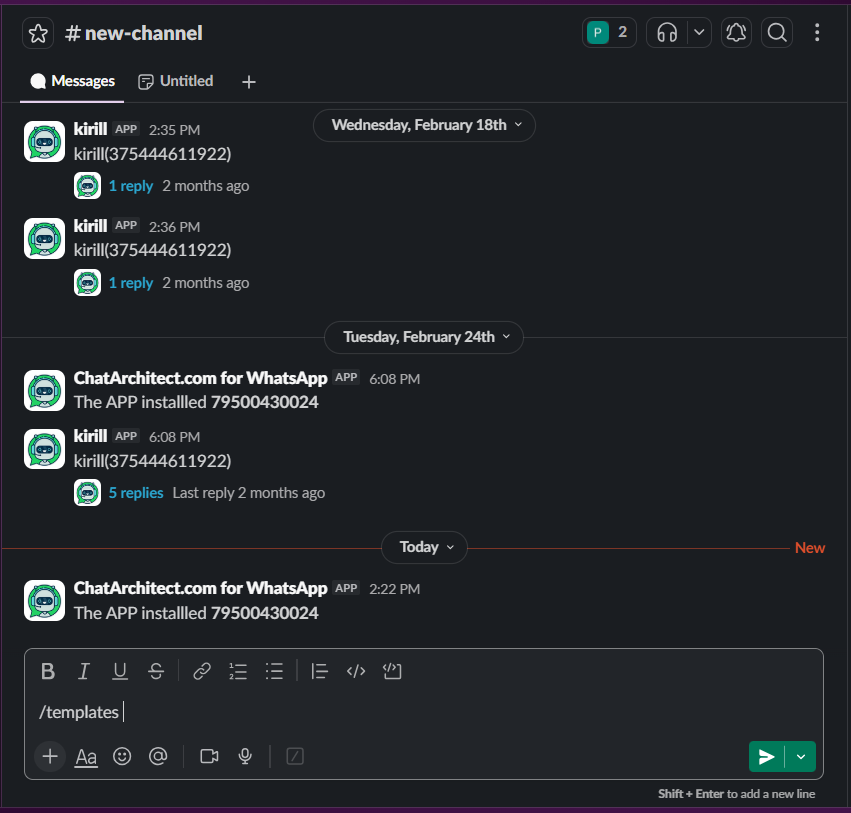
1\. In Slack use command **/templates** and press **"send"** button
[](https://support.chatarchitect.com/uploads/images/gallery/2026-04/image.png)
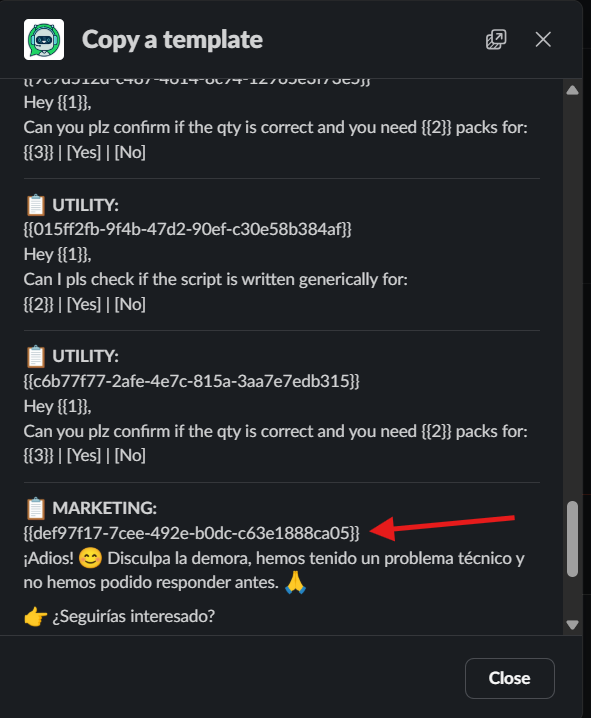
2\. Copy a template that you need with **template id**
[](https://support.chatarchitect.com/uploads/images/gallery/2026-04/ArXimage.png)
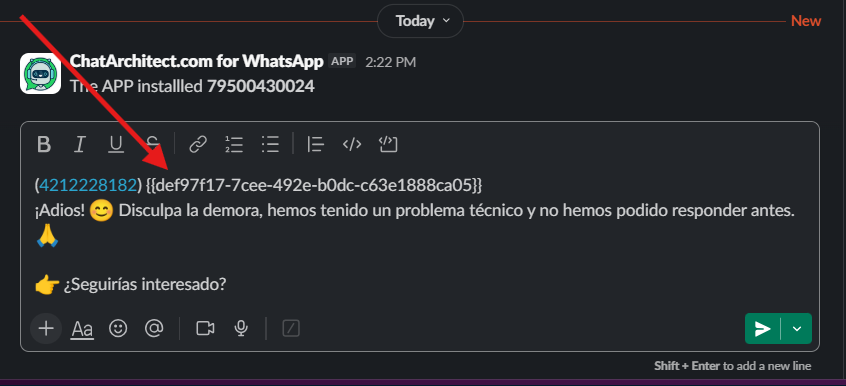
3\. Send a template to your client using this format:
**(number) text of the template**
[](https://support.chatarchitect.com/uploads/images/gallery/2026-04/sMTimage.png)