# WhatsApp Business API for Microsoft Teams: Installation and sending the first message.

Installation guide

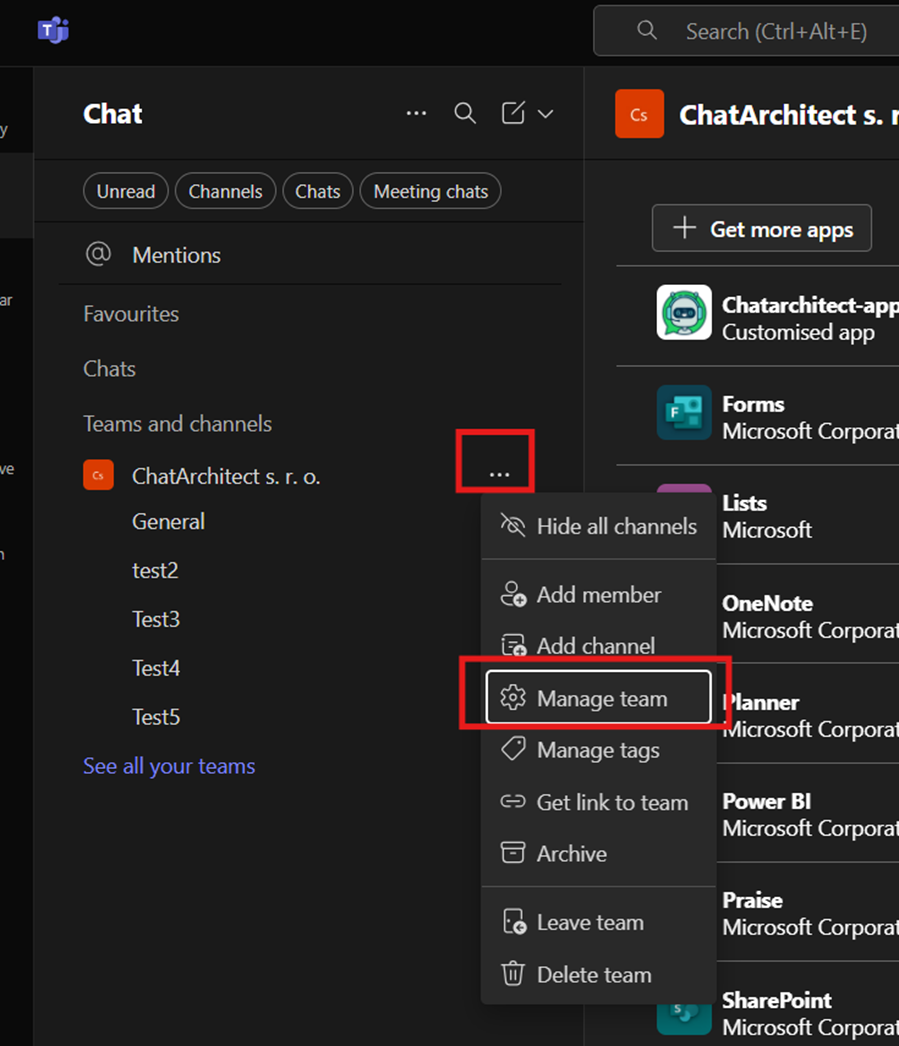
1\. First of all you need to choose a team where do you want to use our app, press "more options" and after that "manage team"

<figure id="bkmrk-">![embedded-image-jyfqwbfh.png](https://bookstack-support-u7942.vm.elestio.app/uploads/images/gallery/2026-03/embedded-image-jyfqwbfh.png)</figure>   
  
  
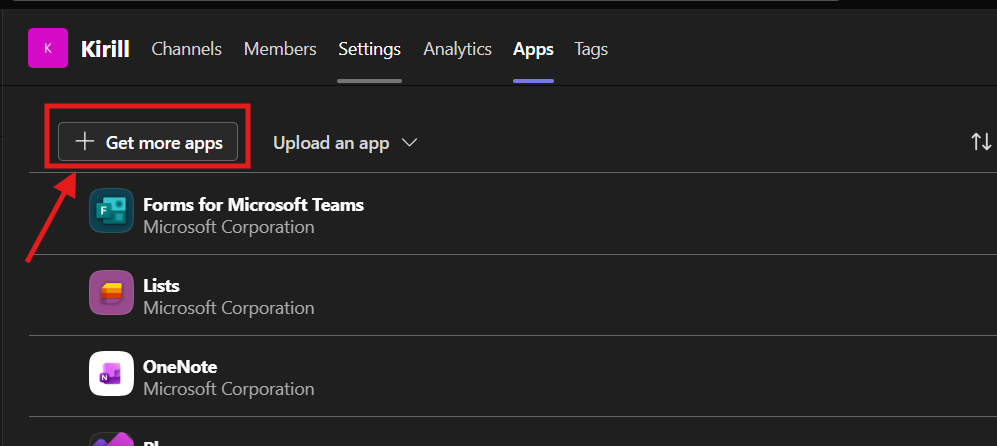
2\. Go to the "apps" =&gt; "upload an app" and upload a file that we sent to you

<figure id="bkmrk--1">![embedded-image-eoztcses.png](https://bookstack-support-u7942.vm.elestio.app/uploads/images/gallery/2026-03/embedded-image-eoztcses.png)</figure> 3. Upload a file that we will send you and press "add"

<figure id="bkmrk--2">![embedded-image-nfvte7ie.png](https://bookstack-support-u7942.vm.elestio.app/uploads/images/gallery/2026-03/embedded-image-nfvte7ie.png)</figure>   
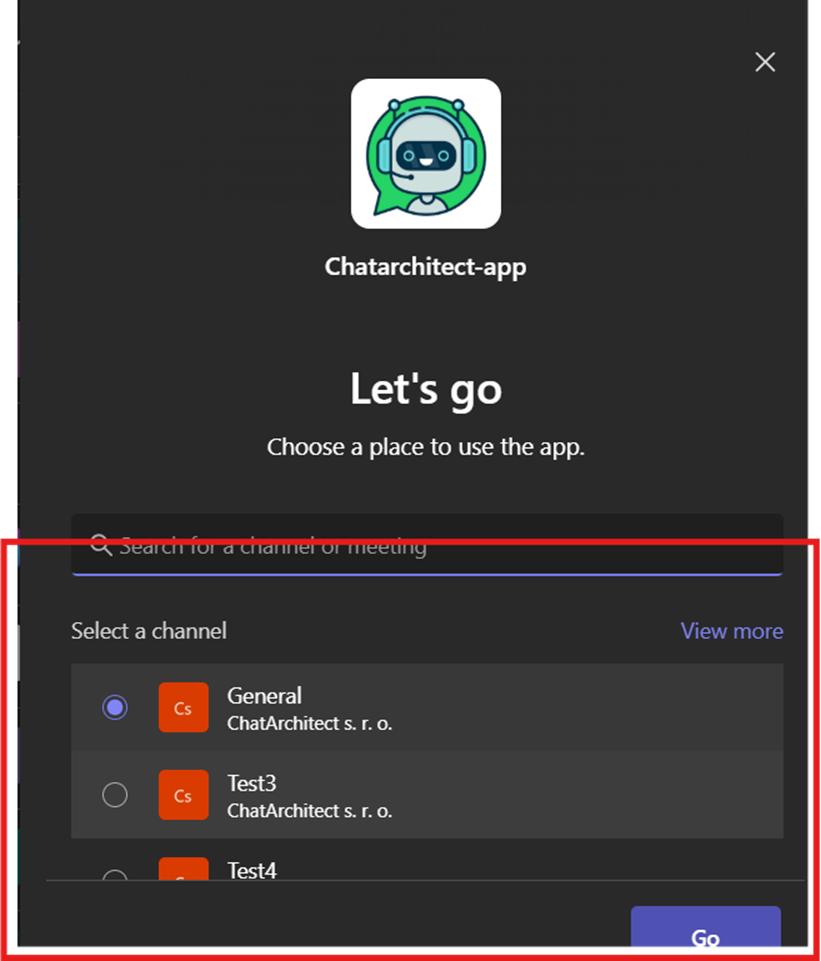
4\. Select a channel and press "go"

<figure id="bkmrk--3">![embedded-image-0svdtbrb.png](https://bookstack-support-u7942.vm.elestio.app/uploads/images/gallery/2026-03/embedded-image-0svdtbrb.png)</figure>   
  
  
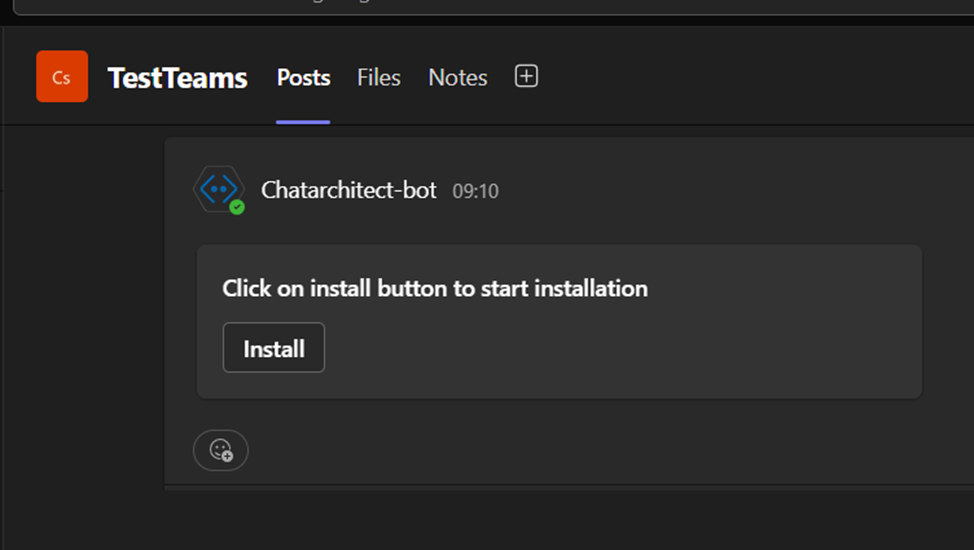
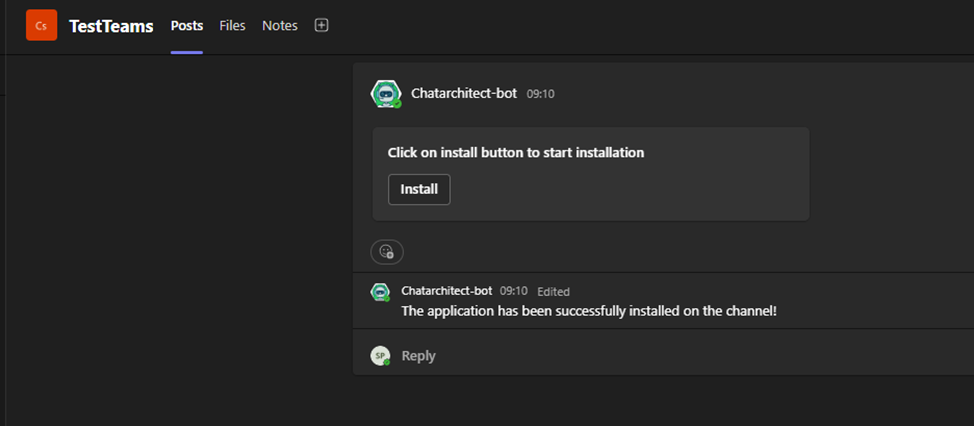
5\. After this you will be redirected to the channel that you choose and you will see "install" button. Press on it

<figure id="bkmrk--4">![embedded-image-b6qa5dn7.png](https://bookstack-support-u7942.vm.elestio.app/uploads/images/gallery/2026-03/embedded-image-b6qa5dn7.png)</figure>  
  
  
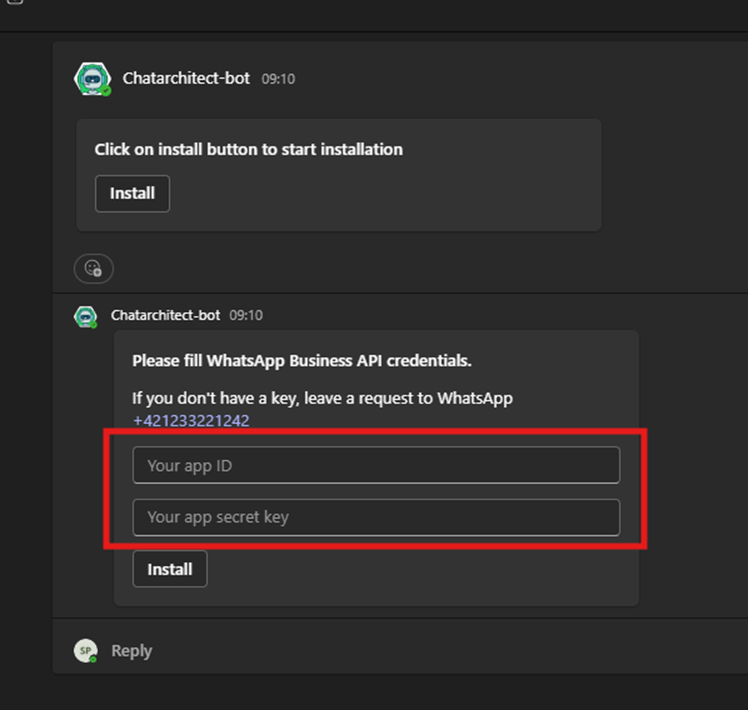
6\. You need to fill in **app id** and **app secret** and press "install"
<figure id="bkmrk--5">![embedded-image-yrdhfib7.png](https://bookstack-support-u7942.vm.elestio.app/uploads/images/gallery/2026-03/embedded-image-yrdhfib7.png)</figure><figure id="bkmrk--6">![embedded-image-vxbvawvz.png](https://bookstack-support-u7942.vm.elestio.app/uploads/images/gallery/2026-03/embedded-image-vxbvawvz.png)</figure>  


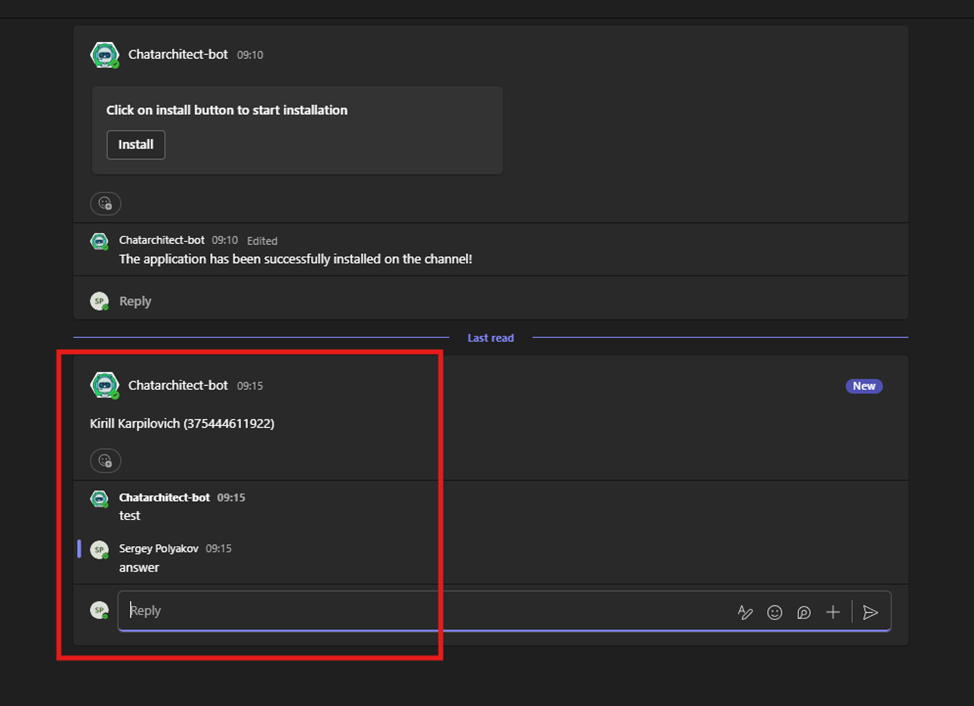
7\. Now you need to check incoming and outgoing messages:  
You need to write from your personal number on WhatsApp Business API number using this link wa.me/855388801854

<figure id="bkmrk--7">![embedded-image-y7flpwa2.png](https://bookstack-support-u7942.vm.elestio.app/uploads/images/gallery/2026-03/embedded-image-y7flpwa2.png)</figure>