# WhatsApp Business API for Kommo: Installation and sending the first message.
## Step by step instruction
1\. First of all, go to the "Settings"
[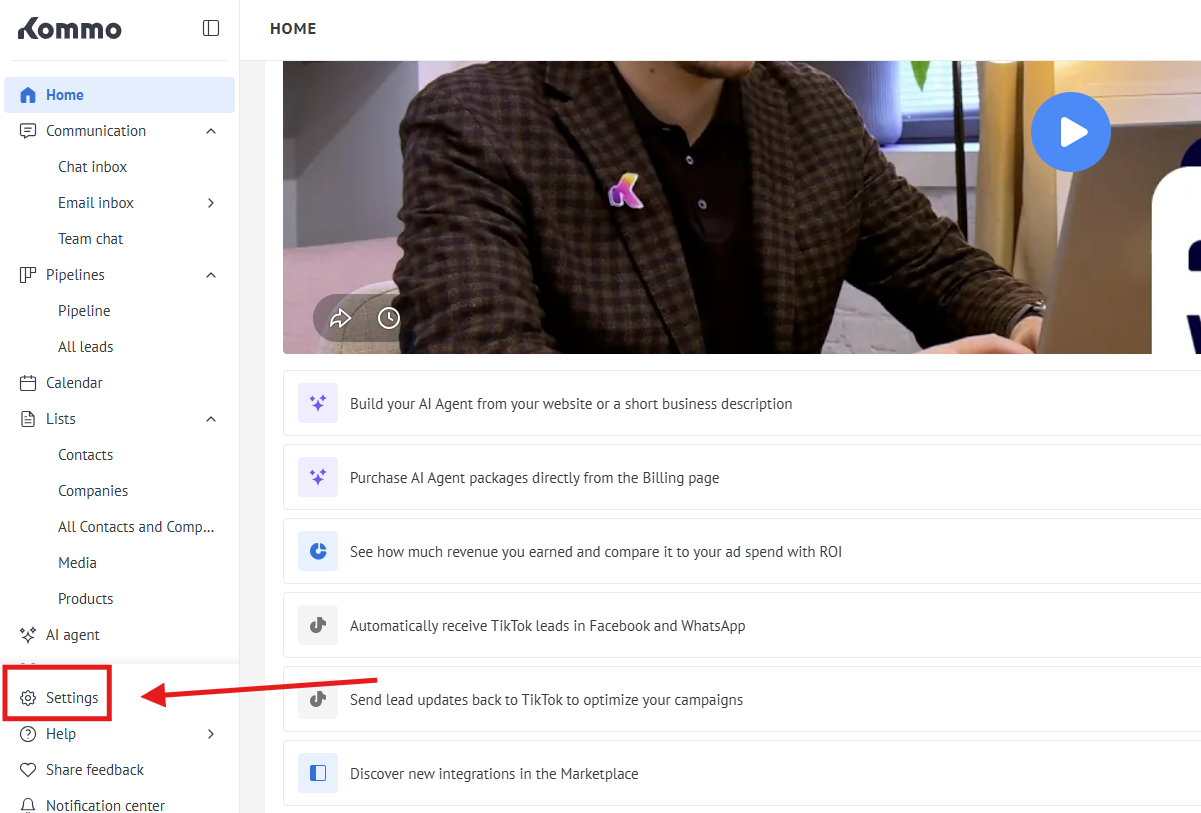](https://support.chatarchitect.com/uploads/images/gallery/2026-04/9eUimage.png)
2\. Go to the "Integration marketplace"
[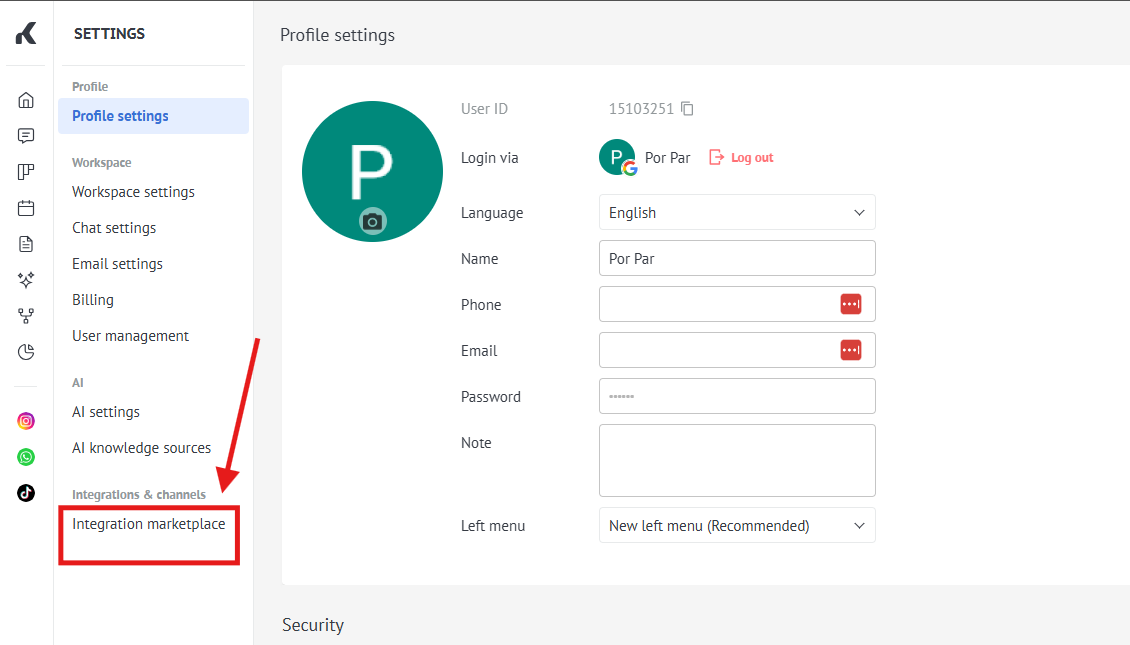](https://support.chatarchitect.com/uploads/images/gallery/2026-04/uAOimage.png)
3\. Choose our app WhatsApp Business API ( check a screenshot )
[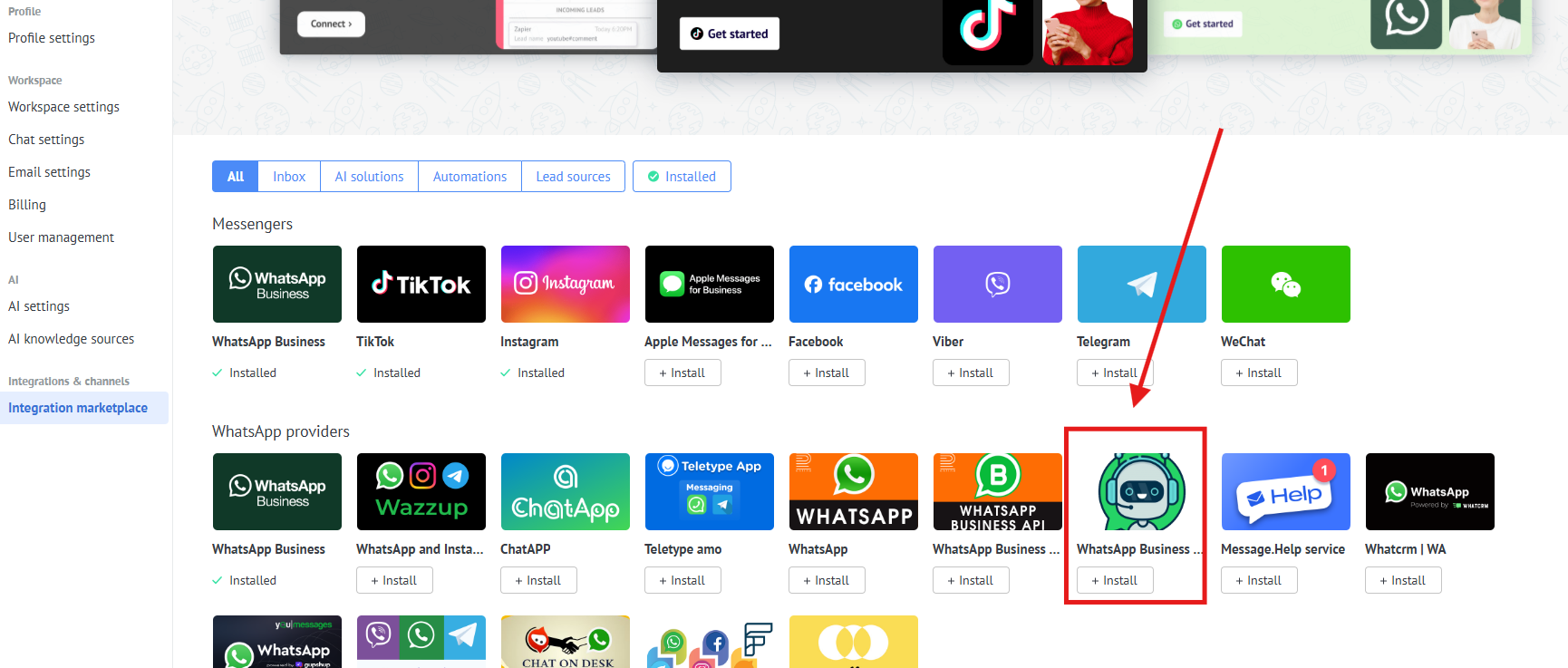](https://support.chatarchitect.com/uploads/images/gallery/2026-04/b72image.png)
4\. Fill in your **APP ID** and **APP SECRET**
[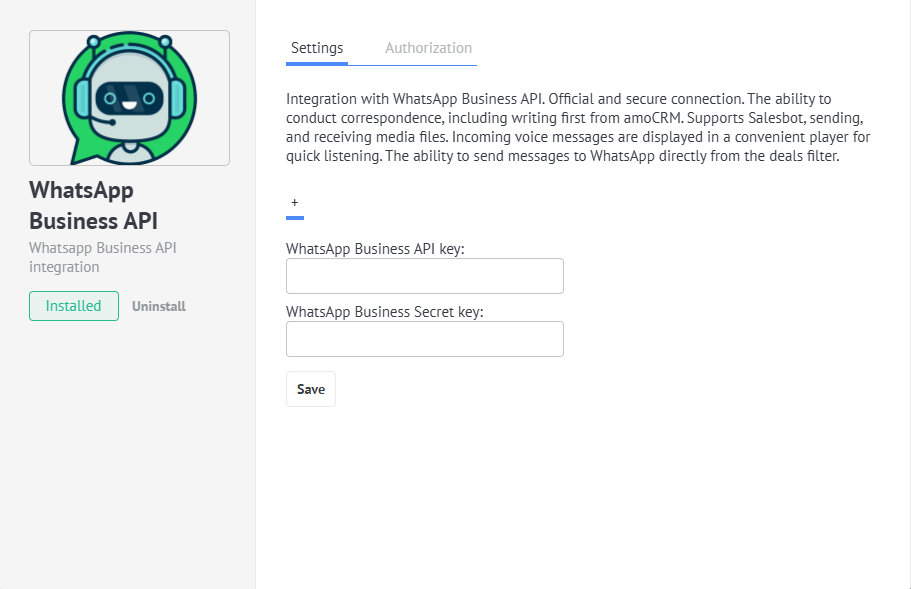](https://support.chatarchitect.com/uploads/images/gallery/2026-04/FsDimage.png)
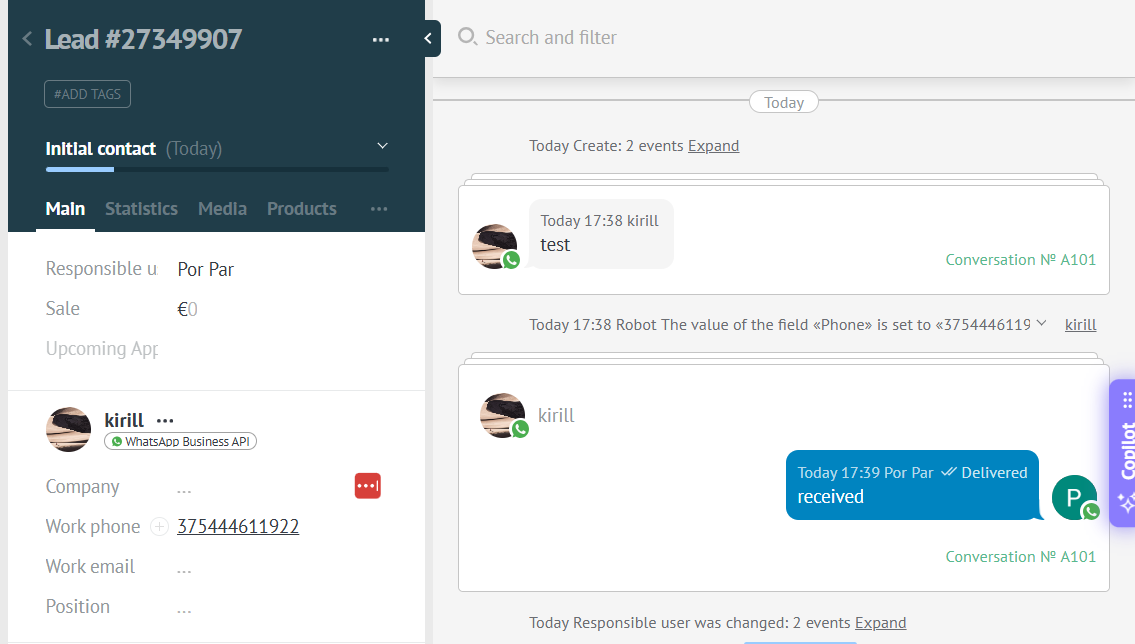
5\. Send your first message from your personal WhatsApp to your WhatsApp Business API number
[](https://support.chatarchitect.com/uploads/images/gallery/2026-04/3Grimage.png)
**Sending a message using templates**
**Video manual** : [https://www.youtube.com/watch?v=2S6VyKS0Rpg](https://www.youtube.com/watch?v=2S6VyKS0Rpg "How to send templates video")
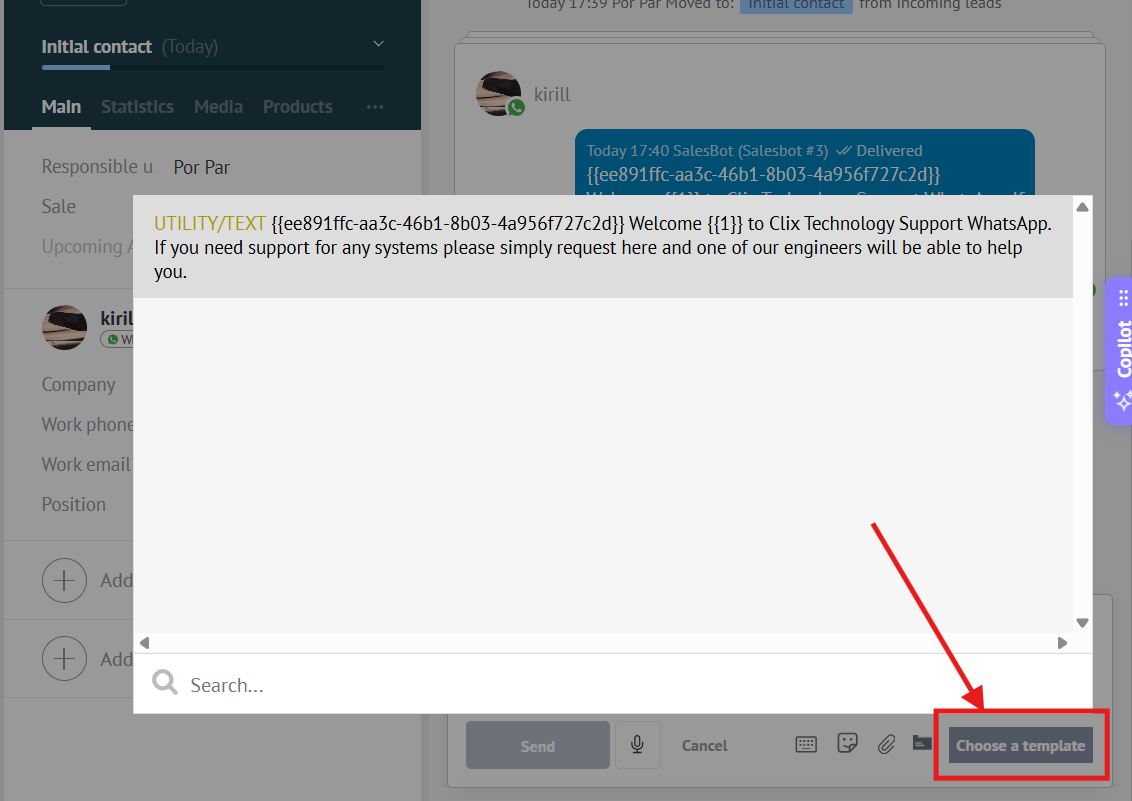
You can send templates from chats in Kommo by using the list of templates
[](https://support.chatarchitect.com/uploads/images/gallery/2026-04/ch7image.png)
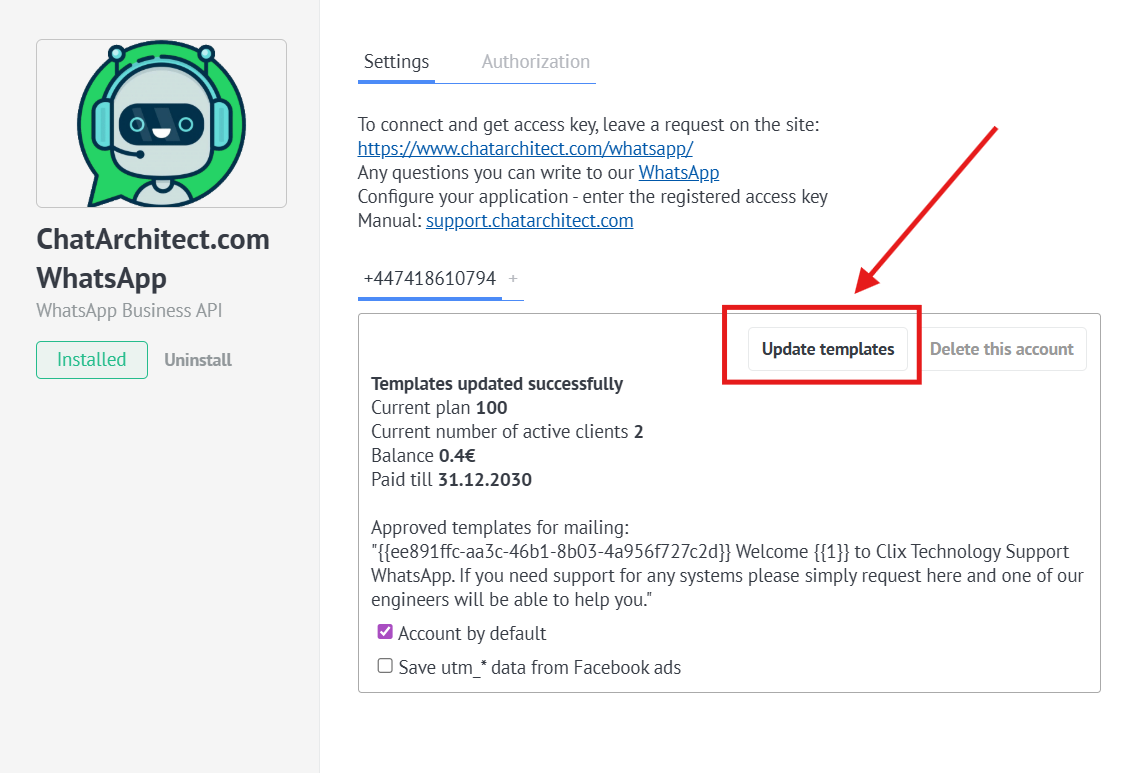
❗❗❗ In case the templates do not appear in the list, you need to:
Go to the "Settings" -> "Installed" -> Click on our application -> Press "Update templates" button
[](https://support.chatarchitect.com/uploads/images/gallery/2026-04/6oqimage.png)