# Sending templates from Simla

**In this manual you will learn how to send templates from a customer card**  
  
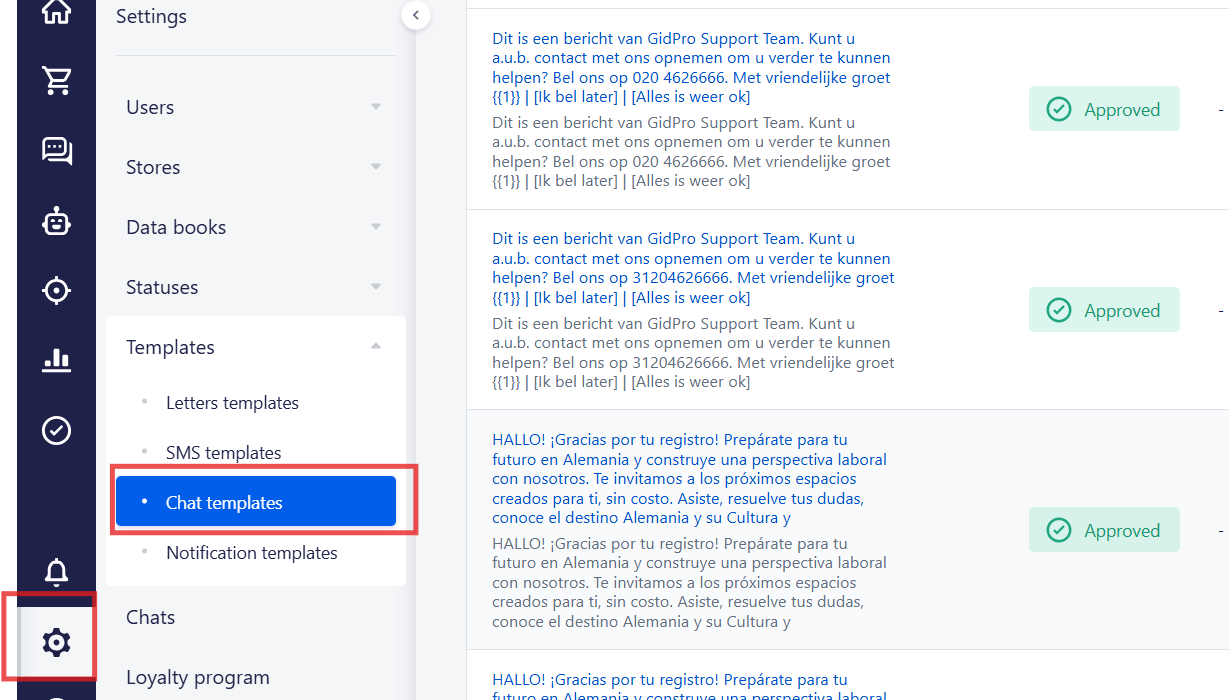
1\. First of all, you need to go to the Settings =&gt; Templates = &gt; Chat templates

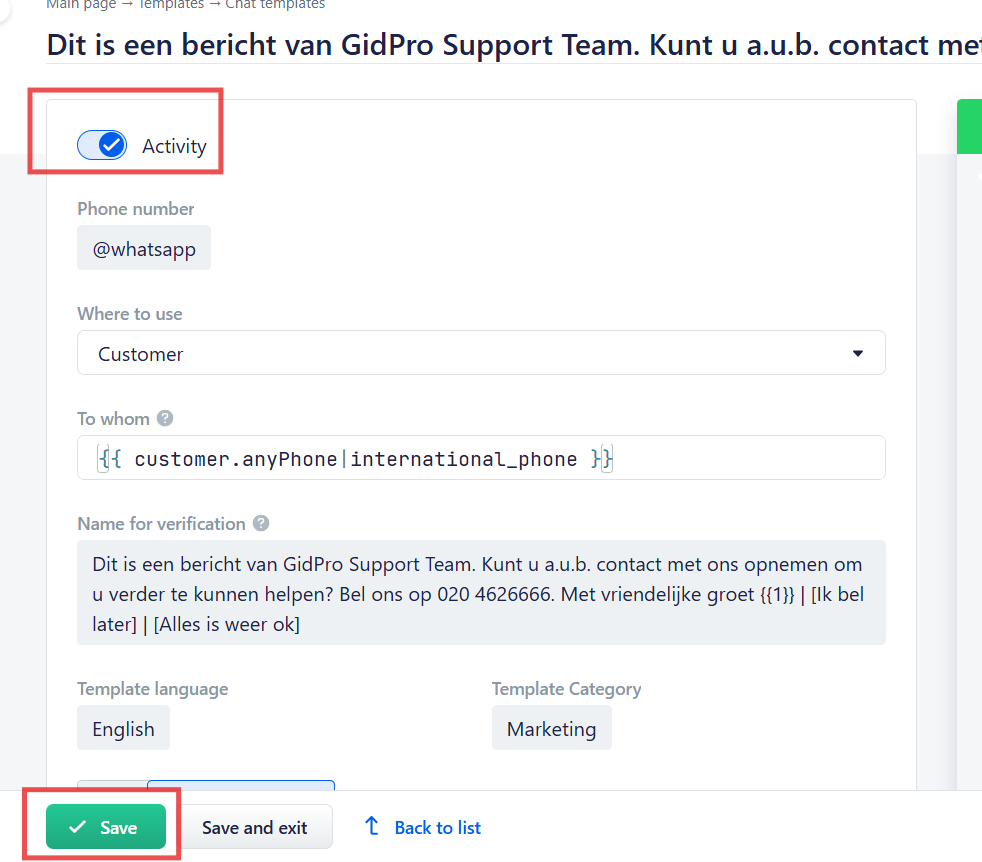
<figure id="bkmrk-">![embedded-image-5txoktob.png](https://support.chatarchitect.com/uploads/images/gallery/2026-03/embedded-image-5txoktob.png)</figure>2\. After that you need to choose a template and activate it
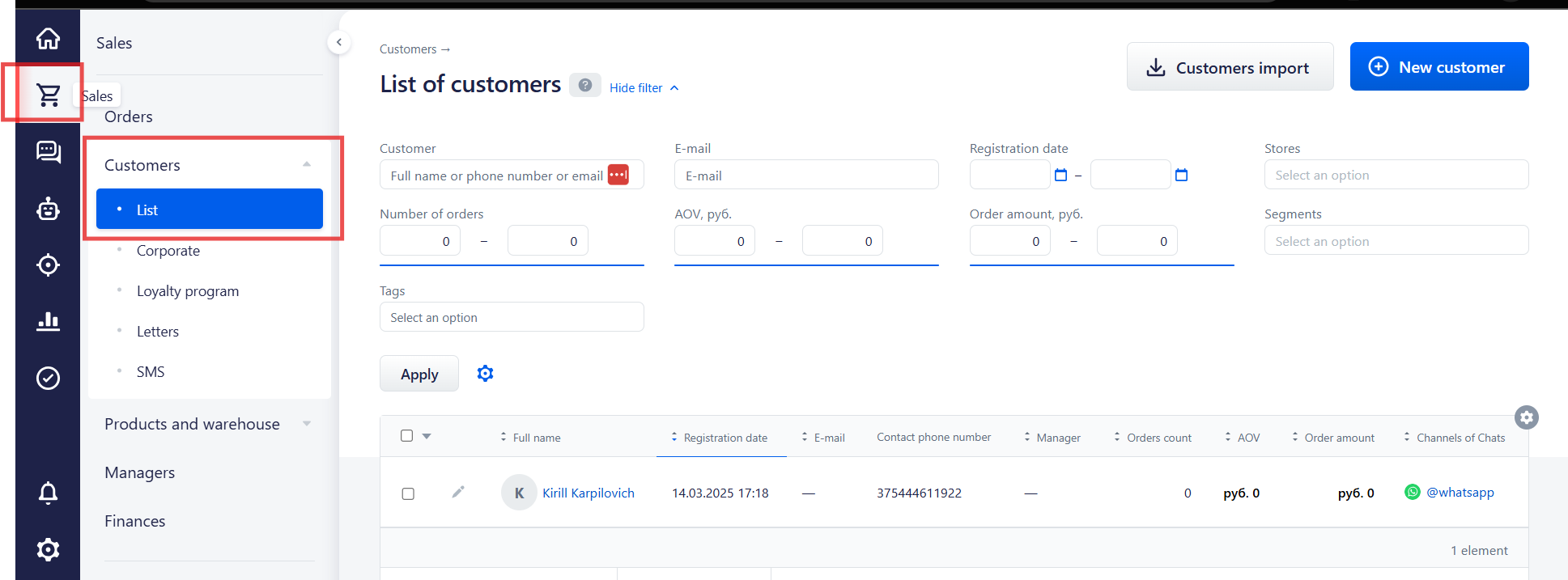
<figure id="bkmrk--1">![embedded-image-fgifhgkt.png](https://support.chatarchitect.com/uploads/images/gallery/2026-03/embedded-image-fgifhgkt.png)</figure>3\. After this you need to go to the Sales = &gt; Customers =&gt; List and choose a customer

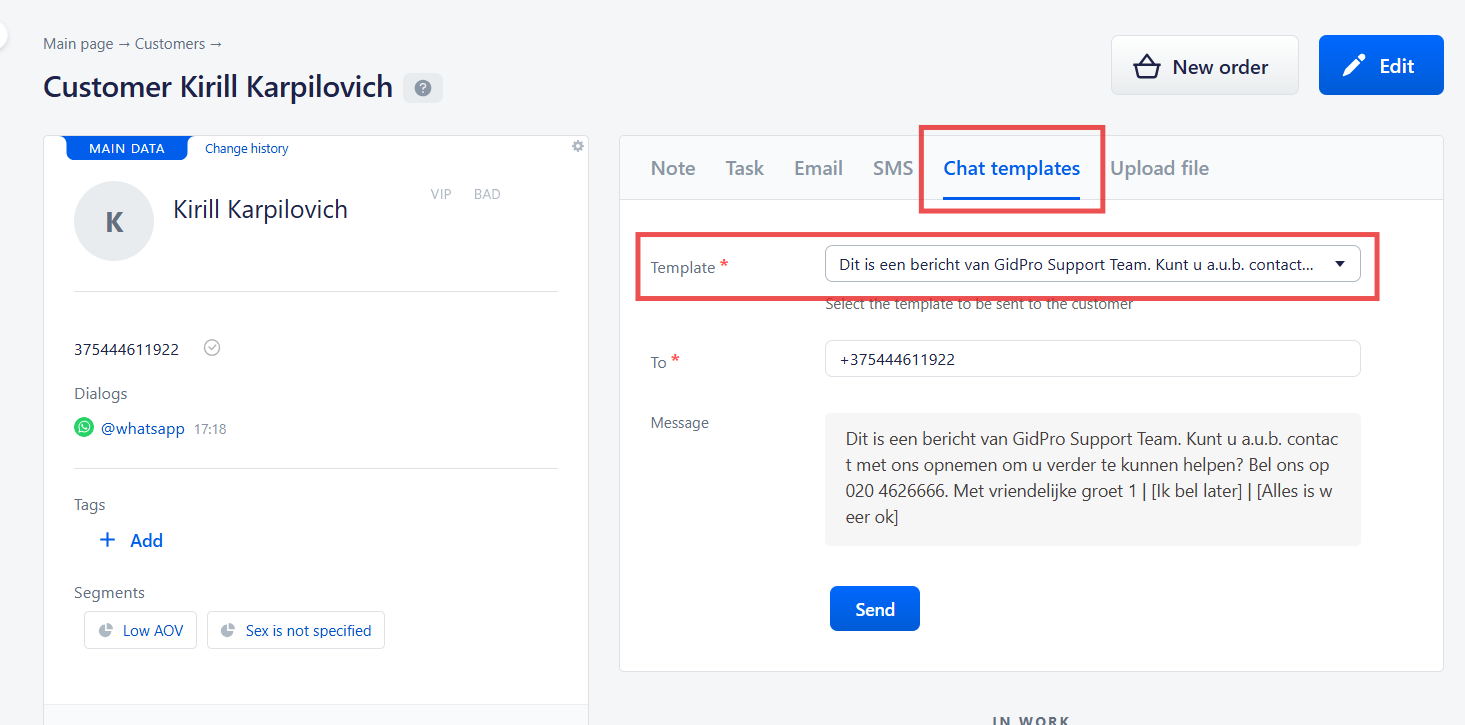
<figure id="bkmrk--2">![embedded-image-h9y5a8ti.png](https://support.chatarchitect.com/uploads/images/gallery/2026-03/embedded-image-h9y5a8ti.png)</figure>4\. Open a customer's card, press "Chat templates' and choose a template that you want to send
<figure id="bkmrk--3">![embedded-image-7cwlumzo.png](https://support.chatarchitect.com/uploads/images/gallery/2026-03/embedded-image-7cwlumzo.png)</figure>