Sending template messages using Salesbot
In this guide, we will show you how to send template messages using Salesbot.
1. First of all, you need to go to the "Pipeline" and choose a stage, where do you want to use your Salesbot
In my case, this is the "Initial contact" stage.
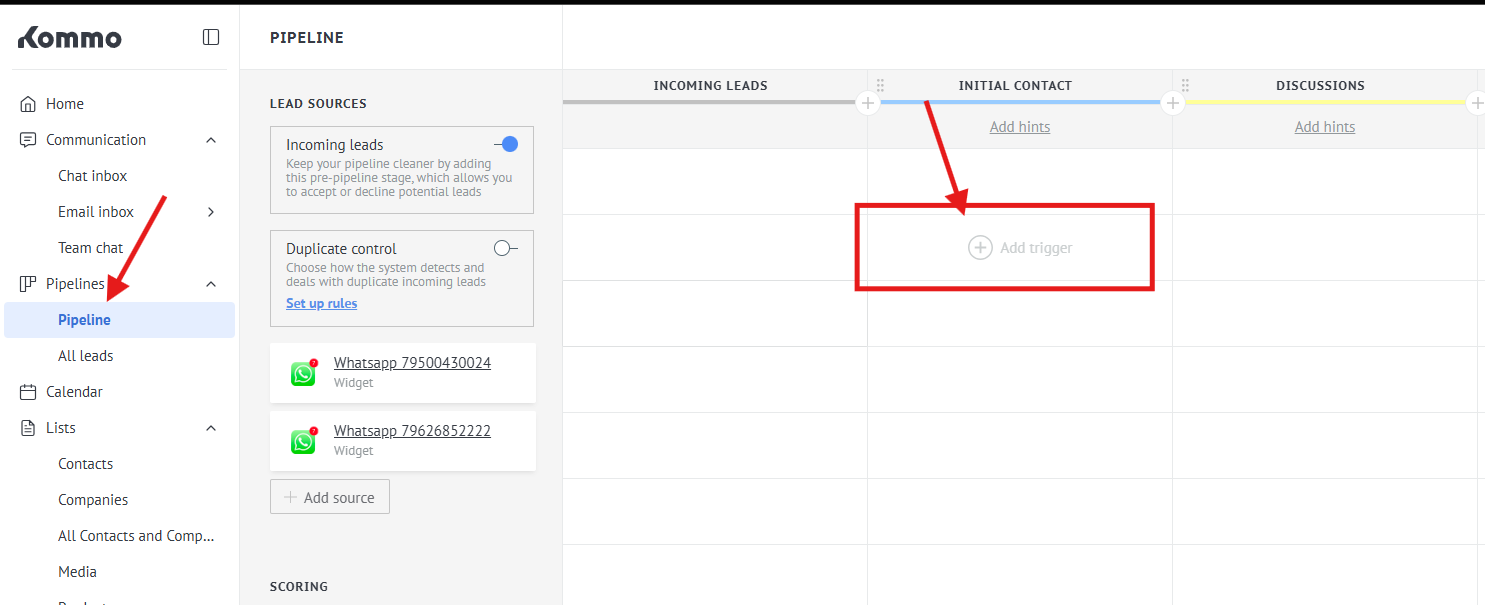
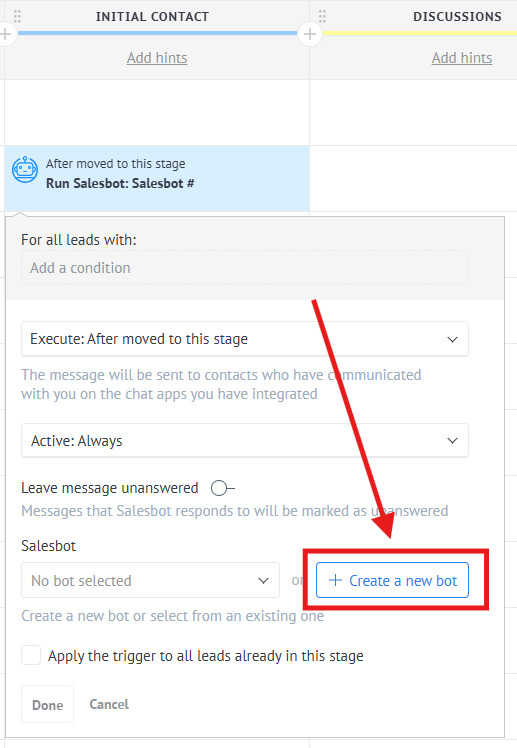
2. Press "Add trigger" -> "Salesbot" -> "Create a new bot"
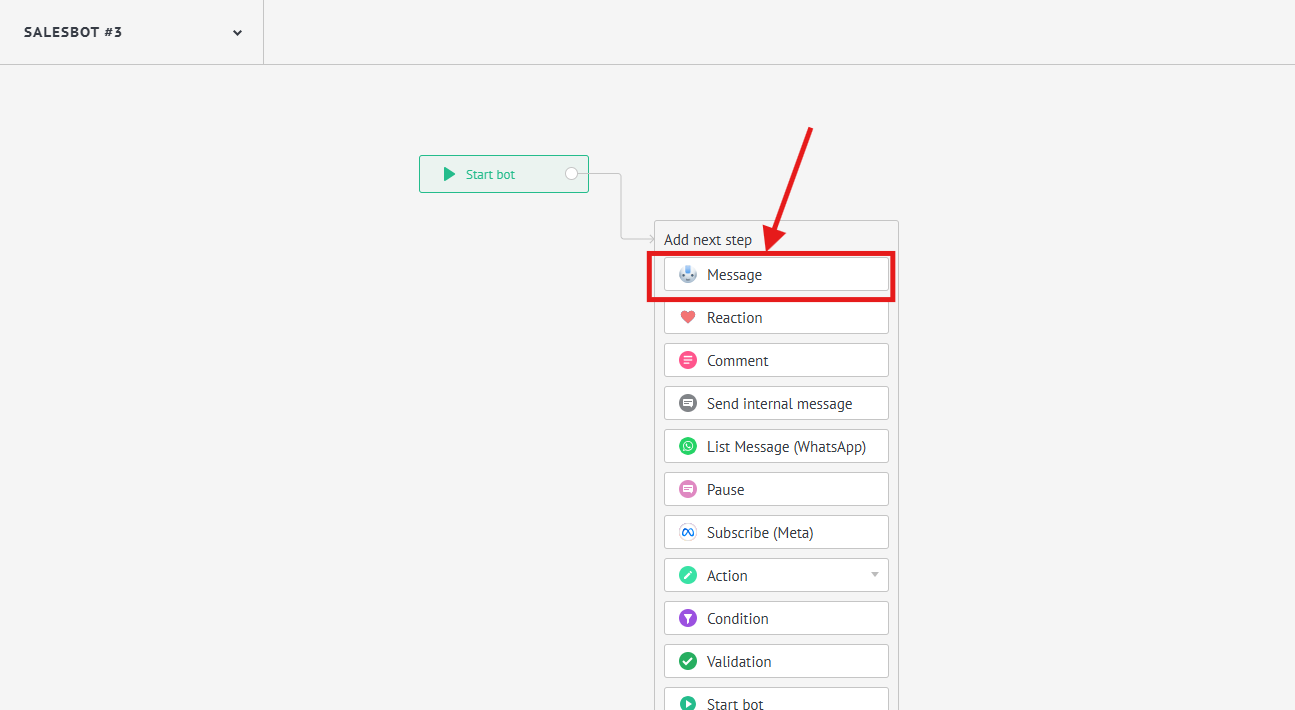
3. Choose "Message" step
4. After that, select the template you want to use for sending.
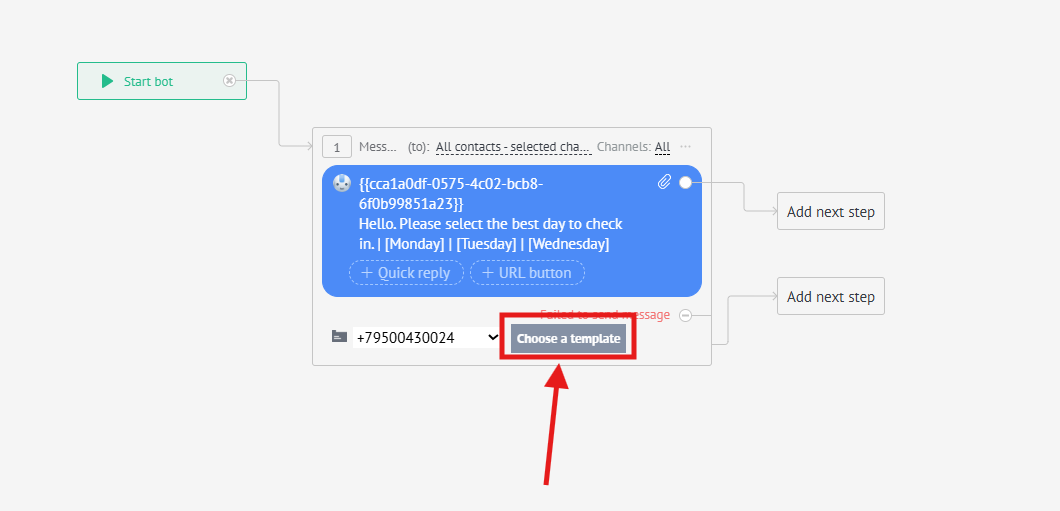
Done. Now all your deals that move to the "Initial contact" stage will receive the template you selected.
Note: At the moment, adding files of the following formats is available: .png, .jfif, .pjpeg, .jpeg, .pjp, .jpg, .bmp, .dib, .webp, .m4v, .mp4 - the bot supports all video formats that can be chosen to send