# Initiation via HubSpot

**In this guide, you will learn how to initiate a conversation with your client using a template message from <span class="hover:entity-accent entity-underline inline cursor-pointer align-baseline"><span class="whitespace-normal">HubSpot</span></span>.**  
  
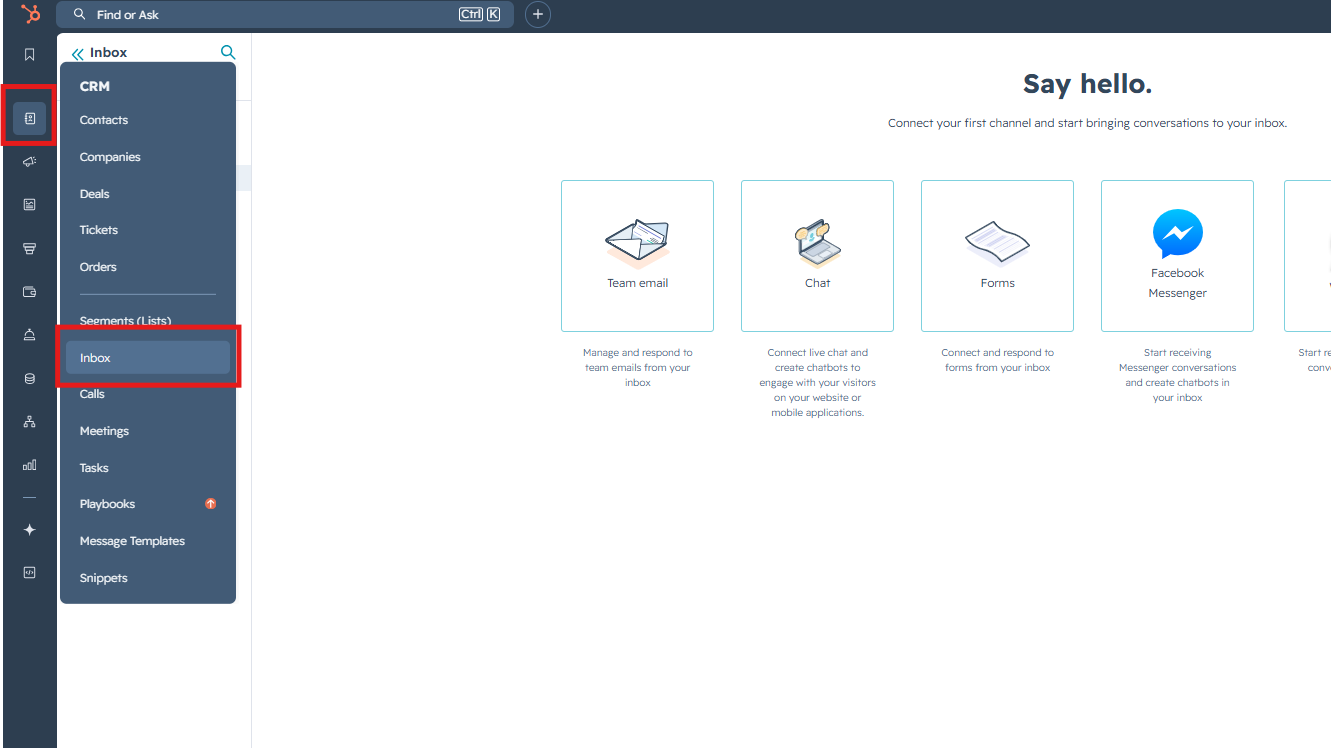
1\. Go to the **"Inbox"**

<figure id="bkmrk-" style="display: block; margin: 0px 0px 1em; padding: 0px; clear: both; color: rgb(213,214,215); font-family: Roboto, Helvetica, Arial, sans-serif; font-size: 14px; font-style: normal; font-weight: 400; letter-spacing: normal; text-indent: 0px; text-transform: none; white-space: normal; word-spacing: 0px; background-color: rgb(34,34,34);">[![image.png](https://support.chatarchitect.com/uploads/images/gallery/2026-04/scaled-1680-/zlPimage.png)](https://support.chatarchitect.com/uploads/images/gallery/2026-04/zlPimage.png)

</figure>2\. Press **"Compose"** button and fill in data like this:

[![image.png](https://support.chatarchitect.com/uploads/images/gallery/2026-04/scaled-1680-/j9Yimage.png)](https://support.chatarchitect.com/uploads/images/gallery/2026-04/j9Yimage.png)
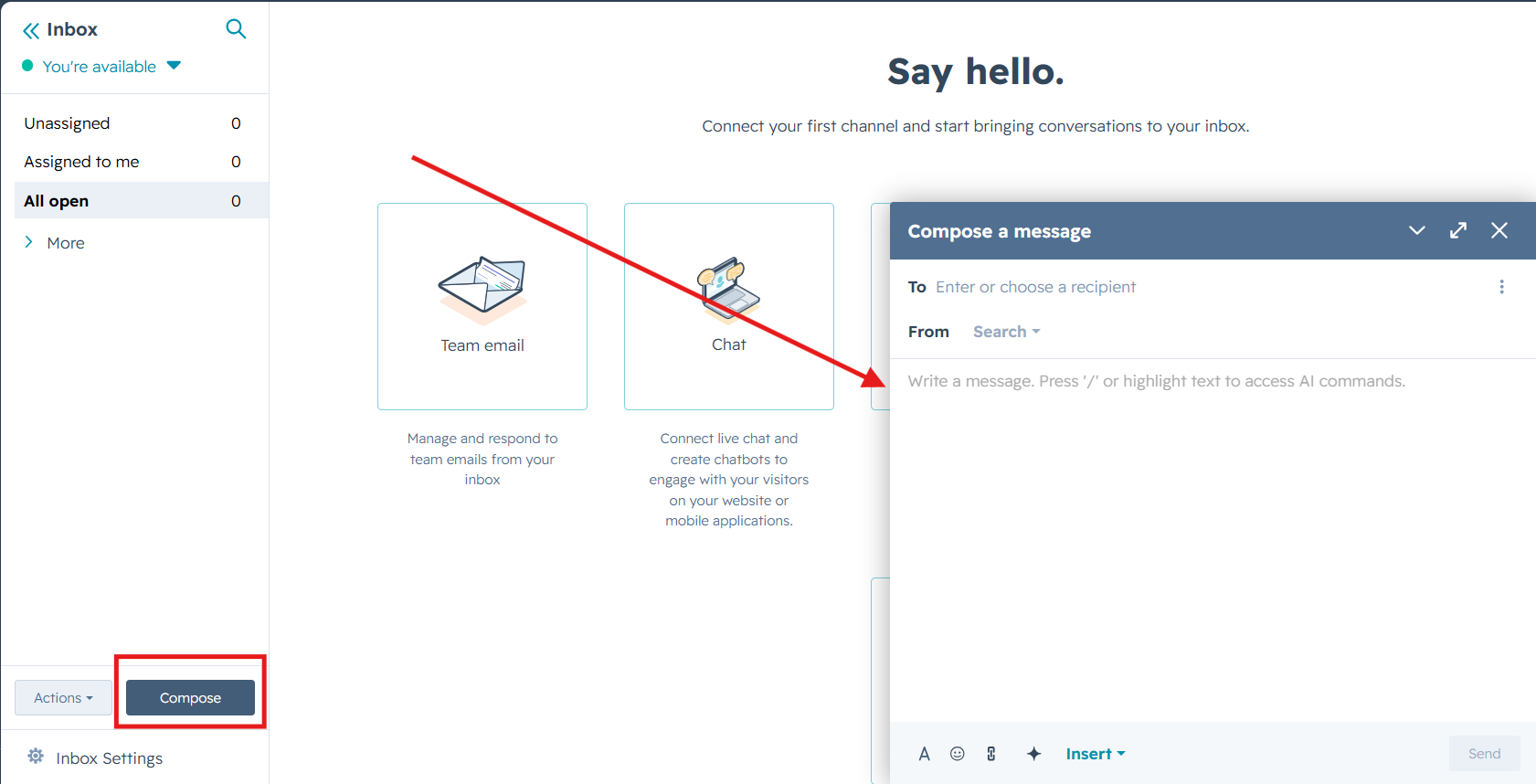
3\. Fill in data like this:  
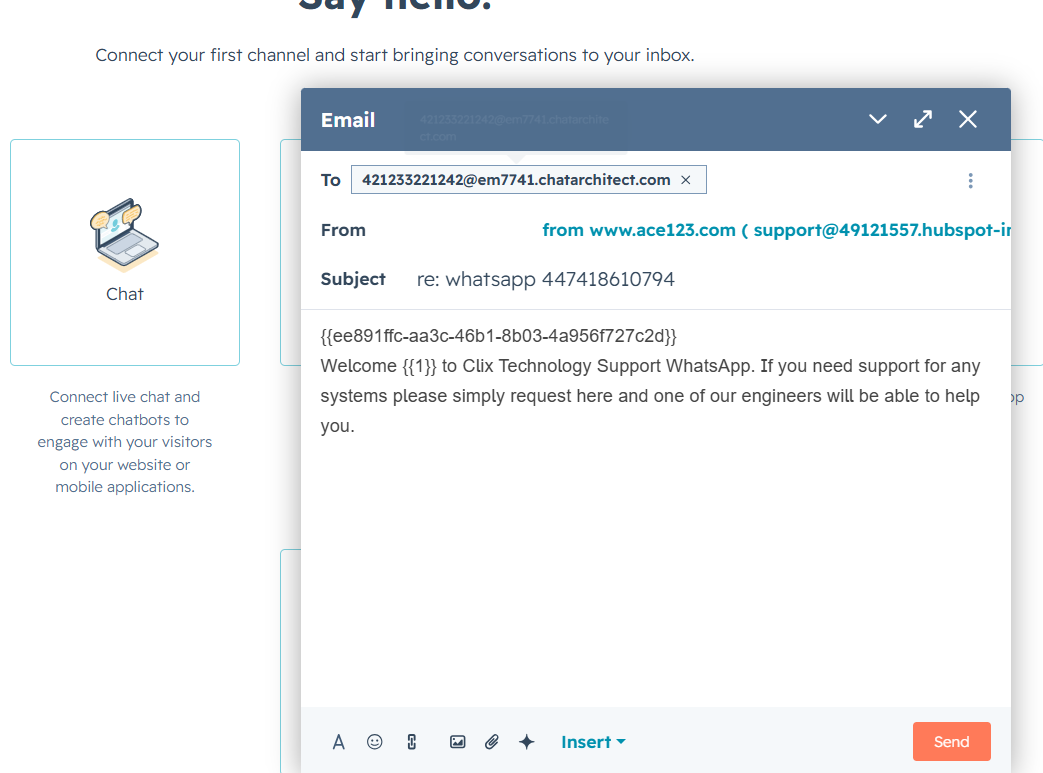
 **To**: phone number you are sending to + @em7741.chatarchitect.com (for example, **421233221242@em7741.chatarchitect.com** )  
**From**: DO NOT CHANGE  
**Subject**: RE: whatsapp + WhatsApp Business API number ( for example, re: whatsapp **447418610794** )  
  
**Text field**: copy a template from our app https://wtargeted.com/ and paste

<figure id="bkmrk--2">[![image.png](https://support.chatarchitect.com/uploads/images/gallery/2026-04/scaled-1680-/ixJimage.png)](https://support.chatarchitect.com/uploads/images/gallery/2026-04/ixJimage.png)

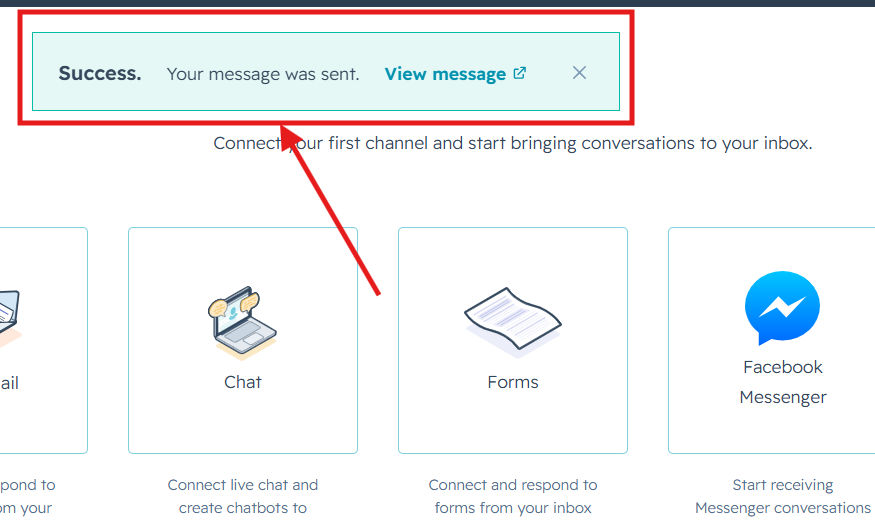
</figure>3\. Click **"Send"**. A message will appear indicating that the sending has been completed.

[![image.png](https://support.chatarchitect.com/uploads/images/gallery/2026-04/scaled-1680-/QMSimage.png)](https://support.chatarchitect.com/uploads/images/gallery/2026-04/QMSimage.png)  
Done. Now you know how to send template messages from the <span class="hover:entity-accent entity-underline inline cursor-pointer align-baseline"><span class="whitespace-normal">HubSpot</span></span> interface.