# Adding variables for templates in RetailCRM

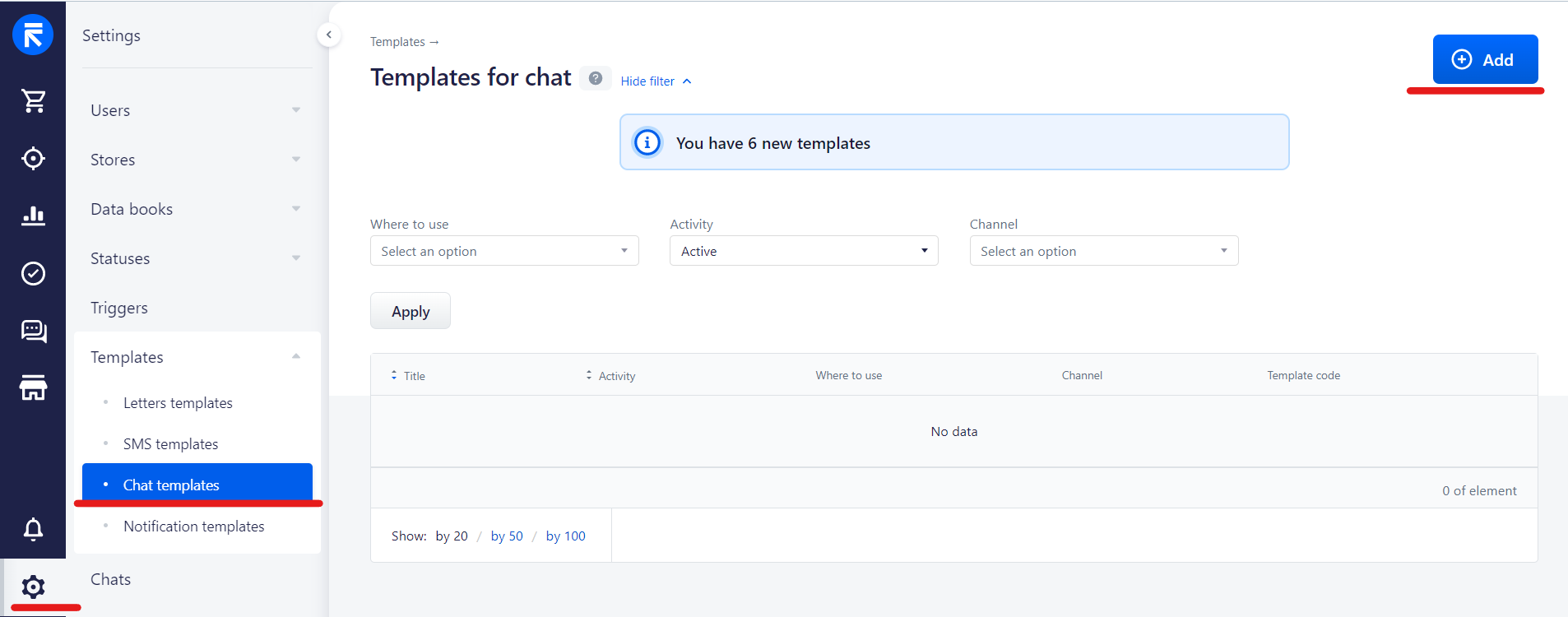
1\. First of all, you need to add a template   
Settings - Chat Templates - Add
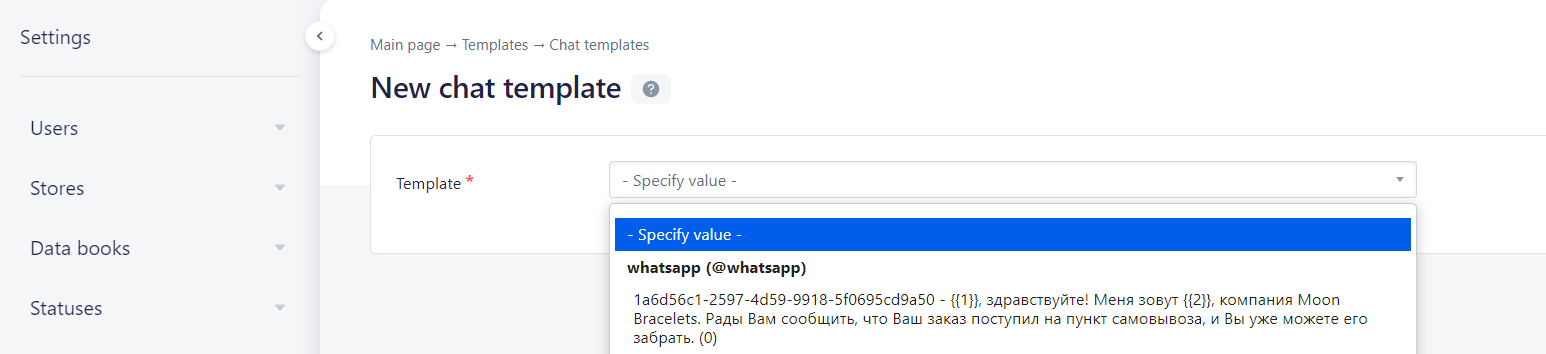
<figure id="bkmrk-">![e437d4410d4f99e178f8e3374f0b3137.png](https://support.chatarchitect.com/uploads/images/gallery/2026-03/embedded-image-qfqlh3ql.png)</figure>2\. Choose template

<figure id="bkmrk--1">![93cfd2caf556a04850446dc6a228b86e.png](https://support.chatarchitect.com/uploads/images/gallery/2026-03/embedded-image-qegufej1.png)</figure>3\. Select option for your variable and press Add
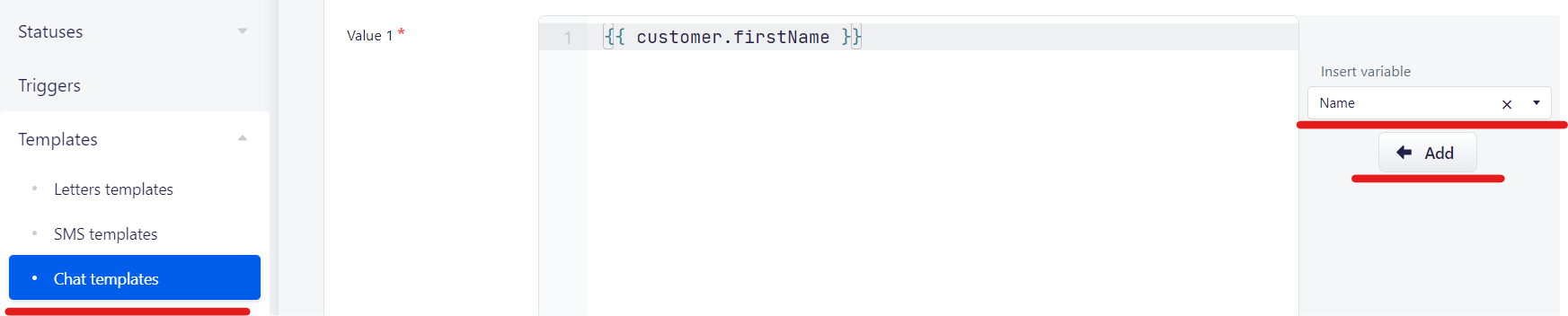
<figure id="bkmrk--2">![c33755dc1a470a3d29d0bdcf55e66990.png](https://support.chatarchitect.com/uploads/images/gallery/2026-03/embedded-image-wltvknme.png)</figure>