# Getting message delivery statuses in WhatsApp via Albato.com

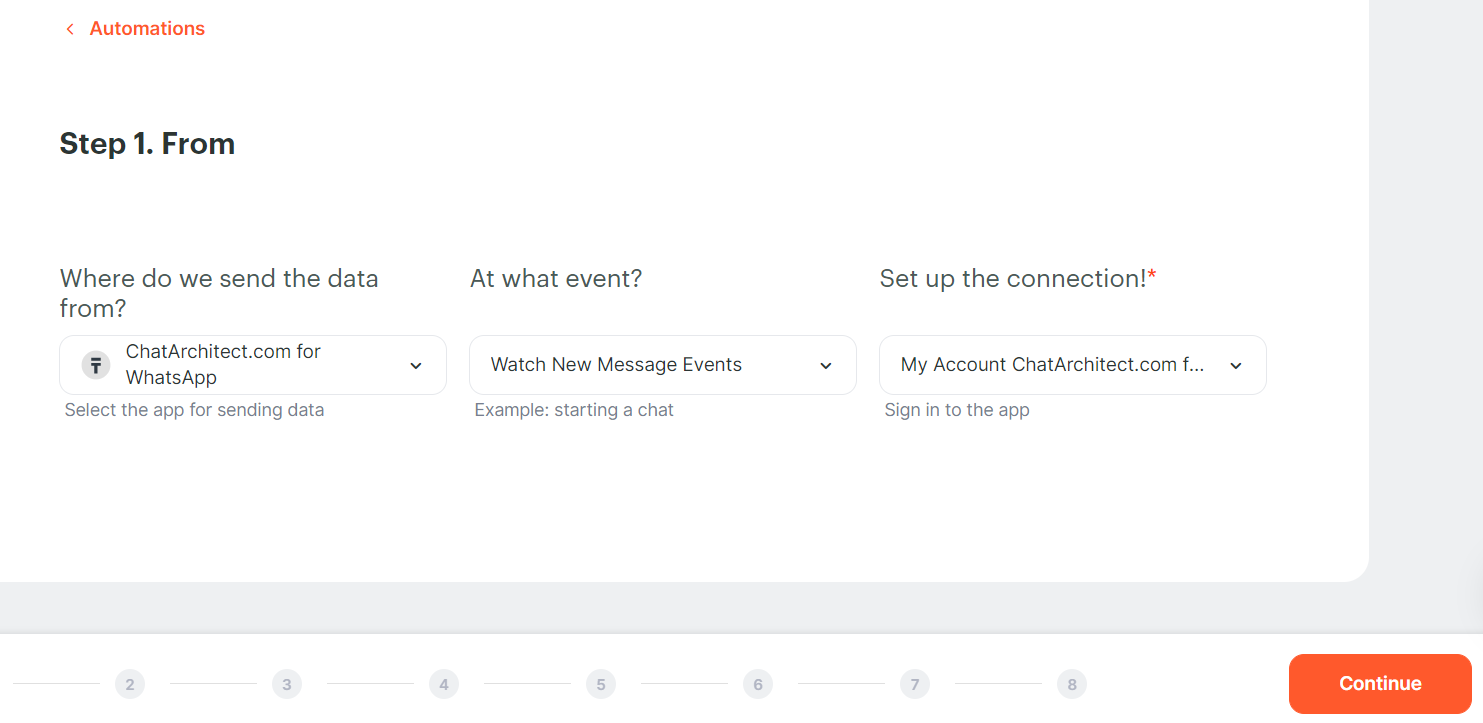
1\. At the first stage, we add our application ChatArchitect.com for WhatsApp, Event - Watch New Message Events.
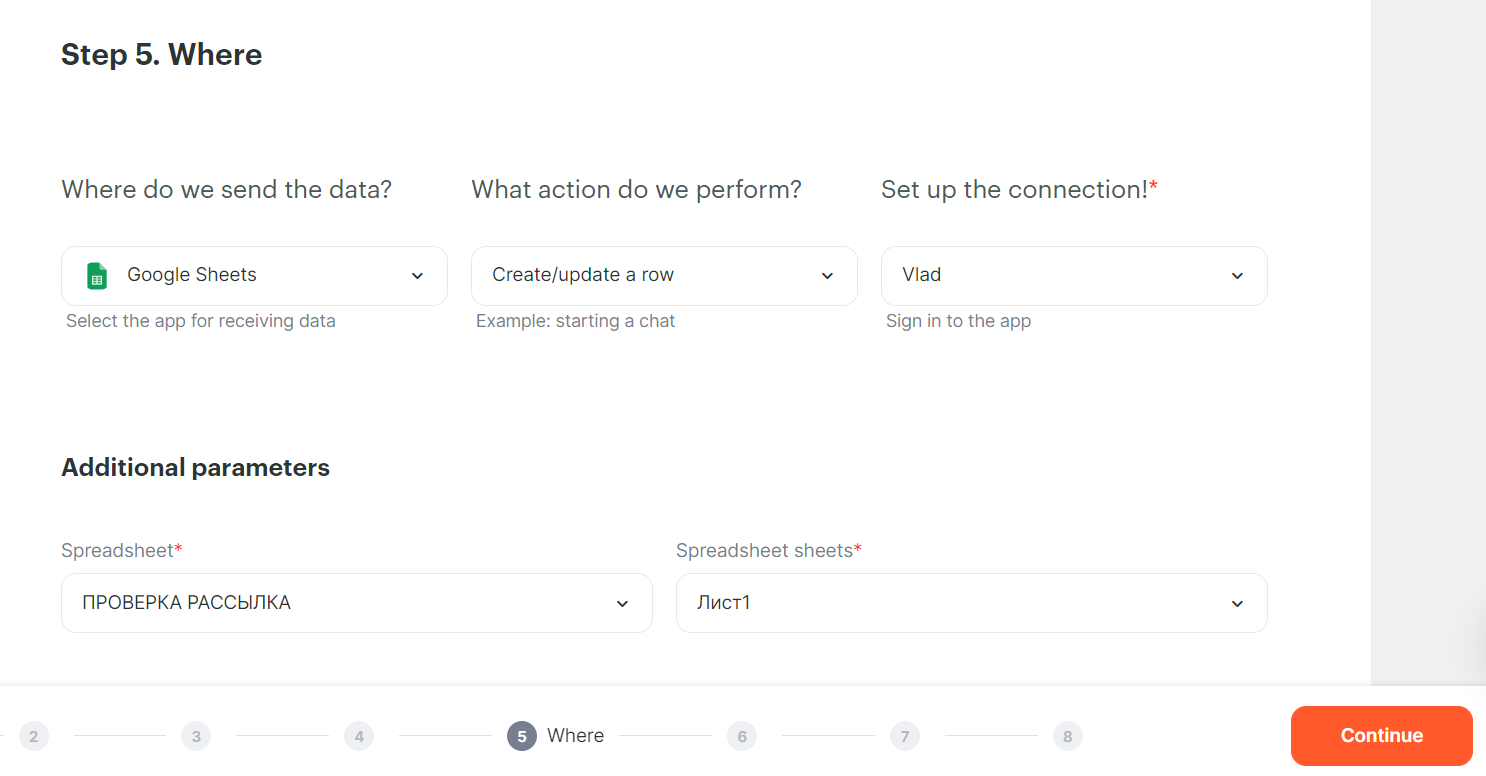
<figure id="bkmrk-" style="display:block;margin:0px 0px 1em;padding:0px;clear:both;color:rgb(213,214,215);font-family:Roboto, helveticaregular, Helvetica, Arial;font-size:14px;font-style:normal;font-weight:400;letter-spacing:normal;text-indent:0px;text-transform:none;white-space:normal;word-spacing:0px;background-color:rgb(34,34,34);text-decoration-thickness:initial;text-decoration-style:initial;text-decoration-color:initial;">![embedded-image-npkylagi.png](https://support.chatarchitect.com/uploads/images/gallery/2026-03/embedded-image-npkylagi.png)</figure>2\. Next, add your Google account, action - Create / update a row
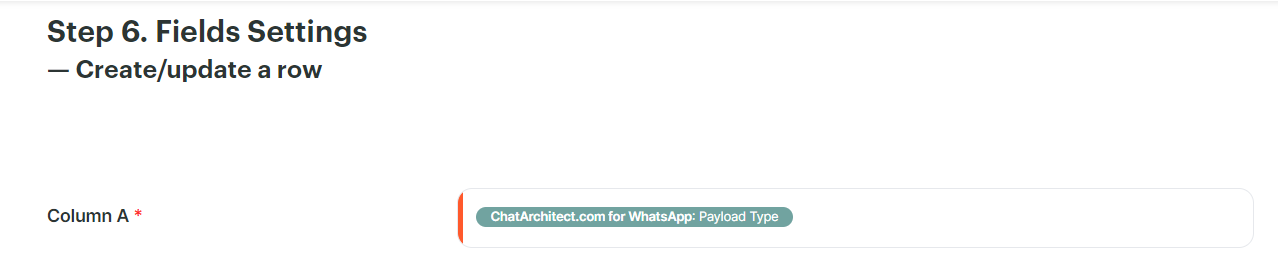
<figure id="bkmrk--1" style="display:block;margin:0px 0px 1em;padding:0px;clear:both;color:rgb(213,214,215);font-family:Roboto, helveticaregular, Helvetica, Arial;font-size:14px;font-style:normal;font-weight:400;letter-spacing:normal;text-indent:0px;text-transform:none;white-space:normal;word-spacing:0px;background-color:rgb(34,34,34);text-decoration-thickness:initial;text-decoration-style:initial;text-decoration-color:initial;">![embedded-image-yk3qgwvo.png](https://support.chatarchitect.com/uploads/images/gallery/2026-03/embedded-image-yk3qgwvo.png)</figure>3\. In column A we set the Payload Type. After that, you can run the trigger and start mailing.
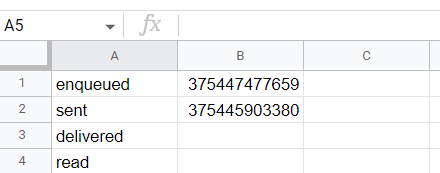
<figure id="bkmrk--2" style="display:block;margin:0px 0px 1em;padding:0px;clear:both;color:rgb(213,214,215);font-family:Roboto, helveticaregular, Helvetica, Arial;font-size:14px;font-style:normal;font-weight:400;letter-spacing:normal;text-indent:0px;text-transform:none;white-space:normal;word-spacing:0px;background-color:rgb(34,34,34);text-decoration-thickness:initial;text-decoration-style:initial;text-decoration-color:initial;">![embedded-image-y28vmgoe.png](https://support.chatarchitect.com/uploads/images/gallery/2026-03/embedded-image-y28vmgoe.png)</figure>4\. In the table it will look like this:
<figure id="bkmrk--3">![embedded-image-islzpjlr.png](https://support.chatarchitect.com/uploads/images/gallery/2026-03/embedded-image-islzpjlr.png)</figure>